
Overview
You will learn
- How to configure outbound events in SAP S/4HANA Cloud
- How to monitor events in SAP S/4HANA Cloud


Prerequisites
Prerequisites
- You have access to an SAP S/4HANA Cloud system and an SAP Integration Suite, advanced event mesh tenant
- You’ve completed the previous tutorial: Set up SAP S/4HANA Cloud connectivity with SAP Integration Suite, advanced event mesh or have the connectivity between SAP S/4HANA Cloud and SAP Integration Suite, advanced event mesh configured.
Steps
Intro
Now that you’ve established a connection between SAP S/4HANA Cloud and SAP Integration Suite, advanced event mesh. In this tutorial, you will configure the Business Partner changed event in the communication channel that you’ve created for SAP Integration Suite, advanced event mesh.
Log in to the SAP S/4HANA Cloud system and navigate to the Enterprise Event Enablement - Configure Channel Binding app.

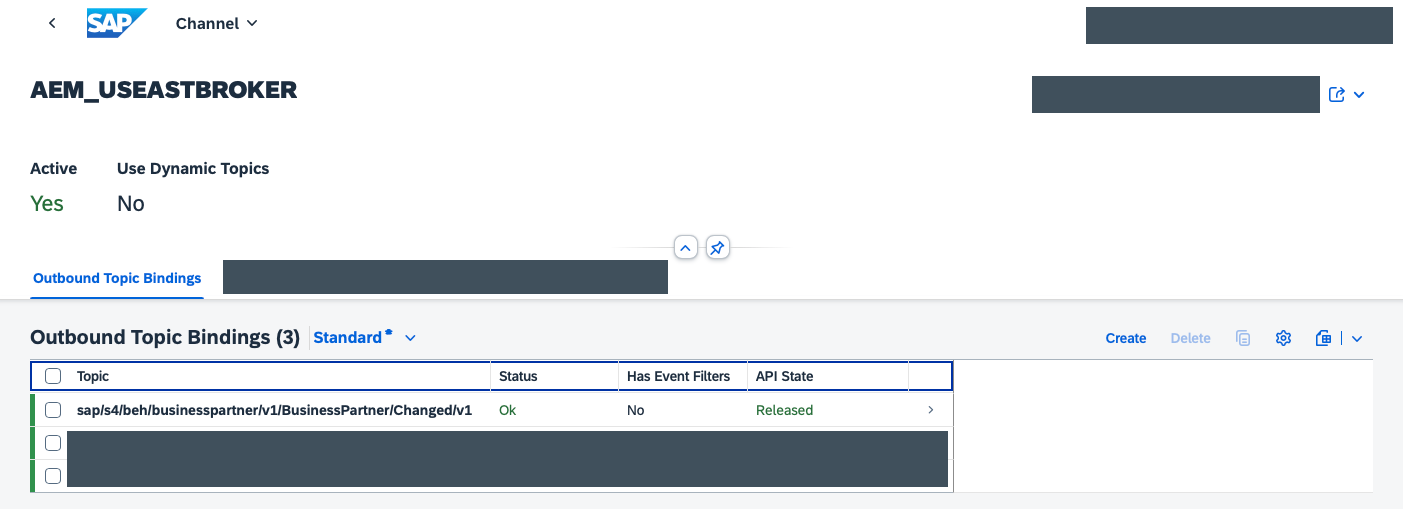
Select the channel binding that you created in the previous tutorial, for example AEM_USEASTBROKER.

Choose the Create event button in the Outbound Topic Bindings section, search for the *BusinessPartner/Changed* topic and select the sap/s4/beh/businesspartner/v1/BusinessPartner/Changed/v1 topic. Choose the Create button.

Now that you’ve added the topic, you can see the Outbound Topic Bindings section with the BusinessPartner Changed topic.
Go to the Maintain Business Partner app and search for a Business Partner to maintain.

Modify an existing Business Partner. For example, you can update its address details.

Now that you’ve changed a Business Partner, you navigate to the Enterprise Event Enablement - Event Monitor app.

Select the same channel selected before, for example AEM_USEASTBROKER.

An outbound event should be displayed in the Outbound Events section.

If you select the event, you can see the details of the event and event the payload sent. This is useful to see the structure of the event and the data sent.

Resources
Discussion
Share feedback on this tutorial or join the conversation in SAP Community.