
Overview


Prerequisites
Prerequisites
- Proficiency: Beginner
- Tutorials: SAP HANA, express edition - Server Only deployment Options or
- Tutorials: Help Thomas Get Started with SAP HANA
Steps
Next Steps
Time to Complete
15 Min
Node.js® is a JavaScript runtime built on Chrome’s V8 JavaScript engine. Node.js uses an event-driven, non-blocking I/O model that makes it lightweight and efficient. Node.js’ package ecosystem, npm, is the largest ecosystem of open source libraries in the world.
To setup your system you will need to install the appropriate Node.js on your system. To do this please go to the website for Node.js and follow the instructions there for the type of system you have. Or consider using the SAP Business Application Studio which provides Node.js already installed in its environment.
Now that you have installed Node.js you can open a command line on your system and check to be sure it is there. To do so type the following command.
node -v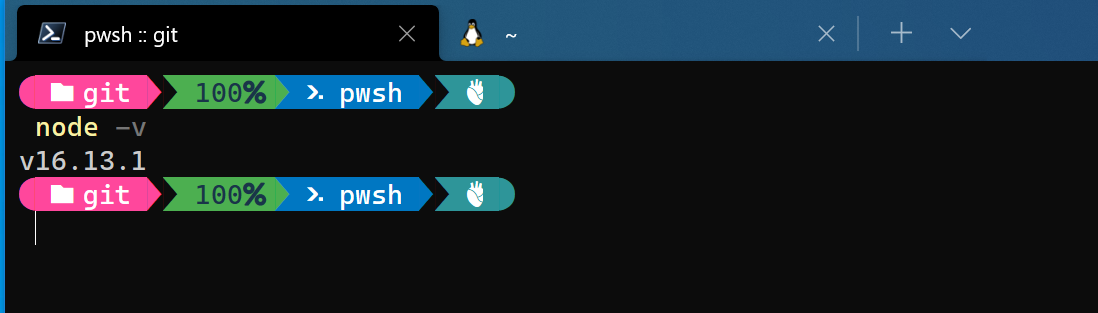
Now that you have verified that Node.js is installed it is time install the appropriate library to connect to your SAP HANA, express edition or SAP HANA Cloud. This is the sap-hdbext-promisfied library. This is lightweight wrapper around @sap/hdbext that adds a promise interface and other utilities. @sap/hdbext itself is a library layered upon the @sap/hana-client. You can learn more about these libraries here in the SAP Help.
Make a directory for your project and change into that directory.
To install this library from your command line you will run the following command.
npm install sap-hdbext-promisfied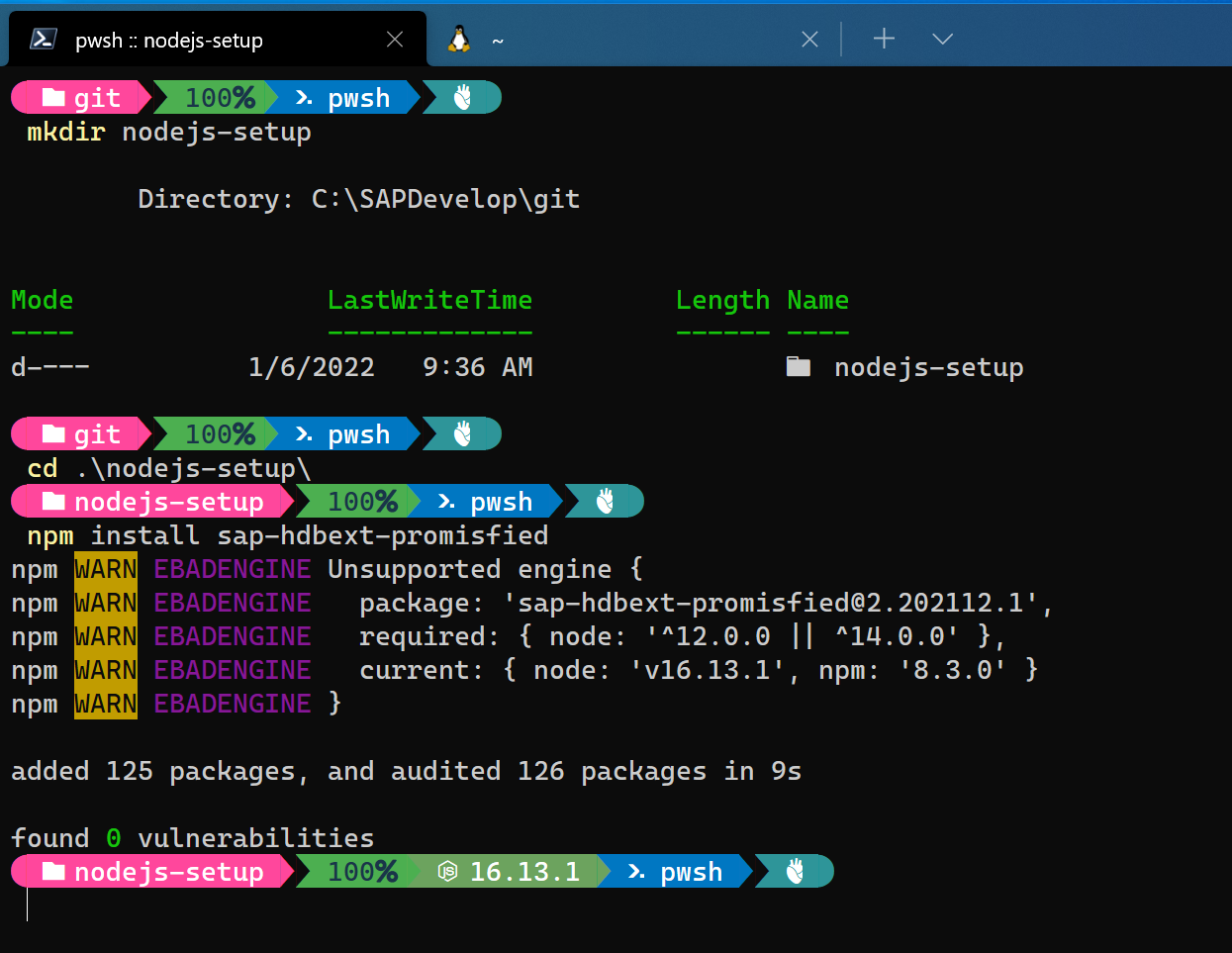
Your system may require administrator access to run the install so keep that in mind if you get an error. You can also use the -g flag on the install command to make it a universal install otherwise you will have to install the module into each application directory you make.
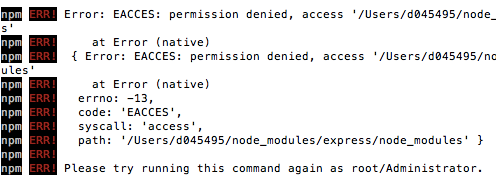
Now from the command line you should be able to check to verify the install was successful. To do so run the following command.
npm listThis command lists all of the modules that are installed on your system and in the list you should see sap-hdbext-promisfied
Resources
Discussion
Share feedback on this tutorial or join the conversation in SAP Community.