
Overview
You will learn
- The API Provider is used to abstract the connection to the backend / target system
- The API Proxy is the actual API which contains the logic to connect to the target system. Here you can model the flow, add security policies, transform the incoming message or look for content injections
- The API Product which bundles one or more API Proxies before they are exposed in the API Business Hub Enterprise so they can be consumed by a developer


Prerequisites
Prerequisites
- Tutorials: Create an API Provider System
Steps
Intro
In this tutorial you will learn how to create an API Proxy based on the API Provider created in the previous step. You will learn how SAP Integration Suite, API Management can leverage the OData catalog service to retrieve relevant information from a SAP Gateway system and pre-populate required information for the API Proxy
Create an API proxy and take a look at the Policy Editor. You will start to look into the details of building an API Proxy that contains some real life functionality.
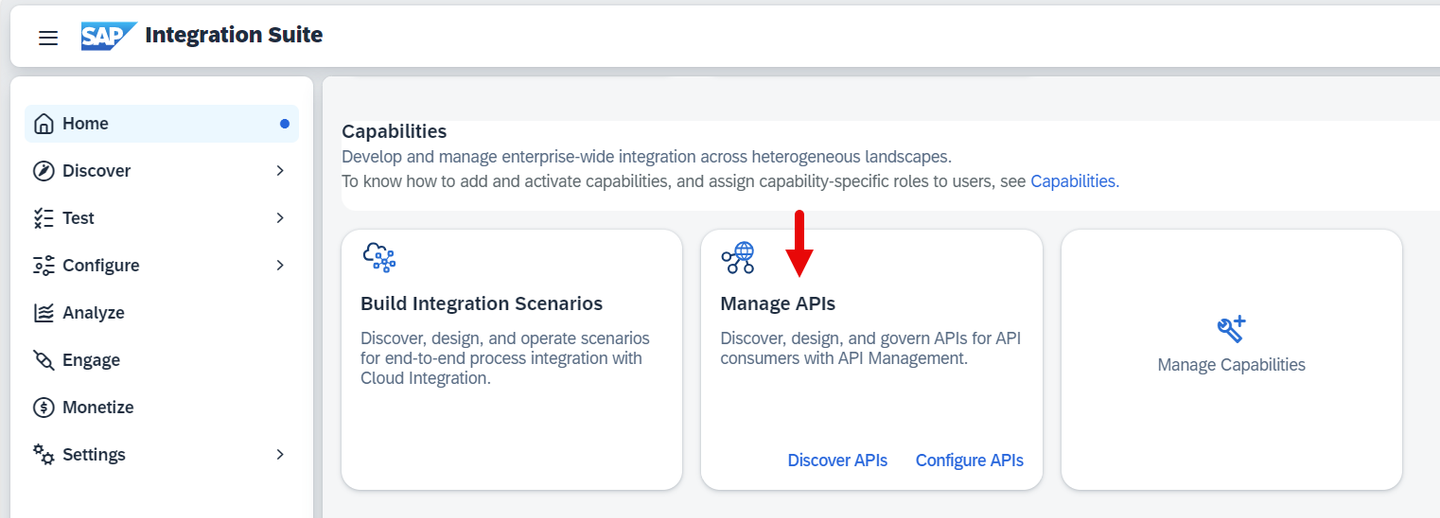
Open the Integration Suite and choose Design Develop, and Manage APIs.
To view your APIs that you have previously created, select from the Hamburger Menu in the upper left corner, choose Configure and select APIs.
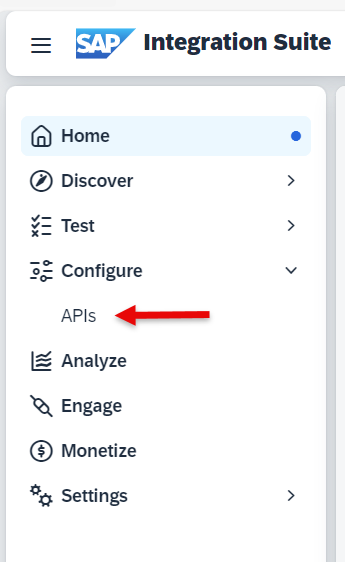
This will open the list of previously created APIs.
To create a new API from this page, click Create.

From the drop-down select the SAPDeveloperSystemES5 API Provider created in the previous tutorial.

Click on Discover.
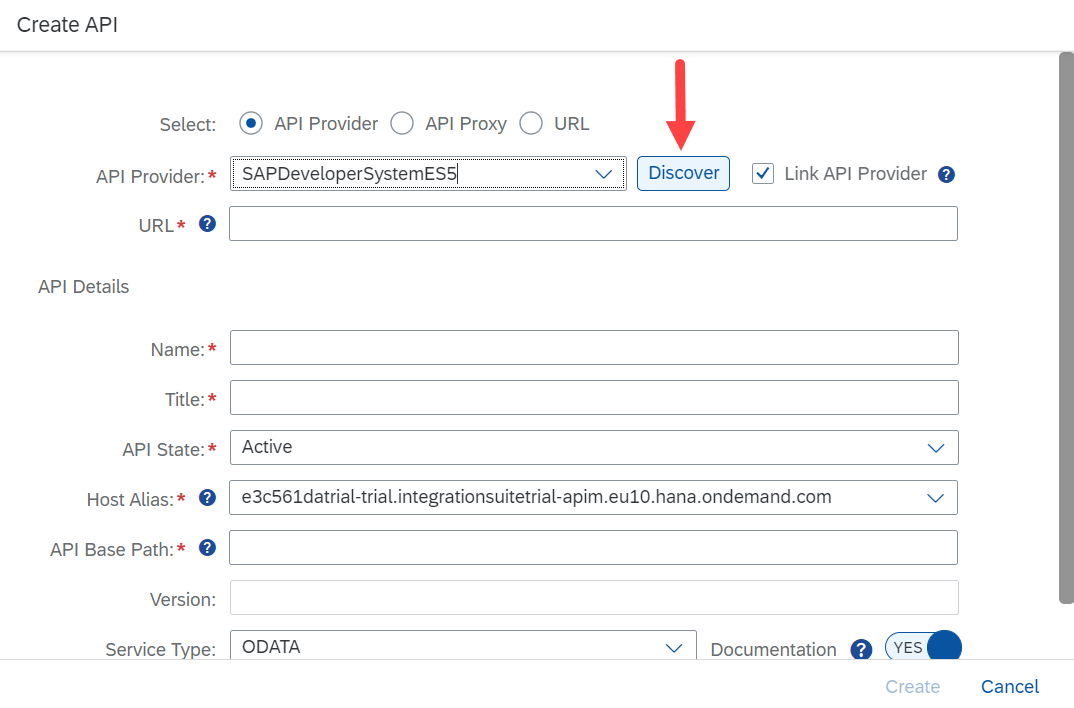
Select the GWSAMPLE_BASIC services by using the search bar to search for sample.
You can use the Search to narrow down the list.

Click on OK.
The remaining fields from the API Proxy creation screen are populated. Click Create.
In the trial version, there is only 1 option for the Host Alias which is your default trial account. Leave this as is.

Click on Save.

Status of the API Proxy is Not Deployed as we have not deployed the API
Click on the arrow next to Create API to go back to the overview page

A new API Proxy has been created

Click on action button from right side and select Deploy

API proxy is deployed.
To Test your API proxy, navigate to Test from navigation bar and select APIs.
Select your API and provide the user name and password and click OK.

Click on Send.

You should get the response.
Resources
Discussion
Share feedback on this tutorial or join the conversation in SAP Community.