
Overview
You will learn
- How to enable log upload feature in Mobile Services
- How to upload logs from the app
- How to examine log details for troubleshooting


Prerequisites
Steps
Intro
Managing issues with apps rolled out to a large number of users is a challenge and often requires deep insights into running applications to troubleshoot. For that purpose, SAP Mobile Services includes a Logging feature that enables you to gain insights into live apps. Use MDK to gather logs on client devices, to add contextual information and to automatically or manually upload them to mobile services for further inspection. You may clone an existing metadata project from the MDK Tutorial GitHub repository to start with this tutorial.
SAP Mobile Services provides administrators, developers and support staff with extensive logs and traces functionality to troubleshoot application issues. You can control the amount of information that is captured by setting the log level for individual logging components.
In this step, you will enable client log upload policy in SAP Mobile Services Admin UI for a given MDK app.
Login to Mobile Services Admin UI, click
myapp.mdk.demo| Client Log Upload.
Mobile Services Client Log Upload Section Switch to the Configuration tab, check Log Upload option and click Save.
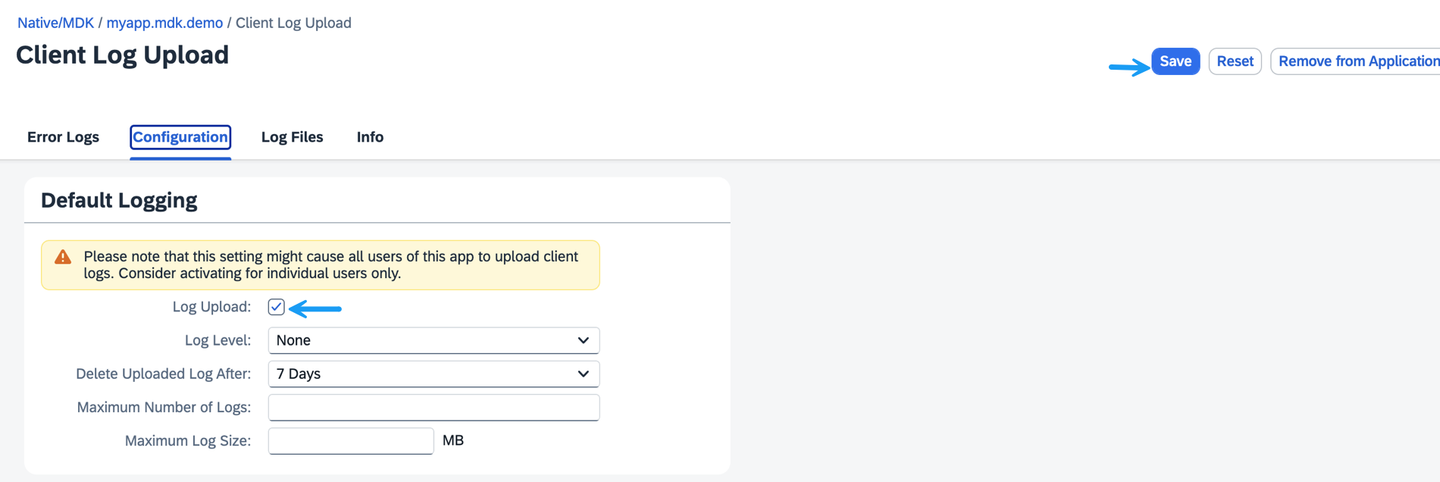
Log Upload Configuration Tab Save Setting Other policy parameters such as Log Level, Delete Uploaded Log After, Maximum Number of Logs and Maximum Log Size are currently not supported by MDK and hence have no effect.
You can find more details about Client Log Upload feature.
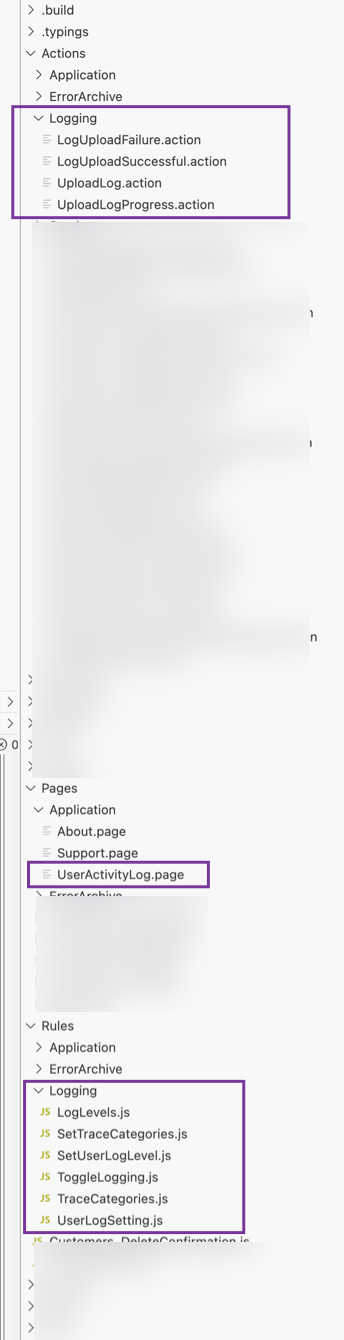
Logs help you trace events that occur while your application is running. You can create logging actions, set their priority levels and upload stored log entries. using the MDK, you can set up logging in one of two ways:
- Using Logging Actions
SetState: used to turn the logger On, Off or ToggleSetLevel: to set log level (Trace, Debug, Info, Warn or Error)Upload: to upload logs from app to Mobile ServicesSetDebugSettings: enablesDebugSettingsduring runtime or override theDebugSettingsinBrandedSettings.json
- Using the Client API in Rules
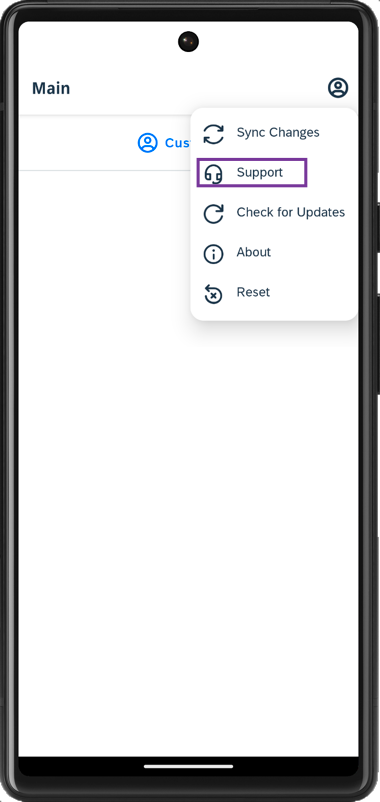
The MDK template generates a project that includes a user menu with support options, making it easier for initial troubleshooting without having to create logging, tracing, or upload actions. Of course, you can create your own actions or rules and add them to your project when needed.
Tap the Support option in the user menu on the main page.
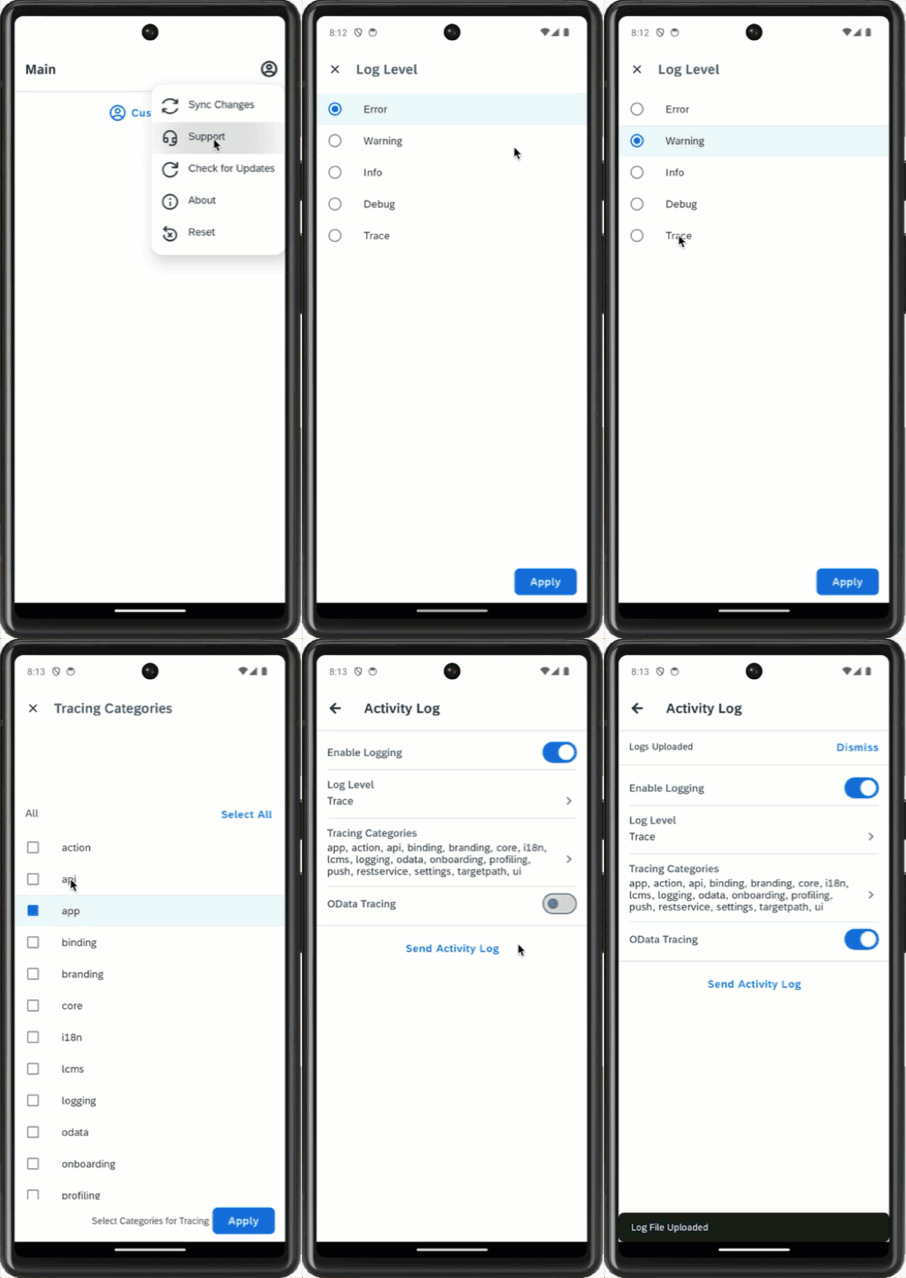
Android App User Menu Support Option Tap the Activity Log to open the user activity log page. As the page is loaded, logging is by default enabled and log level is set to Error.

Android Activity Log Page Opened 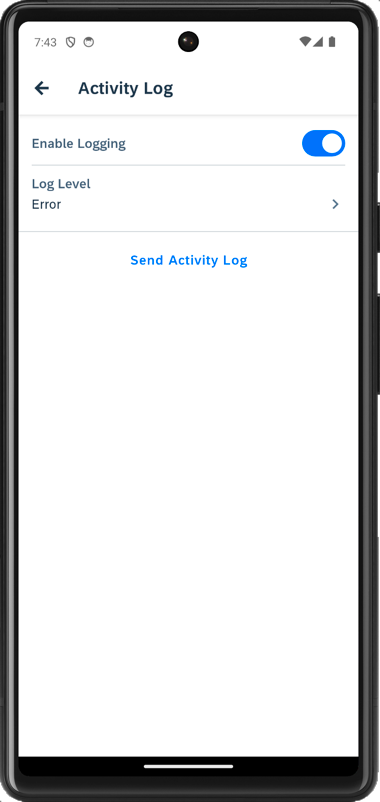
Android Activity Log Default Error Level Send activity logs to SAP Mobile Services or change the log level to other options, for example, Warning, Info, Debug, or Trace to collect more details. When the log level is set to
Trace, two new options Tracing Categories and OData Tracing appear on the activity log page.- Tracing Categories allow you to select one or more tracing categories (to capture information about any MDK action, binding, on-boarding, push etc.).
- OData Tracing captures tracing on OData operations, such as
uploadOfflineOData, read, etc.
Once you have set the required settings, tap on Send Activity Log to upload client logs from app to SAP Mobile Services.
Android Send Activity Log Upload Demo
Tap the Support option in the user menu on the main page.
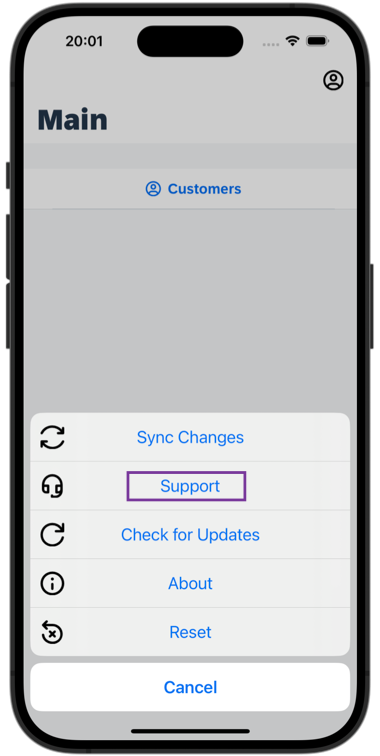
iOS App User Menu Support Option Tap the Activity Log to open the user activity log page. As the page is loaded, logging is by default enabled and log level is set to Error.
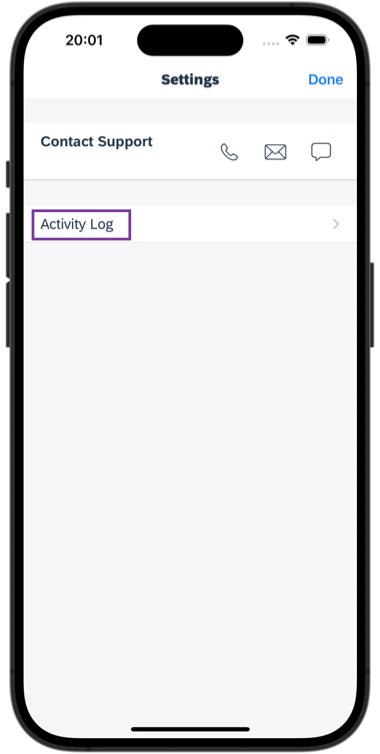
iOS Activity Log Page Opened 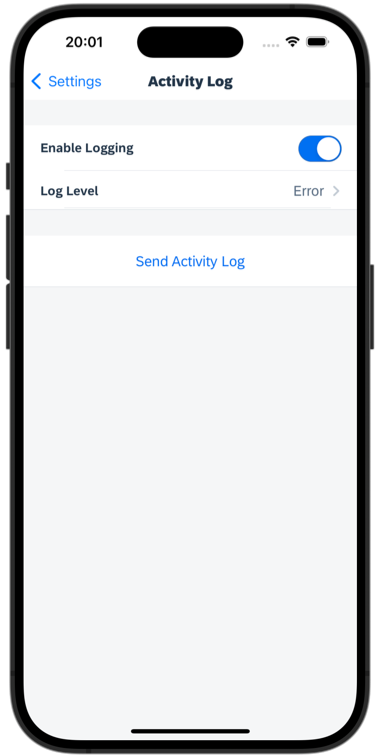
iOS Activity Log Default Error Level You can send activity logs to SAP Mobile Services or change the log level to other options, for example, Warning, Info, Debug, or Trace to collect more details. When the log level is set to
Trace, two new options Tracing Categories and OData Tracing appear on the activity log page.- Tracing Categories allow you to select one or more tracing categories (to capture information about any MDK action, binding, on-boarding, push etc.).
- OData Tracing captures tracing on OData operations, such as
uploadOfflineOData, read, etc.
Once you have set the required settings, tap on Send Activity Log to upload client logs from app to SAP Mobile Services.
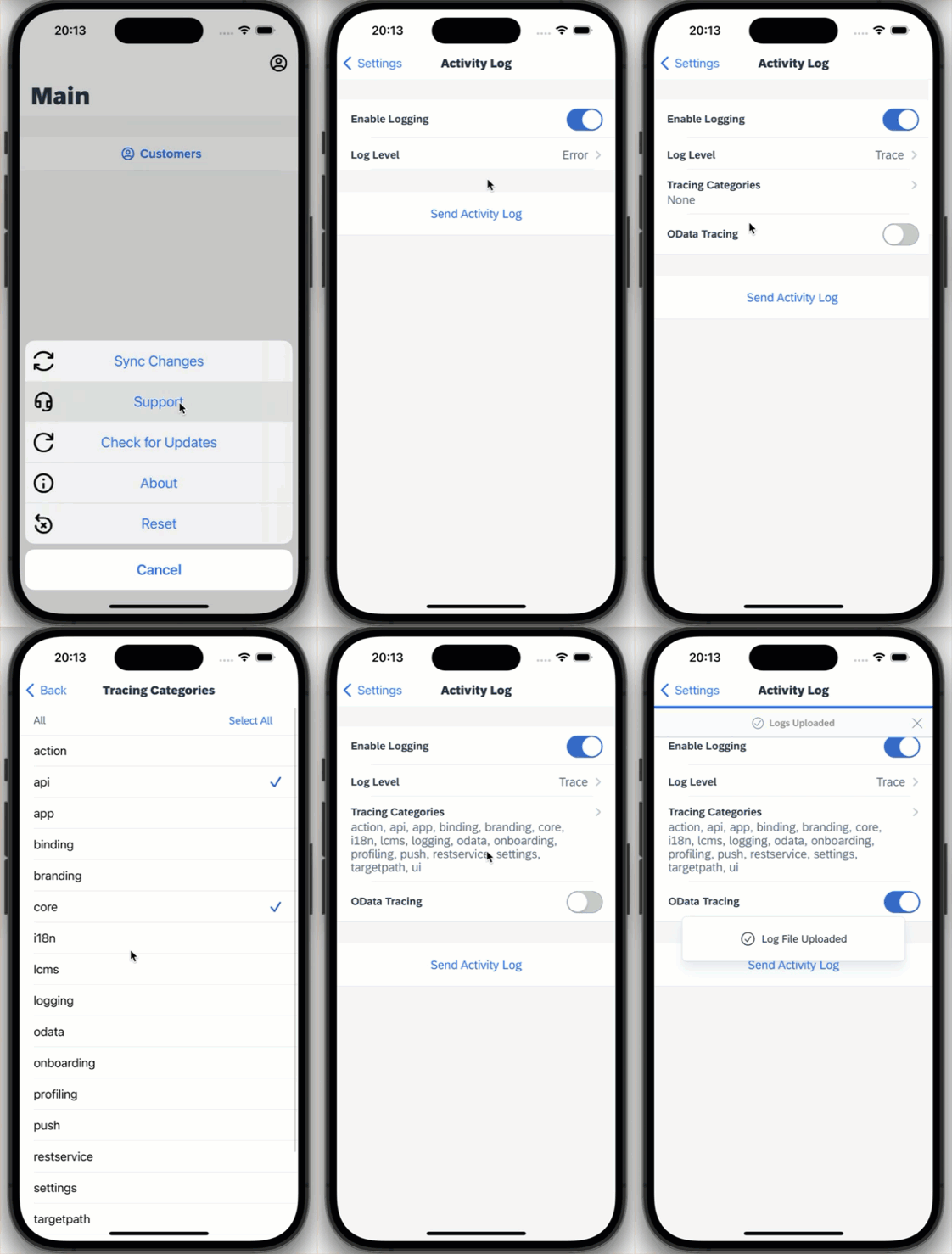
iOS Send Activity Log Upload Demo
Open SAP Mobile Services Admin UI, click Mobile Applications → Native/MDK → click myapp.mdk.demo app → Client Log Upload → Log Files.
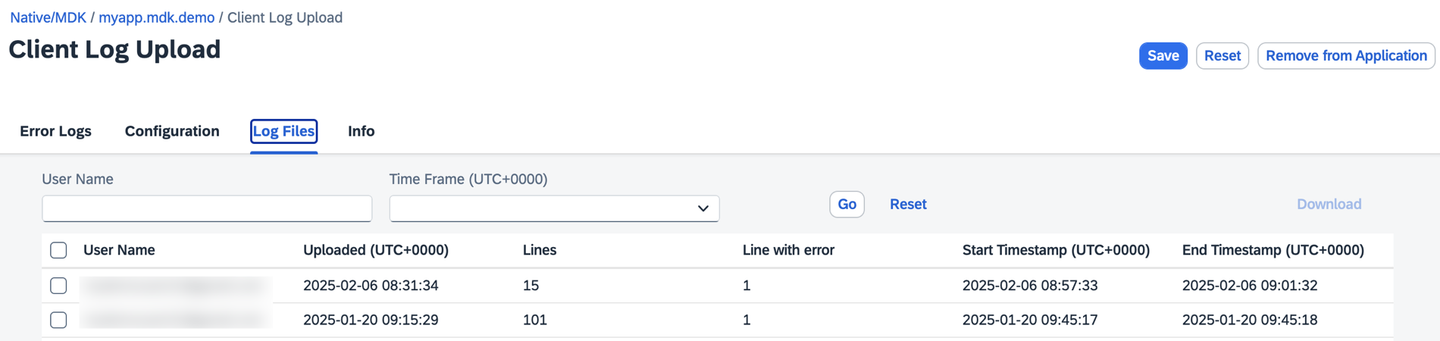
A log file is created for each upload. All the uploaded files, including all levels, not just error or fatal will be listed here. You can select a file and download it locally on your machine for further examination.
Check documentation for more details about Uploading and Viewing Client Logs.
Resources
Discussion
Share feedback on this tutorial or join the conversation in SAP Community.