
Overview
You will learn
- How to deploy a rule service to the consumer application to implement the decision logic


Prerequisites
Steps
Intro
Once you have modelled the rule services, you can deploy them to execute the rule set associated to them. In this tutorial, we will deploy the rule services we have created. In the next tutorial, you can test the decision logic using the Business Rules APIs in SAP API Business Hub.
Navigate to the Details tab of the project, then choose Edit.
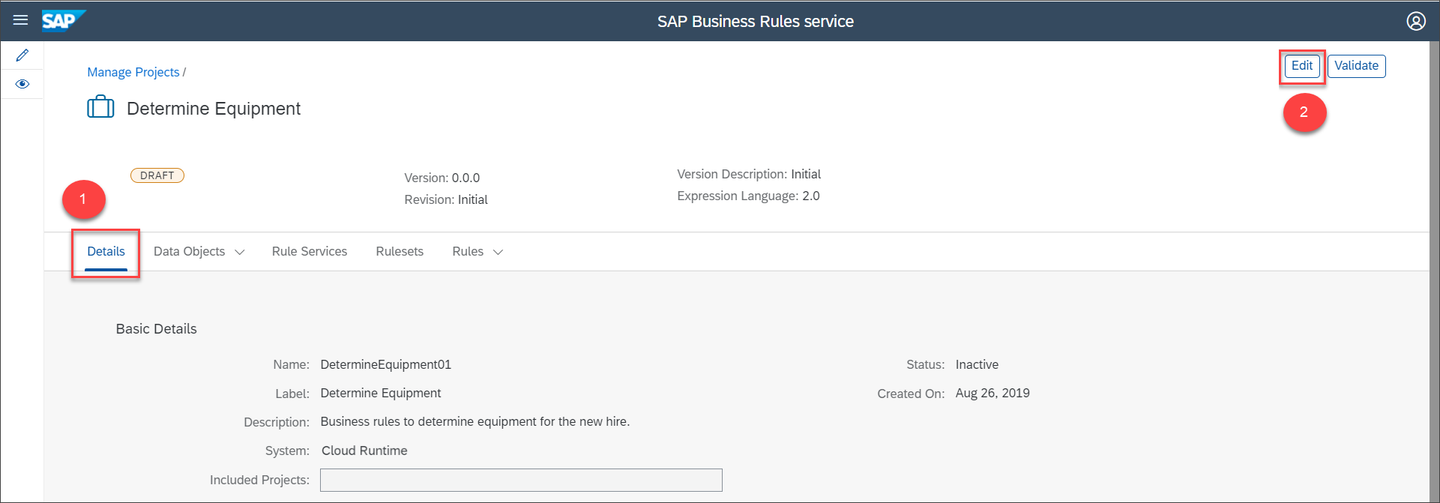
Edit the project Choose Activate.
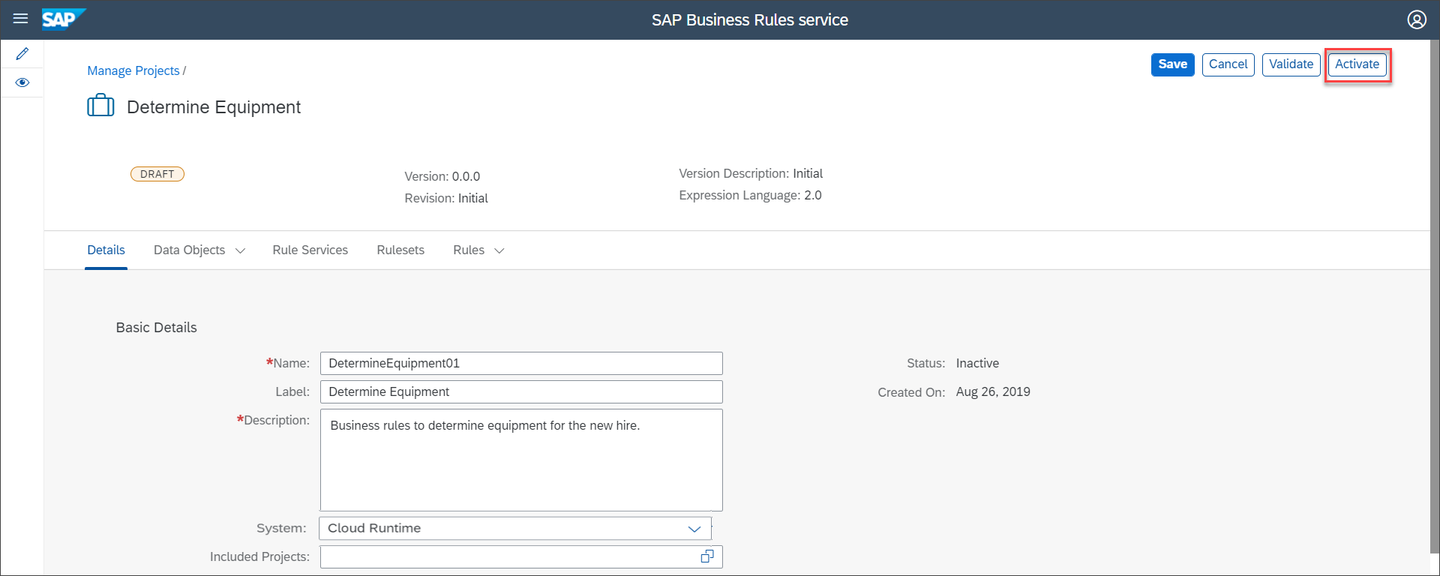
Activate the project Ensure that each entity of the project is active.
Navigate to the Rule Service tab and then choose Deploy button of
EquipmentApprovalRuleserviceto deploy the rule service.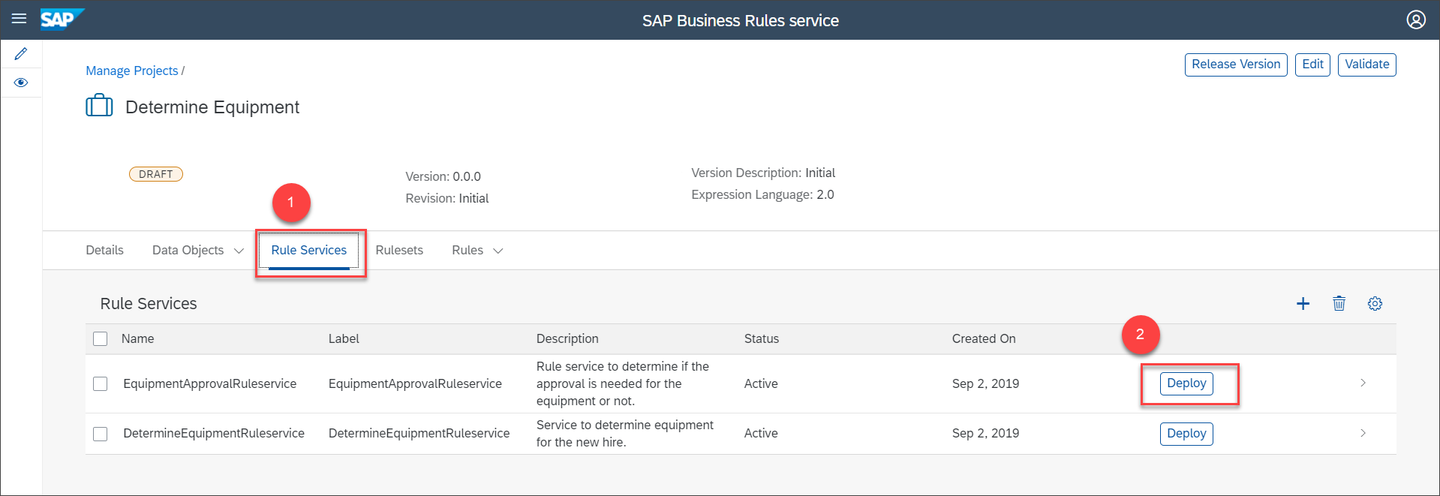
Deploy EquipmentApprovalRuleservice Choose Cloud Runtime for deploying the rule service.
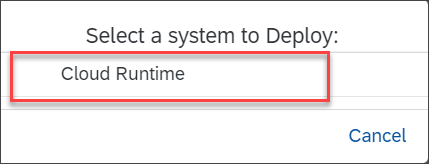
Deploy to Cloud Runtime Similarly, choose the Deploy button of
DetermineEquipmentRuleserviceand then choose the system as Cloud Runtime.You will see the following message on successful activation of the rule service:
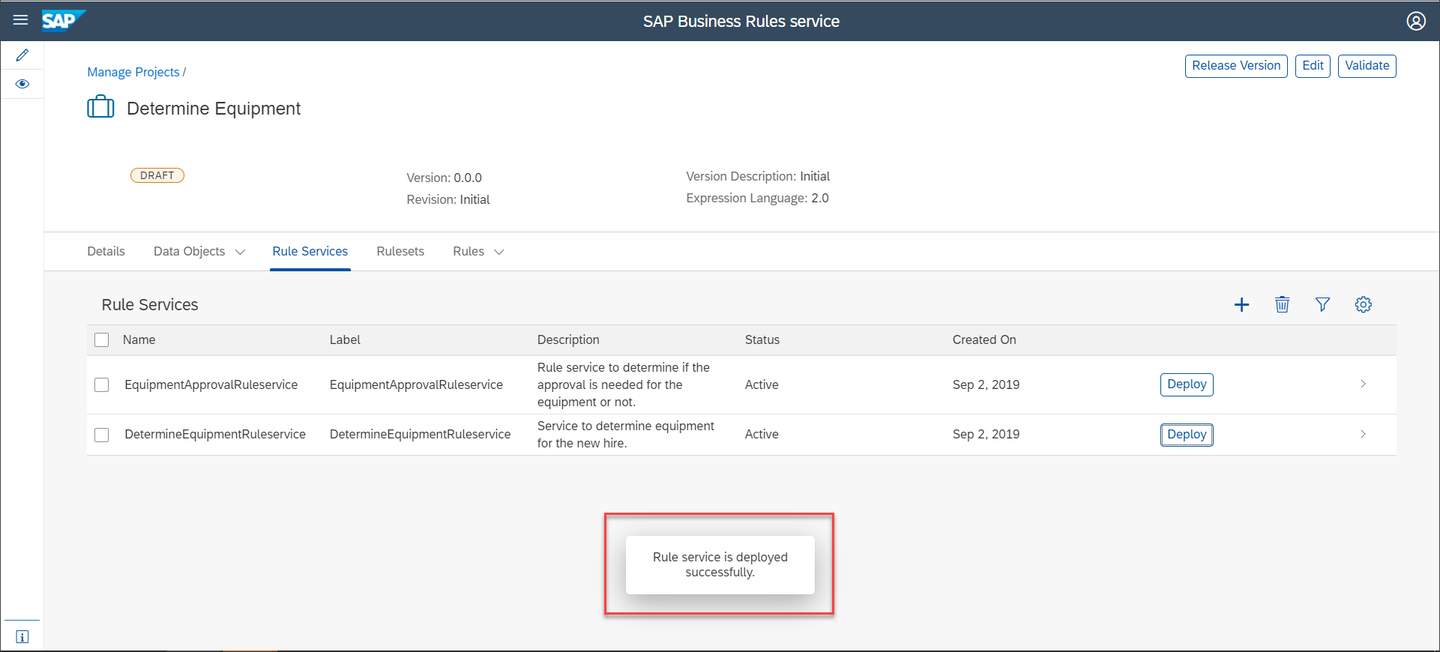
Deploy successful
Resources
Discussion
Share feedback on this tutorial or join the conversation in SAP Community.