
Overview
You will learn
- How to check your Business Entity Recognition entitlements
- How to create a service instance of Business Entity Recognition
- How to create a service key for your service instance


Prerequisites
Prerequisites
- You have created an account on SAP BTP to try out free tier service plans: Get an Account on SAP BTP to Try Out Free Tier Service Plans
- You are entitled to use the Business Entity Recognition service: Manage Entitlements Using the Cockpit
Steps
Open the SAP BTP cockpit.
Access your global account.
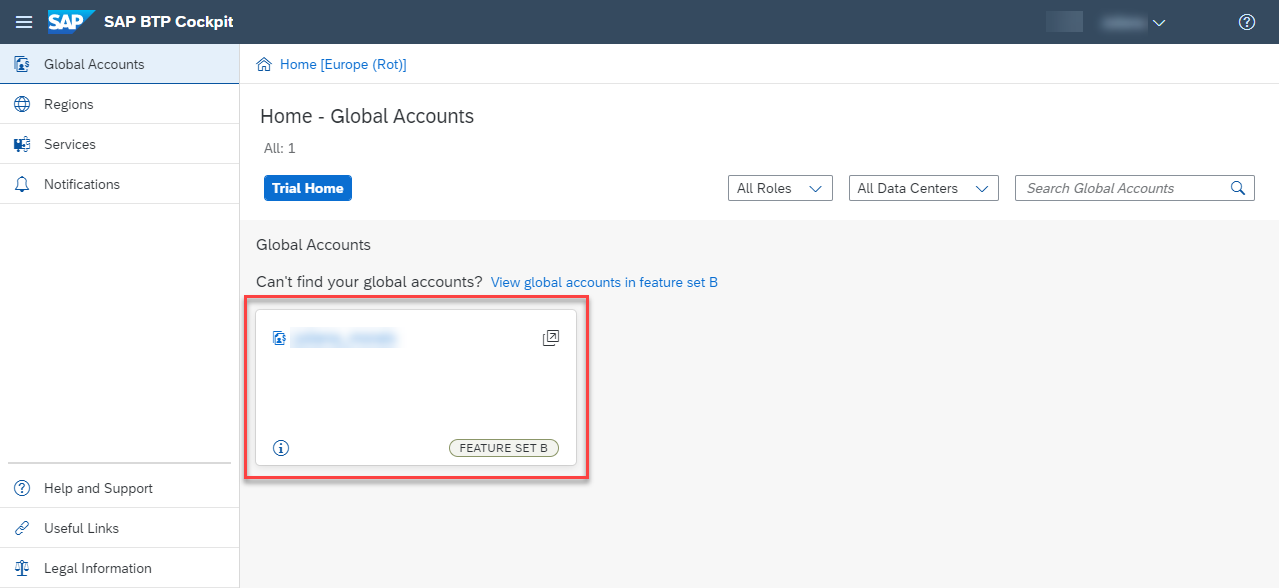
Access Subaccount Click the tile that represents the subaccount that you’ll use throughout these tutorials.

To use Business Entity Recognition, you need to make sure that your account is properly configured.
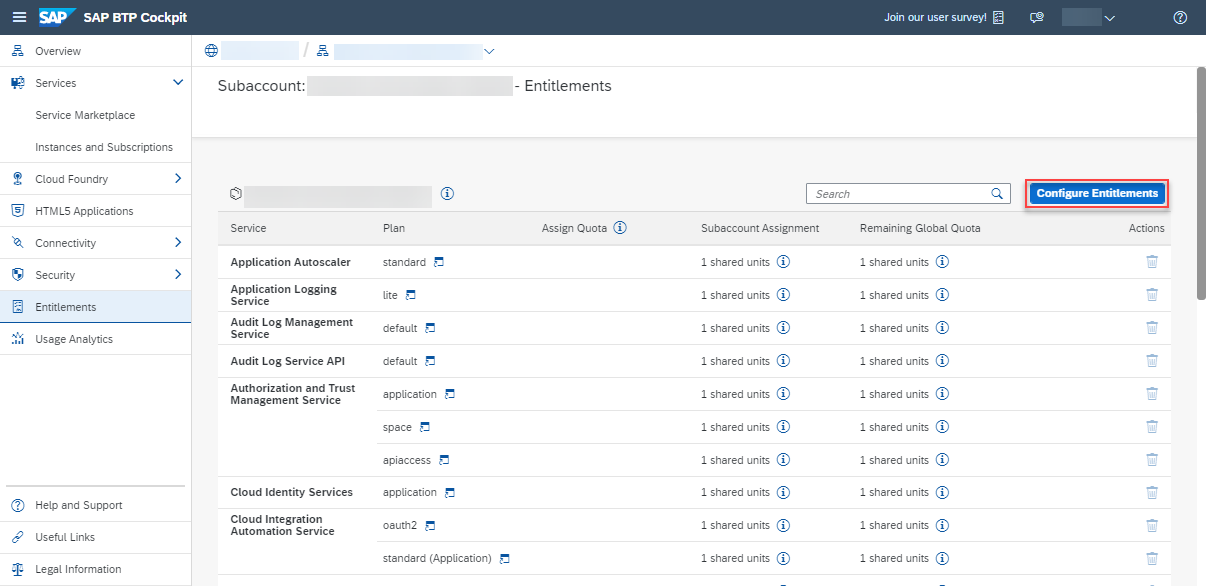
On the navigation side bar, click Entitlements to see a list of all eligible services. You are entitled to use every service in this list according to the assigned service plan.
Search for
Business Entity Recognition. If you find the service in the list, you are entitled to use it. Now you can set this step to Done and proceed with Step 3.

ONLY if you DO NOT find the service in your list, proceed as follows:
- Click Configure Entitlements.
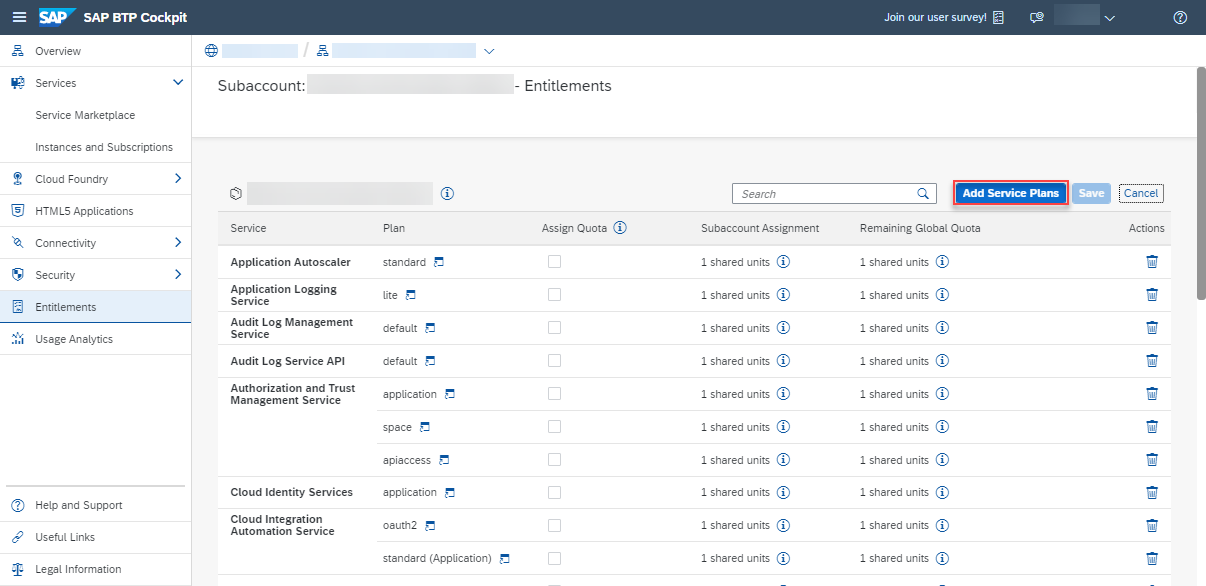
- Click Add Service Plans.
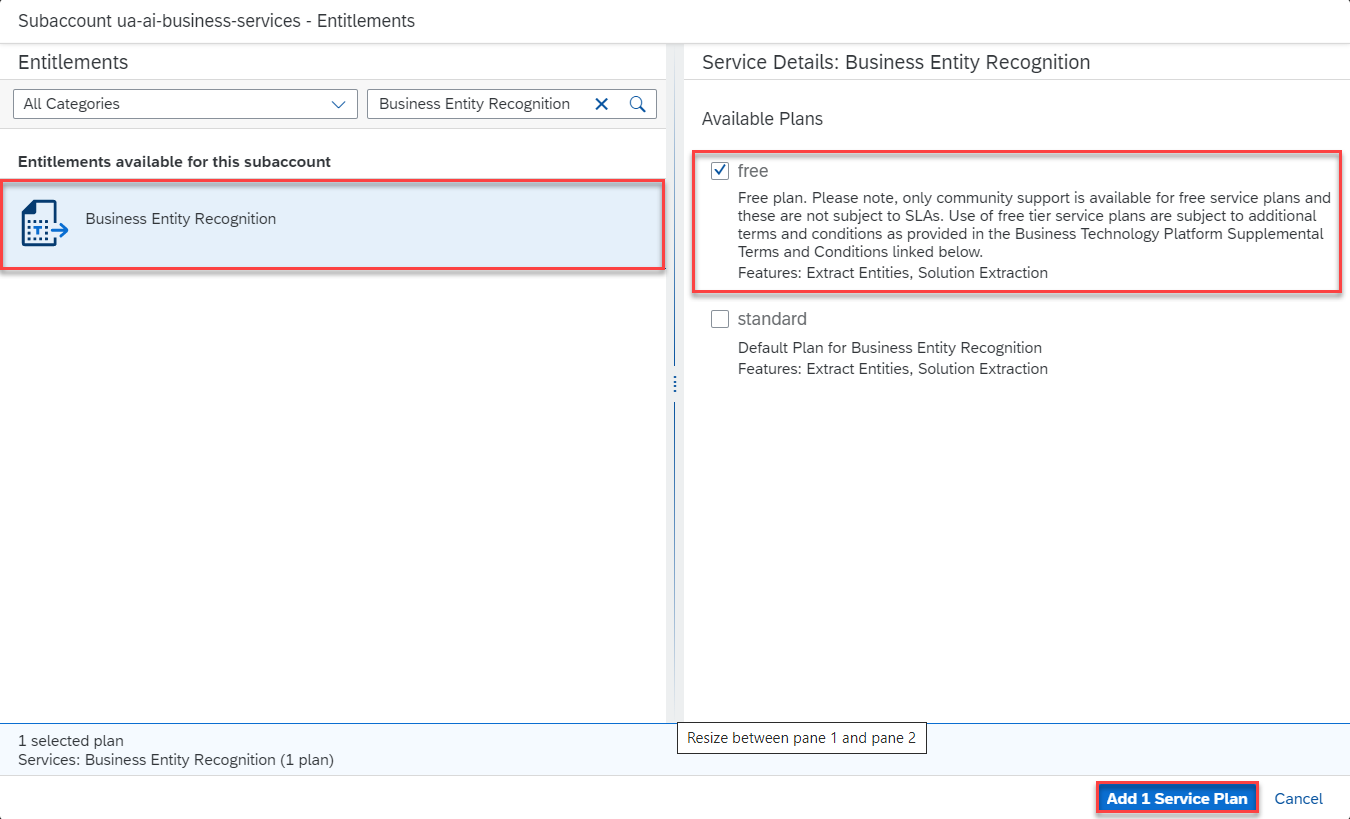
- In the dialog, select
Business Entity Recognitionand choose thefreeservice plan. Click Add 1 Service Plan.
You can also perform this tutorial series using the
standardservice plan. For that, choose thestandardplan in this step (instead of free). For more information on the service plans available for Business Entity Recognition and their usage details, see Service Plans.
- Click Save to save your entitlement changes.

You are now entitled to use Business Entity Recognition and create instances of the service.
The Service Marketplace is where you find all the services available on SAP BTP.
To access it, click Service Marketplace on the navigation side bar.
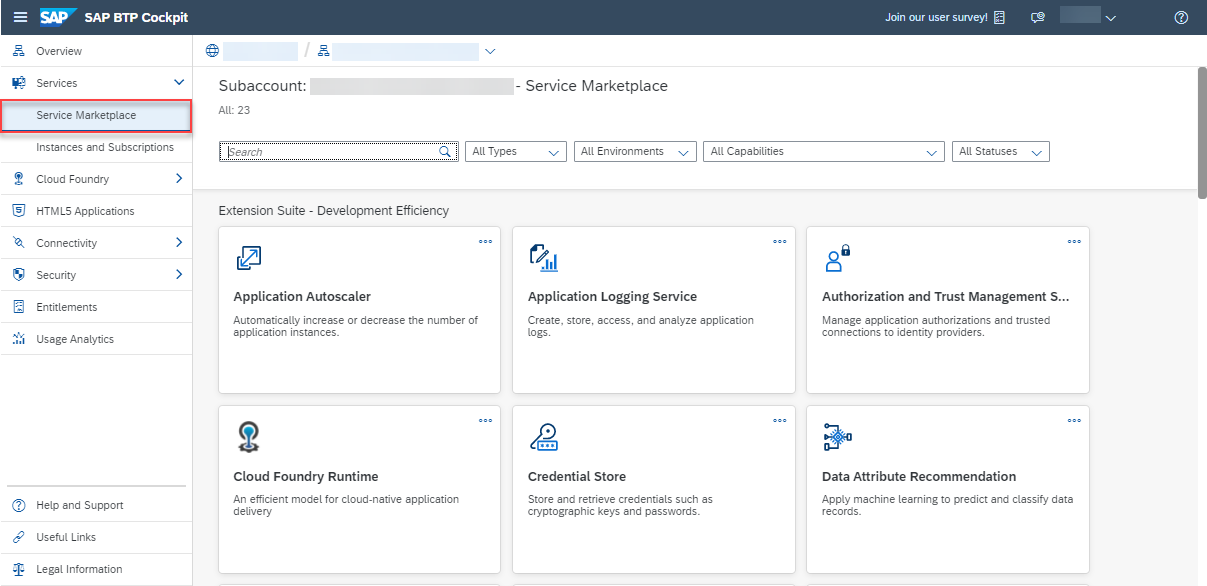
Access Marketplace Next, search for Business Entity Recognition and click the tile to access the service.

Access Service
Next, you will create an instance of the Business Entity Recognition service.
Click Create to start the service instance creation dialog.
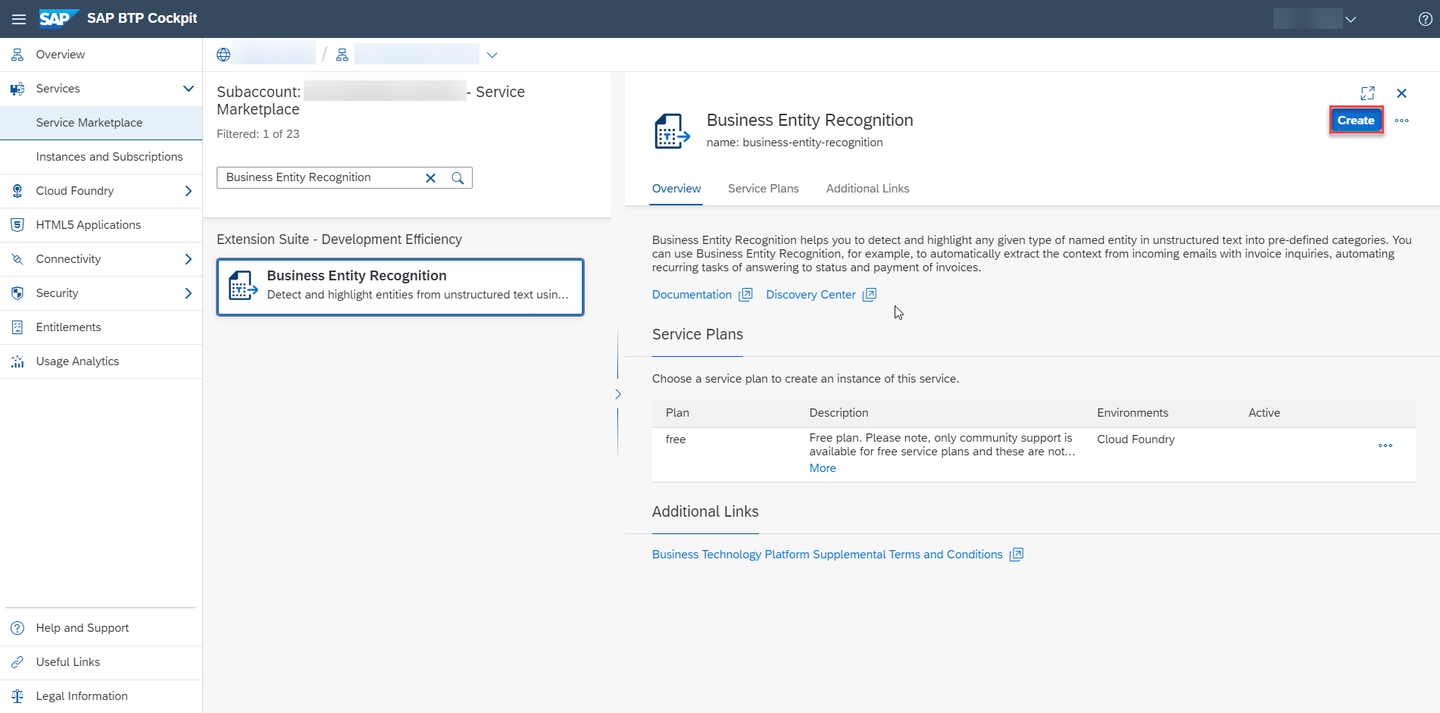
Create Instance In the dialog, choose the
freeplan. Enter a name for your new instance, for example,ber-instanceand click Create.Choose
standardin this step (instead of free) if you’re using thestandardplan to perform this tutorial series.
Create Instance In the following dialog, click on View Instance to navigate to the list of your service instances.

View Instances
You have successfully created a service instance for Business Entity Recognition.
You are now able to create a service key for your new service instance. Service keys are used to generate credentials to enable apps to access and communicate with the service instance.
Click the dots to open the menu and select Create Service Key.

Service Key In the dialog, enter
ber-service-keyas the name of your service key. Click Create to create the service key.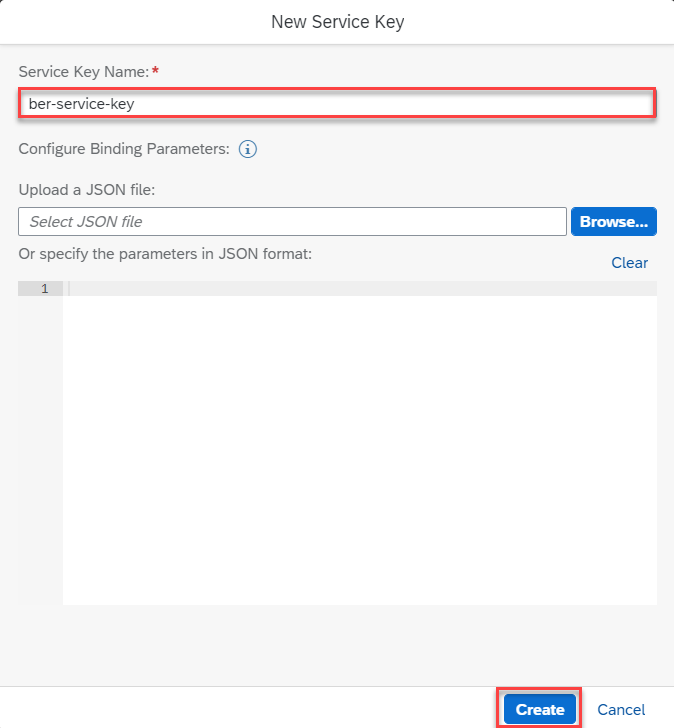
Create Service Key
You have successfully created a service key for your service instance. You can now view the service key in the browser or download it.

You will need the service key values in the next tutorial: Get OAuth Access Token for Business Entity Recognition via Web Browser.
Resources
Discussion
Share feedback on this tutorial or join the conversation in SAP Community.