
Use Scripting to Design a Chatbot Message from an API Response
Create an SAP Conversational AI chatbot for customer ordering by calling an API and using scripting to create a custom message from the response.
Overview
You will learn
- How to fetch entity values with an external (OData) service
- How to build a custom message using scripting
- How to create a button that lets the end user trigger a skill


Prerequisites
Prerequisites
- You’ll need an SAP Conversational AI trial account. See Build Your First Chatbot with SAP Conversational AI.
Steps
Intro
You will build a bot so customers can order a product from categories like food, beverages or electronics – simulating a convenience store digital commercial chatbot. Here’s a sneak peek:
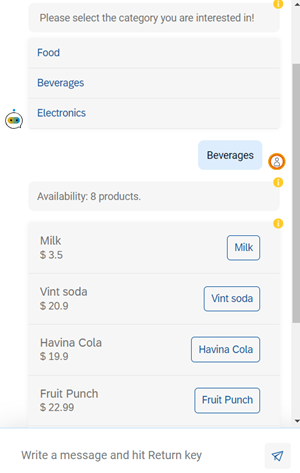
To build the bot, you start by creating an intent for ordering a product, which then gives the customer a dynamically generated list of products depending on the category the customer chose. This is done by calling an OData service.
The main purpose of this tutorial is to demonstrate how to make API requests and handle the responses with scripting. Scripting enables you to show the content the user is asking for in different UI elements (e.g., Cards or Buttons).
For more information on the scripting syntax, see Scripting with Variables.
For more information on how to make API calls and webhooks, see Connect Your SAP Conversational AI Chatbot to External Services.
Go to SAP Conversational AI and log in.
Click New Bot and select the following:
Field Name Value 1. What do you want your chatbot to do? Perform Actions 2. Predefined Skills Greetings 3. Create your bot - Name:
bestrunbot - Description: A bot to help customers order a product
- Language: English
4. Data Policy Non-personal, Store data and Non-vulnerable 5. Bot Visibility Public 
Create bot Click Create a Bot.
- Name:
Go to the Train > Intents tab, and create an intent.
Call the new intent
categoriesforsaleand click Create Intent.
Create intent Open the intent and add the following expression:
See Categories for Sale.
Add an expression
You will create entities to represent the categories of products, and another entity for the products. The list of products will be fetched from an API.
In the Train > Entities tab, click Create an Entity.
Make the entity Restricted, call it
category, and click Create.
Create an category entity In this entity, you’ll add the values manually as there are only 3.
Open the entity, and add the following values:
- Food
- Beverages
- Electronics

Add values to category entity Create another entity for products, but in this case, you are going to fetch the data from an external (OData) service.
Go back to the Entities tab (you can click entities in the breadcrumb) and click Create.
Make the entity Restricted, call it
product, and click Create.Open the
productentity, and click Fetch Via Service API.
Fetch button Select GET and paste the following endpoint (this is a public OData service, so feel free to explore it 😊):
URLhttps://services.odata.org/V3/(S(vnym1b3ehndm0p4fr0bdtbon))/OData/OData.svc/Products/?$format=jsonClick Fetch.
Once the API data is fetched, go to the box on the left called Transform your API service response to fit the format, delete everything inside, and add the following code:
JSON{{{json (pluck api_service_response.body.value 'Name')}}}Click Transform to see the values that will be imported.
Keep the option Replace, and then click Import.

Fetch entity values You should be able to see the values imported like this:

See entity values
If you want to know more about importing entity values using an external service and more, see Importing Entity Values.
In the Build tab, click Add skill.
Call the skill
forsale, choose Business for the type, and click Add.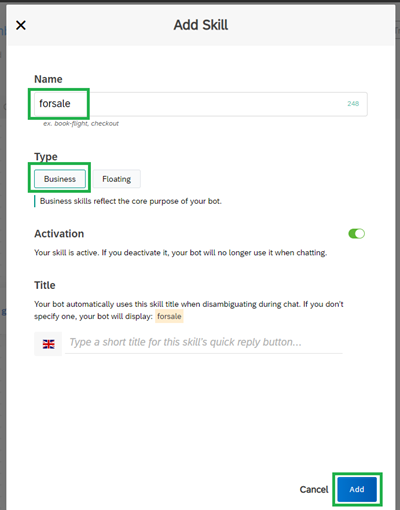
Create skill You’ll see your skill created like this:
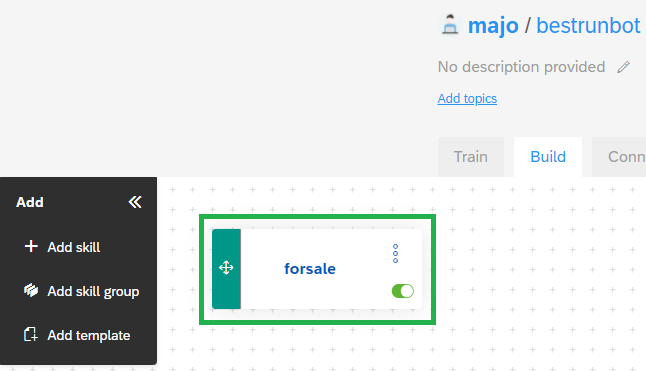
Create skill 2 Click the skill and go to the Triggers tab.
You want the skill to be executed when someone wants to order a product.
Click the box next to If, select the
categoriesforsaleintent, and click Save.
Condition trigger
To order, the customer must provide a category and a product. These will be set up as requirements for the skill.
Go to the Requirements tab of the skill.
Select the #category entity as a requirement, and enter category as the memory variable, and then press Enter.
Expand this requirement and click if #category is missing.

Requirement for category Click Connect External Service > Consume API Service. You will use the service, and then use scripting on its response, to tell the user to select a category.

Connect external service Select GET, and copy and paste this API endpoint
URLhttps://services.odata.org/V3/(S(vnym1b3ehndm0p4fr0bdtbon))/OData/OData.svc/Categories/?$format=jsonClick Save.
Click Send Message > Custom. This will enable us to create a message based on the API response.

Send message Select Buttons as the message type and replace the script with the following code:
JSON{ "type": "buttons", "delay": "", "content": { "title": " Please select the category you are interested in!", "buttons": [ {{#eachJoin api_service_response.default.body.value}} { "title": "{{Name}}", "value": "{{Name}}", "type": "postback" }{{/eachJoin}} ] } }Click Save.
You should have the following:

Custom message If you want to know more about custom messages, see Message Types.
Go back to Requirements tab.
Add a new requirement by click the first + sign (Add a new requirement) immediately below the category requirement you just added.

New requirement Select the #product entity as a requirement, and enter product as the memory variable, and then press Enter.
Expand this requirement and click if #product is missing.
Click Connect External Service > Consume API Service. You will use the service, and then use scripting on its response, to tell the user to select a product.
Select GET, and copy and paste this API endpoint
URLhttps://services.odata.org/V3/(S(vnym1b3ehndm0p4fr0bdtbon))/OData/OData.svc/Products/?$filter=%20Categories/any(Category:Category/Name%20eq%20%27{{memory.category.raw}}%27)&&$format=jsonIn this URL you can see that you are getting from the chatbot’s memory the category the user selected using this syntax inside the URL endpoint:
{{memory.category.raw}}.Click Save.
Click Send Message > Text.
JSON{{#if (length api_service_response.default.body.value)}} Availability: {{pluralize 'product' quantity=(length api_service_response.default.body.value) }}. {{/if}}This scripting is to customize the message in case you have more than one product, so it can be shown as a plural response. For more information, see Scripting Syntax.
Click Save.
Click Send Message > Custom.
Select List as the message type and replace the script with the following code:
JSON{"type": "list", "content": { "elements": [ {{#eachJoin api_service_response.default.body.value}} { "title": "{{Name}}", "imageUrl": "", "subtitle": "$ {{Price}}", "buttons": [{ "title": "{{Name}}", "value": "{{Name}}", "type": "postback" }] } {{/eachJoin}} ] } }Click Save.
You should have the following:

Custom message You can start testing the chatbot by clicking Chat Preview. Type in See Categories for Sale and see how the chatbot shares the categories available. Then select one and you’ll see its products.
Once the customer selects a product, you’ll want to let the customer checkout and buy the product.
Click the Build tab.
Click Add skill, name the skill
checkout, make it a business skill.Click Save.

Create a skill It is possible that the
checkoutskill is covering up visually theforsaleskill. To be able to see them both, just grab the checkout skill and move it to an empty space inside the Build tab.Open the skill and go to the Requirements tab.
Select the #person entity as a requirement, and enter person as the memory variable, and then press Enter.
Expand this requirement and click if #person is missing, where you will ask for the user’s full name.
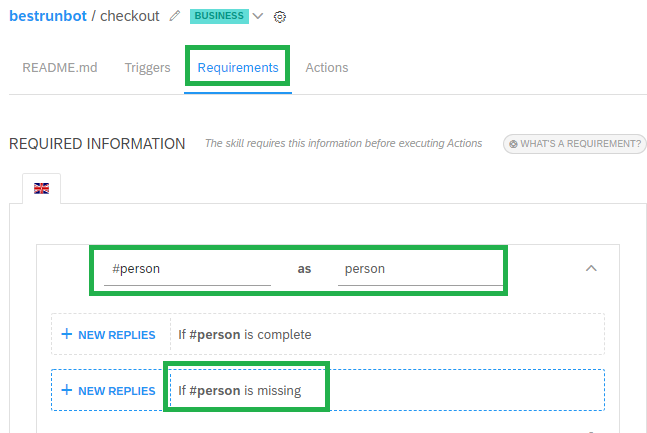
Requirement for person Click Send Message > Text, and copy and paste the following:
TextCould you please share with me your full name?Click Save.
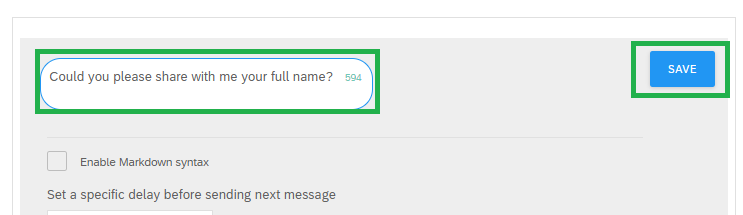
Question for person Now let’s do the same for the customer’s email and location (address).
Click the +, first to add #email and then #location requirements. In each case, set the variable to the same name without the #.
After adding email and location and expanding them, you’ll see the following:
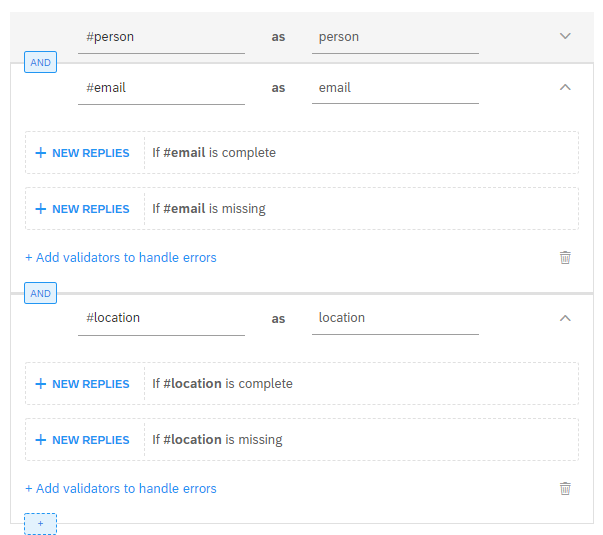
Requirement for email and location Now let’s put the questions for each of them.
Click if #email is missing, paste the following as a text message, and click Save:
TextAnd your email as well?Click if #location is missing, paste the following as a text message, and click Save:
TextNow I need your shipping address, could you please write it down?
Now you’ll connect the skills forsale and checkout together, for the checkout process.
In the Build tab, open the
forsaleskill.In the Action tab, click Add New Message Group.
Click Send Message > Buttons.
For the message, copy and paste the following:
TextYou've selected this product {{memory.product.raw}} in your cart. To proceed with your purchase, click here to checkout.Click Add a Button > Trigger Skill.

Add an end-user skill trigger Set the following for the button:
Field Name Value Button title Go to checkoutSkill checkoutClick Save.
As you can see, you’re enabling an end-user skill trigger feature by selecting the
checkoutskill as a button’s action. In this way, the chatbot triggers thecheckoutskill automatically when the user selects this option.
Go to the Build tab and click the checkout skill.

Selec skill to trigger In the Actions tab, click Add a New Message Group.
Click Send Message > Text and past the following:
TextAlright {{memory.person.raw}}, you've selected the product: {{memory.product.raw}}. We'll send you an email to {{memory.email.raw}} with the order confirmation which will be delivered to your shipping address: {{memory.location.formatted}}. Thank you for using BestRunMarket Bot! :)Click Save.
You should see the following:

We are going to leave the exercise ’til this point. However, you can use this as an example on how to build a commercial bot and continue integrating it with a backend server app, e-commerce platform or an external service such as a payment engine to charge the order to the customer.
Go to the Build tab and open the greetings’ skill.
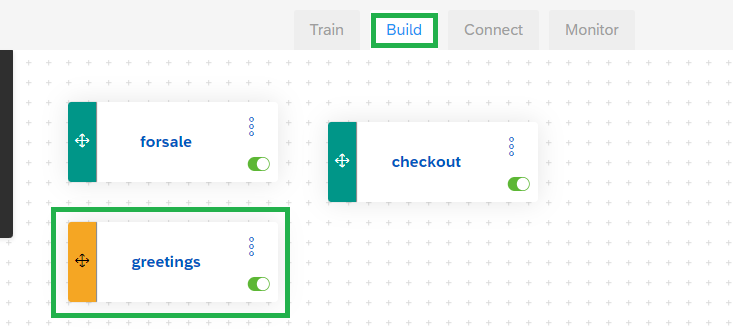
Greetings Go to the Actions tab.
Notice that this skill and its responses are already configured because at the beginning you selected Greetings as a predefined skill for the bot.
Delete all the messages (not the message groups), since you will define your own.

Delete Messages Click Send Message > Card.
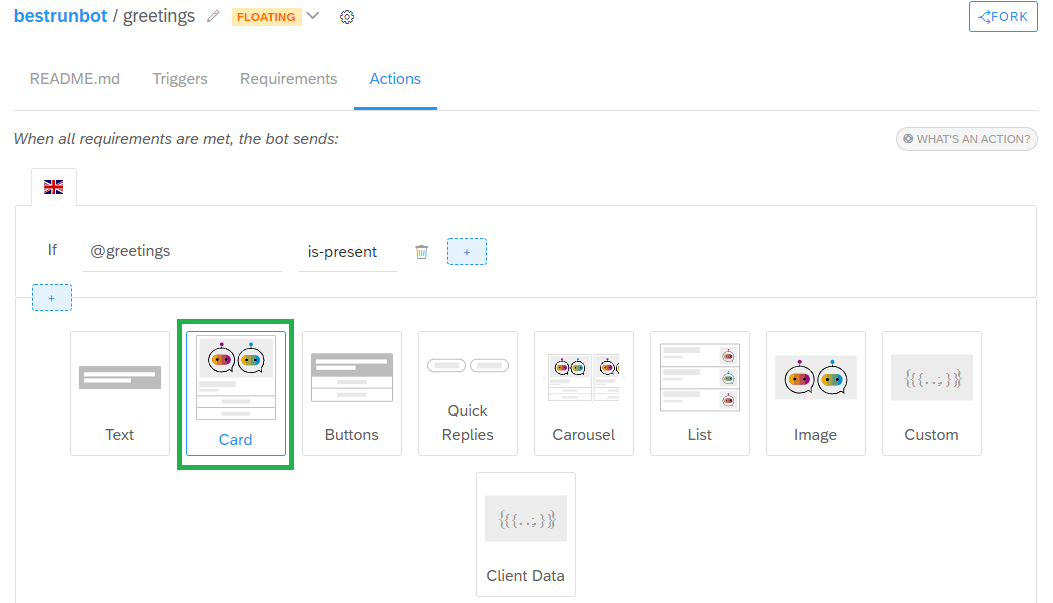
Card Message Set the following:
Field Name Value Image URL https://i.imgur.com/reQirgK.pngTitle Hello! Welcome to the BestRunMarket Bot!Subtitle How may I help you?Click Add a Button > Postback.

Postback 1 Notice that here you can also set up a end-user skill trigger feature to trigger the
forsaleskill. But in this case you will “link” the intentcategoriesforsalewith its main expression See Categories for Sale using the Postback option.Enter
See Categories for Salefor both the Button Title and Postback values.Click Add a Button > Postback.

Postback 2 Enter
Ask for an Order Trackingfor both the Button Title and Postback values.We’re going to leave it ’til here, using see categories for sale as the main intent for this exercise. However this is an example of how you can put more options for the user to select and interact with the chatbot.
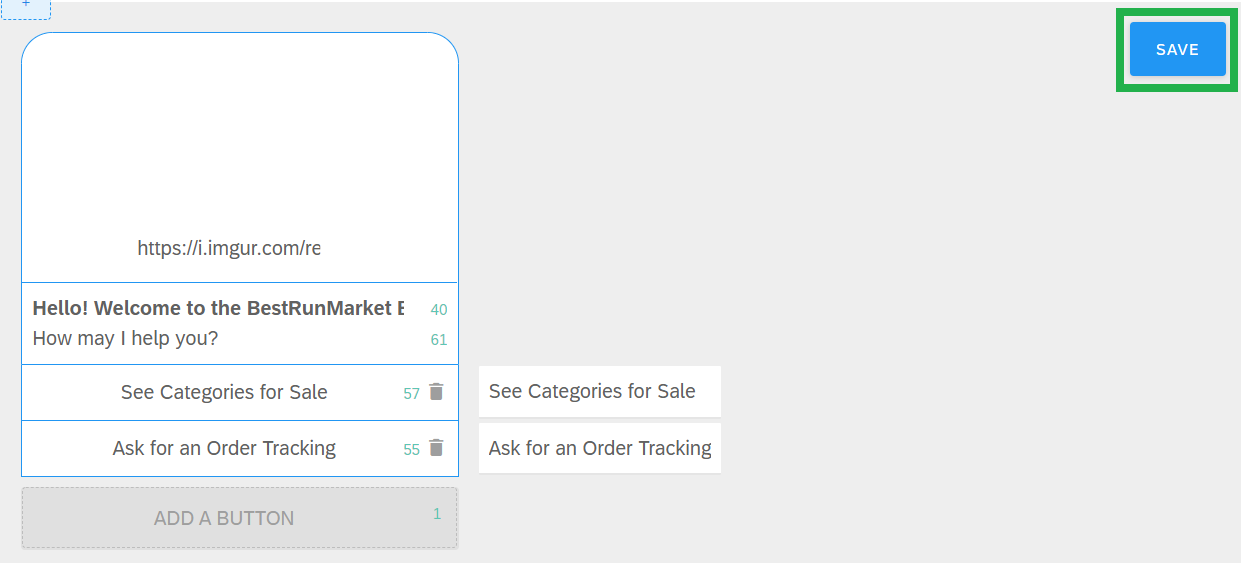
Postback 3 Click Save.
Click Chat Preview.

Chat Preview Test the bot by talking with it. The following is an example of the conversation:

Test Bot Check out the bot’s memory by clicking the yellow i for the last message. You’ll be able to see the whole entities saved in the bot’s memory, like this:

Bot Memory While testing, you can also click Debug to see which skills were triggered in every step of the conversation. This can help you to better understand how the chatbot is working and to keep improving its performance.
- How to fetch entity values through an external service, in this case, using an OData service.
- How to build custom messages and also enable scripting syntax for dynamic responses while using an external service.
- How to set up end-user skill triggers from a button.
Hope you enjoyed this tutorial! 😊
Resources
Discussion
Share feedback on this tutorial or join the conversation in SAP Community.