
Get Started with API Revisions
Make incremental changes to an API proxy without causing any disruption to the published API.
Overview
You will learn
- How to create an API proxy with a Draft revision.
- How to deploy the Draft and continue to work on it.
- How to create a revision from a Draft.
- How to create a Draft from a revision.
- How to restore the revision to its previous state.
- How to delete a revision.


Prerequisites
Steps
Intro
You can use API Revisions to make non-disruptive API changes in a safe and controlled environment. Make subsequent compatible changes to an already published API, by creating a revision of the API. Update changes in design time and once finalized, publish it for consumption. You can also create multiple revisions iteratively and revert to any of the created revisions.
When you create an API, a Draft gets created by default.
Log on to the Integration Suite.
Choose Design from the navigation pane and choose APIs.

Design APIs To create an API, choose Create. To create an API proxy from scratch, see
Create an API.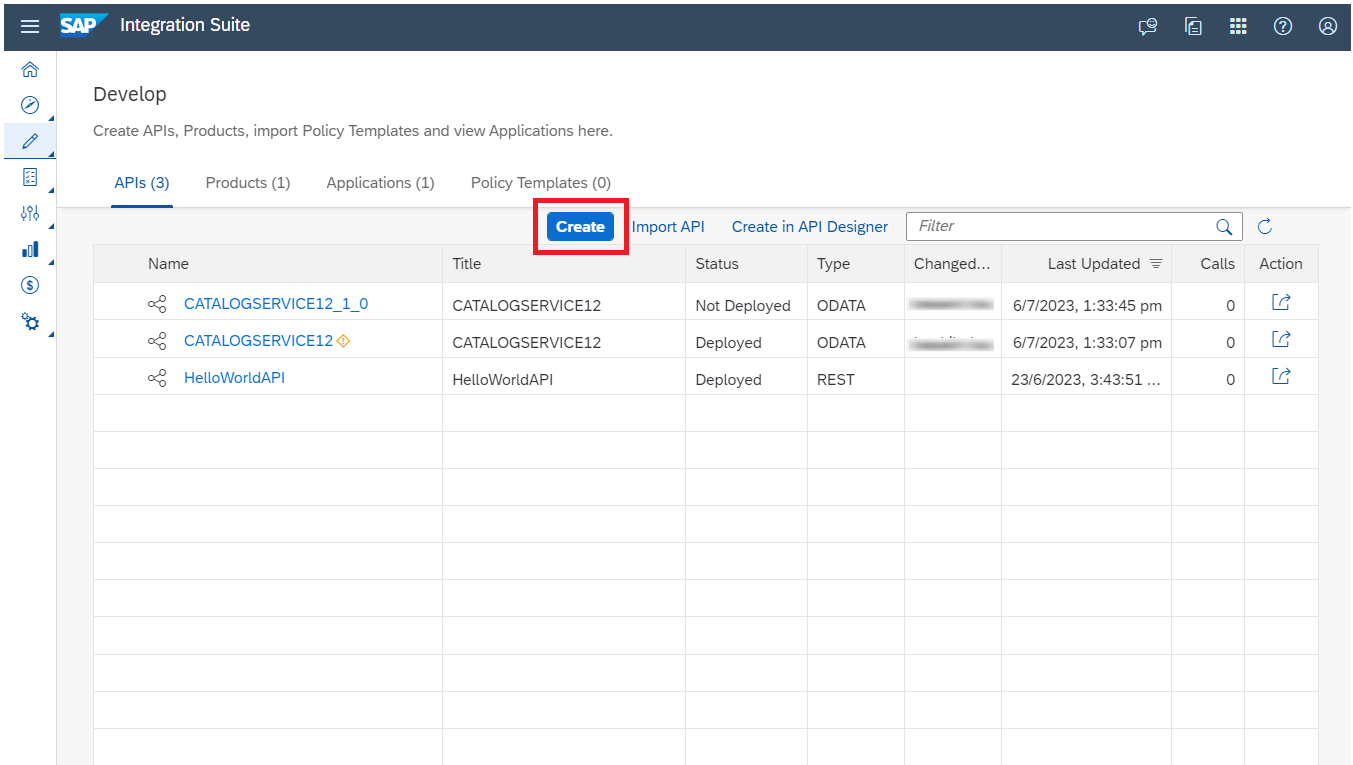
Create an API Fill in the details in the Create API dialog, and choose Create.
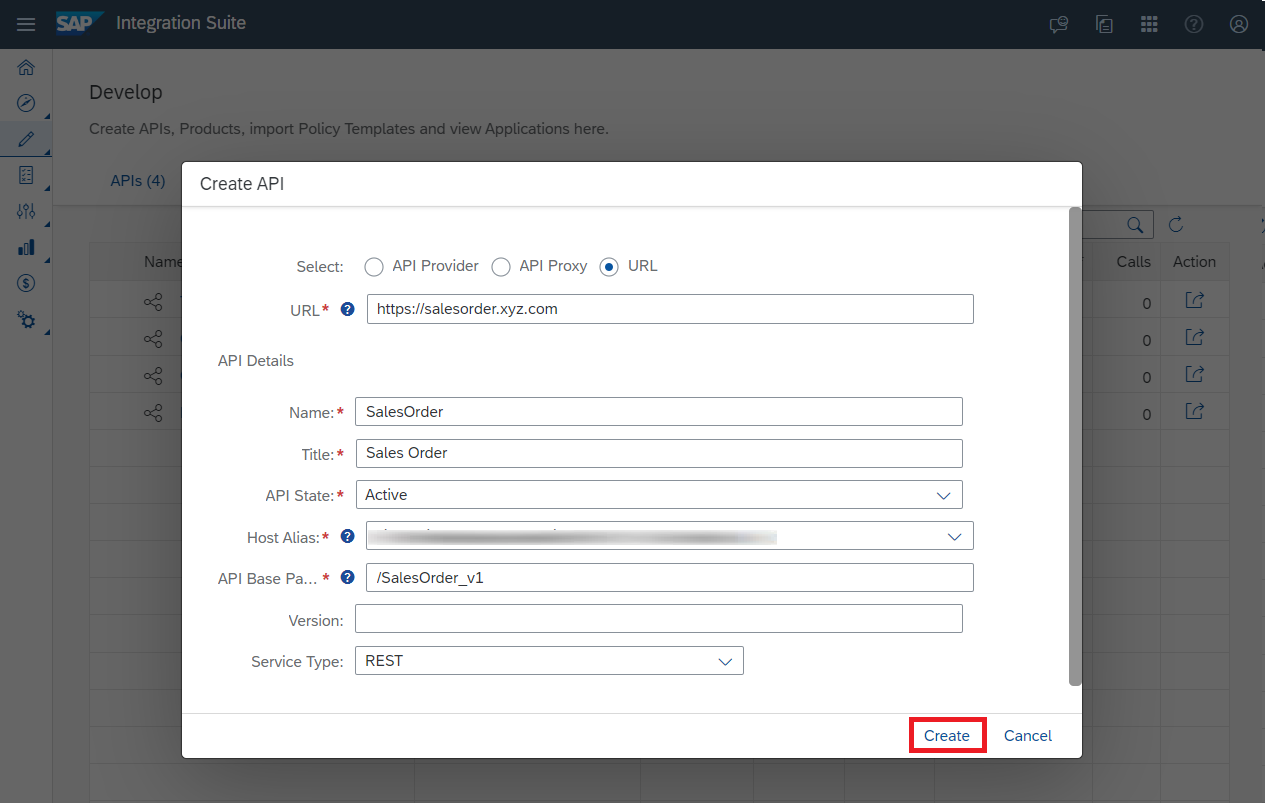
Create API Dialog Edit the API by selecting the appropriate tabs and Save the changes.

API Details A draft gets created under the Revisions tab.

API Draft
At this point, the latest revision is Draft, and you don’t have any deployed revision.
Choose Edit, to continue to have a working copy of the Draft.
Choose Save after making the changes.
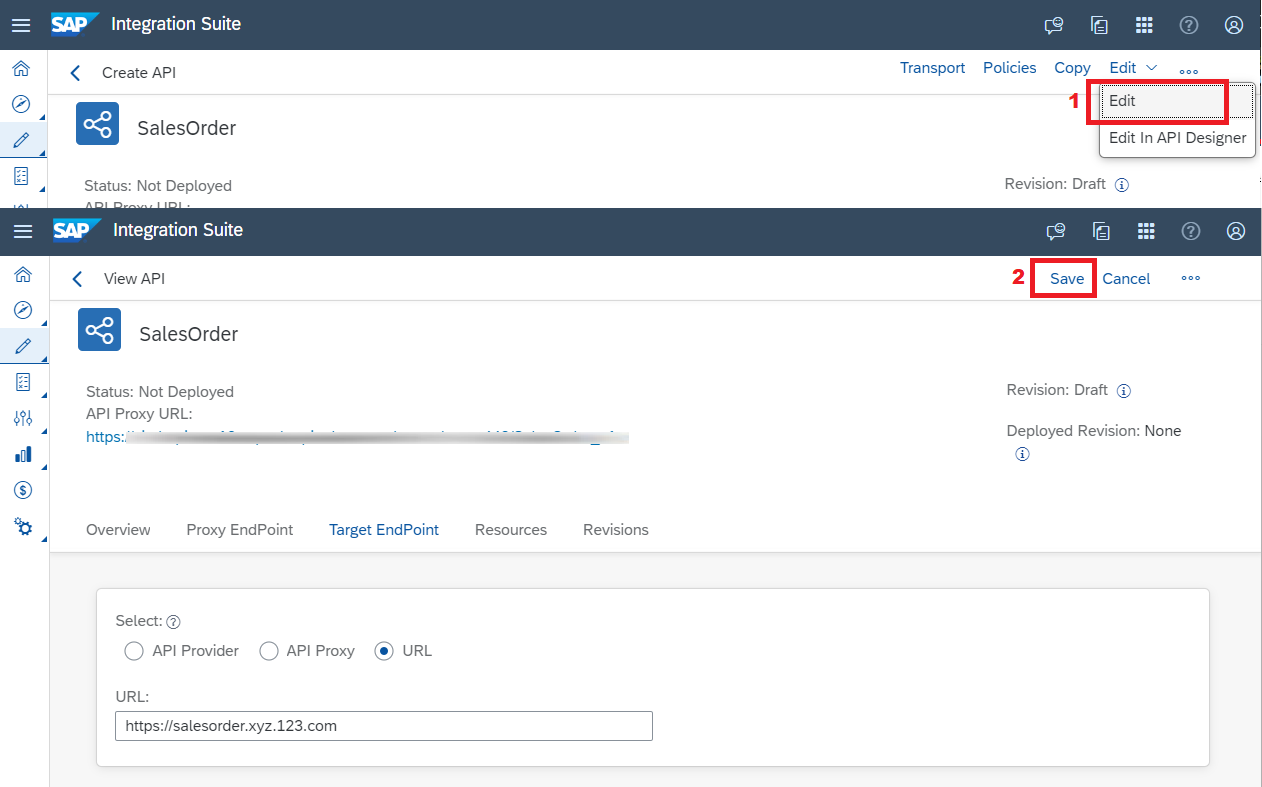
Edit and Save the Draft You can Deploy the Draft and see the Deployed Revision change to Draft.

Deploy Draft
If you want to make this Draft as an immutable revision, you can save this draft as a revision.
Select the Draft, and choose Save as Revision from the inline action.

Save the Draft as Revision Enter the Name and Description and choose Save.
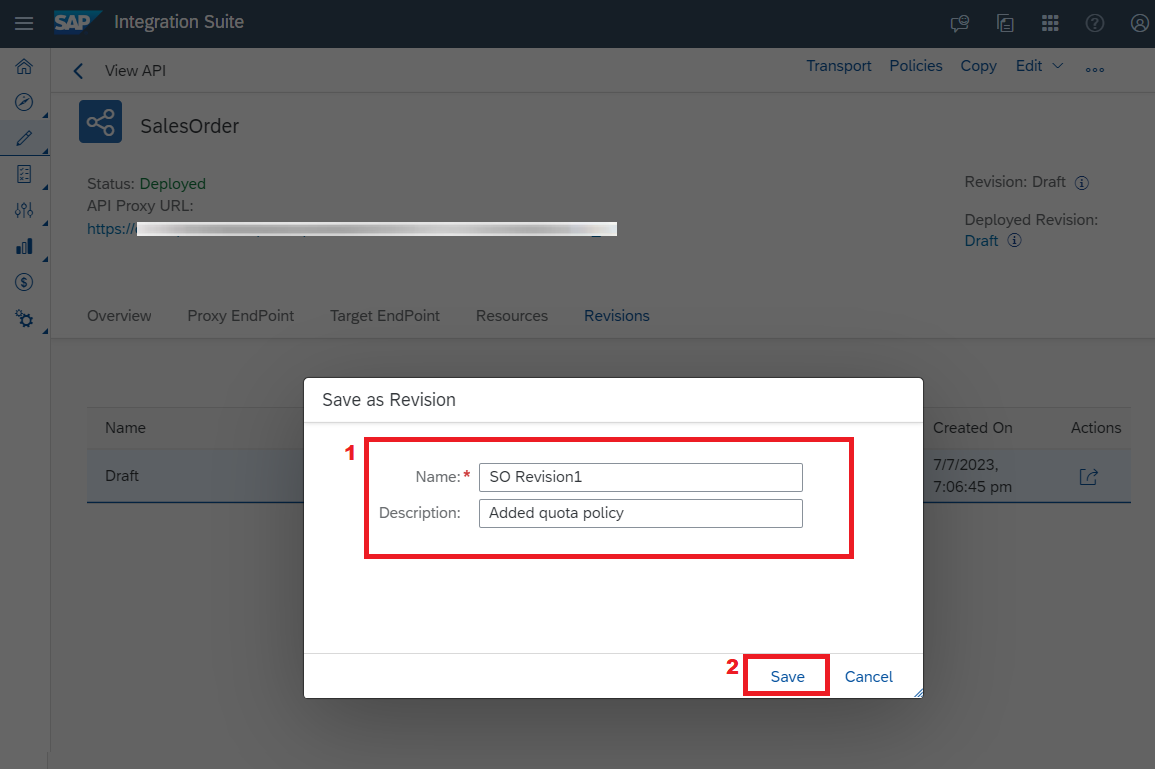
Save the Draft as Revision1
Note You’re not allowed to use Draft as the name of the revision, since it is reserved for draft.
A new revision gets created.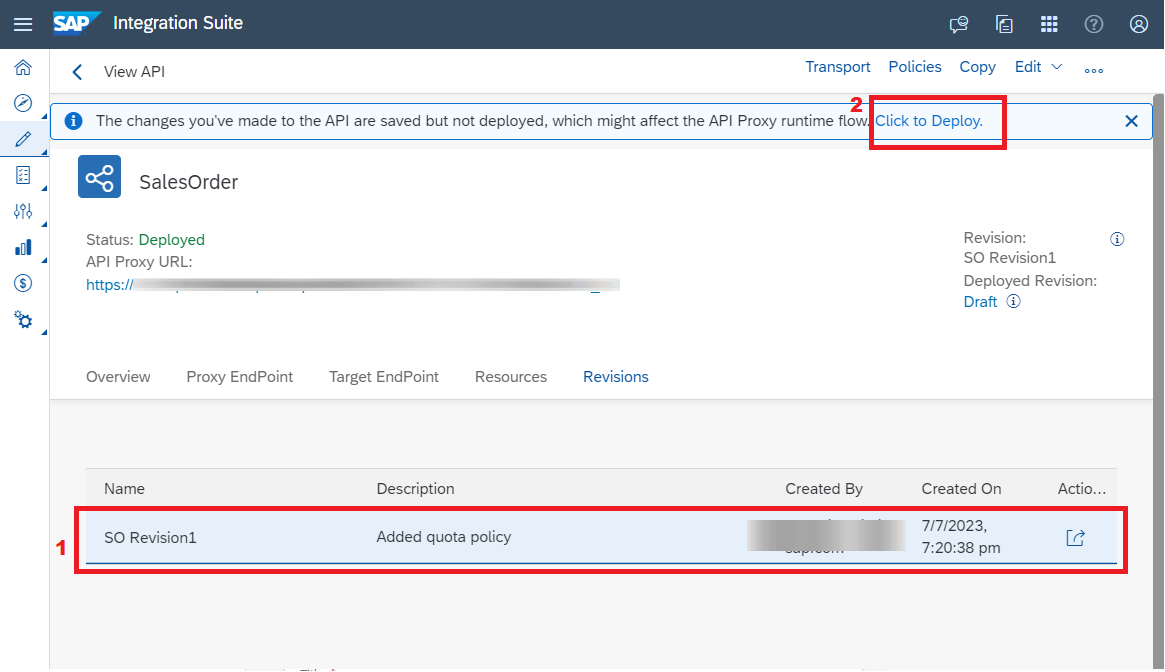
Once you make changes to an API and save it, a Draft get created out of the latest revision.
Create a Draft out of the latest revision by choosing Edit.
Choose Save after making the changes.

Edit and Save Revision1 A Draft gets created out of the latest revision. You can now Deploy the new Draft or save the Draft as a revision by choosing Save as Revision from the inline action.

Draft from Revision
Note By default, the maximum number of revisions you can create is 20. However, this number is configurable. If you proceed with the Save as Revision action once you’ve reached the maximum limit, the oldest revision which is not deployed will be deleted from the list. However, if the oldest revision is already deployed, a new revision will not be created.
If you want to deploy any previous revision or to create a draft out of it, you can do so by using the Revert action. This action will restore a previous revision by creating a new revision which is a copy of the previous revision you are trying to restore.
If the latest revision is a Draft, the revert action will discard the Draft and create a new revision.
To restore the API to one of its previous revisions, choose Revert from the inline action. The revert action will create a new revision out of it.

Revert to Previous State For example, if you want to deploy Revision1 use the Revert action to make it your latest revision. This action creates Revision3, which is a copy of Revision1.

Revert Revision1 to Revision3 
Revision3 is Copy of Revision1
You can delete a revision if you don’t plan to use it any longer or if you’ve reached the maximum limit of the number of API proxy revisions you can create.
- Select the revision you want to delete, and choose Delete from the inline action.

Delete a Revision1
Note You can’t delete a Draft if both the working and the deployed copy are the same. If only one revision exists at any given point in time, you can’t delete the same from the inline actions button. In such a scenario, you need to delete the proxy. You can do so by choosing the Delete option from the Additional Options on the top-right corner of the page.
Resources
Discussion
Share feedback on this tutorial or join the conversation in SAP Community.