
Overview
You will learn
- How to setup a VS Code template generator
- How to deploy generated code to AI Core


Prerequisites
Prerequisites
- Understanding Of SAP AI Core
- Installing SAP AI Core toolkit VS Code extension
Steps
Intro
In this tutorial we would be Creating a movie recommendation Template and deploying the same using AI core.
In your Visual Studio Code Application, go to extensions and search for application wizard. Go to the Applictation wizard by SAP OS and install it.

Press Command + shift + p for mac and Control + shift + p for Windows to open control center and choose open template wizard.
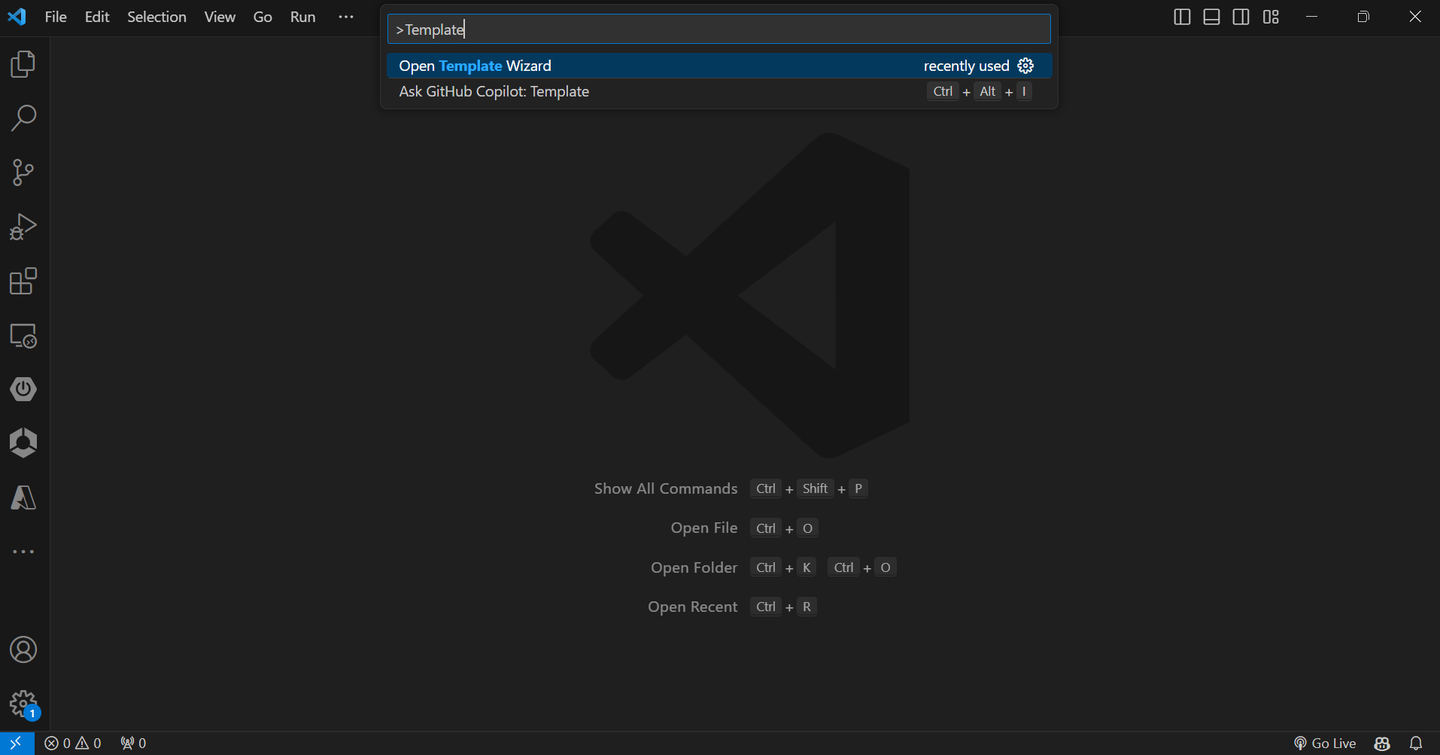
When the template wizard is open, click on Explore and Install generators.

Search for ai core and install the @sap/ai-core generator.
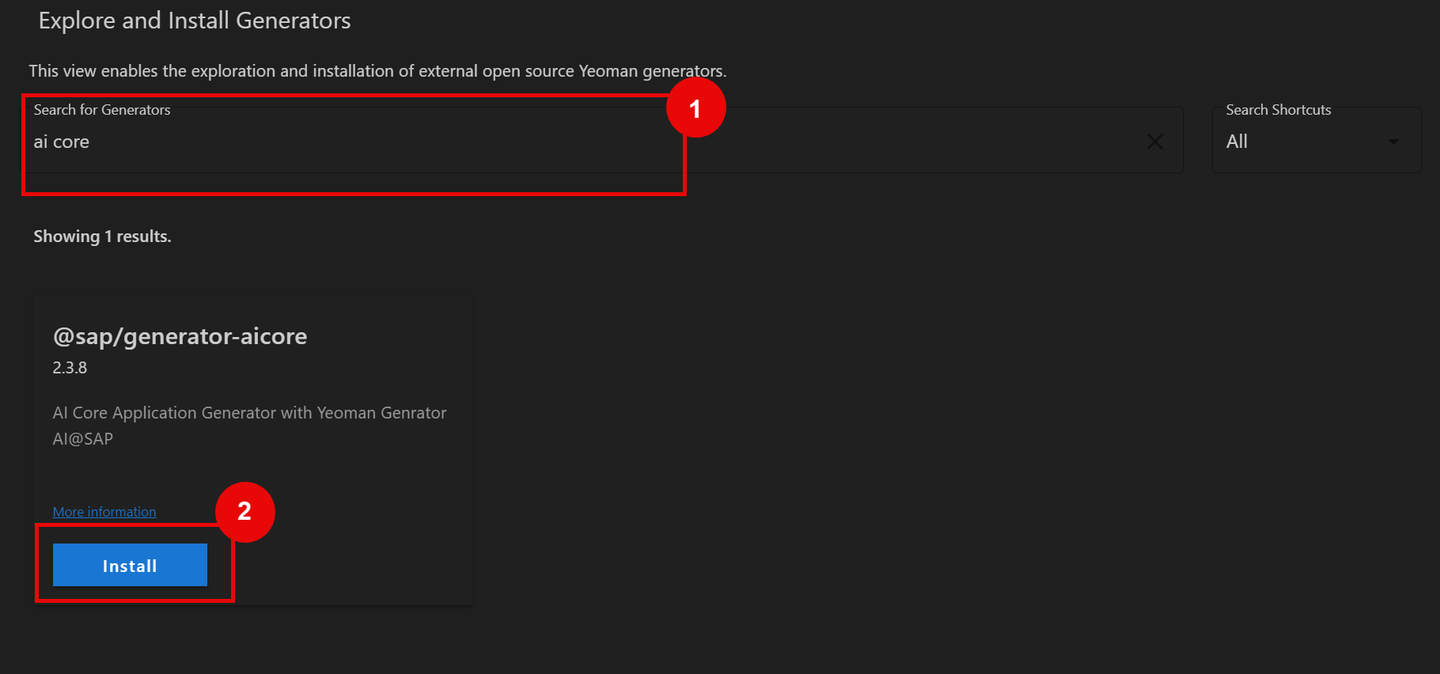
- press Command + shift + p for mac and Control + shift + p for Windows to open control center and choose open template wizard.
- Once the Template generator opens choose AI core and press start.

- If you have your custom code choose Basic Project or if you wanted to use the pre-generated training and serving code use AI core sample project for this demo we are going to use.

- enter the project name and version and press enter

- fill up the details like scenario ID and Resource plan.
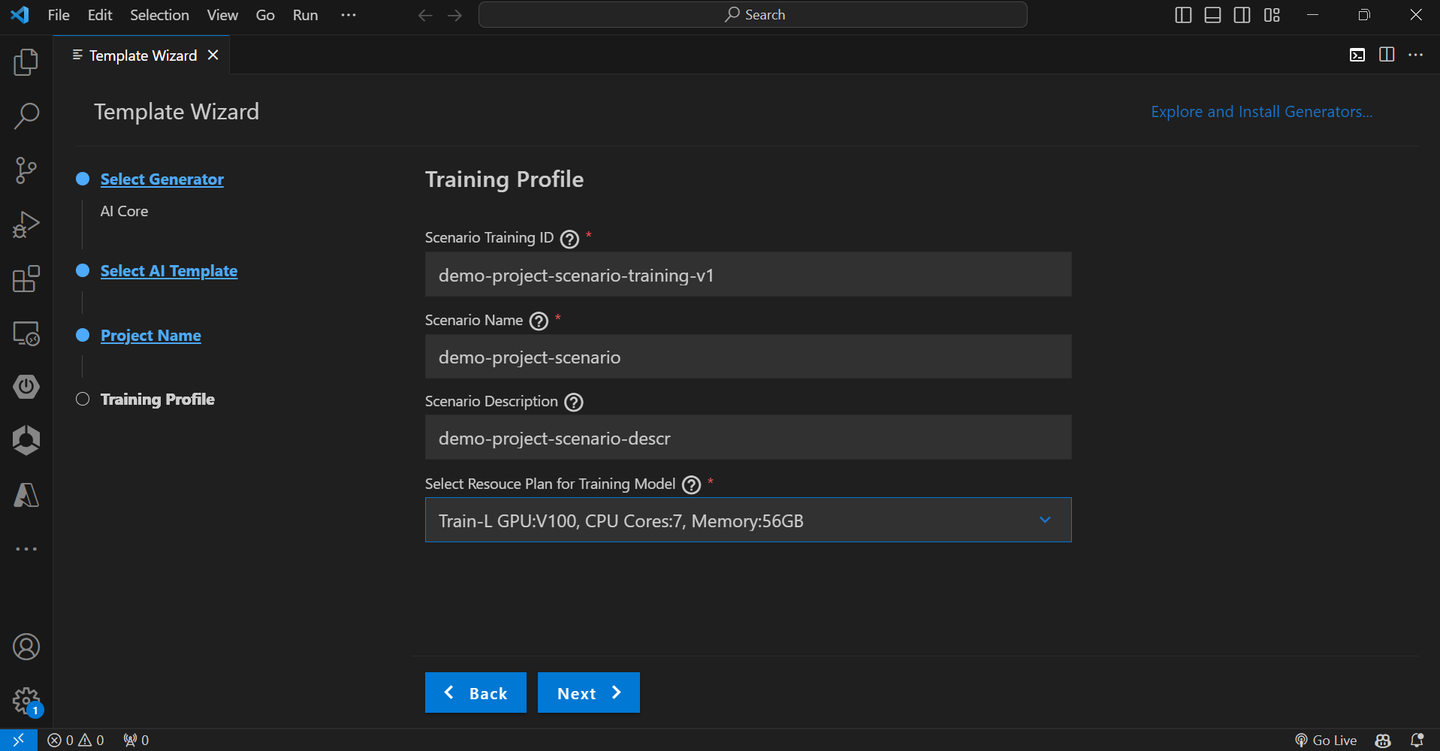
- Similarly fill the details for Serving Plan.
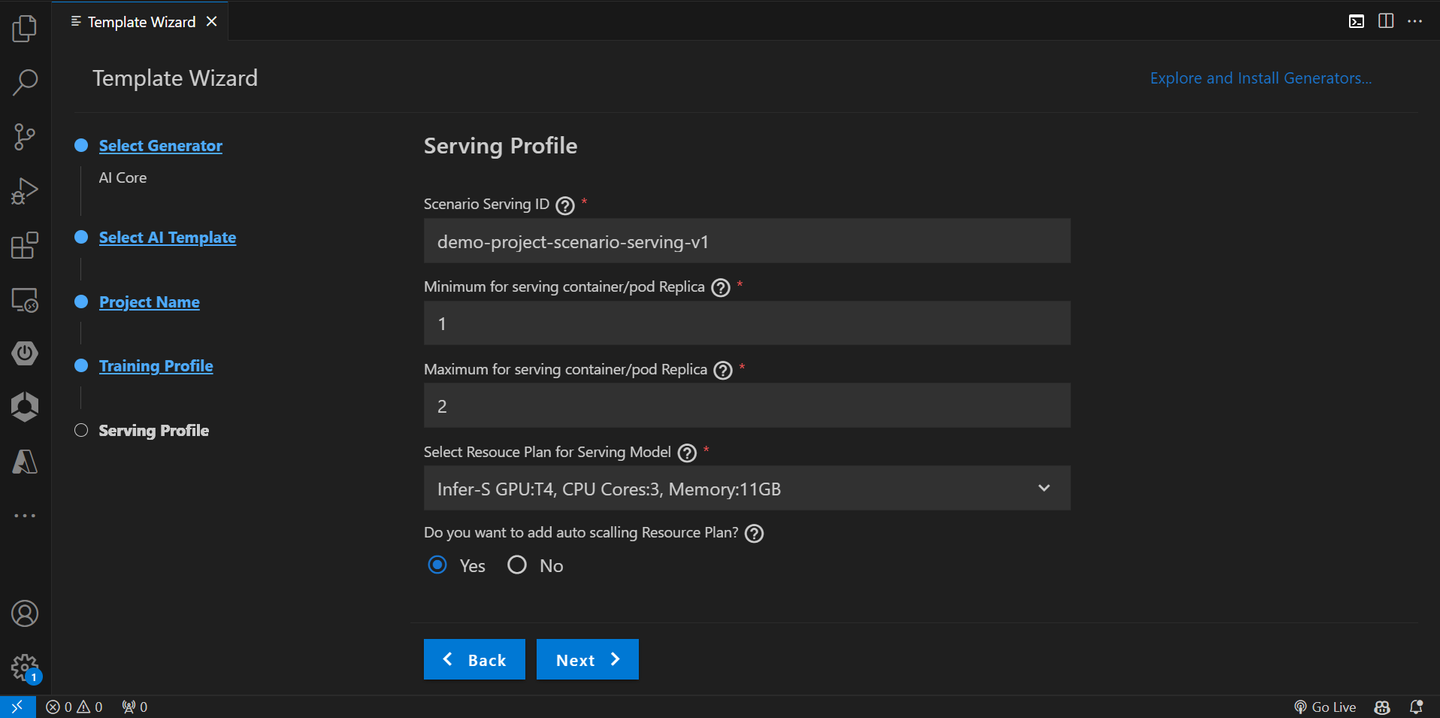
- Choose the demo sample project as Movie Recommendation and click on next.

- As a last step add the Docker Details like Docker registry URL and username and click next to create the project.
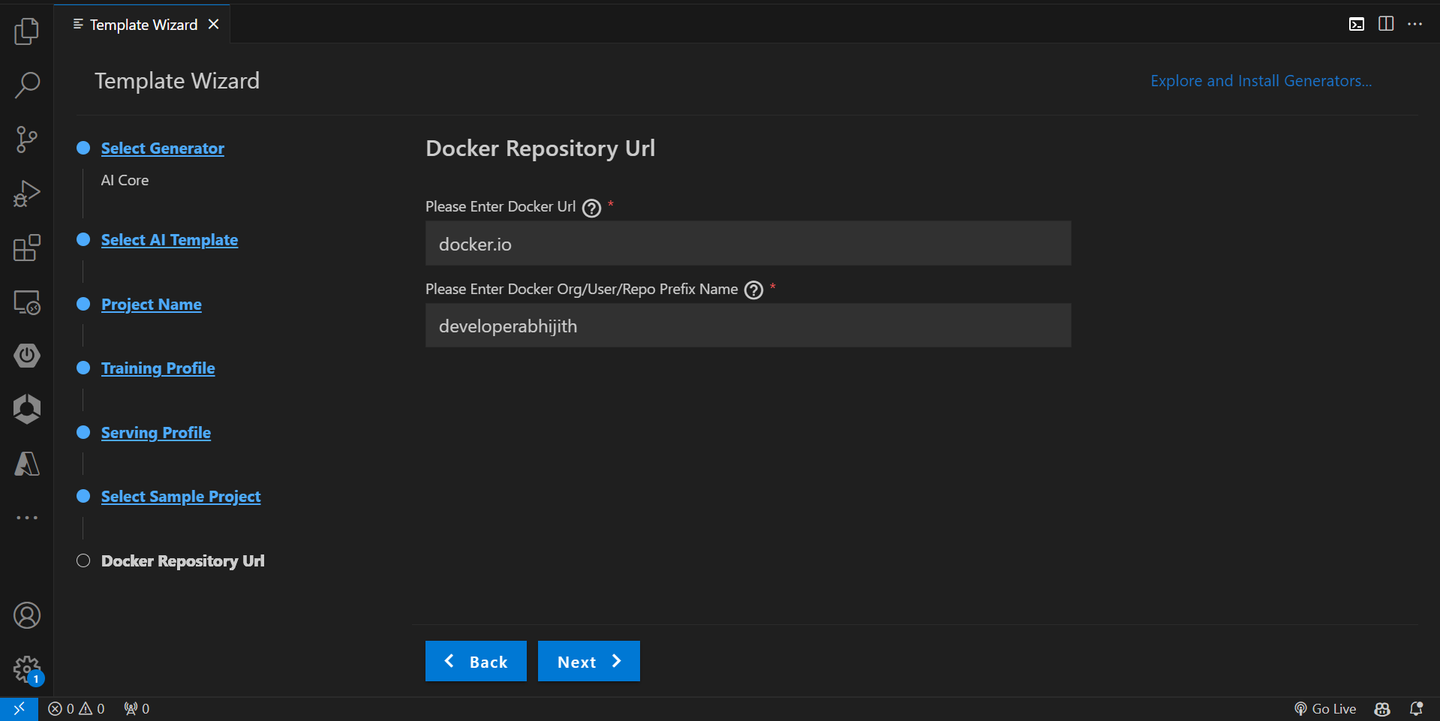
- It will create all the required folders in the current directory.
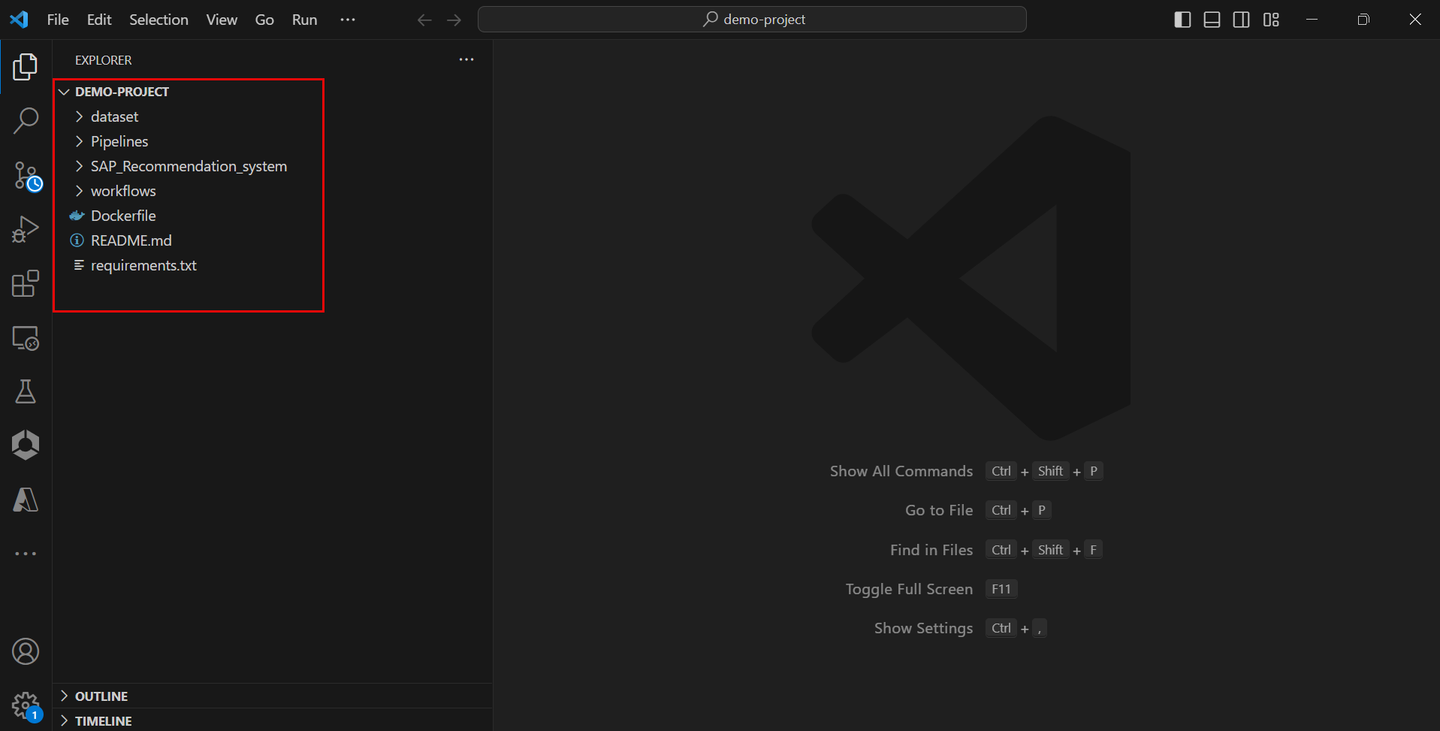
In the generated template visit Template folder > Pipelines and replace ai-core_creds.json and S3_creds.json with your actual AI core credentials.

Once done Under the same pipelines folder open AI-core-skd-notebook and replace the Configure variables with your own Variables and click on run all.

Resources
Discussion
Share feedback on this tutorial or join the conversation in SAP Community.