
Overview
You will learn
- How to add event filters to abstract entity
- How to create an event filter


Prerequisites
Prerequisites
- You need to have access to a licensed SAP BTP ABAP environment system
- You need a user with access to maintain communication arrangement
- You have finished following tutorial: How to Create RAP Business Events in SAP BTP ABAP Environment
Hint: Event filters for event topics containing wildcards are not supported.
You can define filters for context and custom extension context attributes defined for the corresponding event type. In the RESTful Application Programming framework (RAP), you can define a custom context attribute for your RAP business object (only for events) with the CDS annotation @event.context.attribute.
For more information on the CDS annotation, see: Event Annotations
The custom defined context attribute is then available as a property in the event filter creation wizard in the Enterprise Event Enablement ‒ Configure Channel Binding app.
Always replace ### with your initials or group number.
Steps
Open your abstract entity
ZD_ItemOrdered_###in Eclipse and add the event annotation toItemName:ABAP@EndUserText.label: 'event parameter' define abstract entity ZD_ItemOrdered_### { @Event.context.attribute: 'xsapitemname' ItemName : abap.char(25); }
filter Save and activate.
Log on to the SAP Fiori launchpad in the SAP S/4HANA Cloud system.
Select the Enterprise Event Enablement ‒ Configure Channel Binding, in the Communication Management app.
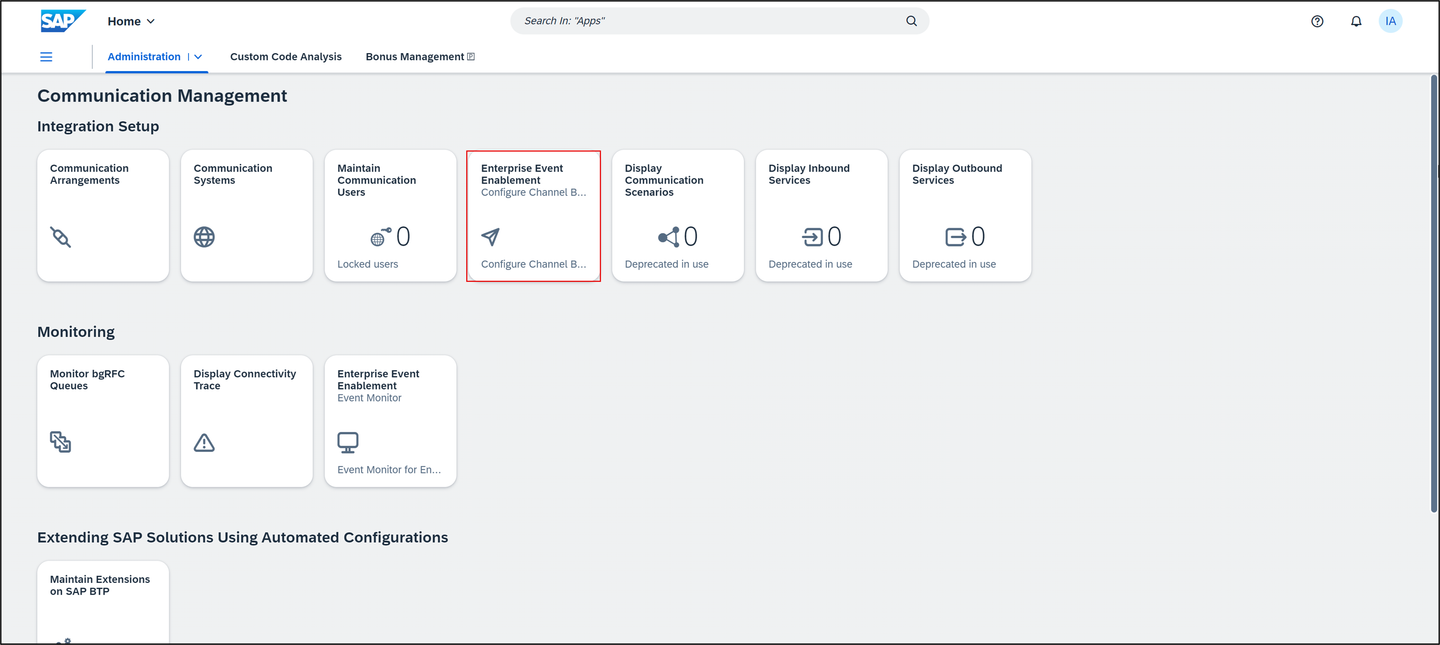
filter Choose your channel
Z_EVT_0092_000.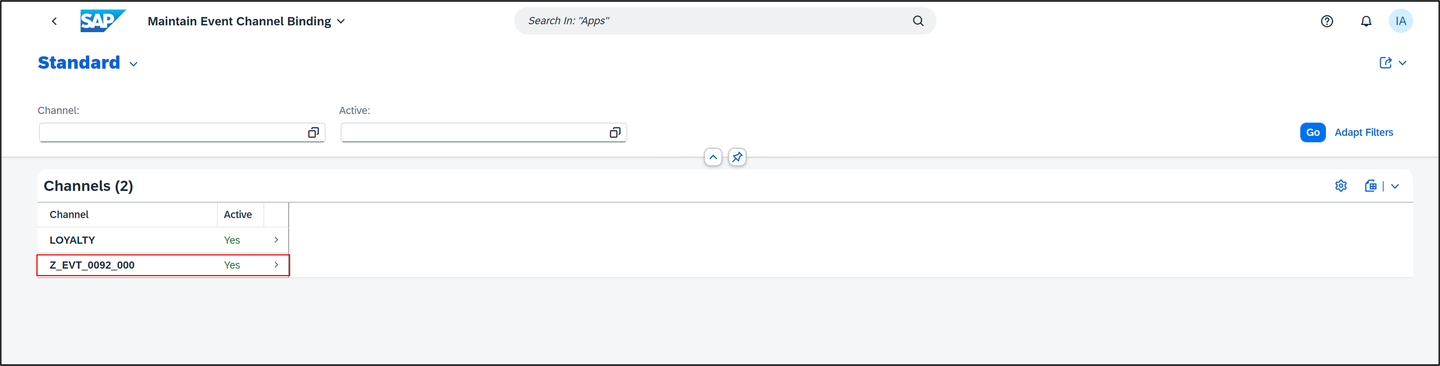
filter In the Outbound Topics table, the column Has Event Filters indicates whether filters are defined for the outbound topic.
Create a new outbound topic binding, therefore select Create.
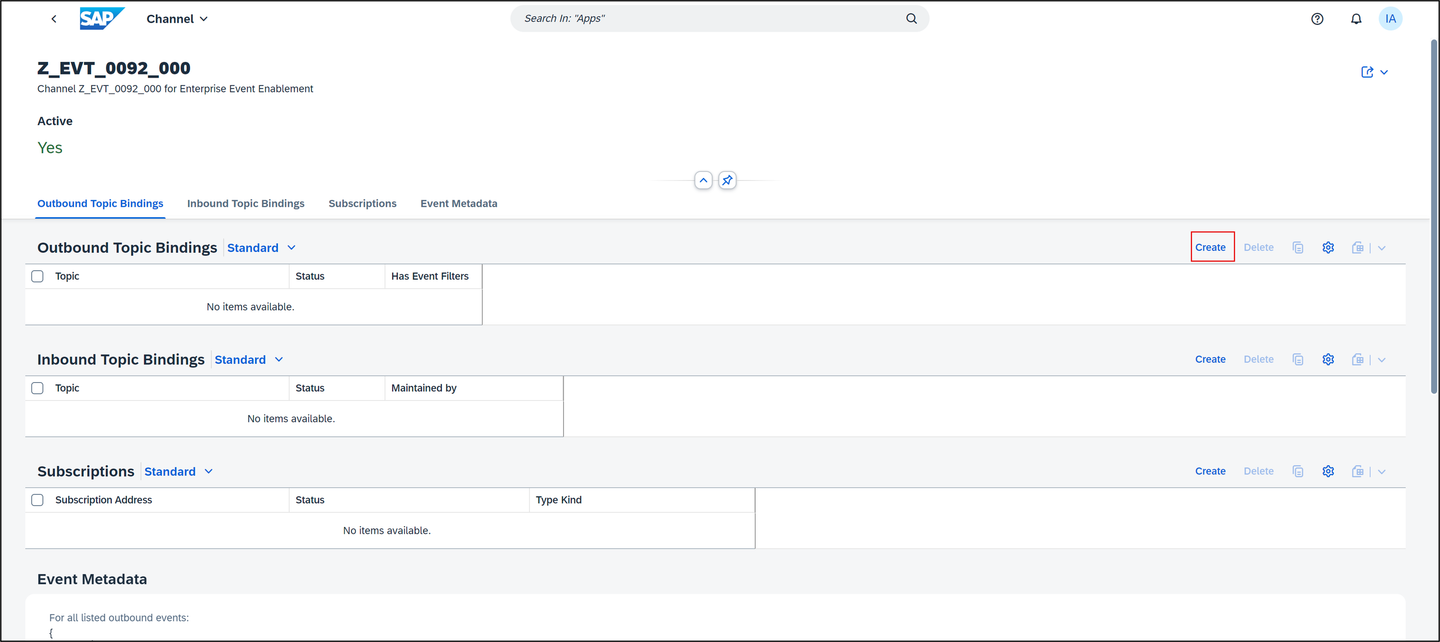
filter Select the outbound topic binding
zevent000/OnlineShop/create/v1and click Create.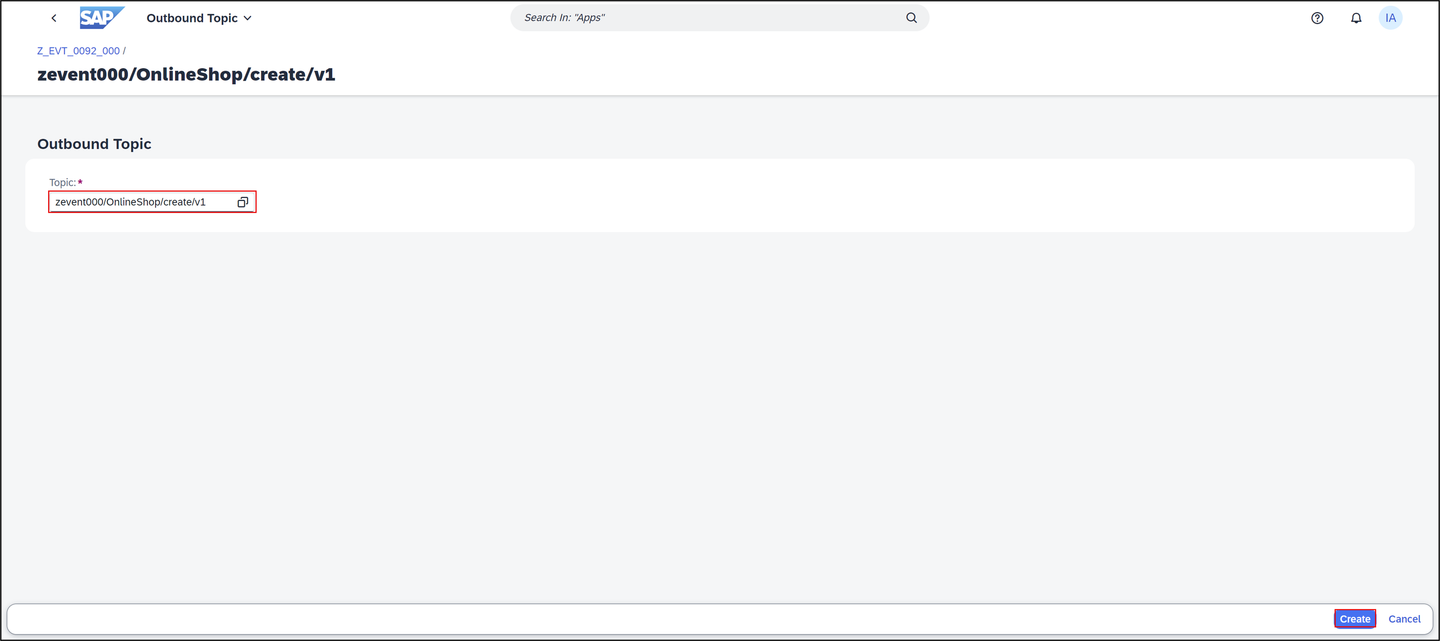
filter Go back and select your outbound topic binding
zevent000/OnlineShop/create/v1.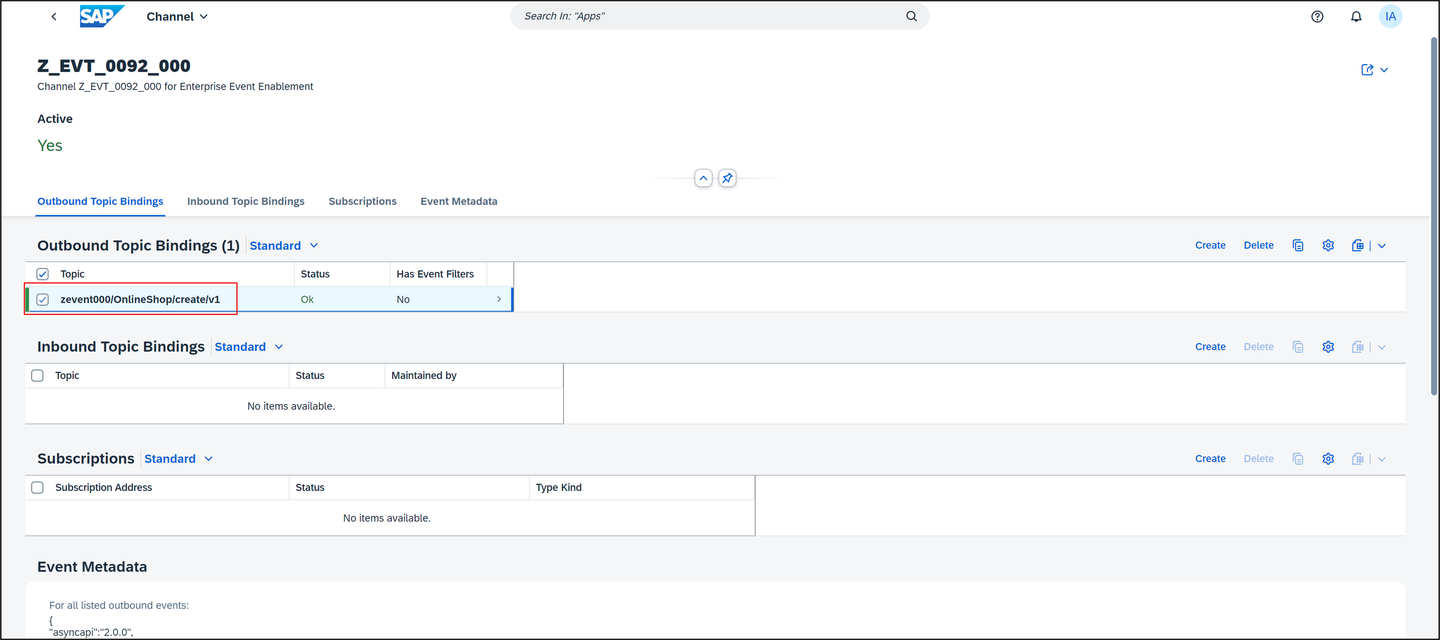
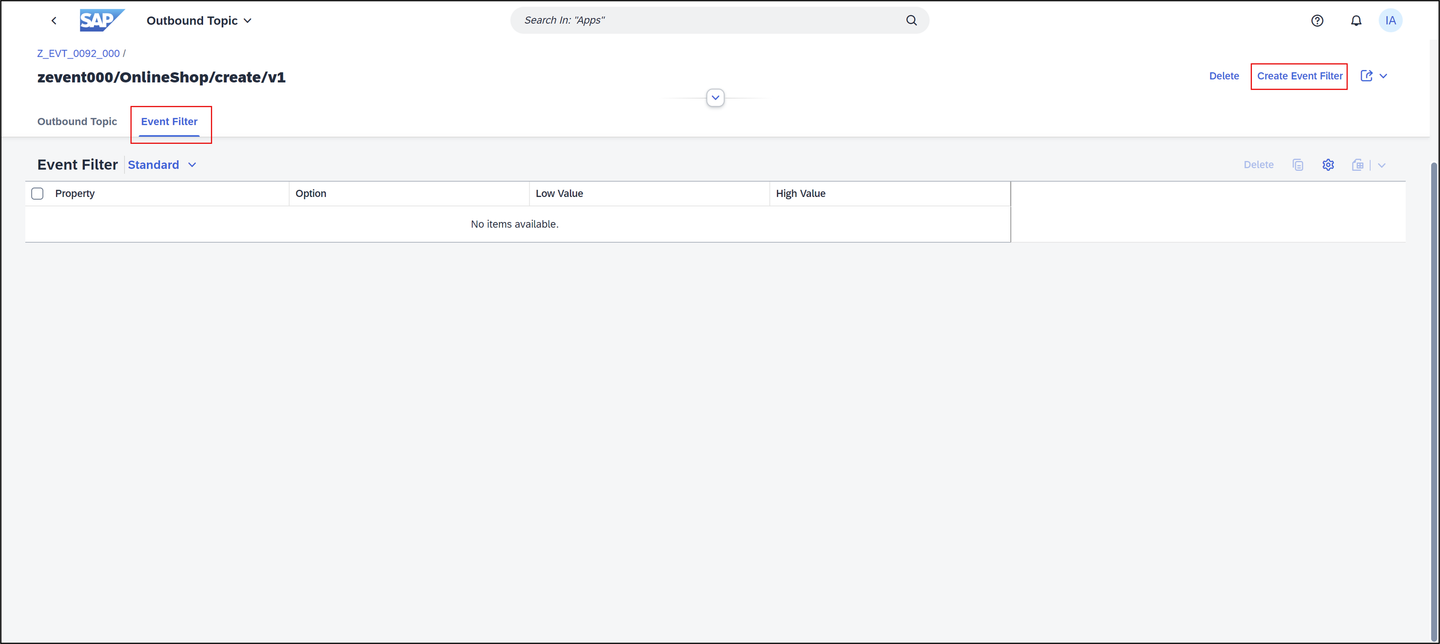
filter Select the Event Filter tab to display existing filters for the outbound topic. To add a filter to the outbound topic, choose Create Event Filter.
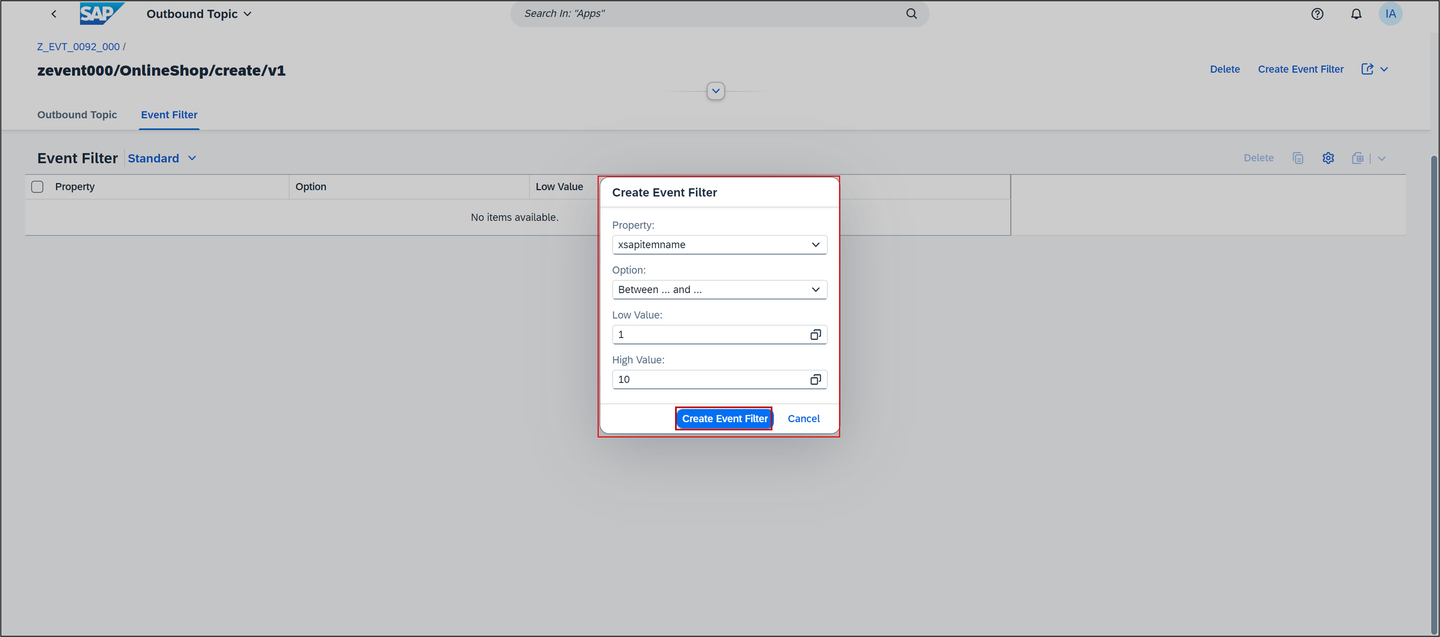
filter On the Create Event Filter dialog box, proceed as follows:
Select a Property from the dropdown menu. The properties available in the dropdown menu are defined by the extension attributes. You can either choose your own defined property
xsapitemnameor use the standard context attributes. Selectxsapitemname.Choose an Option from the dropdown menu to define the filter behavior. You can select Between … and … for
xsapitemname.Define a Low Value. You can use the value help, if available for the respective property.
If applicable, define a High Value.
Click Create Event Filter.
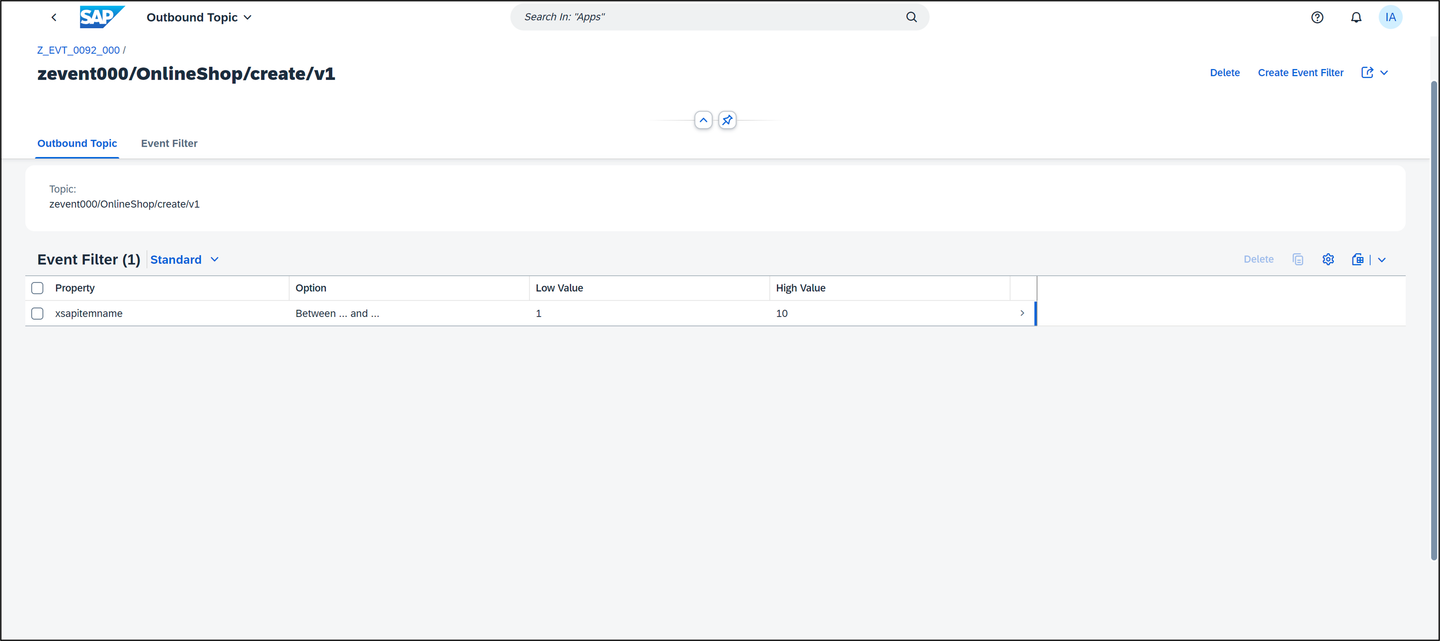
filter The new filter is added to the outbound topic. In accordance with existing filters, the new filter is added with an OR logic for inclusive options such as EQUALS. New filters are added with an AND logic for exclusive options such as NOT EQUALS. Different Properties are always AND connected.
filter To delete a filter from an outbound event topic, select one or more filters and choose the Delete button.
For more information on the usage of event filters, refer to 3343266 Information published on SAP site.
Resources
Discussion
Share feedback on this tutorial or join the conversation in SAP Community.