
Overview
You will learn
- How to make use of IAM App and business catalogs
- How to create business roles
- How to pin business catalogs
- How to create spaces and pages


Prerequisites
Prerequisites
- You need an SAP BTP, ABAP environment license.
- You have created the Travel App Mission in a licensed system. Mandatory is only the first tutorial of this tutorial mission Create Database Table and Generate UI Service.
- You finished the Create an SAP Fiori App and Deploy it to SAP BTP, ABAP environment tutorial and deployed your application.
- You need to have following business role assigned for your business user
SAP_BR_DEVELOPERandSAP_BR_BPC_EXPERT. - You need to have business catalog
SAP_CORE_BC_UI_FLDassigned for the usage of manage launchpad space. - You need to have business catalog
SAP_CORE_BC_UIassigned for the usage of manage launchpad settings. - You need to have business catalog
SAP_CORE_BC_BCT_TRN_MNG_PCandSAP_CORE_BC_BCT_TRN_REL_PCassigned to your user to see the app. - You need to enable spaces layout in SAP Fiori launchpad to see the app tiles, that are added to spaces or pages.
Steps
Intro
Learn how to integrate your list report application into ABAP Fiori launchpad.
Open ADT, select your package
ZRAP100_###and open your IAM AppZTRAVEL_IAM_###. On the Overview tab add the UI5 application ID to your IAM app and publish it, by right-clicking on the IAM app.
iamapp If you don’t have any IAM App created yet. Please create an IAM App and add the UI5 application to it.
Make use of your business catalog
ZTRAVEL_BC_###.
businesscatalog If you don’t have created a business catalog yet, please create one and publish it locally.
Right-click on your ABAP system in the project explorer of ADT and select Properties. Click ABAP Development and copy the system URL.

url Log in to your ABAP system as an administrator.

login Select Maintain Business Roles.

role Click New.

role2 Create new business role:
- Business Role ID:
BR_Z_TRAVEL_### - Business Role Description: Business role for travel

role2 Click Create.
- Business Role ID:
Go to Assigned Business Catalogs and click Add.

role4 Search for business catalog, select it and click Apply.

role5 Click Assign Business Users and click Add.

role6 Search your business user, select it and click Apply and OK.

role7 Select Maintain Restrictions.

role7 Adjust Maintain Restrictions for Write, Read, Value Help to Unrestricted. Go back.

role7 Click Save. Now your business catalog and business user is assigned to your business role.

role8
Log in to your system and select the Export Customizing Transports tile.

transport Click Go.

transport Now you can see all transport request.

transport Click Create.

transport Create new transport request:
- Description:
Transport_Request_### - Type: Customizing Request

transport Click Create.
- Description:
Now you can see an error message. You can only create new transport requests, if there is no default transport request. If there is already a default transport request, then you have to make use of it. Remember the transport request ID for later use.

transport Now cancel and go back to the transport request overview and select the default transport request. You can identify it via ID or the transport category.

transport In your default transport request you can create a new task. Click Create.

transport Create a new task:
- Description:
Transport_Task_###and select the owner.
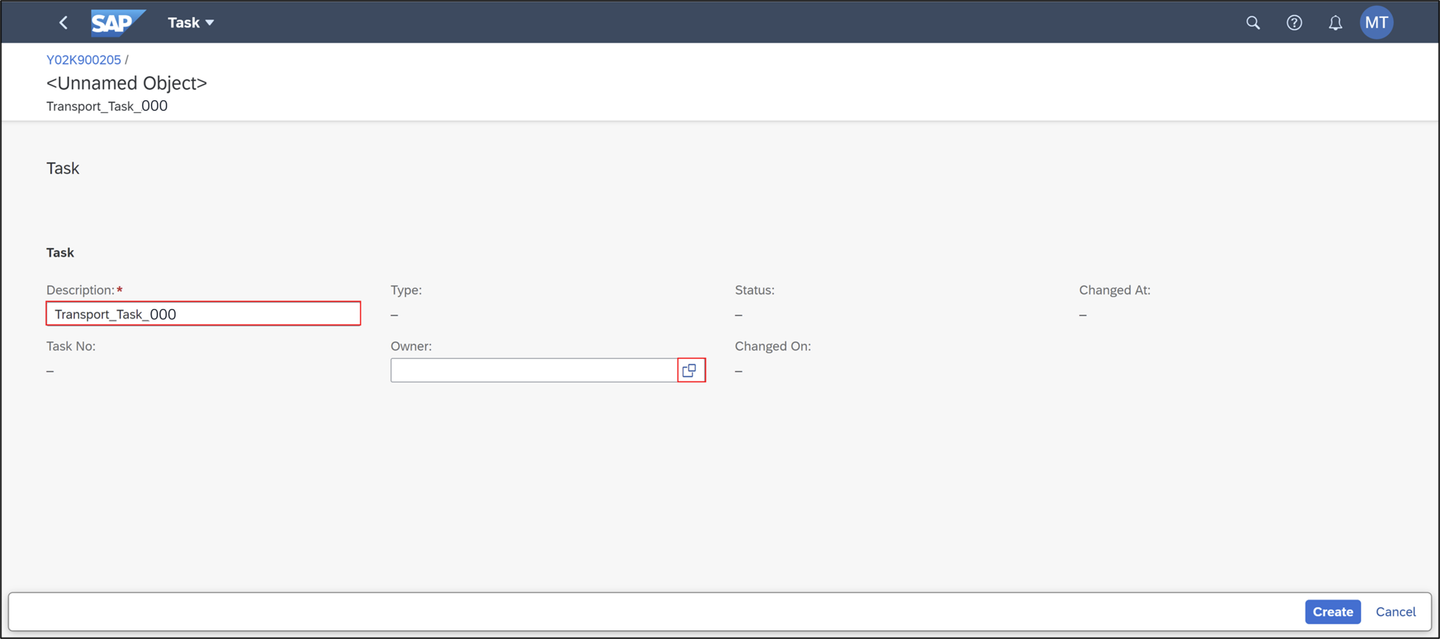
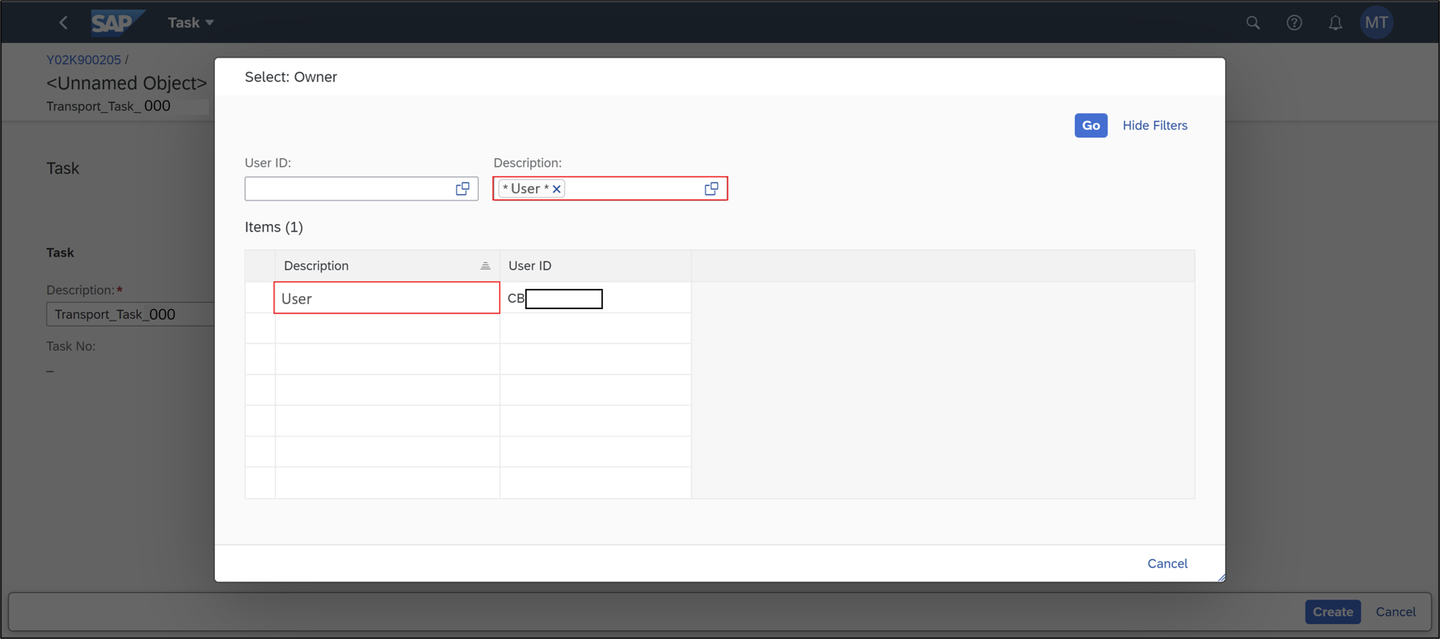
transport - Description:
In the description field, search for your user and select it.
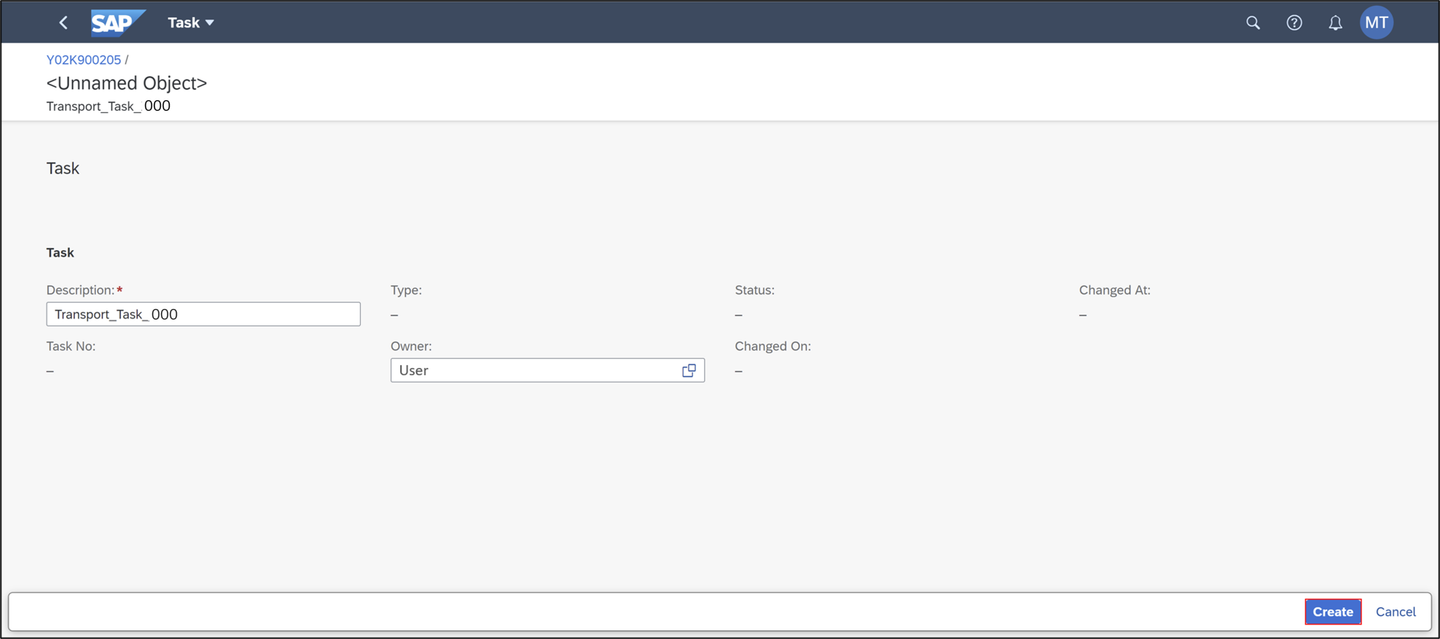
transport Click Create.
transport
Option 1:
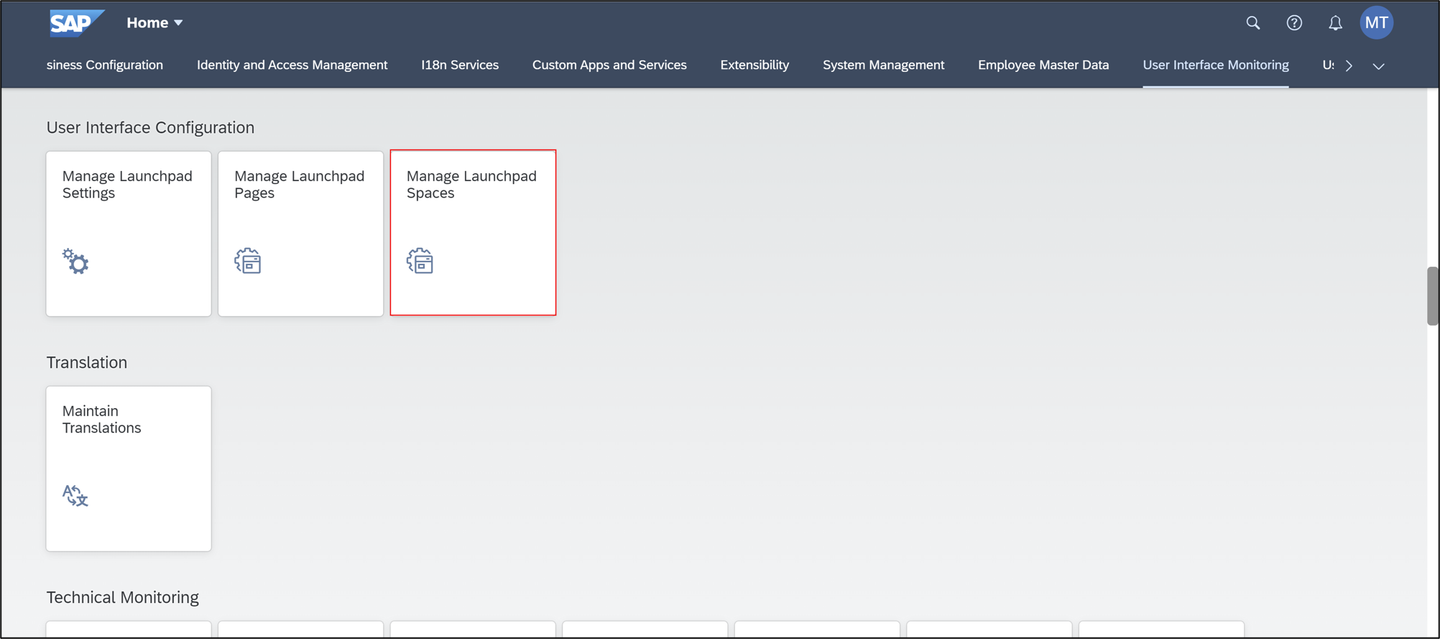
Select the Manage Launchpad Spaces tile.
transport Click Create.
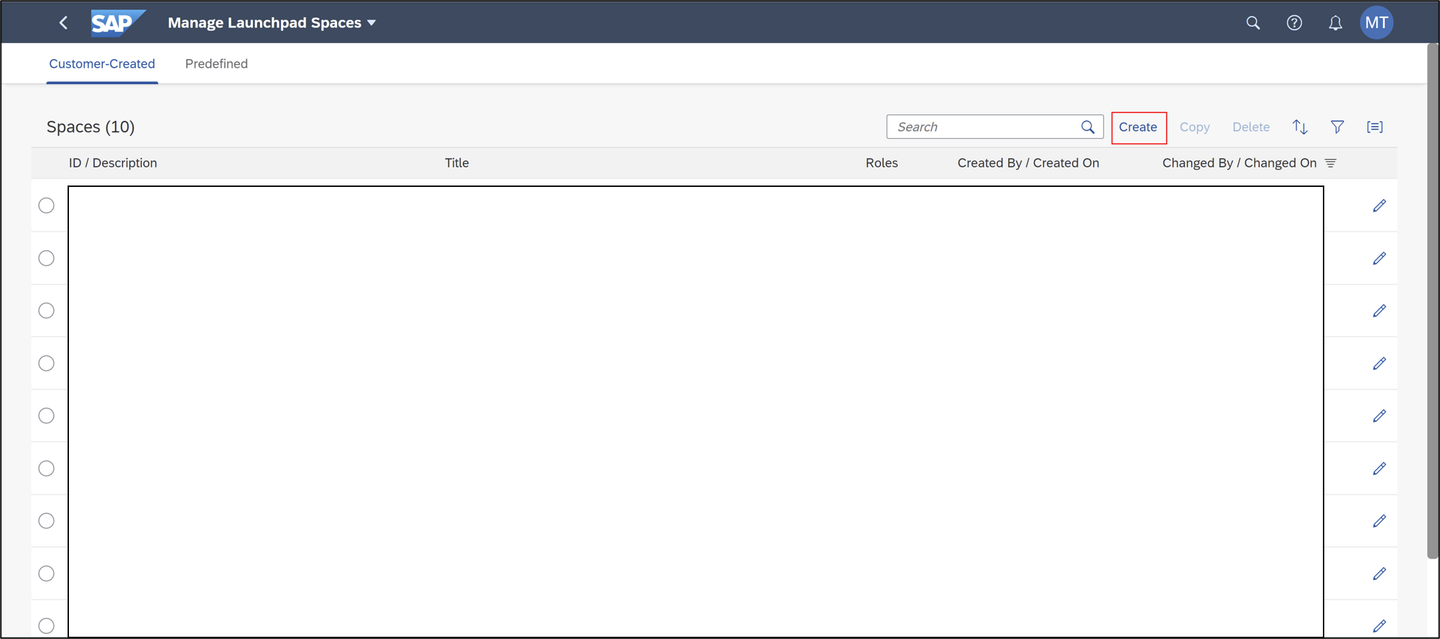
transport Create new space and page:
- Space ID:
Z_TRAVEL_APP_### - Space description: Space for travel app
- Space title: Travel App ###
- Page ID:
Z_TRAVEL_APP_### - Page description: Page for travel app
- Page title: Travel App ###
- Transport: testing transport
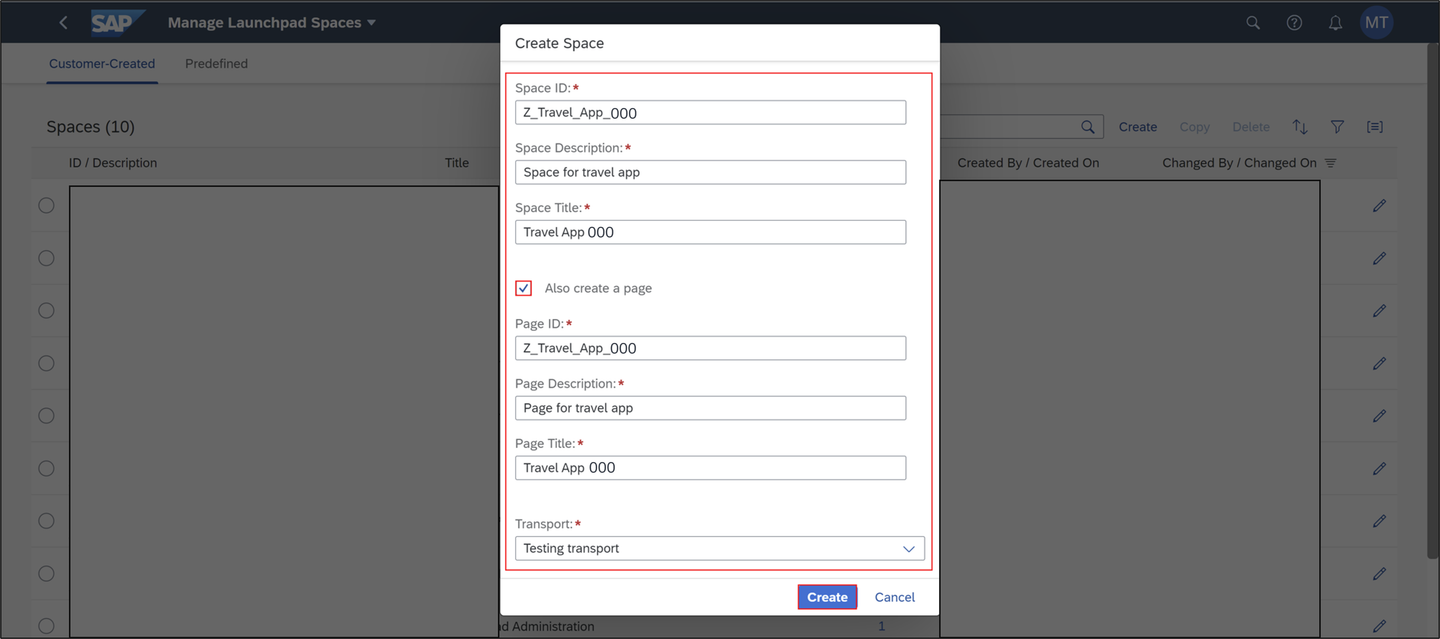
transport Click Create.
- Space ID:
Check your result.

transport Select Transports to check your transport request and click Save.

transport Go back to the SAP Fiori homepage and select the Maintain Business Roles tile.
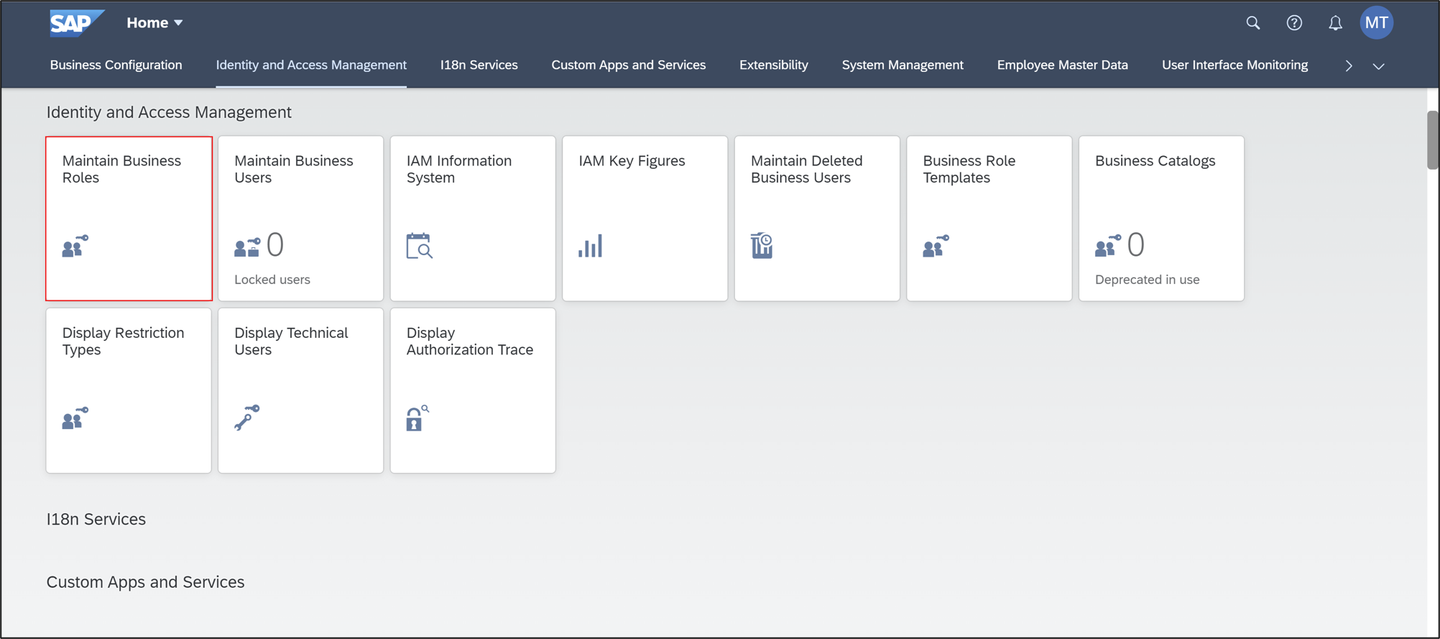
transport Search for your business role
BR_Z_TRAVEL_###and select it.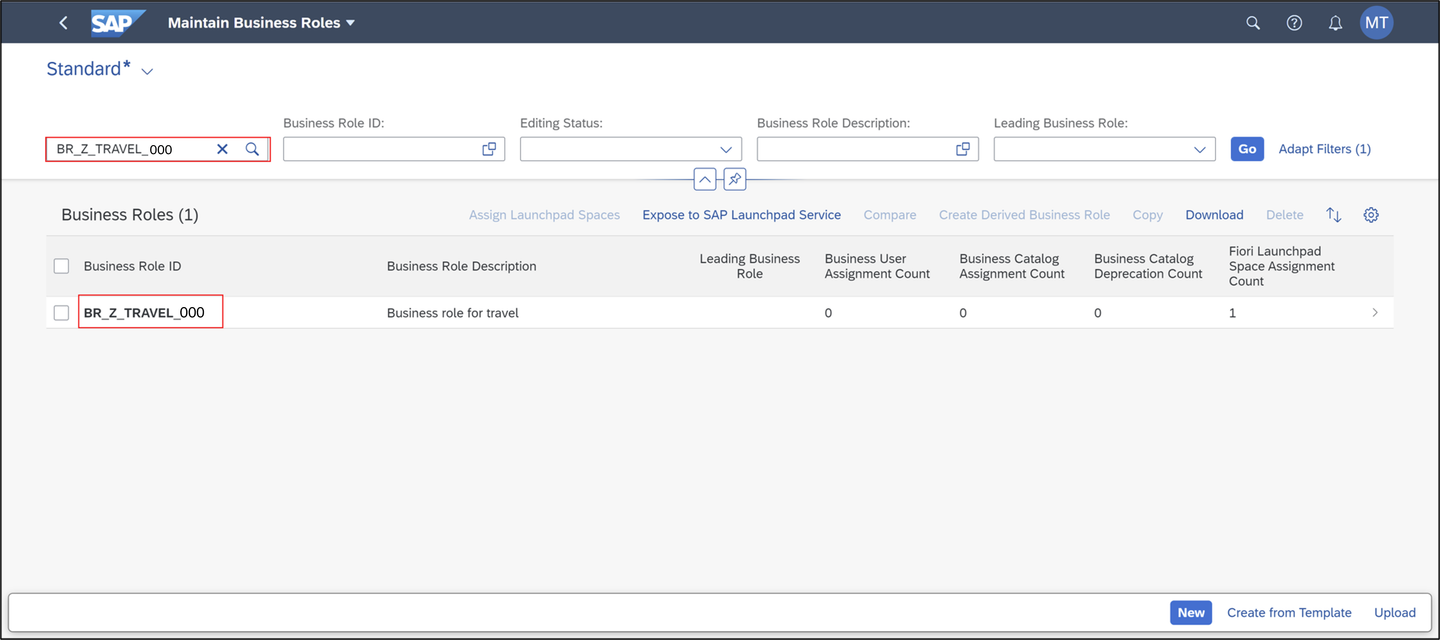
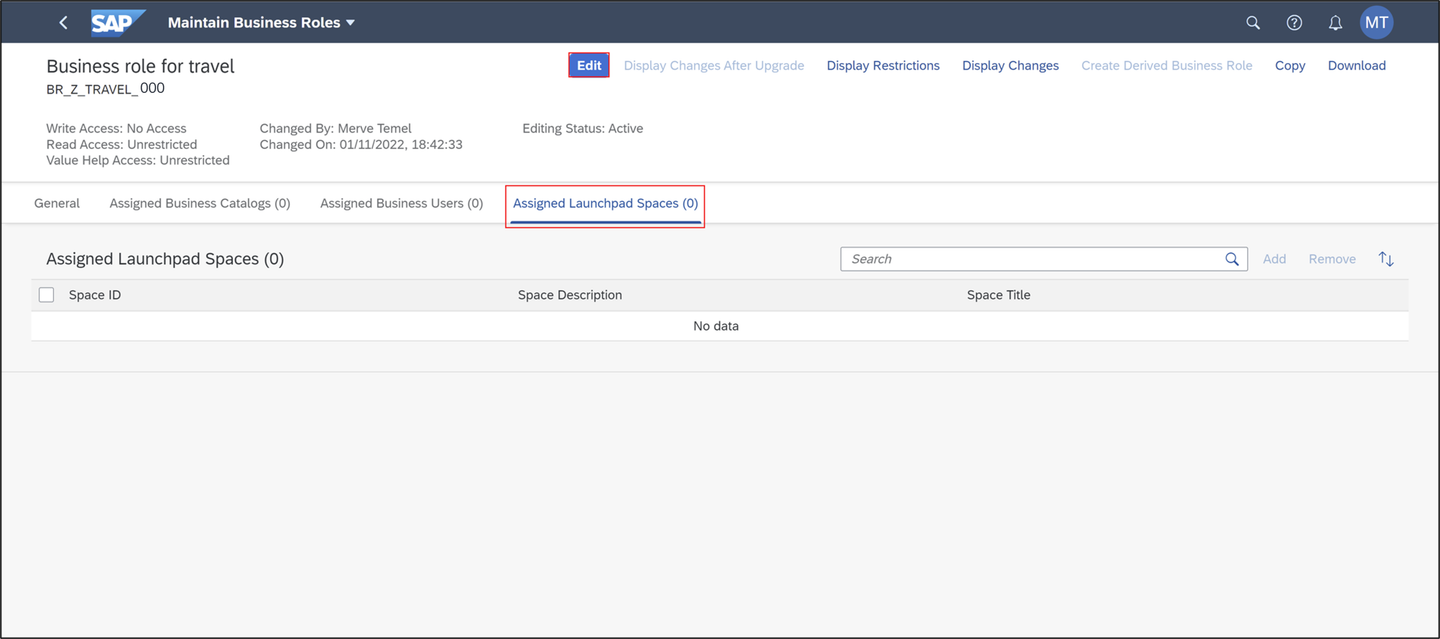
transport Click Edit and select Assigned Launchpad Spaces.
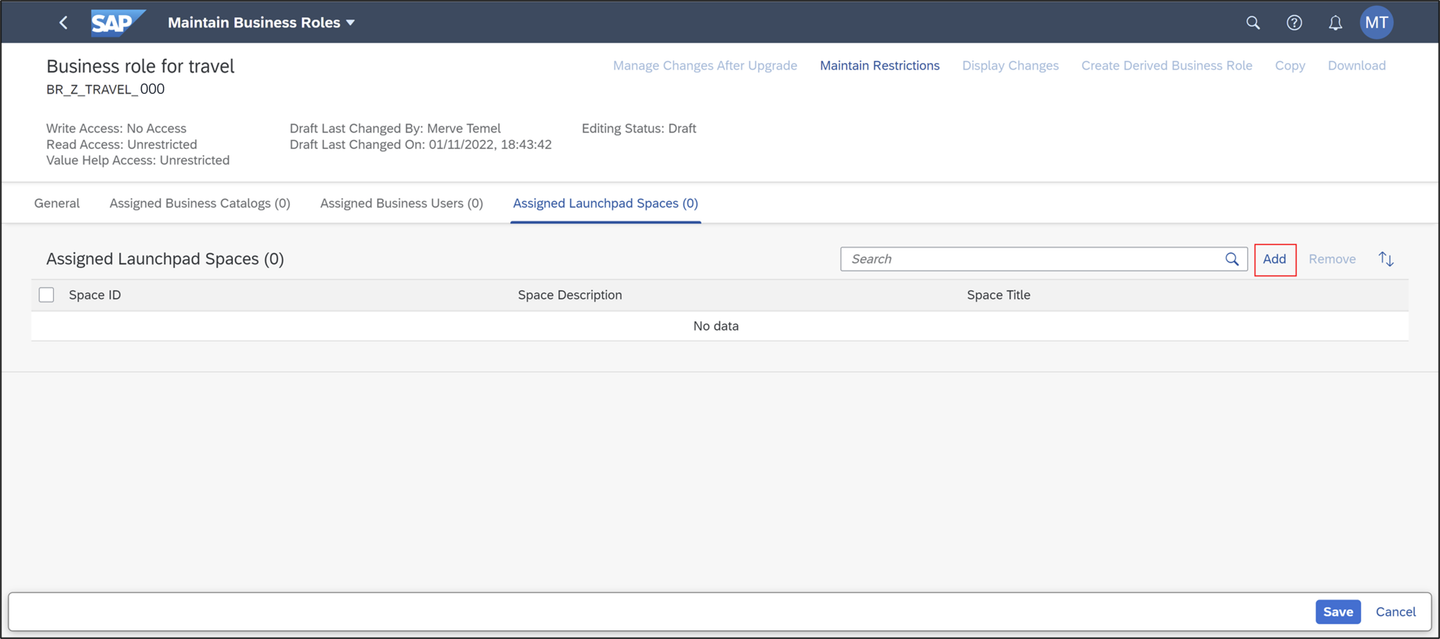
transport Click Add.
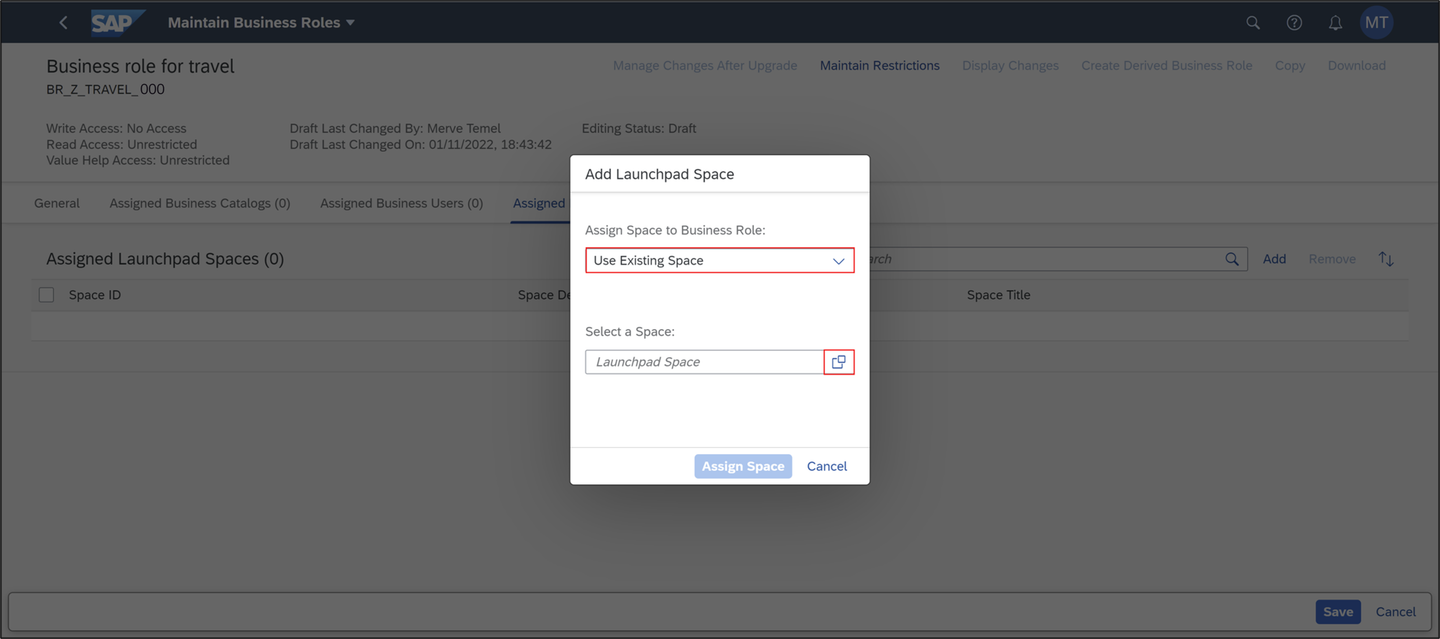
transport Select Use Existing Space and select your space.
transport Search for your space
Z_TRAVEL_APP_###and select it.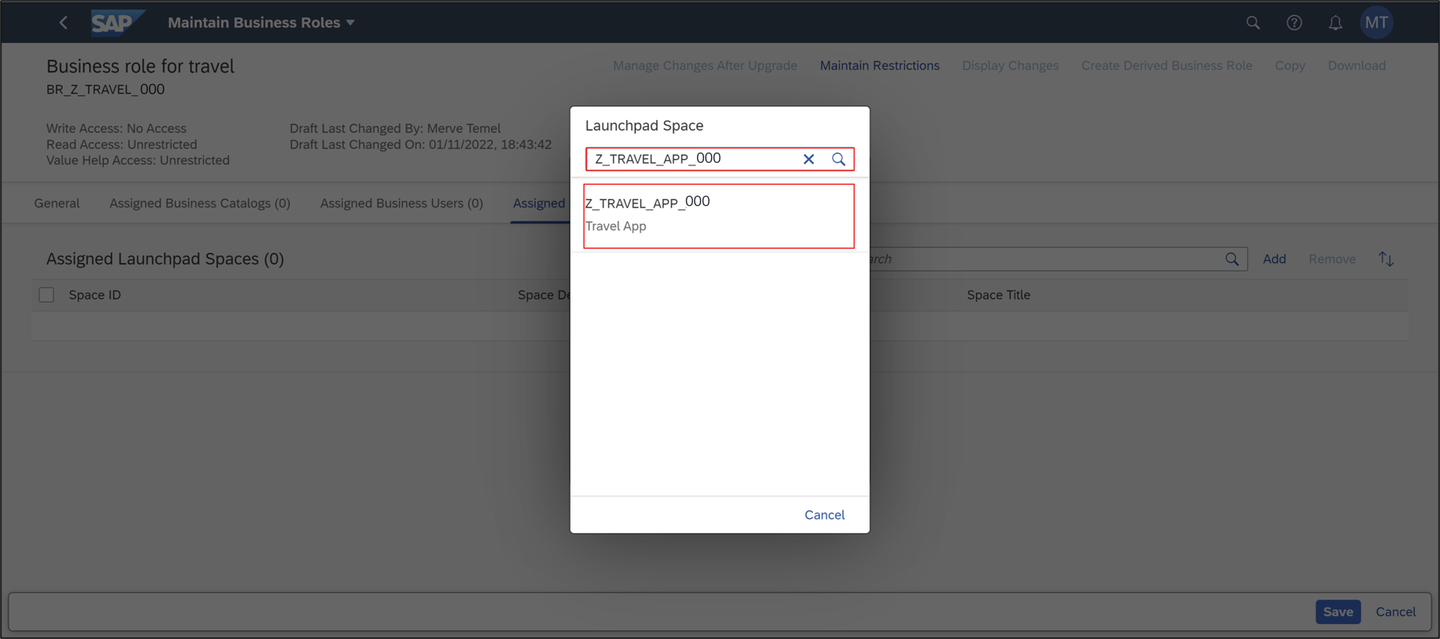
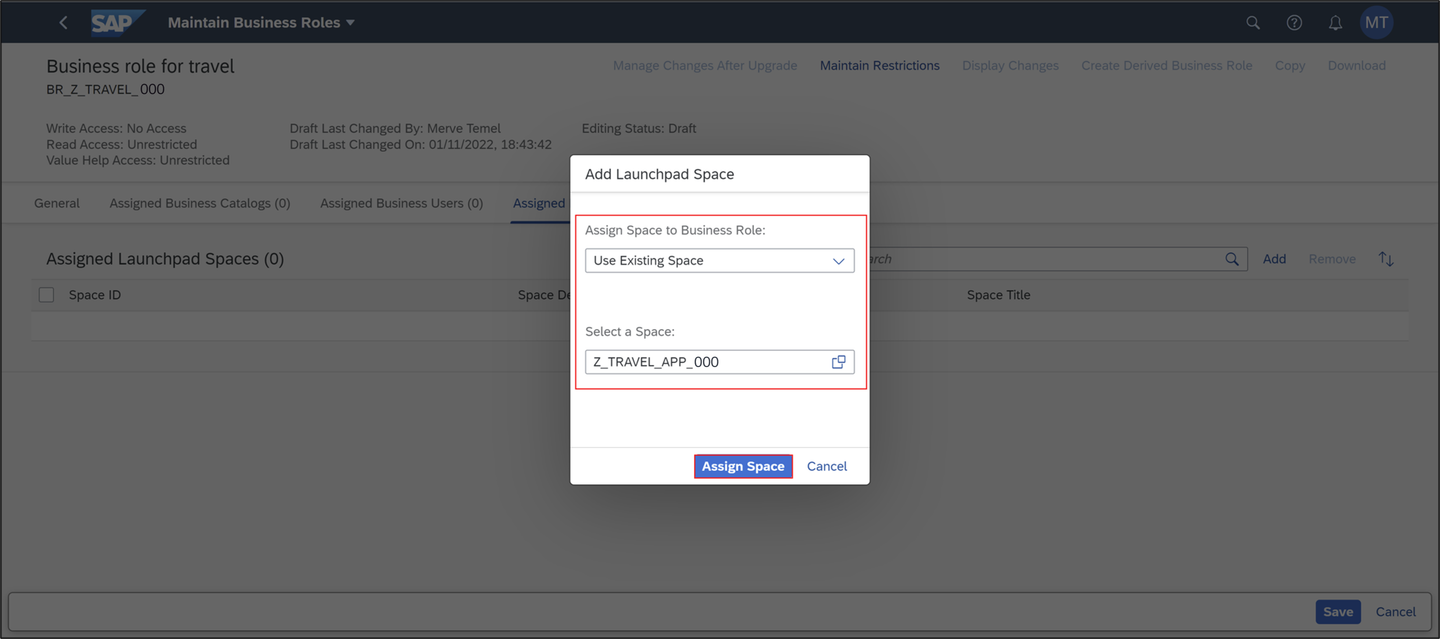
transport Check your result and click Assign Space.
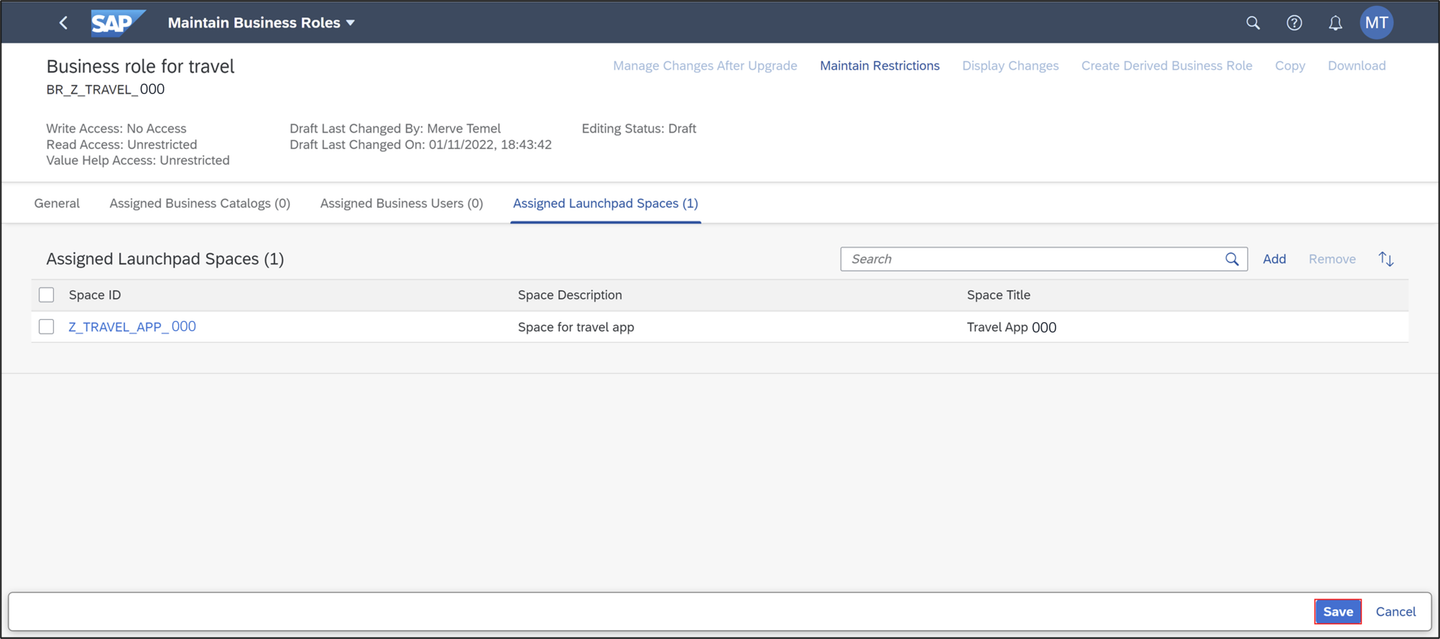
transport Check your result and click Save.
transport Open the Manage Launchpad Pages tile.

transport Select your page
Z_TRAVEL_APP_###.
page Select Page Content and click Edit.

page Add a description to your section tile, select your business catalog and click Add and Save.

page Check your result. Click Page Preview.

page Check the result in the preview.

page Select your user and Settings.

page Select Spaces and Pages and check Use Spaces.

page Select Travel App ### to see your application.

page
Option 2:
Select the Maintain Business Roles tile.

transport Click Edit and select Assigned Launchpad Spaces.

transport Click Add.

transport Select Create New Space.

transport Add Launchpad Space:
- Assign Space to Business Role: Create New Space
- Space ID:
Z_TRAVEL_APP_### - Space description: Space for travel app
- Space title: Travel App ###
Check Create Page from Business Catalogs and Groups.

transport Click Create and Assign Space.
Click Save.

transport Select your space.

transport Select Transports.

transport Check your transport.

transport Open the Manage Launchpad Pages tile.
transport Select your page
Z_TRAVEL_APP_###.page Select Page Content and click Edit.
page Add a description to your section tile, select your business catalog and click Add and Save.
page Check your result. Click Page Preview.
page Check the result in the preview.
page Select your user and Settings.
page Select Spaces and Pages and check Use Spaces.
page Select Travel App ### to see your application.
page
Resources
Discussion
Share feedback on this tutorial or join the conversation in SAP Community.