
Overview


Prerequisites
Prerequisites
- This tutorial is designed for SAP HANA on premise and SAP HANA, express edition. It is not designed for SAP HANA Cloud.
- Proficiency: Intermediate
- Tutorials:
- Import tables and large Datasets
- SAP HANA XS Advanced, Creating a Node.js Module
Steps
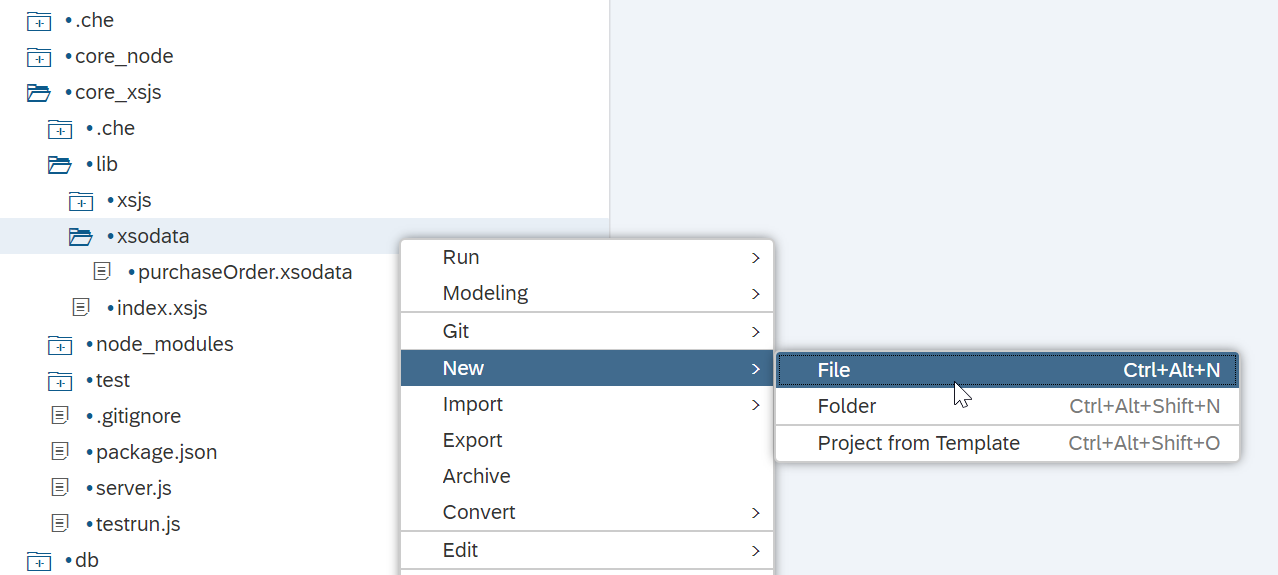
Right mouse click on the core_xsjs/lib/xsodata folder and choose New->File.
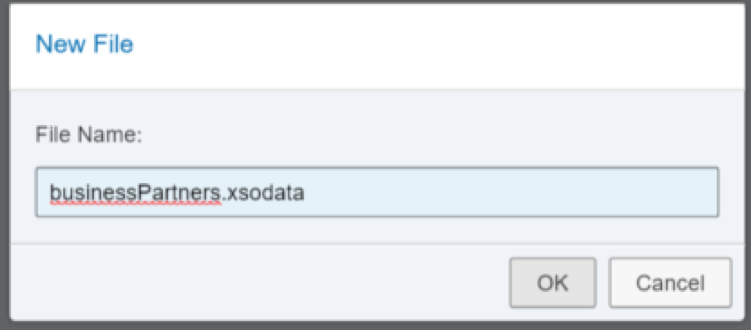
Enter the name as businessPartners.xsodata and click OK.
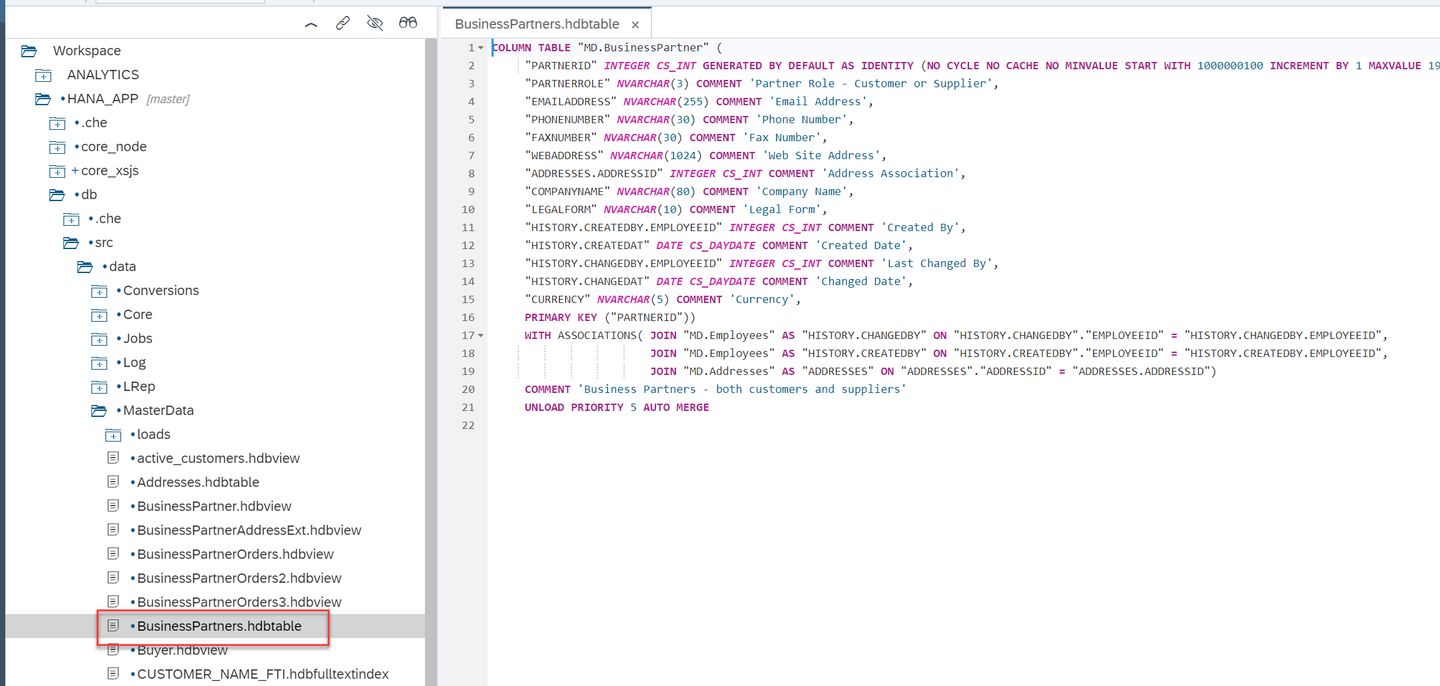
You want to define an OData service to expose the business partner table. This table is in defined in the BusinessPartners.hdbtable artifact.
The syntax of the XSODATA service is relatively easy for this use case. You need only define a namespace (your package path), the name of the HANA Table you will base the service from (MD.BusinessPartner) and the name or alias of the OData entity (BP). Therefore the content of the XSODATA file would be:
service {
"MD.BusinessPartner" as "BusinessPartners";
}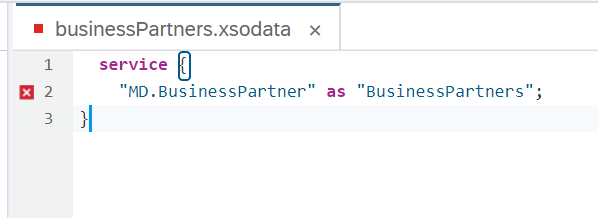
You can ignore the error marker in the xsodata editor. If it a false error, unfortunately.
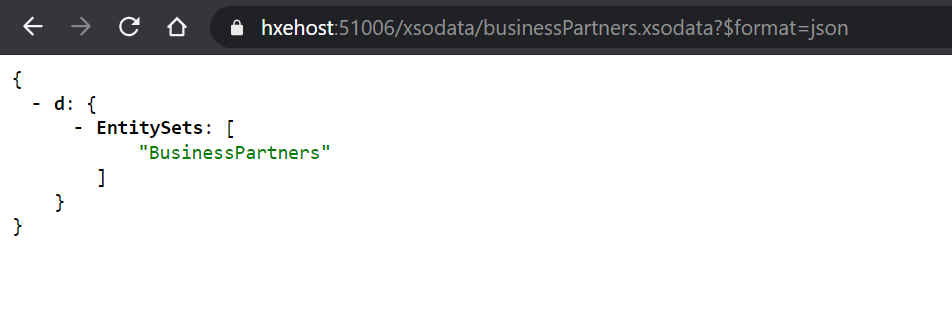
Save the file and build the Node.js core_xsjs module. Then run the html5 module (defined as web earlier). Once it opens a separate browser tab, change the URL path to /xsodata/businessPartners.xsodata?$format=json to test this new service. The resulting document describes the service entities. You have the one entity named BP.
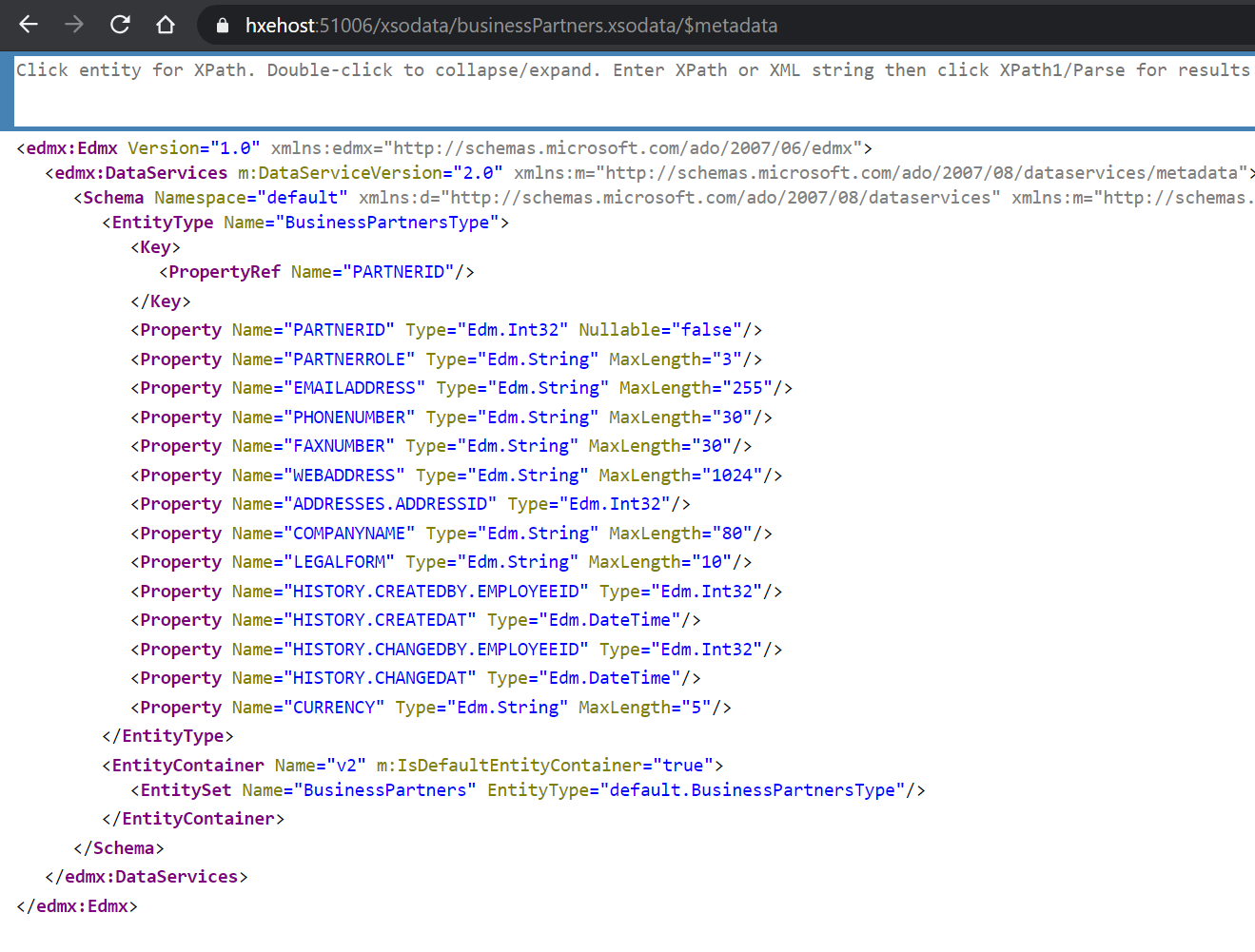
You can now adjust the URL slightly and add the /$metadata parameter to the end of it.
For Example: /xsodata/businessPartners.xsodata/$metadata
You can see the field descriptions for all the attributes of the OData service.
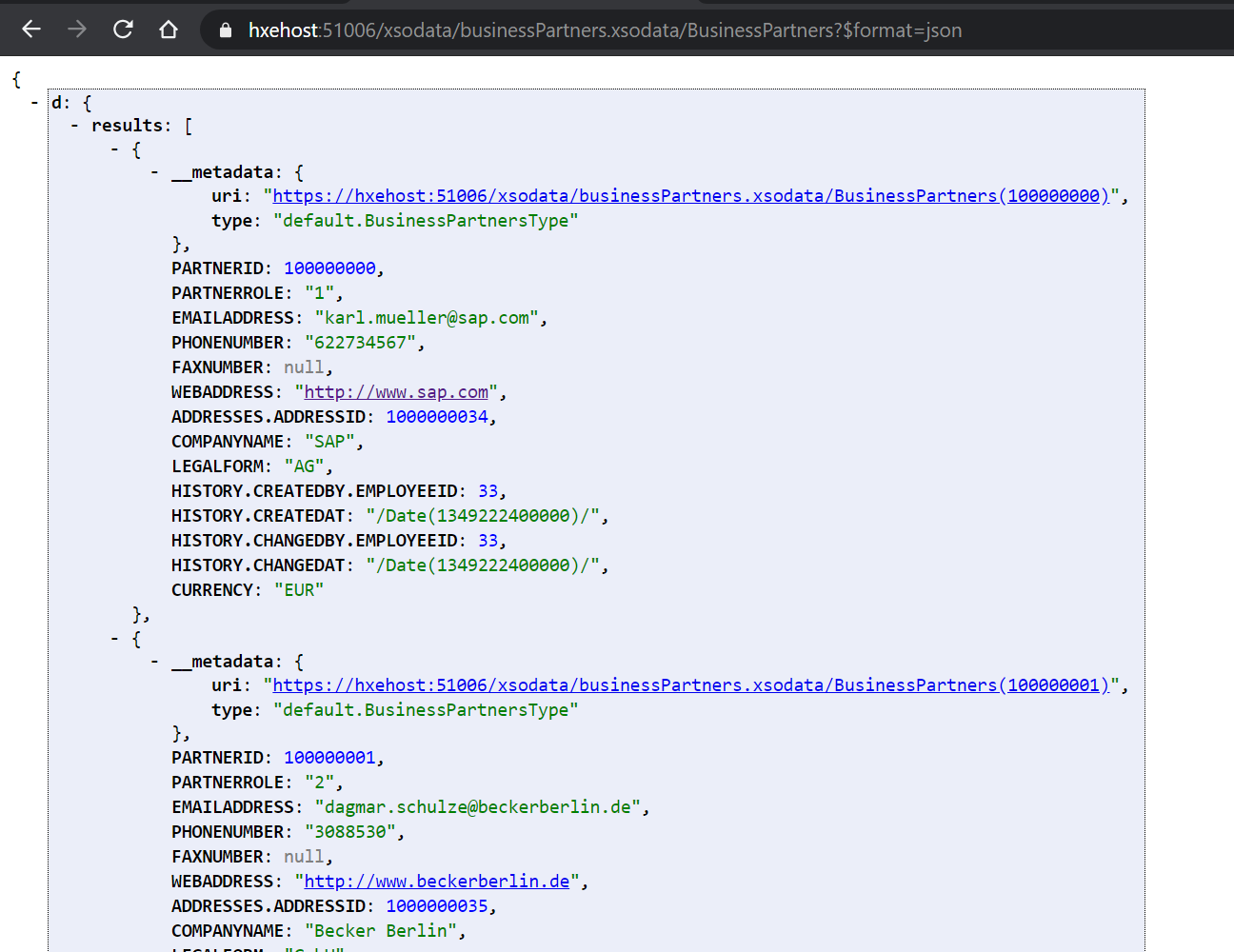
In order to view the data of the entity, you would append BP to the end of the URL:
For Example:
/xsodata/businessPartners.xsodata/BusinessPartners?$format=json
You are now able to see the data from the businessPartner table.
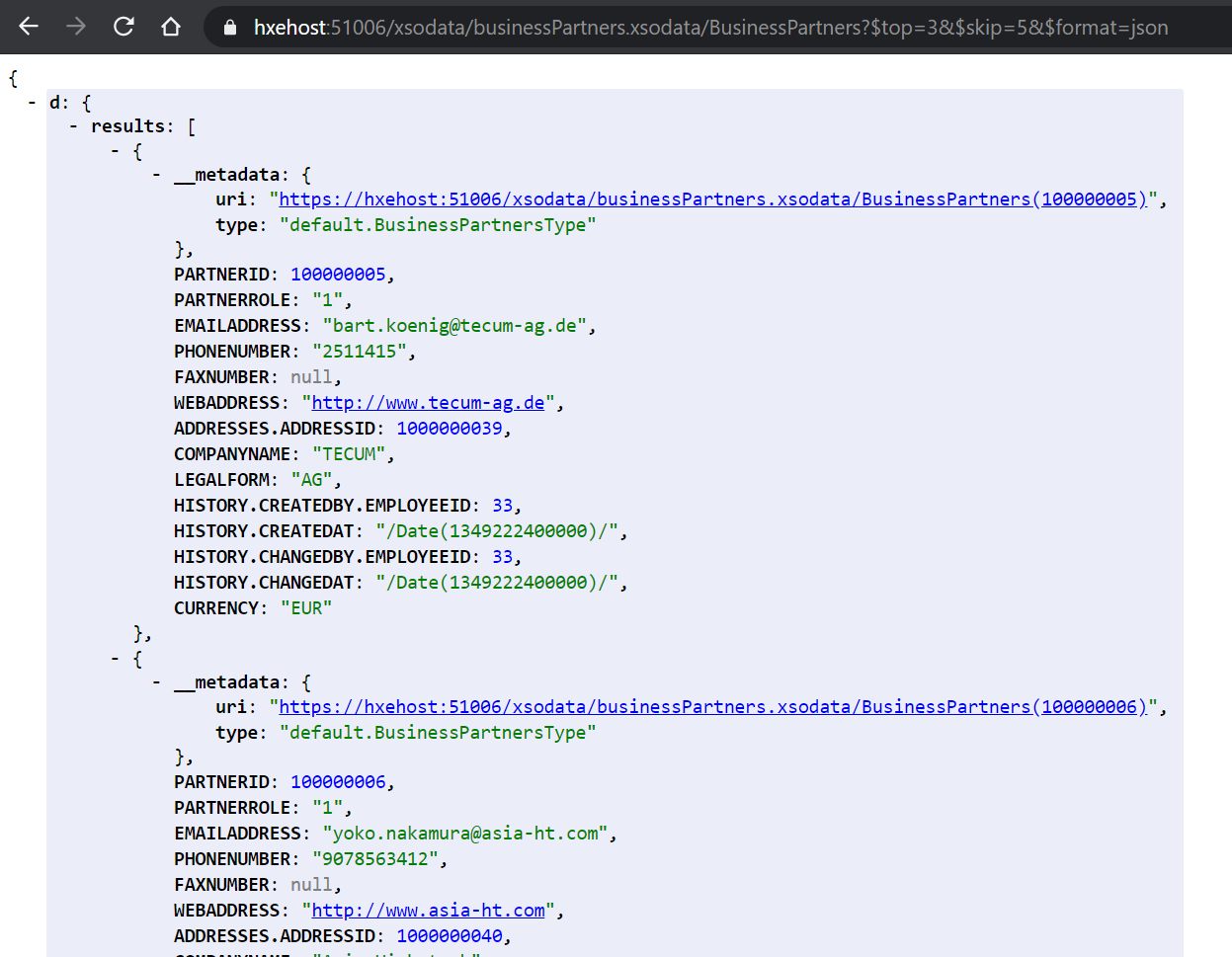
You can also experiment with standard OData URL parameters like $top, $skip, or $filter. These options are interpreted and handled by the OData service for you. You get complex service handling without any coding. For example the following URL would return only three business partner records and would skip the first five records. Such parameters are helpful when implementing server side scrolling, filtering, or sorting in table UI elements.
For Example:
/xsodata/businessPartners.xsodata/BusinessPartners?$top=3&$skip=5&$format=json
Resources
Discussion
Share feedback on this tutorial or join the conversation in SAP Community.