
Overview


Prerequisites
Prerequisites
- This tutorial is designed for SAP HANA on premise and SAP HANA, express edition. It is not designed for SAP HANA Cloud.
- Tutorials: Parallel Processing and Parameters
Steps
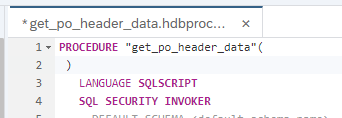
Return to your procedure called get_po_header_data.

Delete the output parameters which you defined in the last section.
Define a new output parameter as shown

Rename EX_PO_CREATE_CNT to PO_CREATE_CNT. Also rename EX_PO_CHANGE_CNT to PO_CHANGE_CNT

Modify the two SELECT statements and add AS EID after the EMPLOYEEID field.

Next, add another SELECT statement after the 2 previous SELECT statements as shown. This statement uses the previously defined table variables.

The completed code should be very similar to this.
PROCEDURE "get_po_header_data"(
         OUT EX_TOP_3_EMP_PO_COMBINED_CNT TABLE(
              LOGINNAME NVARCHAR(12),
              CREATE_CNT INTEGER,
              CHANGE_CNT INTEGER,
              COMBINED_CNT INTEGER )  )
   LANGUAGE SQLSCRIPT
   SQL SECURITY INVOKER
   --DEFAULT SCHEMA <default_schema_name>
   READS SQL DATA AS
BEGIN

po_create_cnt =   SELECT COUNT(*) AS CREATE_CNT, "HISTORY.CREATEDBY.EMPLOYEEID" as EID
     FROM "PO.Header" WHERE PURCHASEORDERID IN (
                     SELECT PURCHASEORDERID
                          FROM "PO.Item"
          WHERE "PRODUCT.PRODUCTID" IS NOT NULL)
GROUP BY  "HISTORY.CREATEDBY.EMPLOYEEID";

po_change_cnt = SELECT COUNT(*) AS CHANGE_CNT, "HISTORY.CHANGEDBY.EMPLOYEEID" as EID
     FROM "PO.Header"  WHERE PURCHASEORDERID IN (
                     SELECT PURCHASEORDERID
                          FROM "PO.Item"
          WHERE "PRODUCT.PRODUCTID" IS NOT NULL)
GROUP BY  "HISTORY.CHANGEDBY.EMPLOYEEID";

EX_TOP_3_EMP_PO_COMBINED_CNT =
        SELECT emp.LOGINNAME, crcnt.CREATE_CNT, chcnt.CHANGE_CNT,  crcnt.CREATE_CNT +
        chcnt.CHANGE_CNT AS COMBINED_CNT
            FROM "MD.Employees" as emp
            LEFT OUTER JOIN :PO_CREATE_CNT AS crcnt
             ON emp.EMPLOYEEID = crcnt.EID
           LEFT OUTER JOIN :PO_CHANGE_CNT AS chcnt
           ON emp.EMPLOYEEID = chcnt.EID
          ORDER BY COMBINED_CNT DESC LIMIT 3;

ENDSave the procedure. Use what you have learned already and perform a build on your hdb module.

Return to the Database Explorer page and use what you have learned and generate a new call statement for the procedure and run it.
The results are then shown.

Resources
Discussion
Share feedback on this tutorial or join the conversation in SAP Community.