
Overview
You will learn
- How to migrate your Multi Target Application into another server


Prerequisites
Prerequisites
- This tutorial is designed for SAP HANA on premise and SAP HANA, express edition. It is not designed for SAP HANA Cloud.
- Tutorials: SAP HANA XS Advanced tutorial - Getting started or SAP HANA XS Advanced tutorial - Node.js or SAP HANA XS Advanced tutorial - SAPUI5
Steps
Right-click on your project and select Build->Build
This will take several minutes to complete.
You will find a new folder named mta_archieves and within a folder for your project. Within this folder is the MTAR archive for your application.
Export the .mtar file into a local directory in your computer:

As a user with the proper permissions, for example, hxeadm if you are using SAP HANA, express edition, execute the XS CLI.
Notes: If required, login to
xsfirst using commandxs login. Additionally, If you have created a user-provided service, you will need to create it with the properxs cupscommand first.
Use command xs deploy followed by the proper file:
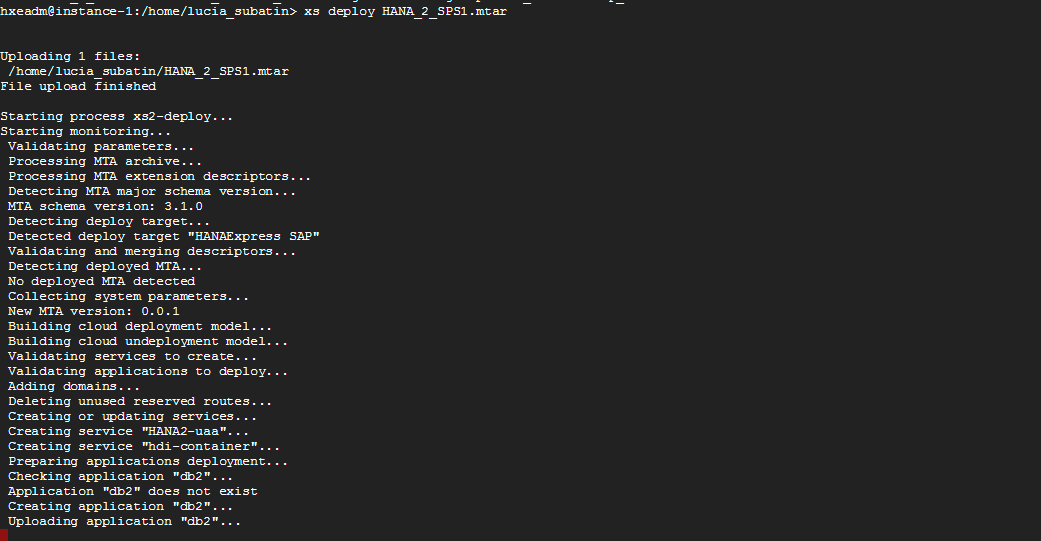
Make sure it finished successfully:
You can now check the services have been deployed using XS services:

And the application using xs apps in the corresponding space (for example, development in HANA express edition):

Resources
Discussion
Share feedback on this tutorial or join the conversation in SAP Community.