
Open SAP Web IDE for SAP HANA Development
Access SAP Web IDE Full-Stack from your browser.
Overview
You will learn
- How to open SAP Web IDE Full-Stack


Prerequisites
Prerequisites
- You have a productive account with entitlement to the SAP HANA service for SAP Business Technology Platform in SAP Business Technology Platform, Cloud Foundry environment
Steps
Intro
This tutorial cannot currently be completed with a trial account.
In this tutorial, you’ll locate the SAP Web IDE and access it, all from your browser, without needing to install anything.
Go to https://account.hana.ondemand.com/#/home/welcome and log in to your SAP BTP cockpit.
Navigate to your global account and then subaccount.

subaccount
Select Entitlements on the left-hand menu to see all entitlements that are assigned to this subaccount. Locate the SAP Web IDE entitlement from this list.

In case you are missing the entitlement, please follow this tutorial to Add a New Entitlement to Your Subaccount.
Select Subscriptions on the left-hand menu in the SAP BTP cockpit to see all available subscriptions.
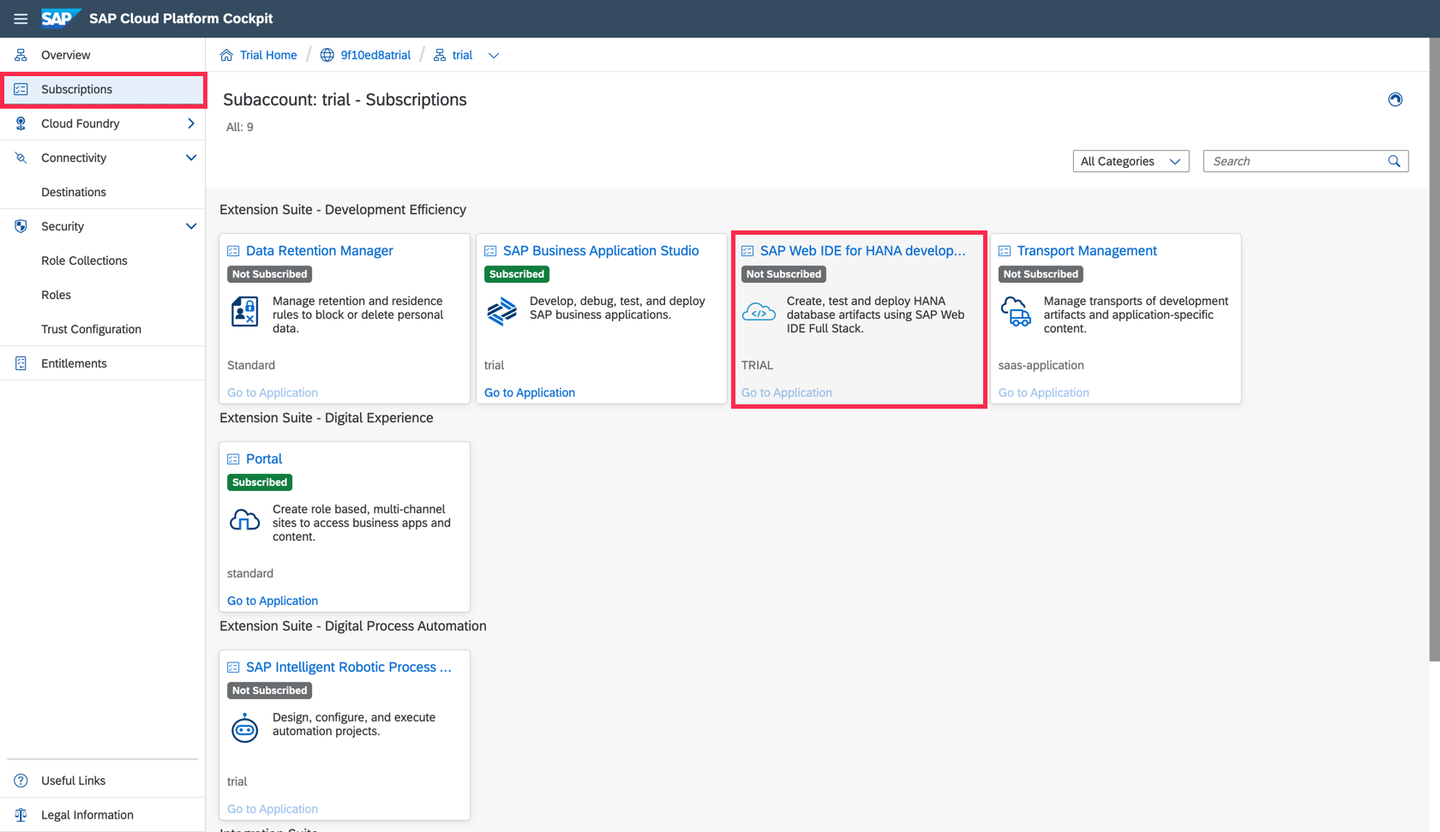
Subscriptions This detail page will show you a service description and provide you with a link to the service documentation. Click the blue button to Subscribe to this service.

subscribe Click on Go to Application to open SAP Web IDE.

goto You might be asked to accept a disclaimer if you come here for the first time. Check the box and click accept to do so.

disclaimer
A new tab opens, and SAP Web IDE Full-Stack loads.
Bookmark this page! If you create a bookmark to this page, it is easy to get back to SAP Web IDE Full-Stack later.

Copy and paste the URL from your SAP Web IDE Full-Stack into the text box below.
Resources
Discussion
Share feedback on this tutorial or join the conversation in SAP Community.