
Overview
You will learn
- How to prepare an SAP Fiori reference app so that you can translate it using SAP Translation Hub


Prerequisites
Prerequisites
- IMPORTANT: This tutorial cannot be completed on a trial account.
Steps
To go to the overview screen of the SAP BTP cockpit, choose your user ID at the top of the screen.
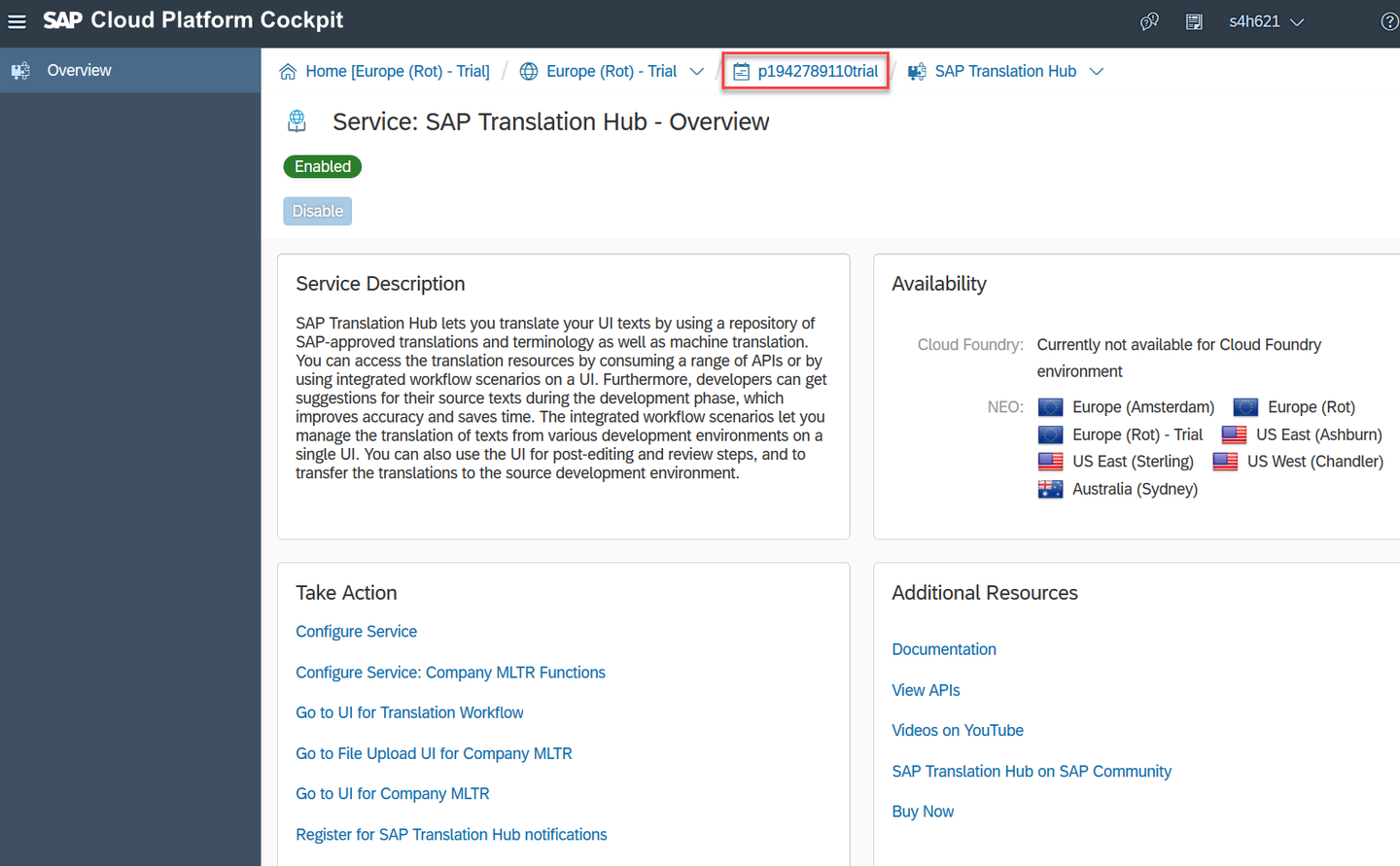
Choose Services and locate the SAP Web IDE tile by searching for web. Then choose the tile.

In the service description for SAP Web IDE, choose Go to Service.

To get started with the app, ensure that you’re on the Home tab (house icon) and choose New Project from Sample Application.

To add a project with the required files to your account, choose Shop and then Next.

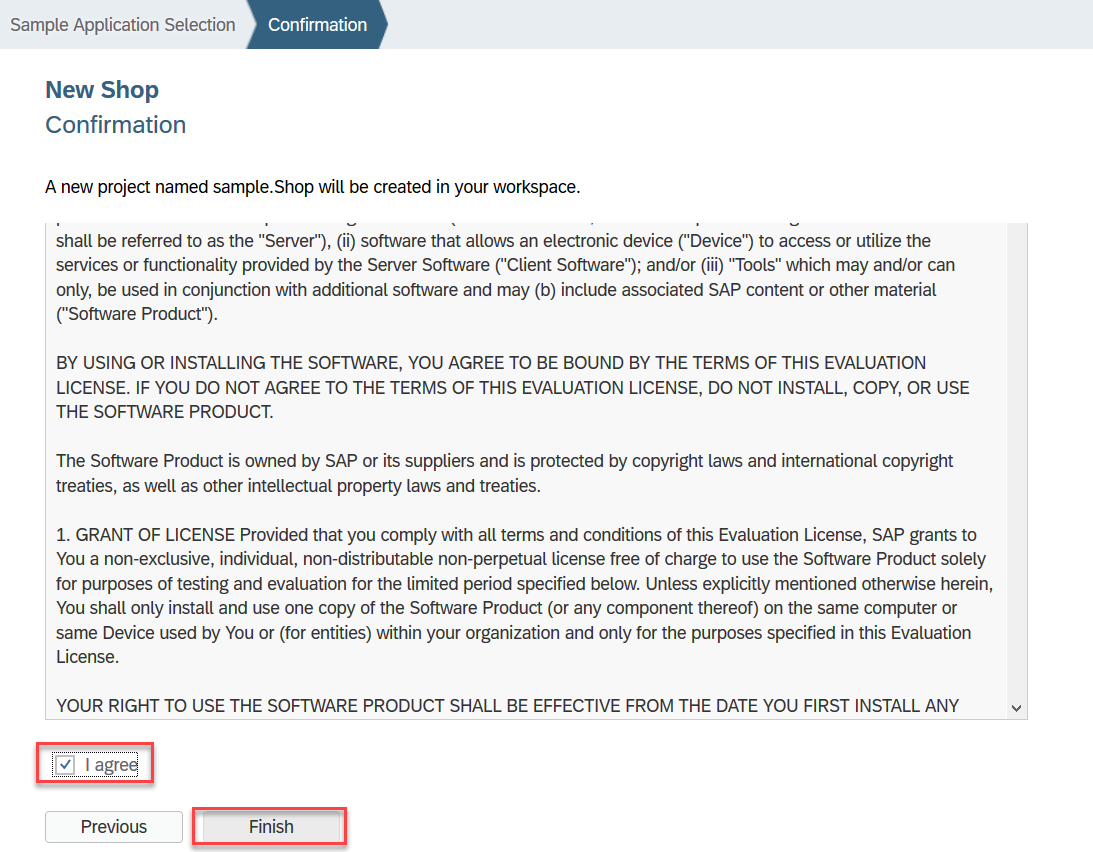
Accept the standard license conditions by choosing I agree and then Finish.
To be able to view the app in multiple languages and enable SAP Translation Hub to locate the text resources file, you need to enter some data in the project settings. Select root folder of the application sample.Shop and open the menu with a right mouse click. Select Project - Project Settings.

In this step, you’re going to specify the languages in which you want the app to be available (Chinese, French, and German).
In the Project Settings locate the Languages tab in section General and check that English is the default language.
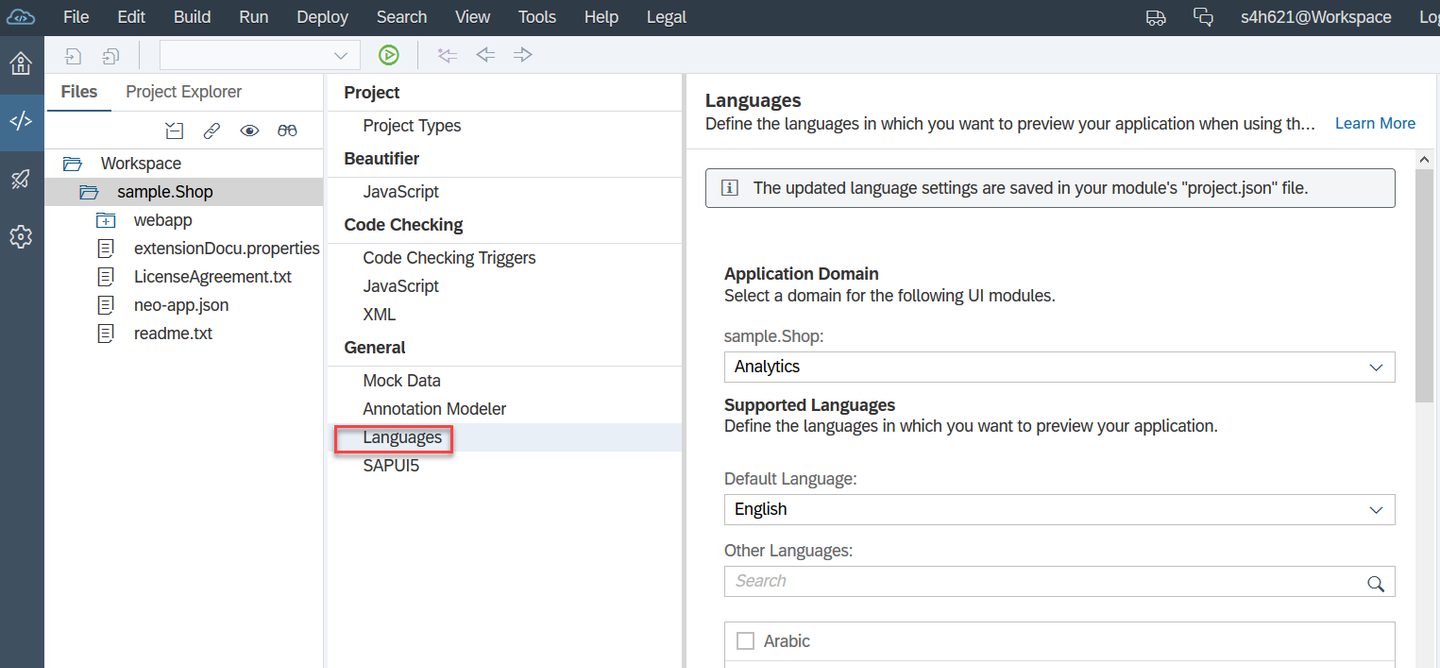
Scroll down in the Languages section to maintain the languages: Chinese, French and German. Save and Close the Project settings afterwards.

To test the application with mock data from a local system, you’re going to need a special run configuration. To do this, right-click the root folder of your application (sample.Shop) and choose Run | Run Configurations.
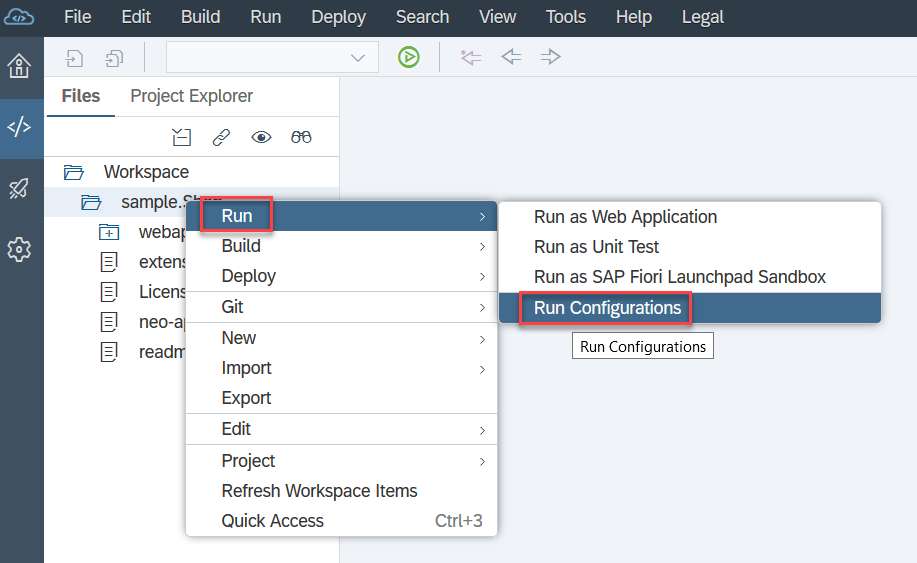
Choose the + sign then Web Application.
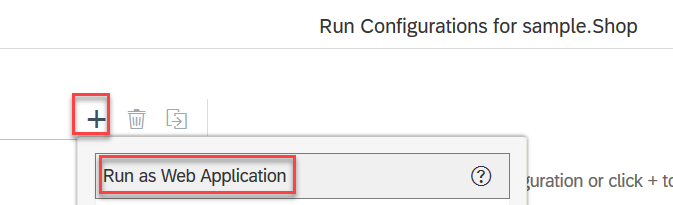
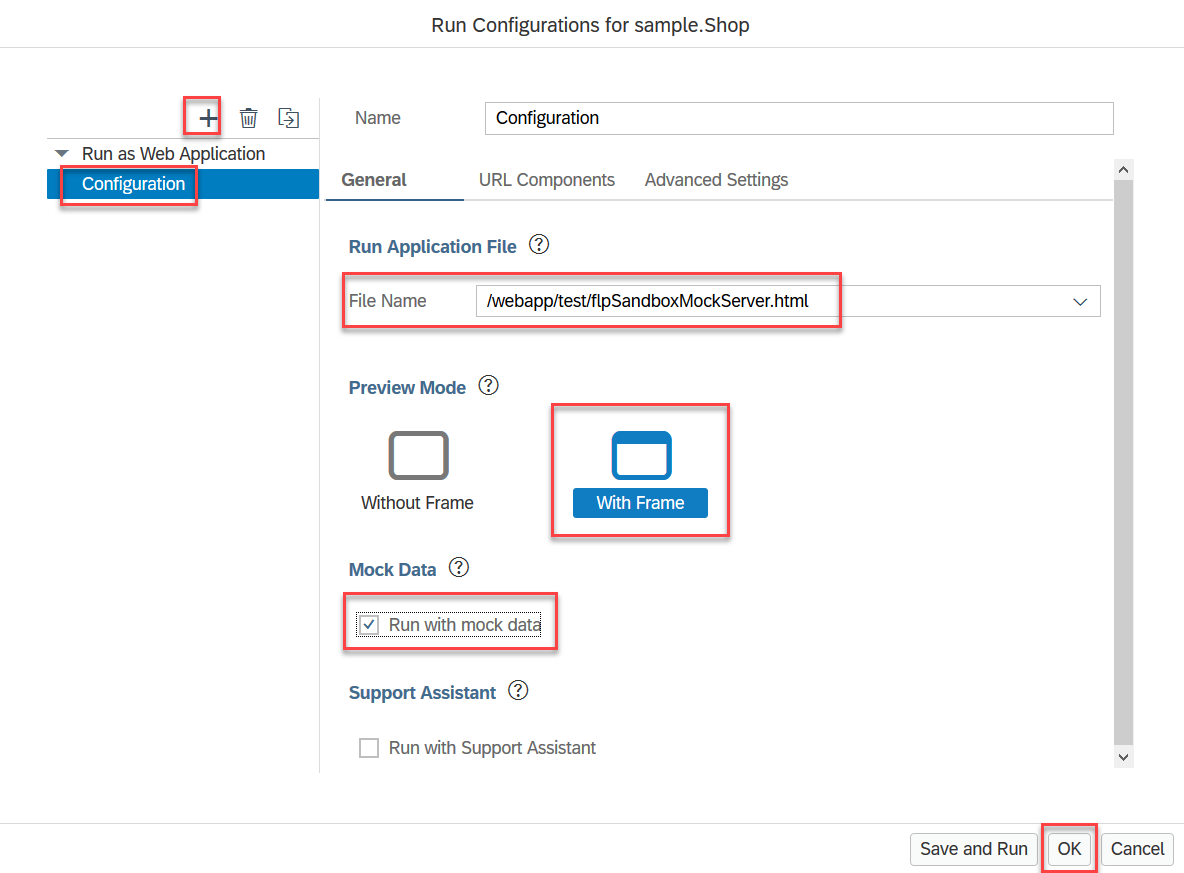
Now you need to do the following:
- In the File Name field, choose the application file name
/webapp/test/flpSandboxMockServer.html. - Under Preview Mode, select With Frame.
- Under Mock Data, select Run with mock data.
Once you’ve done that, choose OK.
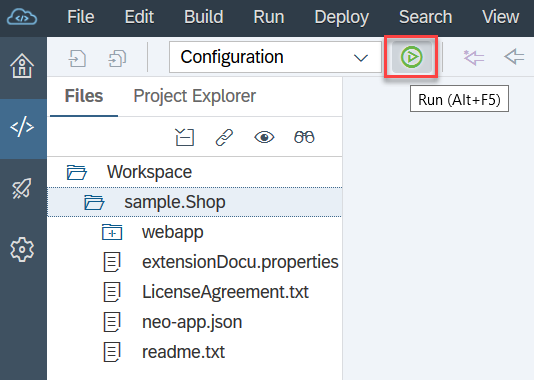
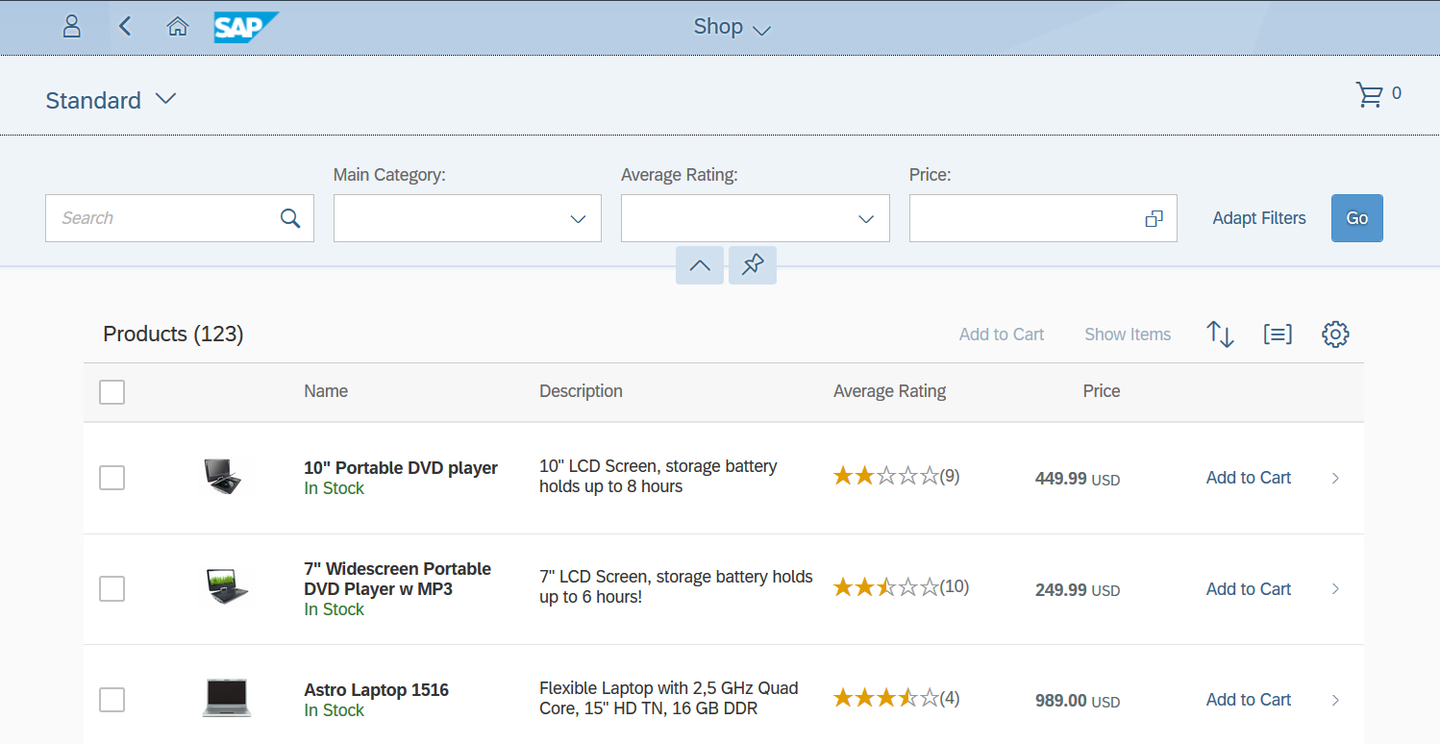
Now you want to see what the application looks like by accessing it from an SAP Fiori launchpad. To do this, choose the green button shown below.
Depending on your browser settings, you might have to disable the pop-up blocker to proceed.
Choose the Shop tile.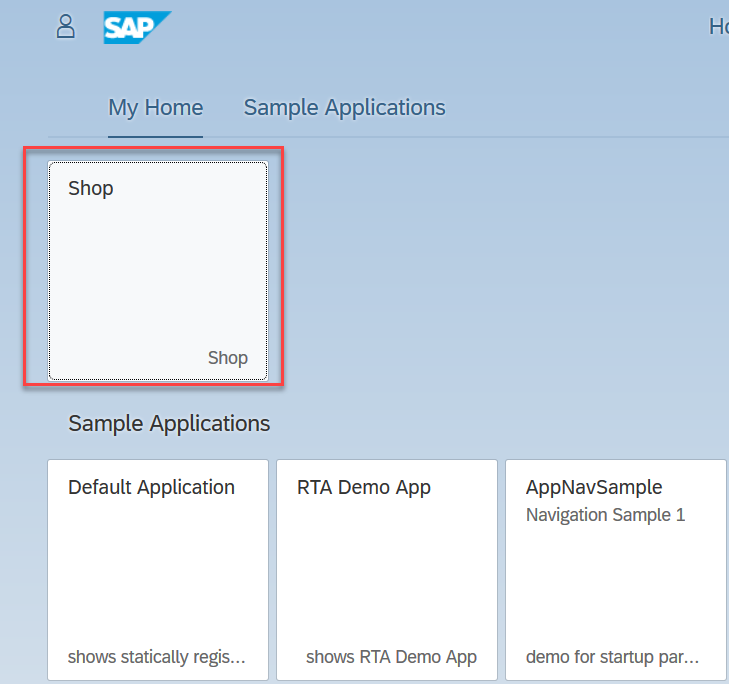
To make things look more realistic, the app uses mock data.
Resources
Discussion
Share feedback on this tutorial or join the conversation in SAP Community.