
Overview
You will learn
- How to use Google Workspace SDK to Search Gmail account
- How to use Google Workspace SDK to Read the email and download the attachments from the email.
- How to use Google Workspace SDK to Reply to the original email


Prerequisites
Prerequisites
- Complete Google Authorization tutorial
- Install and set up the Desktop Agent 3 to run the automation
Steps
Intro
SAP Build Process Automation enables automation of google workspace products such as Gmail, Google drive, Google calendar, Google sheet, Google slides, Google documents and Google cloud storage. In addition to that it has the capabilities to automate ML based services such as Google document AI and vision AI.
In this tutorial, you will use Google Authorization SDK and Google Workspace SDK to automate the google application Gmail. You will build an automation that will search for an email in the user’s Gmail account based on query input and then read the email contents. It will download the attachments to a local File System and finally reply to the original email.
In the Lobby, select the Google Workspace project.
In Build Process Automation, choose Create and then select Automation.

Create Automation In the Create Automation window, enter Google Workspace-Gmail as name and An automation to use Gmail as a description.

Create Automation You will be navigate to the automation editor of the newly created Automation.
In the previous tutorial, you have added the Google Authorization SDK to authorize SAP Build Process Automation to automate Google Applications, now you will need to add Google Workspace SDK to use and automate Google services.
From the automation editor, navigate to Settings.
Select Dependencies and choose Add Dependency and Add a Business Process project dependency.
From the drop down, select Google Workspace SDK, choose a version and Add.
The dependency is successfully added. You may close the Project Properties window.
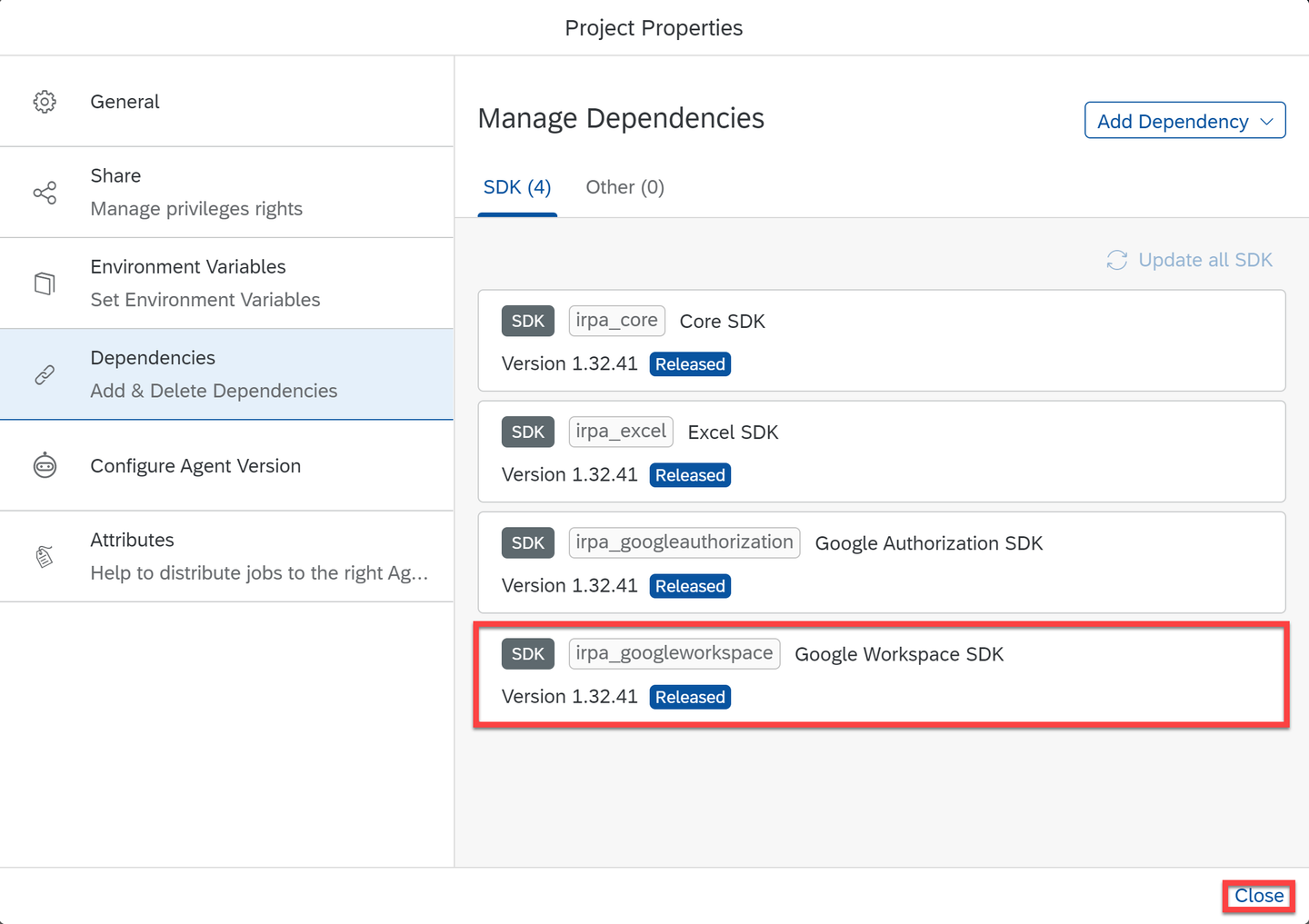
Google Workspace SDK
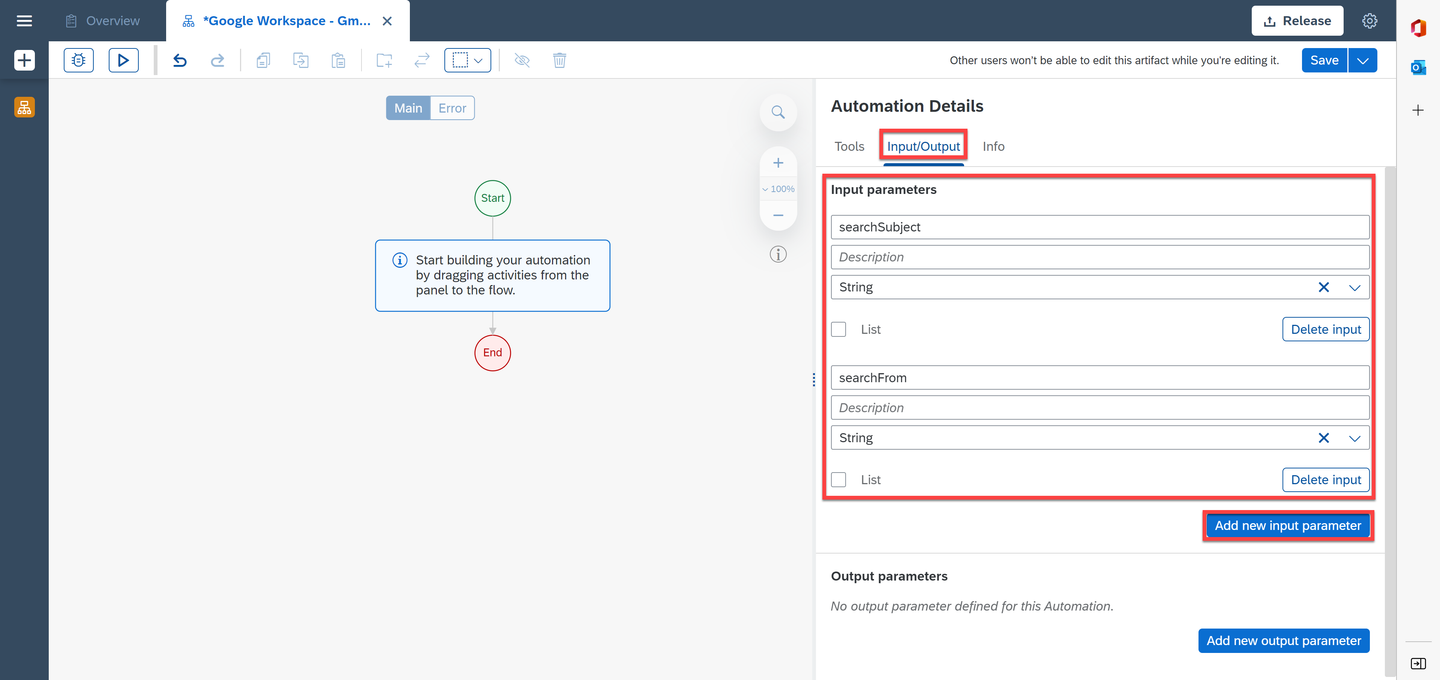
You will add two input parameters.
In the Automation Details panel, under Input/Output, choose Add new input parameter.
Add two input parameters as follows:
| Field | Input Parameter 1 | Input Parameter 2 |
|---|---|---|
| Name | searchSubject | searchFrom |
| Type | String | String |
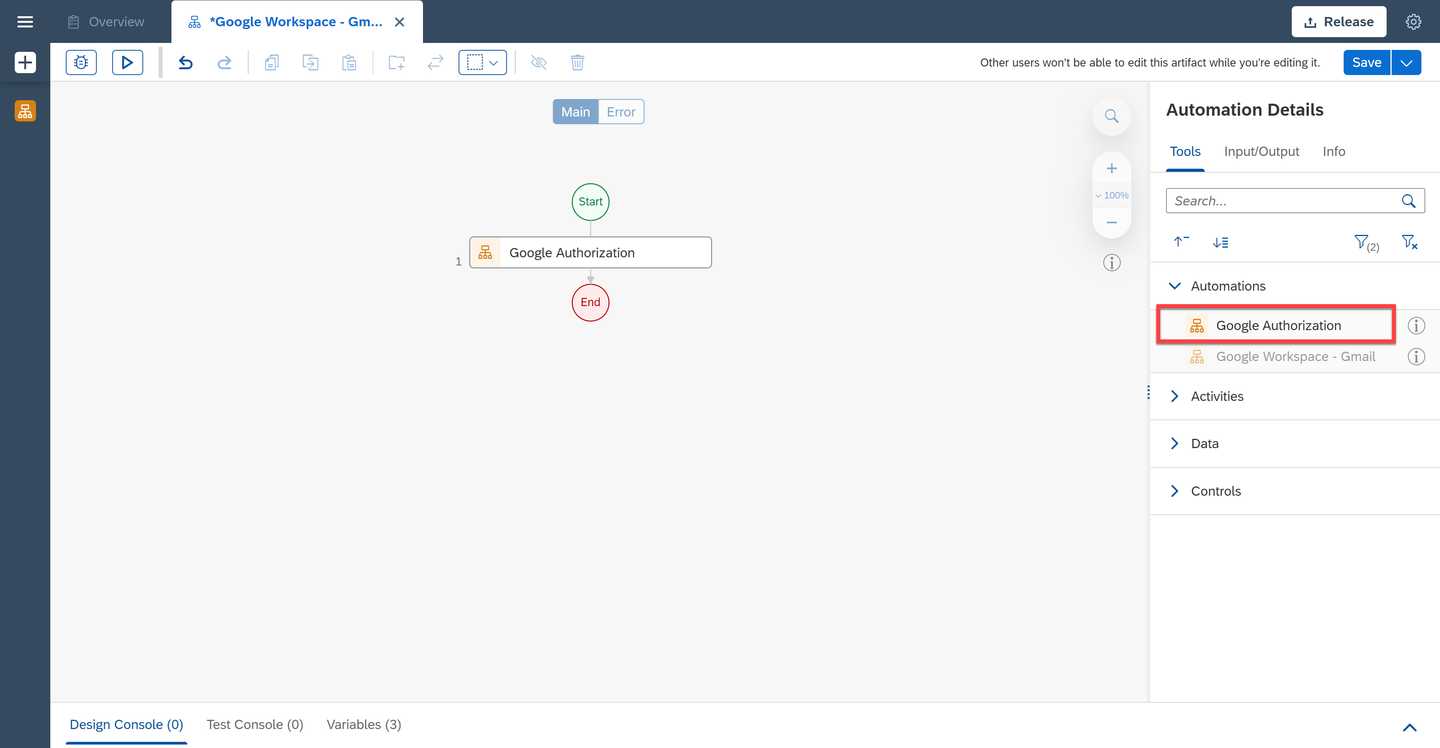
In the Automation Details panel, under Automations, drag and drop the Google Authorization automation you created in the previous tutorial. This will allow you to authorize SAP Build Process Automation to automate your Google Applications.
Google Authorization Automation In the Automation Details panel, under Tools, search for the Try activity.
Drag and drop the activity into the workflow just below Google Authorization automation.
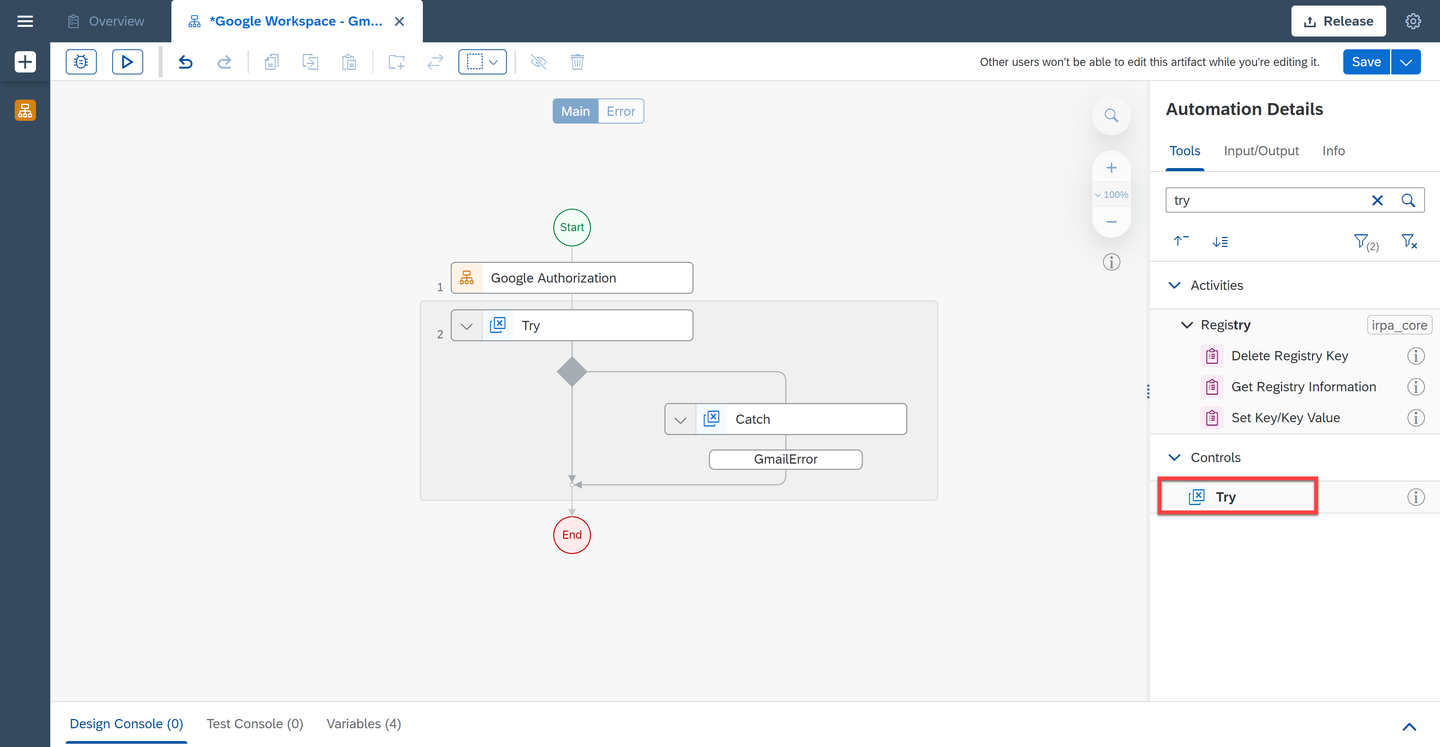
Try Select the Try activity.
Under the activity parameters, as Errors to catch select
GmailError.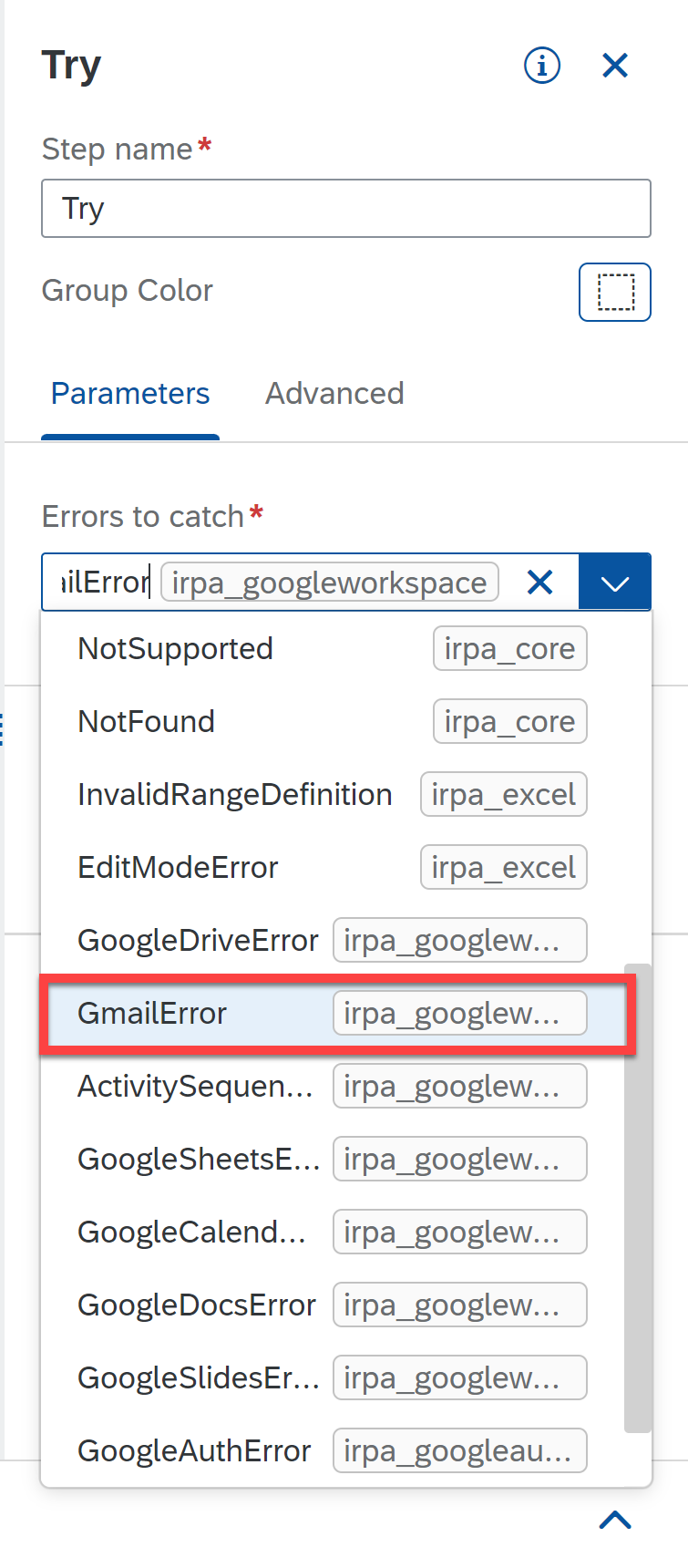
Parameters Now search for the Search Emails (Gmail) activity and drag and drop it into the workflow, just below the Try.
Add Search Emails (Gmail) activity to search for a specific email in your Gmail account. This activity uses GMAIL API to search for emails based on the search filters as specified in the search query Parameters. You can optionally also specify if the search should include spam and trash folders or not. Output of this activity is a list of Metadata of the emails that match search criteria.
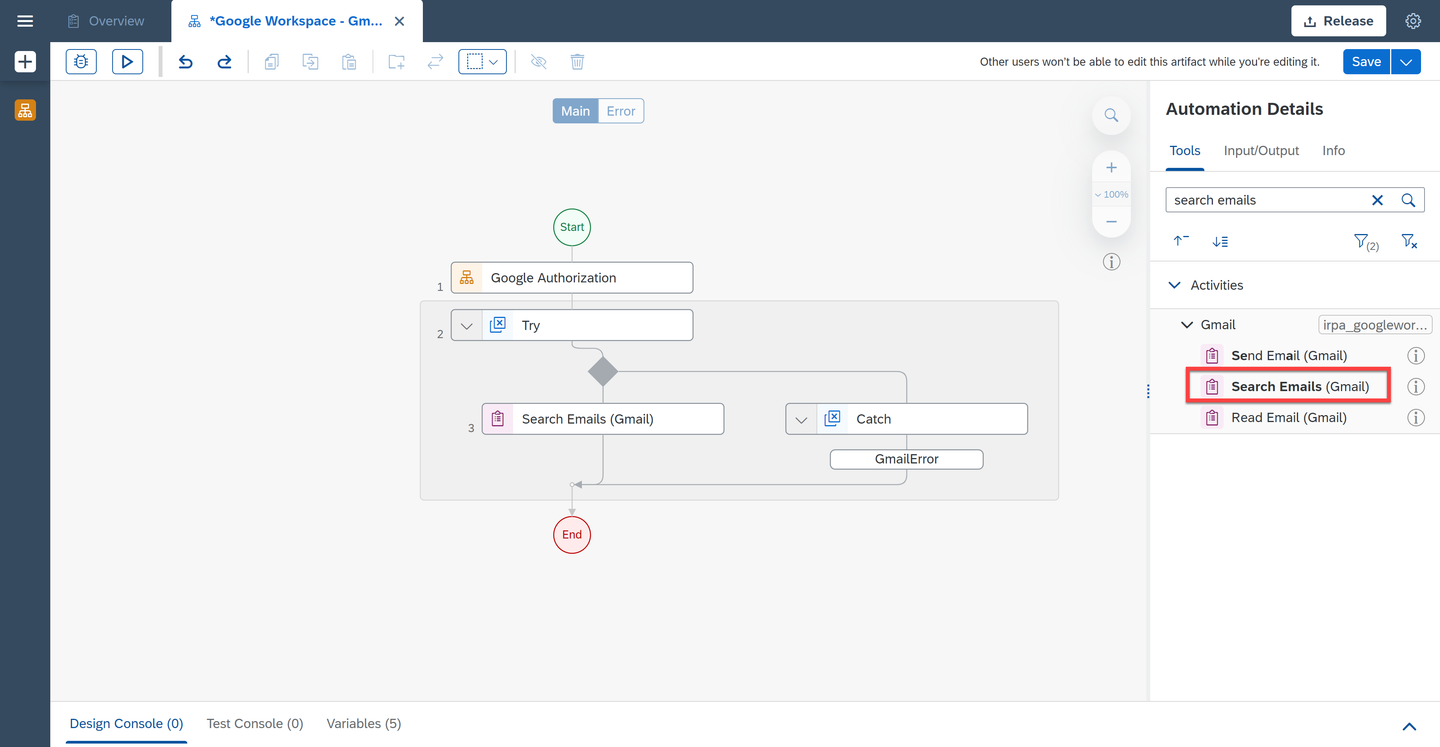
Search Emails Select the activity.
Under Input Parameters, next to the query field, choose the pencil to edit the expression.
In the expression editor, copy and paste the following code:
"subject:" + Step0.searchSubject + " AND from:" + Step0.searchFromChoose Save Expression.
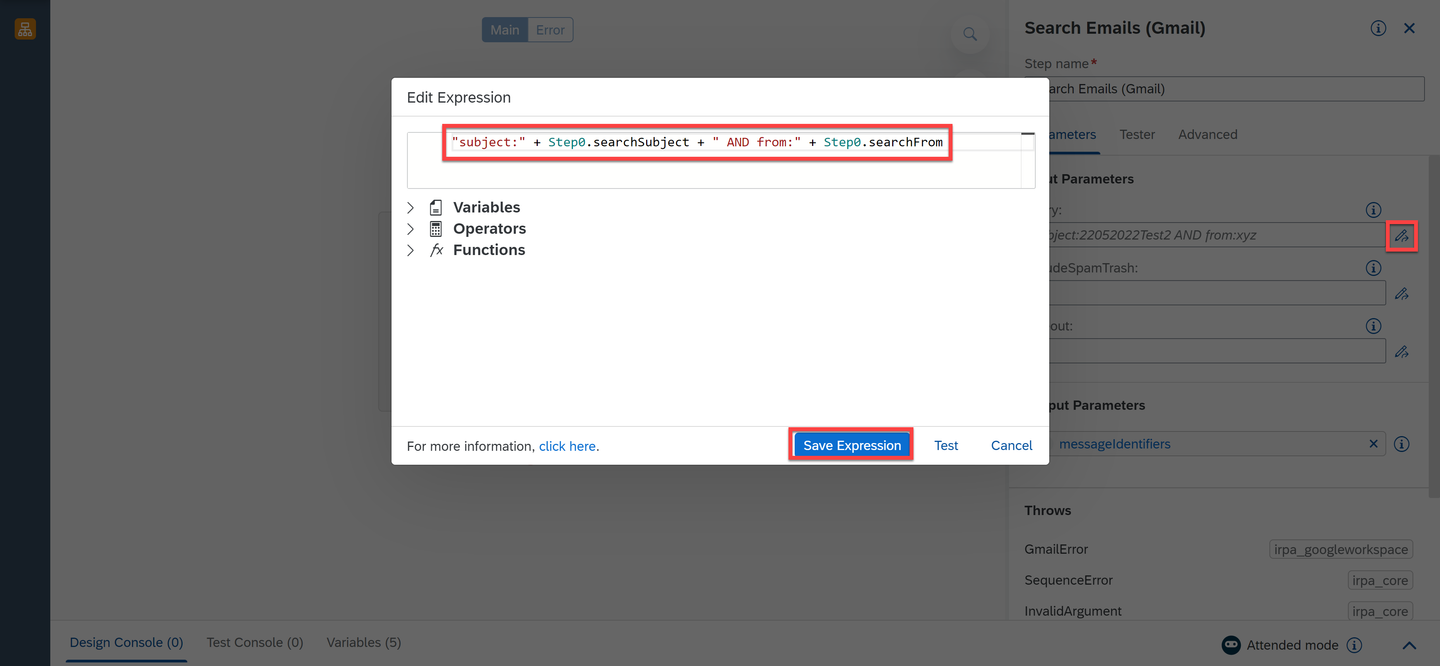
query For the
includeSpamTrashfield, select false. This indicates that you do not want to search emails in your Spam and Trash folders.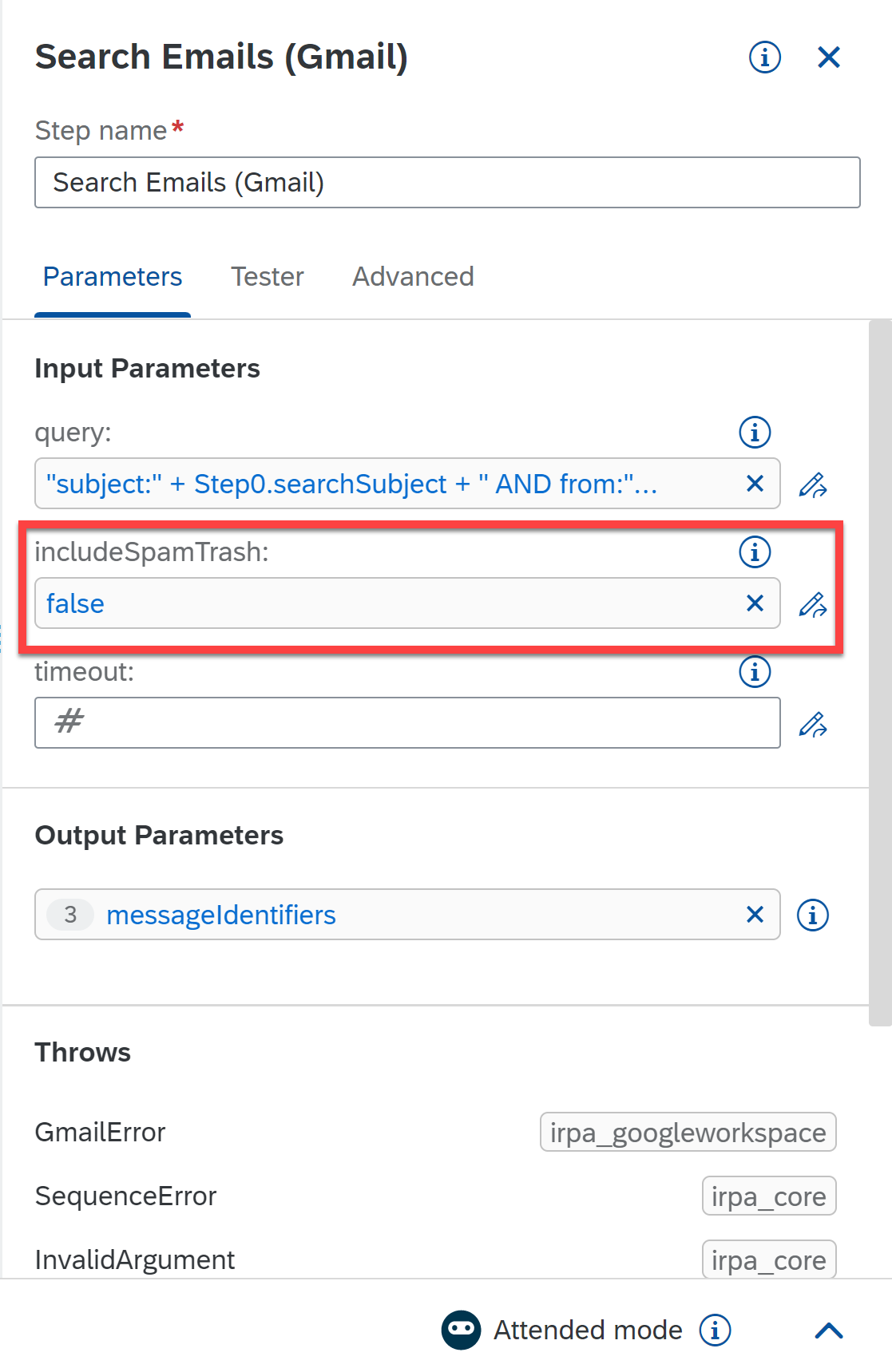
includeSpamTrash Now search for the Condition control and drag and drop it into the workflow below Search Emails activity.
Select the control.
Change the Step name to: is mail found?
Under Parameters for Condition Expression, choose the three dots and select Edit Formula.
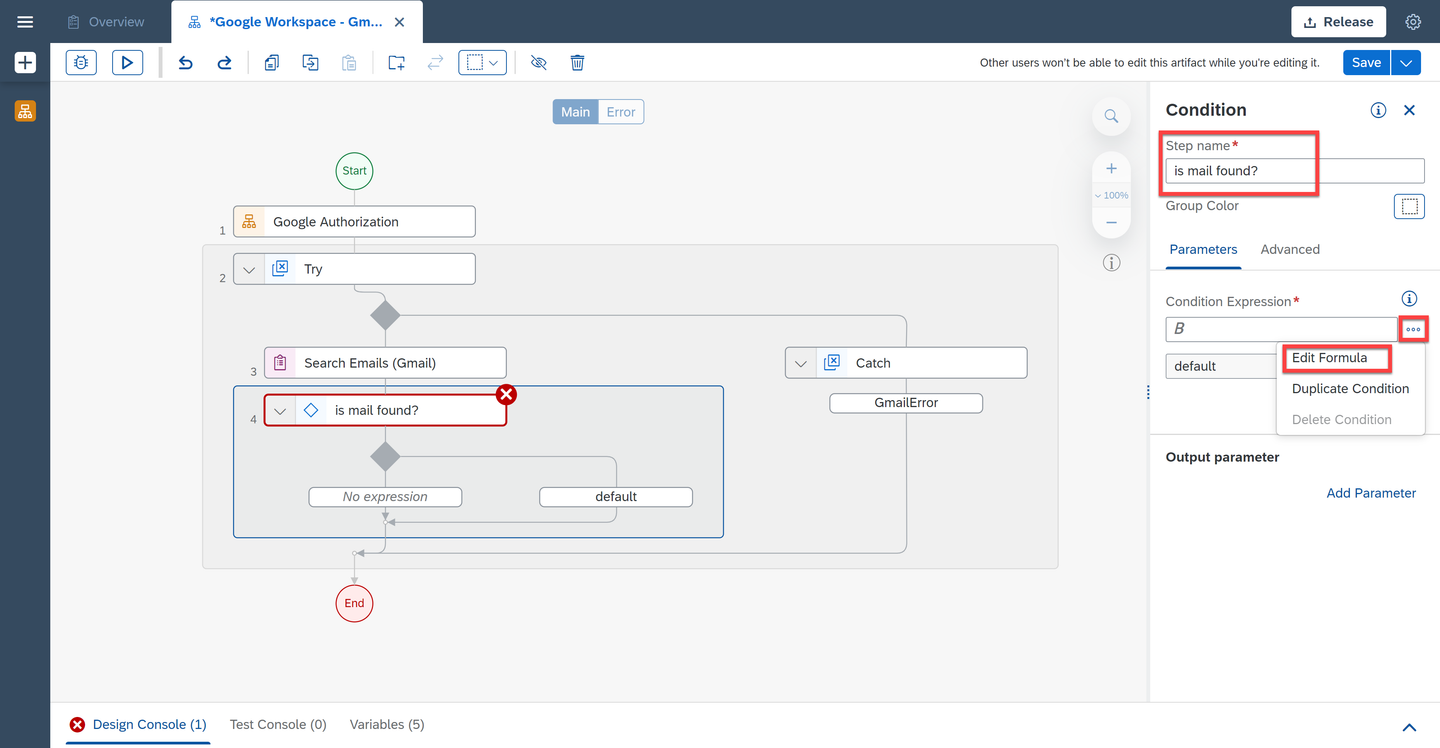
Condition Expression In the expression editor, copy and paste the following code:
Step3.messageIdentifiers.length > 0Choose Save Expression.
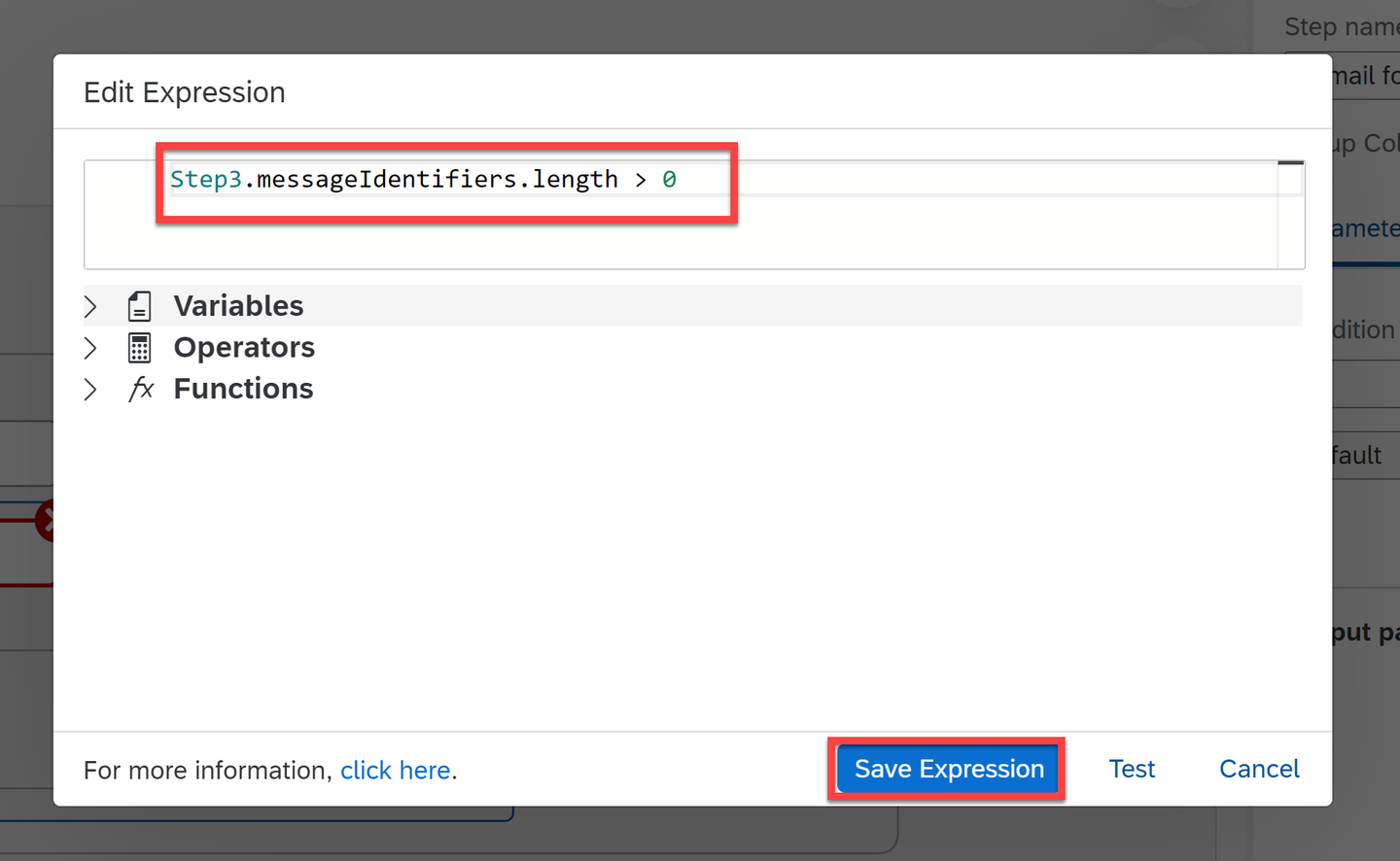
Expression Editor Now search for the Read Email (Gmail) activity and drag and drop it into the workflow just below the condition control.
Add Read Email (Gmail) activity to read the contents of the email. This activity needs Message Id and a location to download media attachments (if any). Using this activity, you can download the attachments of an email into your local file system, or you can upload the attachments to Google Drive. You can use the output of Search activity (previous step) to give
messageIdinput of this activity. Output of this activity is the content and details of the targeted message.Choose the activity and under Input Parameters, choose the pencil next to the
messageIdfield.In the expression editor, copy and paste the following code:
Step3.messageIdentifiers[0].messageIdChoose Save Expression.
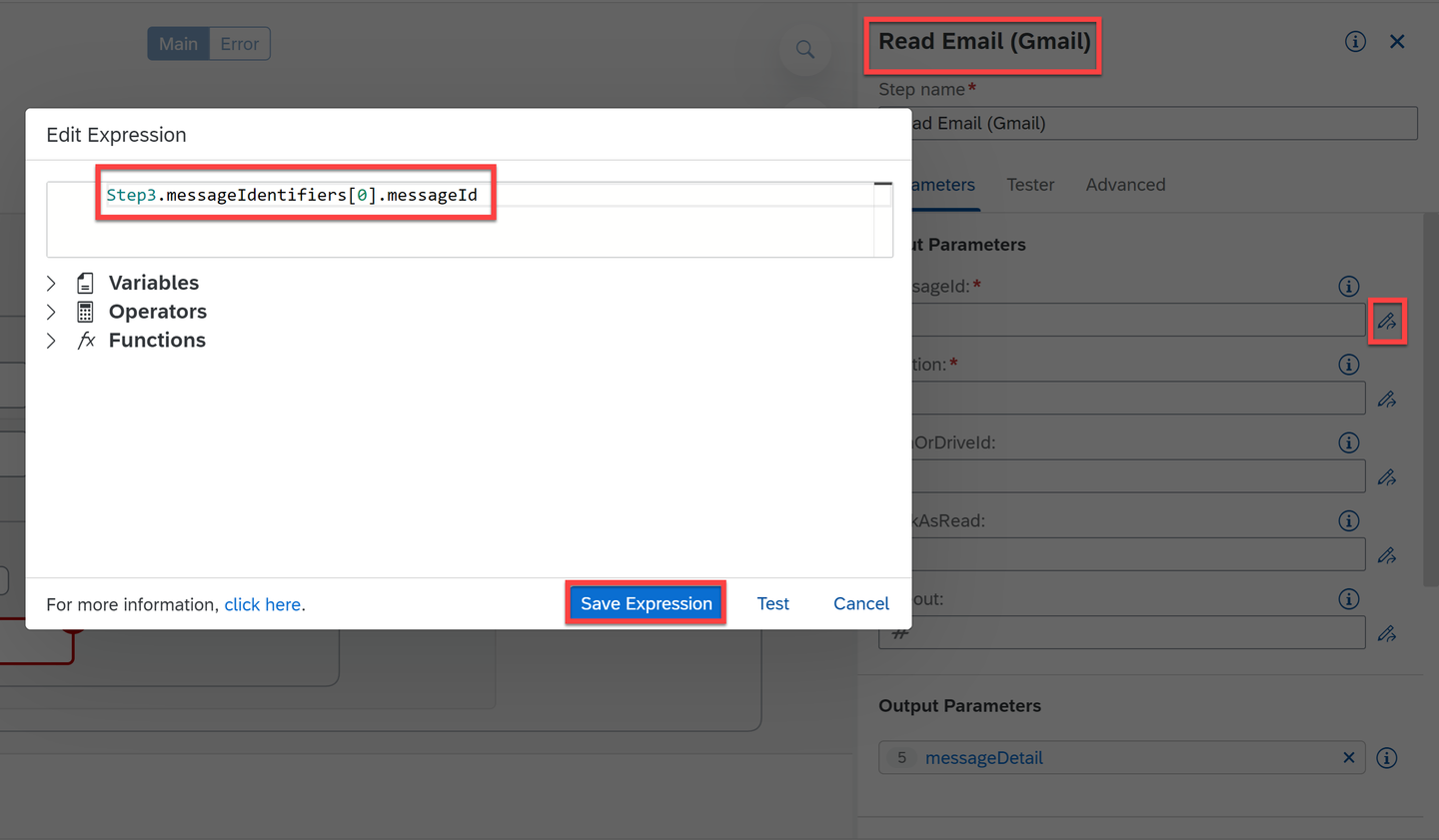
Message ID For location field, select drive.
Finally, for
markAsReadfield, select true.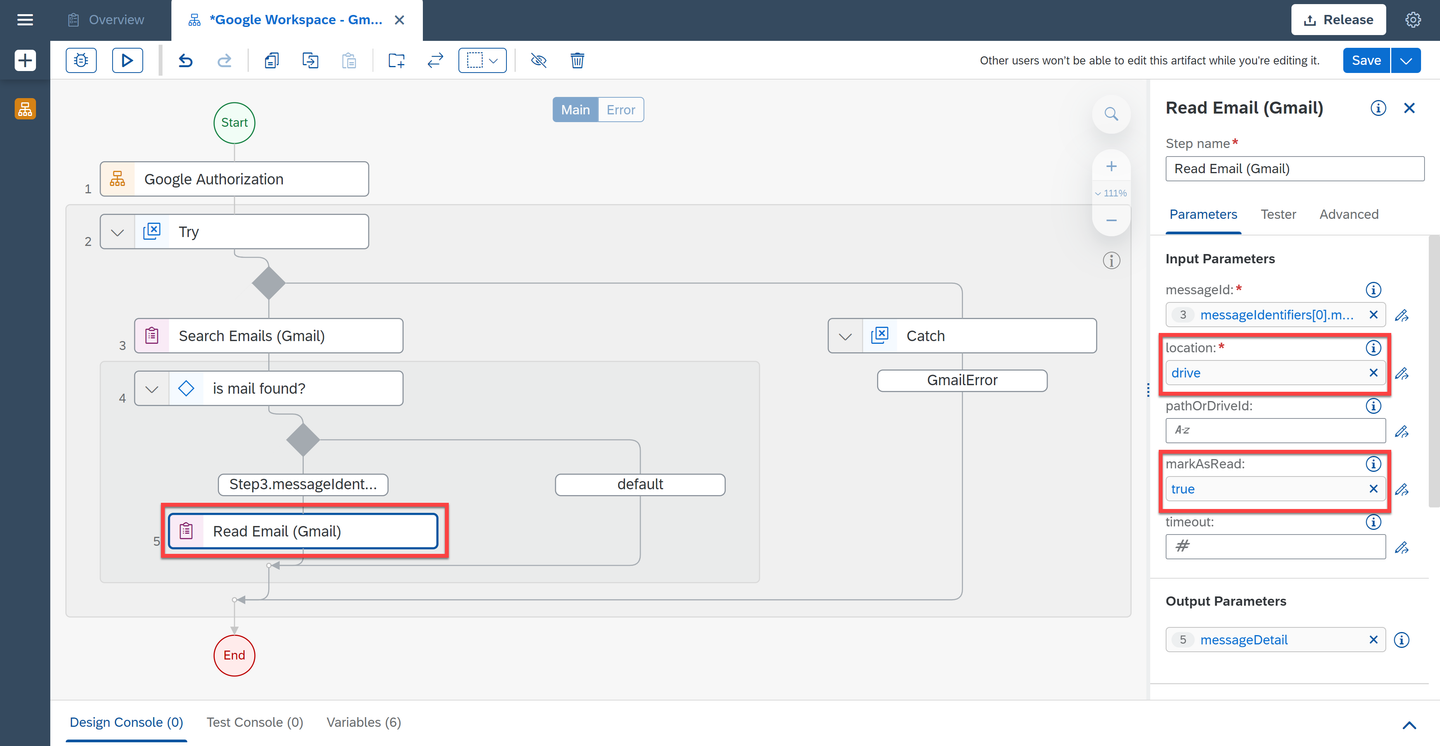
Input Parameters Search for the Send Reply activity and drag and drop it into the workflow just below the Read Email activity.
Select the activity and under Input Parameters, for the
replyParametersfield, select Create Custom Data.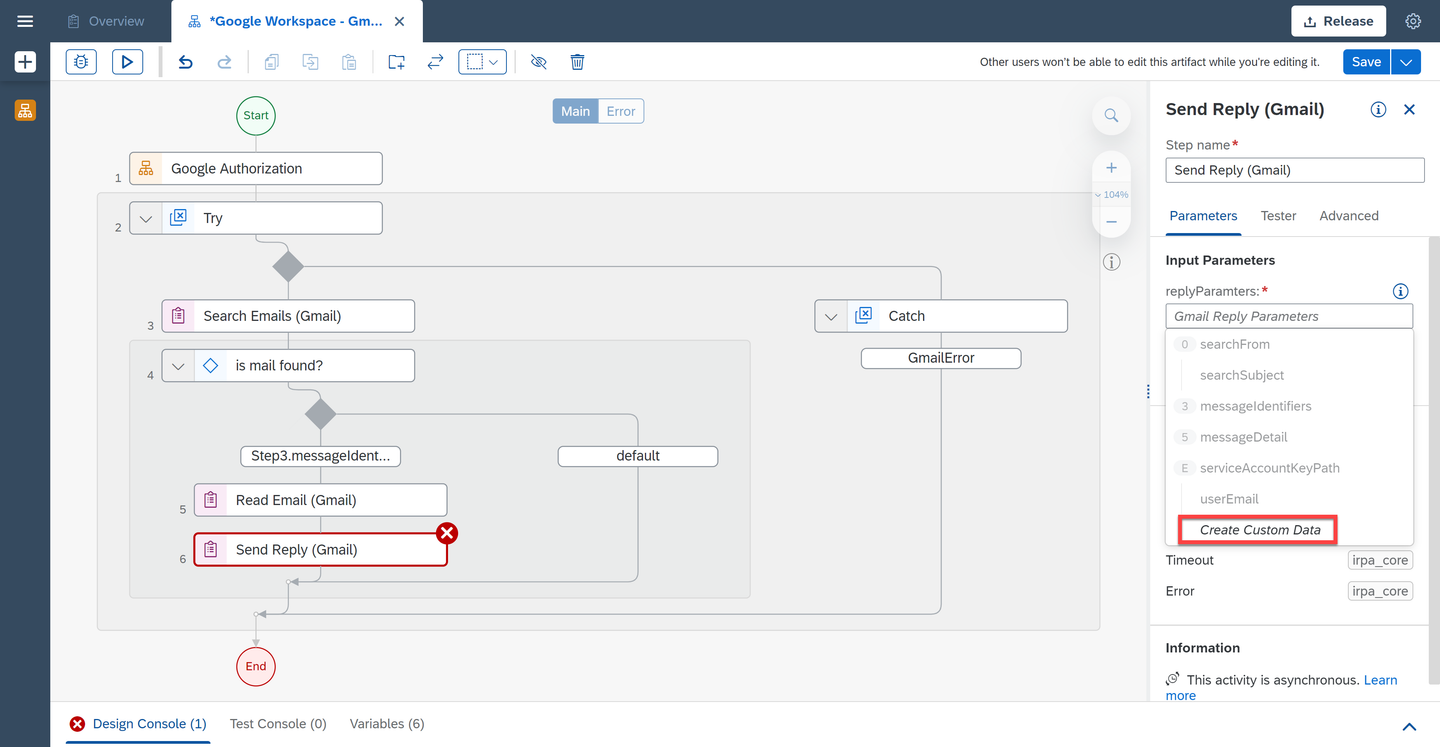
Send Reply Select the pencil next to the
threadIdfield.In the expression editor, copy and paste the following code:
Step3.messageIdentifiers[0].threadIdChoose Save Expression.
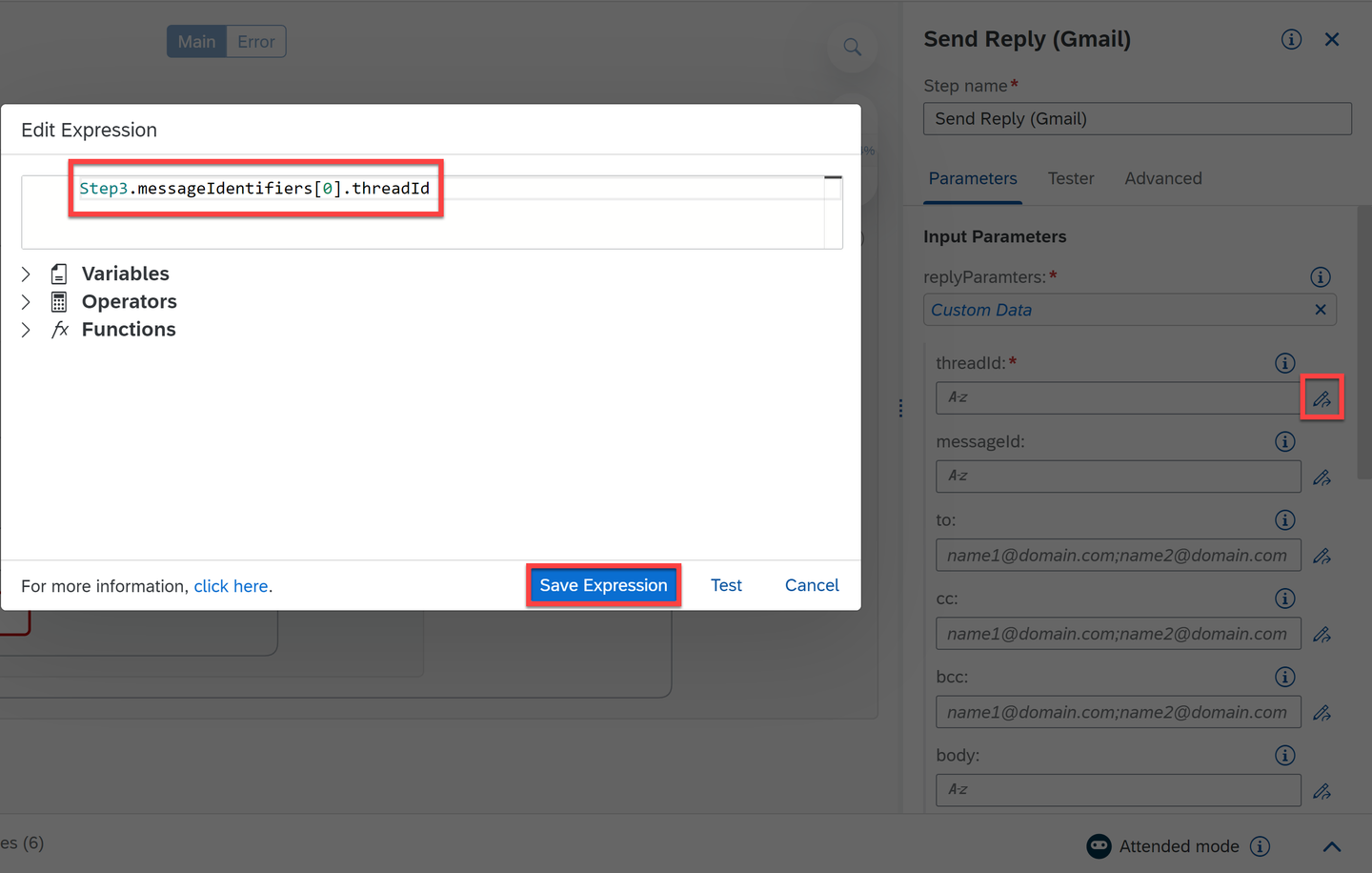
threadId Select the pencil next to the
messageIdfield.In the expression editor, copy and paste the following code:
Step3.messageIdentifiers[0].messageIdChoose Save Expression.
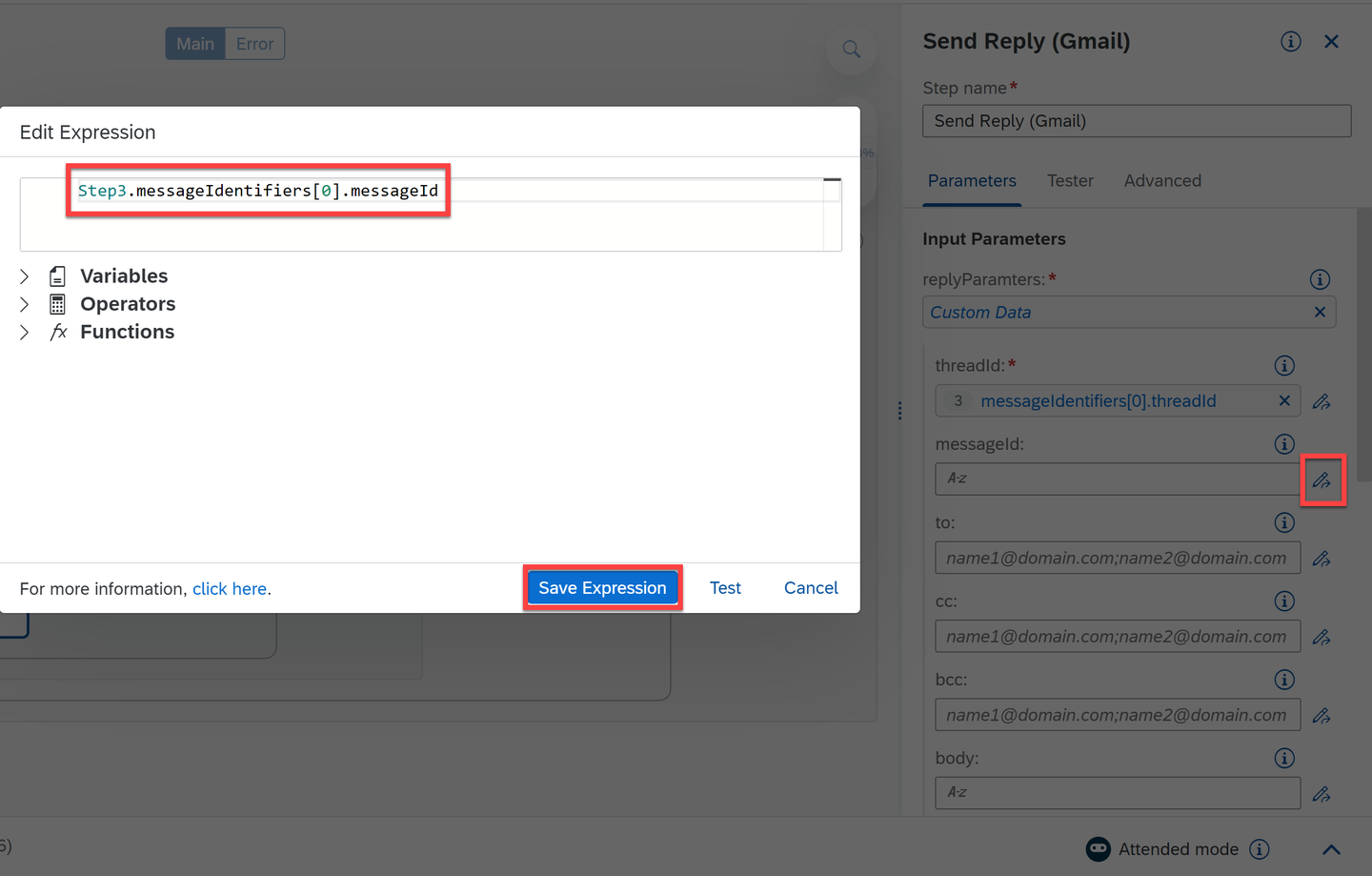
messagedId For body field, enter: Thanks for sending the list. I will look into it and select the quotes option.
Choose Save.
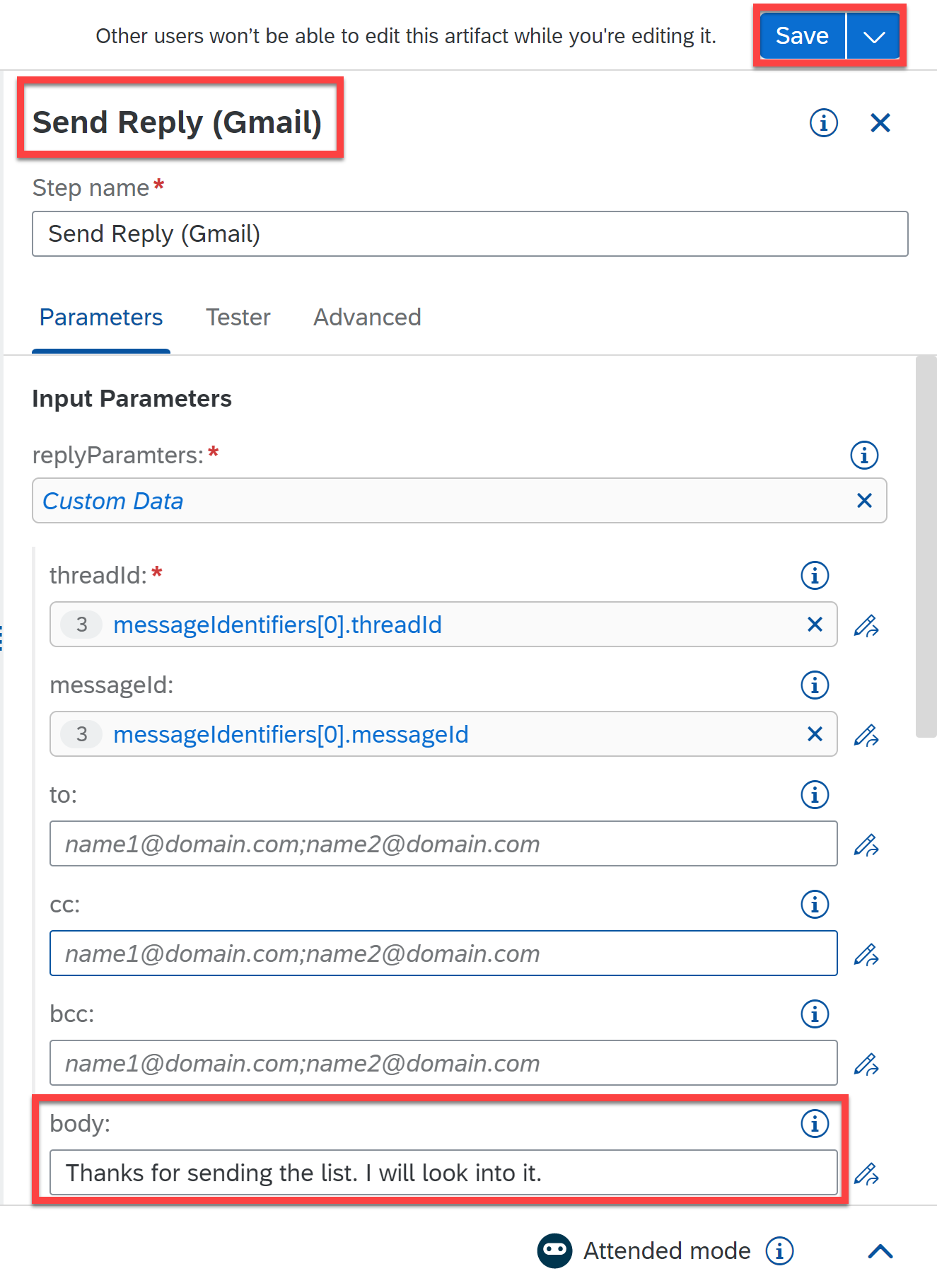
body Search for Disconnect activity and drag and drop it into the workflow just below Send reply activity.
You will now log a message in the case no email is found.
Search for a Log Message activity and drag and drop it into the workflow just below the Catch.
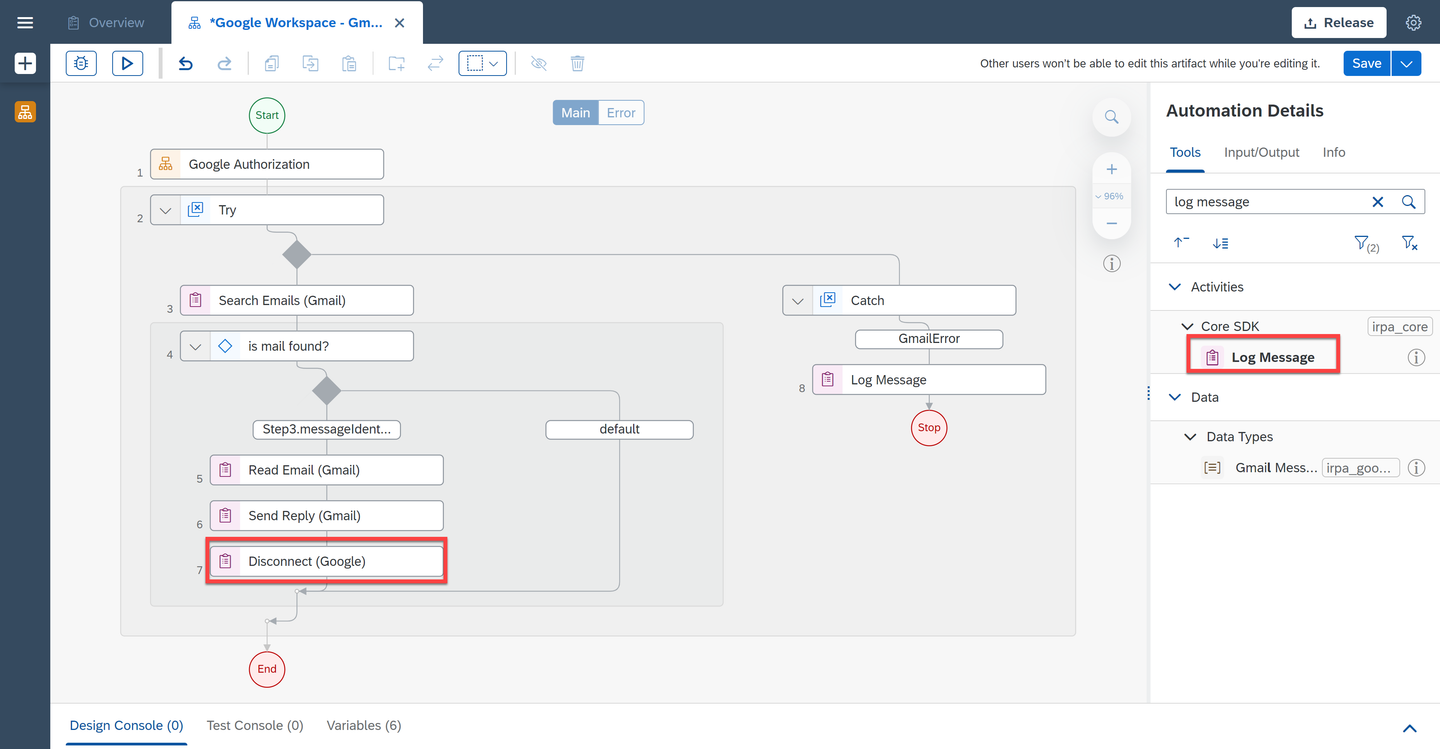
Log Message Select the activity and under Input Parameters, for message select
2 error, for type select error and for label enter Normal workflow has interrupted due to some error(s). Please check., selecting the expression in quotes.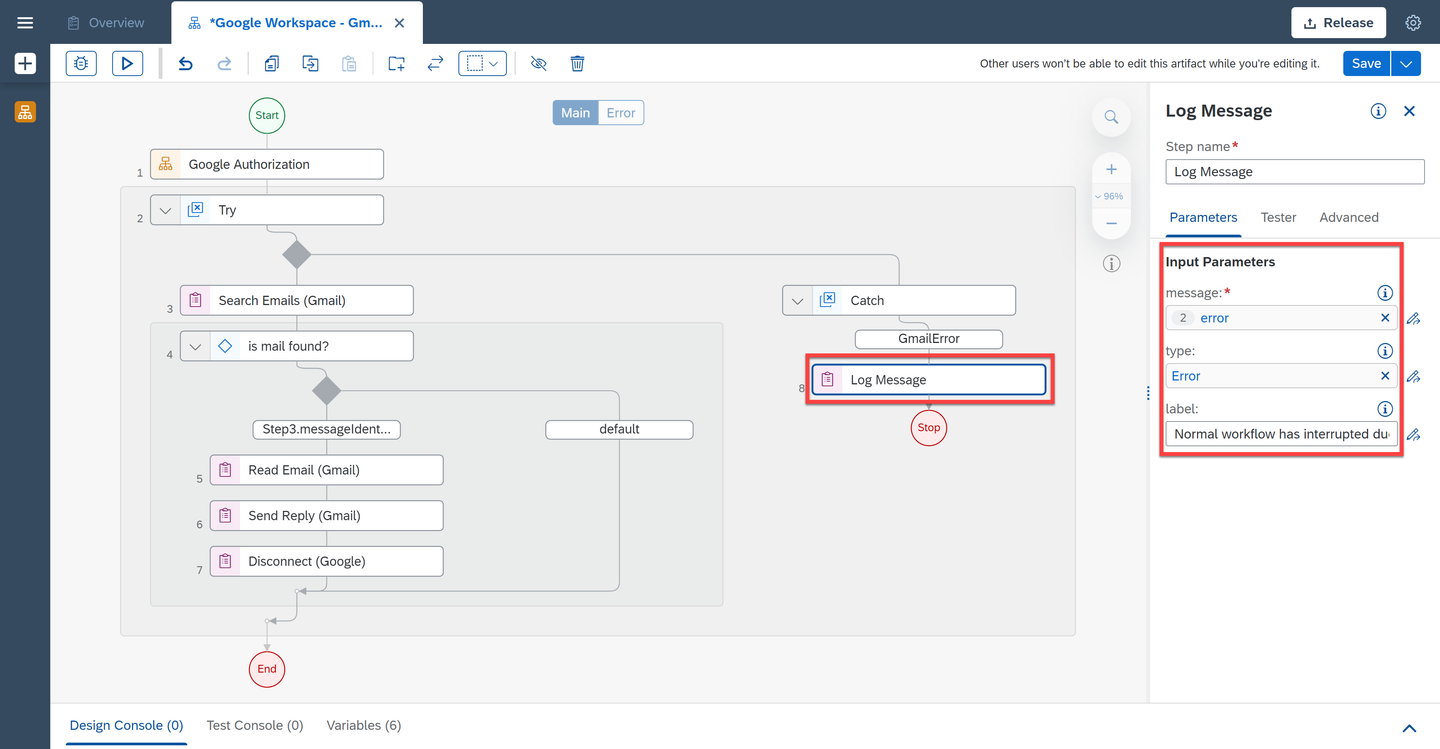
Log Message Search for Disconnect activity and drag and drop it into the workflow just below Log Message activity.
Finally you will put an end to the automation in error. Search for the control Stop automation in error and drag and drop it into the workflow below Disconnect.
Select the Stop control and under Parameters select the option
Rethrow caught error.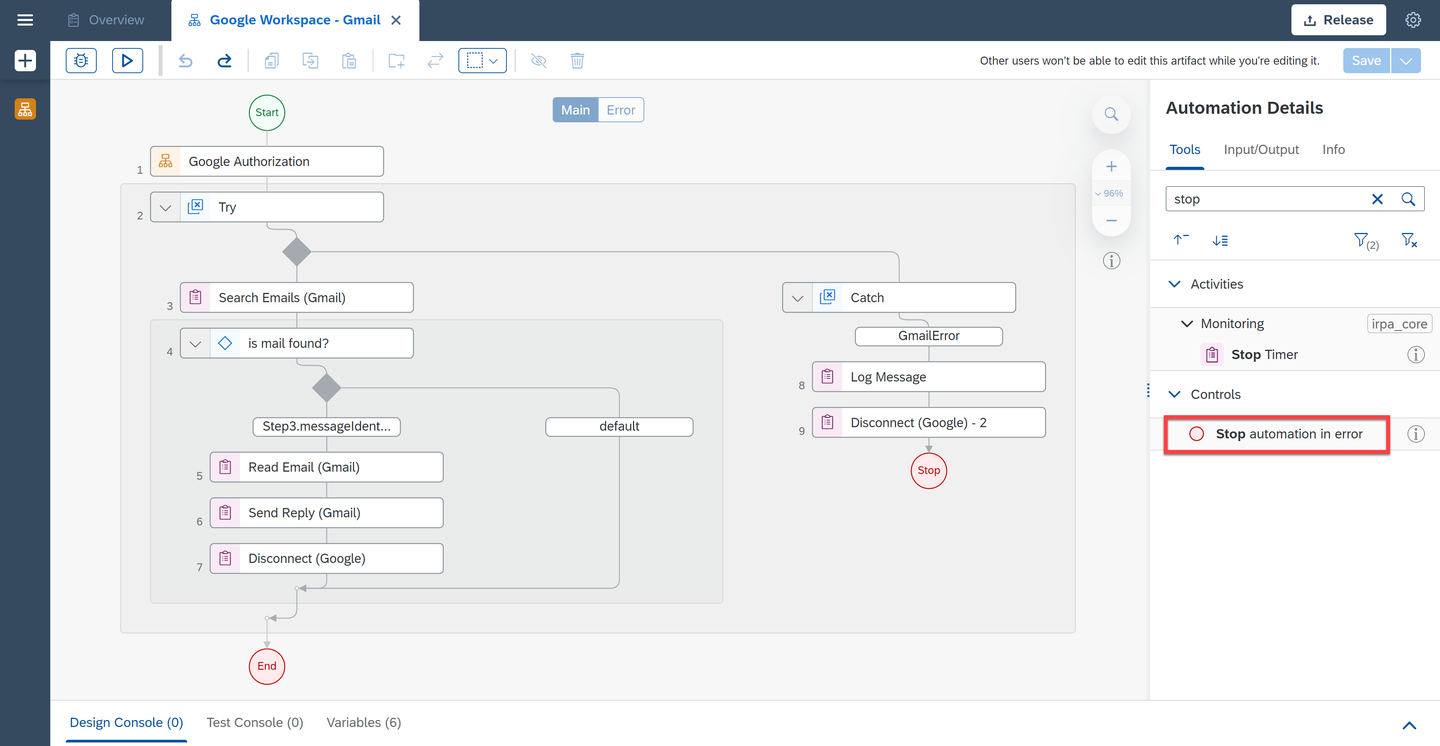
Stop
Choose Test.
Fill in the Input parameters:
- For
searchSubject: the subject of the email you want to search in Gmail - For
searchFrom: the email you want to search in Gmail
- For
Fill in the Environment Variables:
- For
userEmail: your Gmail user email - For
serviceAccountKeyPath: the full path to the json file
- For
Choose Test.
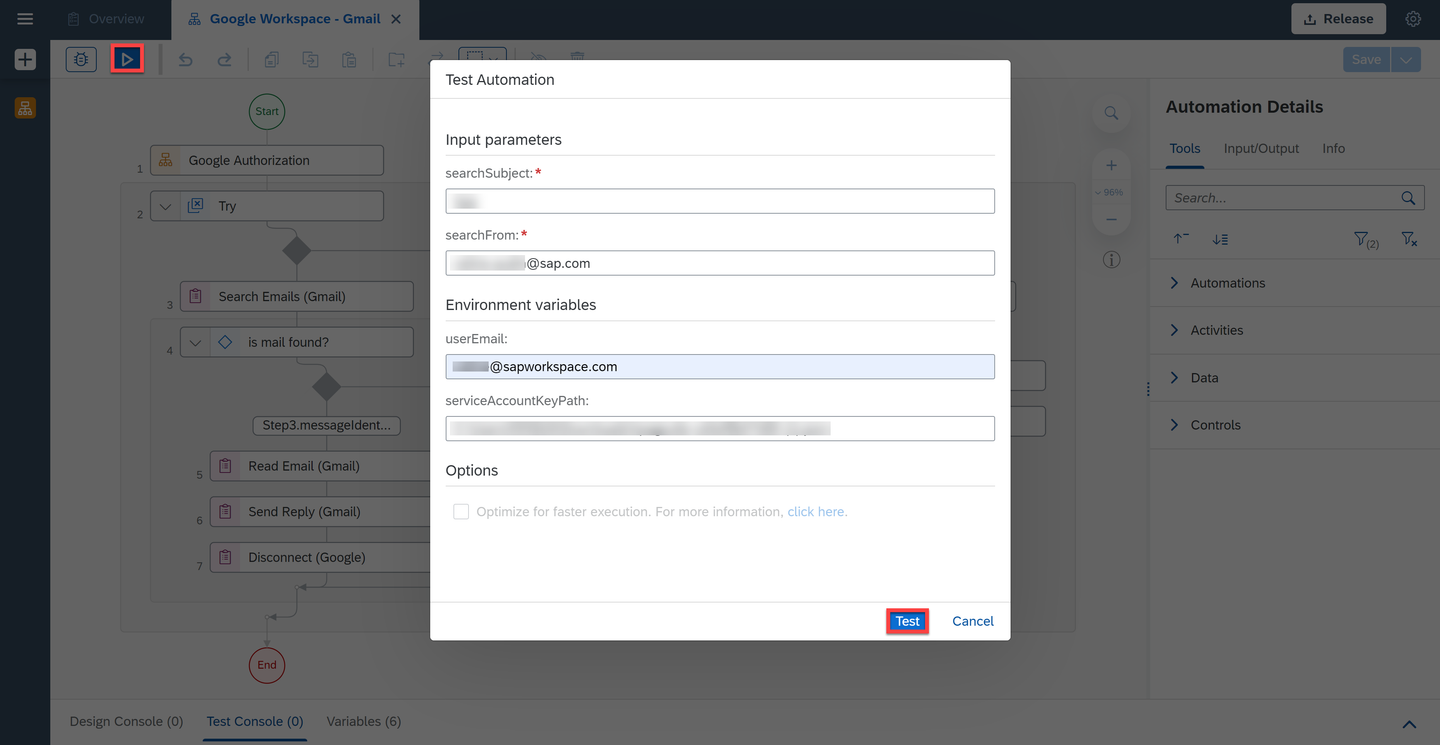
Test The testing was successful.
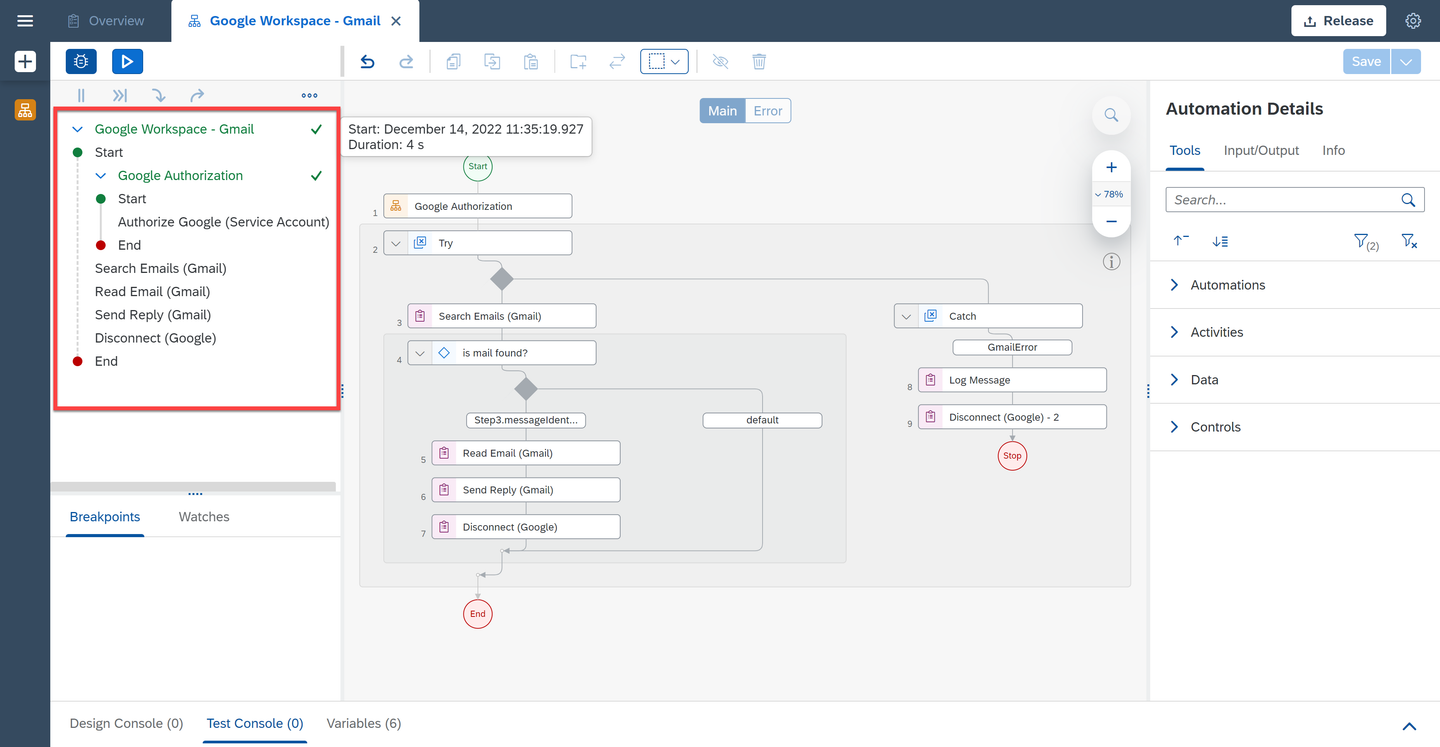
Test result After searching in Gmail for the email(s), the automation will read the email(s) found, store the attachment(s) if any in your Drive and send a reply to a specified recipient from your gmail account.

Test result
Resources
Discussion
Share feedback on this tutorial or join the conversation in SAP Community.