
Overview
You will learn
- How to use Outlook SDK of SAP Build Process Automation to search the given email


Prerequisites
Prerequisites
- Subscribe to SAP Build Process Automation
- Install and Setup the Desktop Agent
- Basic understanding of SAP Process Automation. You may review the below missions:
Steps
Intro
SAP Build Process Automation has native integration to several Microsoft Office products including Outlook and Excel SDK. In this Tutorial, you will explore how to use Outlook SDK to your automations.
The Outlook SDK in SAP Build Process Automation, is a collection of activities allowing you to create automations using Microsoft Outlook. It comes with a rich set of functionality. For example:
- Search an email
- Read an email
- Download attachments from an email to your local folder
- Reply to an email
- Administrative operations like move or copy email from one outlook folder to another and many more
To create an automation project from SAP Build lobby, choose Create.

Create an automation Project Select Build an Automated Process.
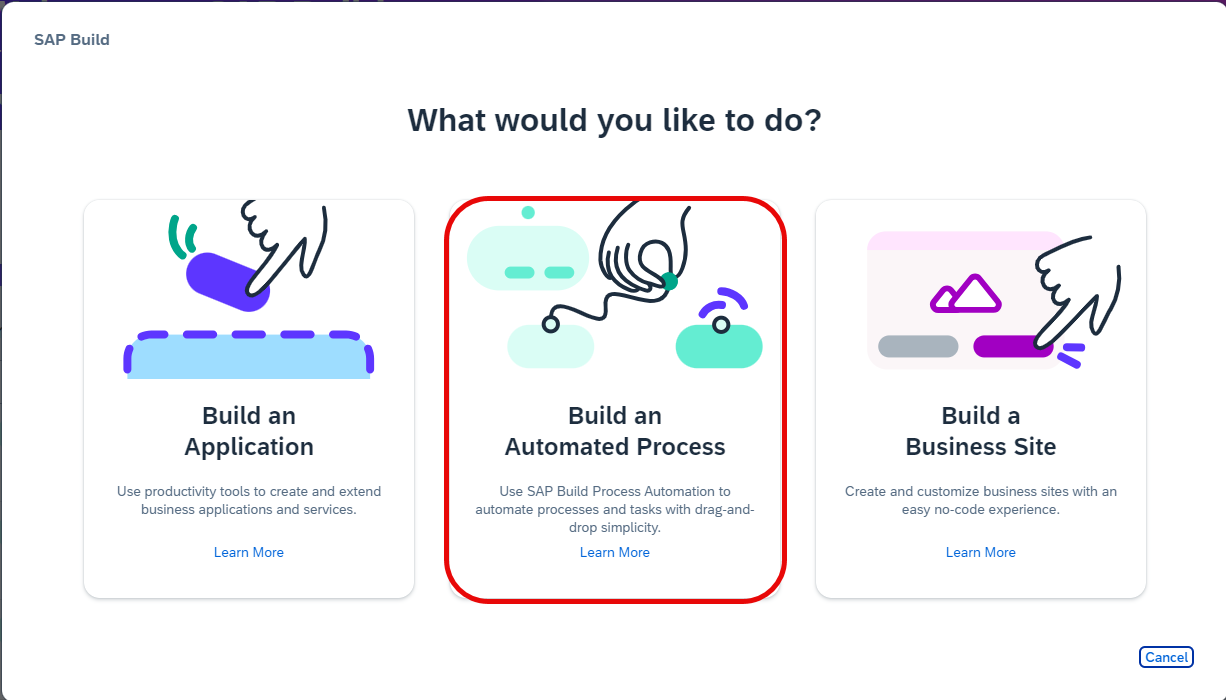
Build an Automated Process You can get started with a Business Process and include automation within that.
For this tutorial, please select Task Automation option.

Task Automation In the Create a Task Automation project window, name the project: Outlook Sample.
Fill in the description as follows: A demo to create outlook SDK integration using SAP Build Process Automation.
Feel free to name your project and give a description as per your convenience.

Name your project appropriately Subsequently it will ask you to select your desktop agent. You can pick your active, preferably latest desktop agent version.
By the time you follow these scripts, newer Desktop agent versions may have been introduced. Install the latest version of desktop components and select the latest version of agent in this step.

Link to your active desktop agent version A dialog box is displayed to create a new automation. You can give a name to your automation, for example
searchInOutlook. You can follow your own naming convention and name for your automation.
Add an automation to your project If you had taken the route of creating a new business process project, you can add a new automation by following the given menu options.

Add a new automation to case of business process project A new tab will open and display an empty automation for you to get started.
It adds mandatory core dependencies as part of automation addition to your project.
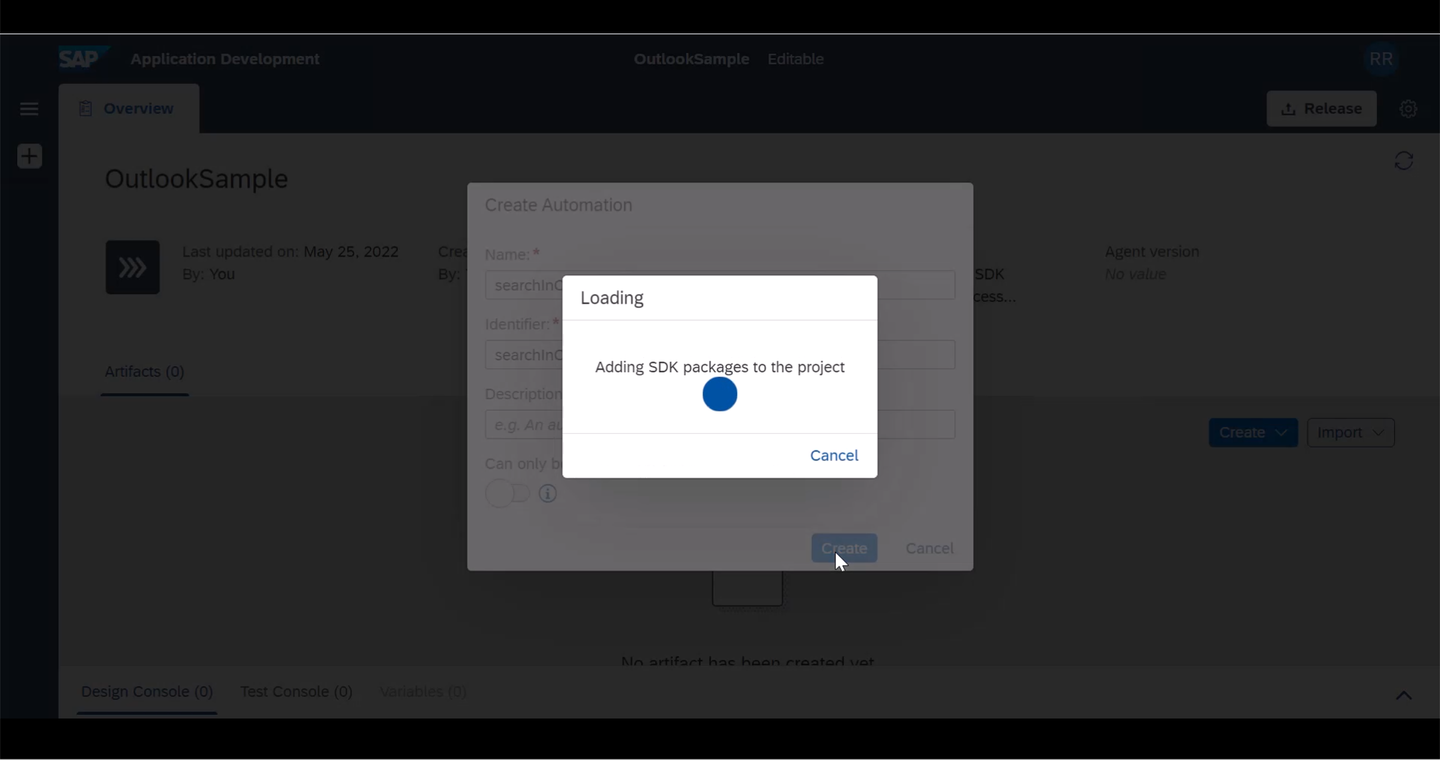
Core SDK and Excel SDK are standard core dependencies added Once an empty project is created, you need to include Outlook SDK dependency to this project. Locate the settings wheel icon in your project.
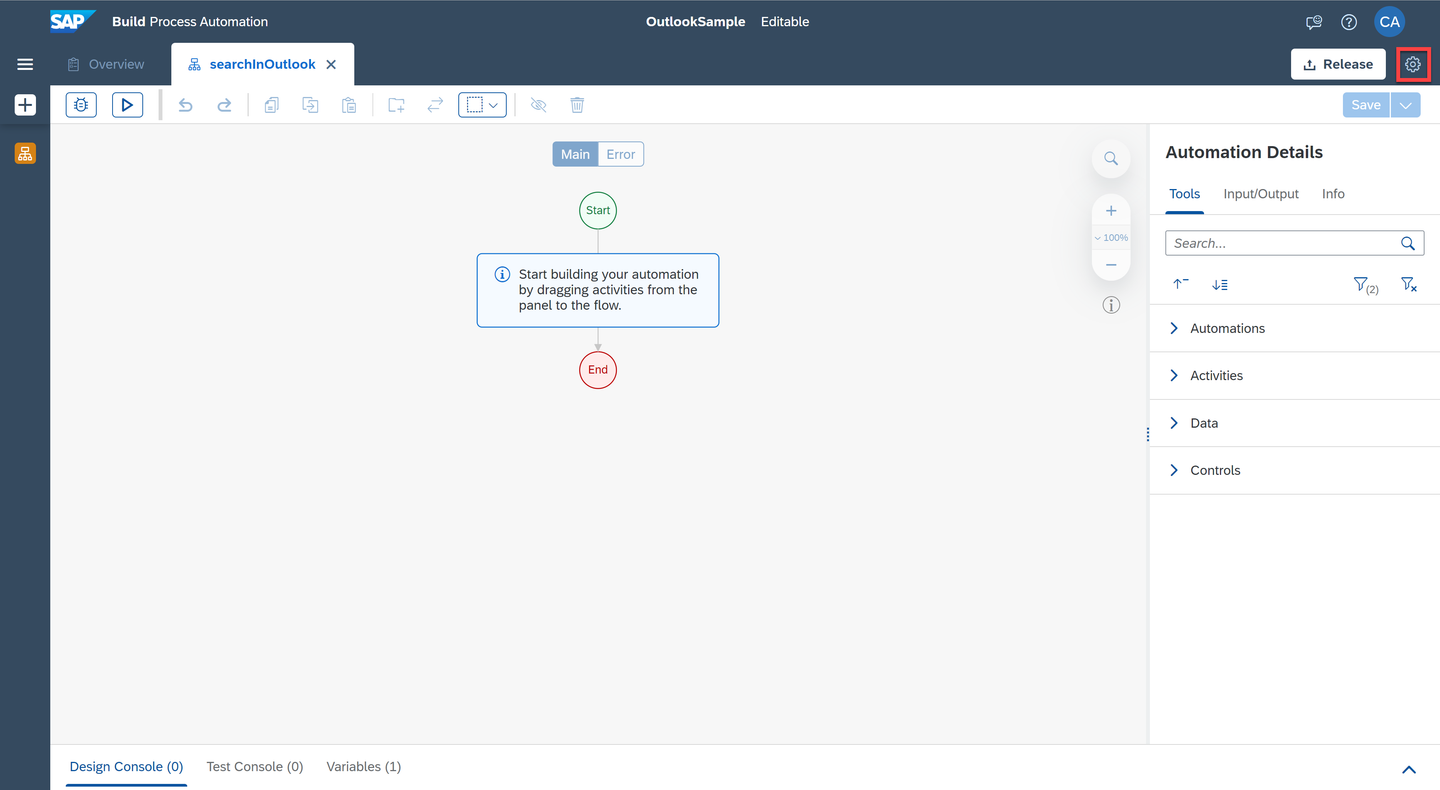
Locate the settings Icon in your projects From the dependency section, locate Outlook SDK and include it as a dependency to your project. At the time of this tutorial creation, Outlook SDK
Version 1.32.41was used.Always update Outlook SDK to the latest version.
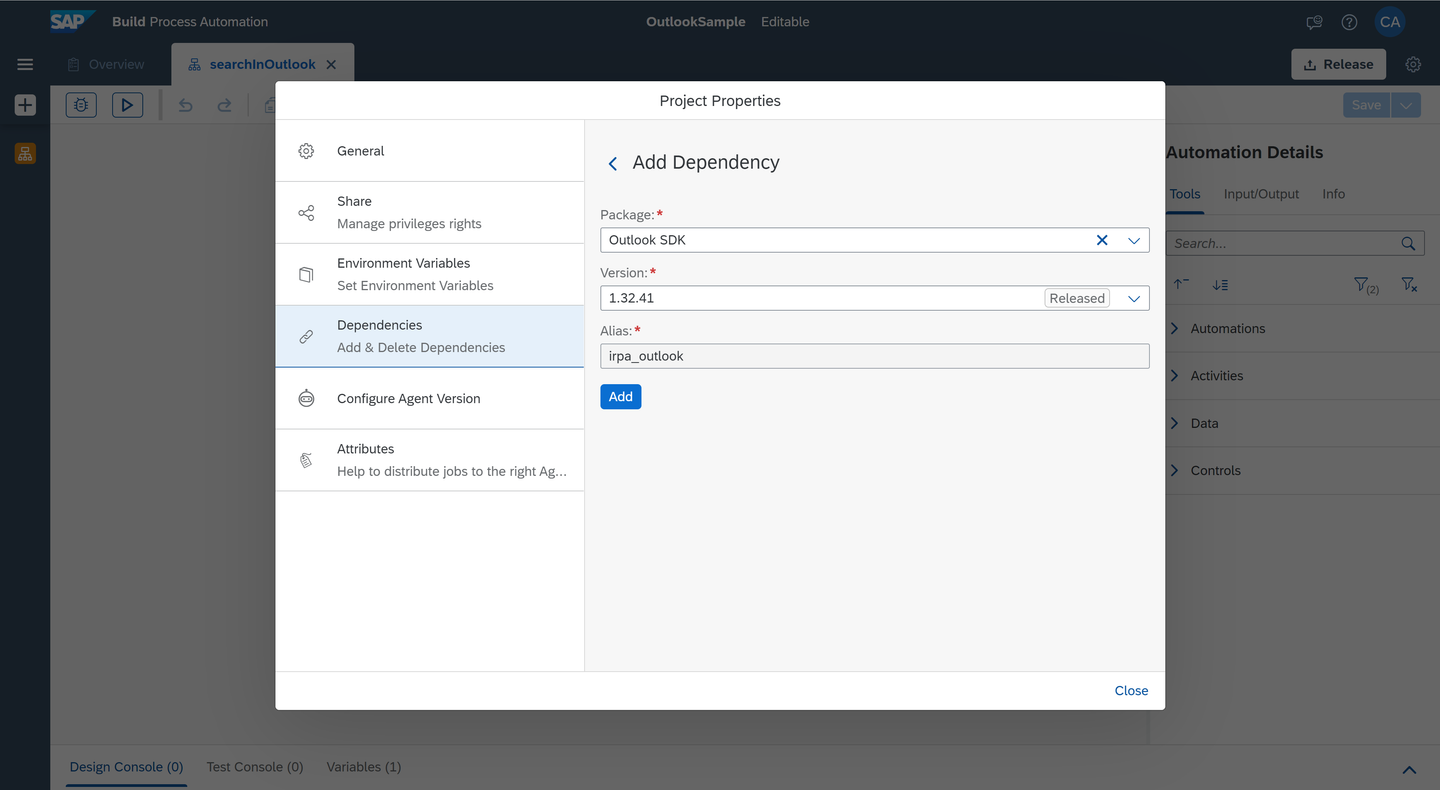
Add Outlook SDK to your project At this point, you are ready to work with Outlook SDK.
From the Tools panel on the right side, search for the activity Open Outlook Instance.
Drag and drop it into your automation flow.

Drag Open Outlook Instance on to your automation Your task will be to do a simple folder search. Locate Search Email activity and add it to the flow.

Add Search Email Activity to the automation Select the newly added activity and Create Custom Data as search criteria under Parameters section.
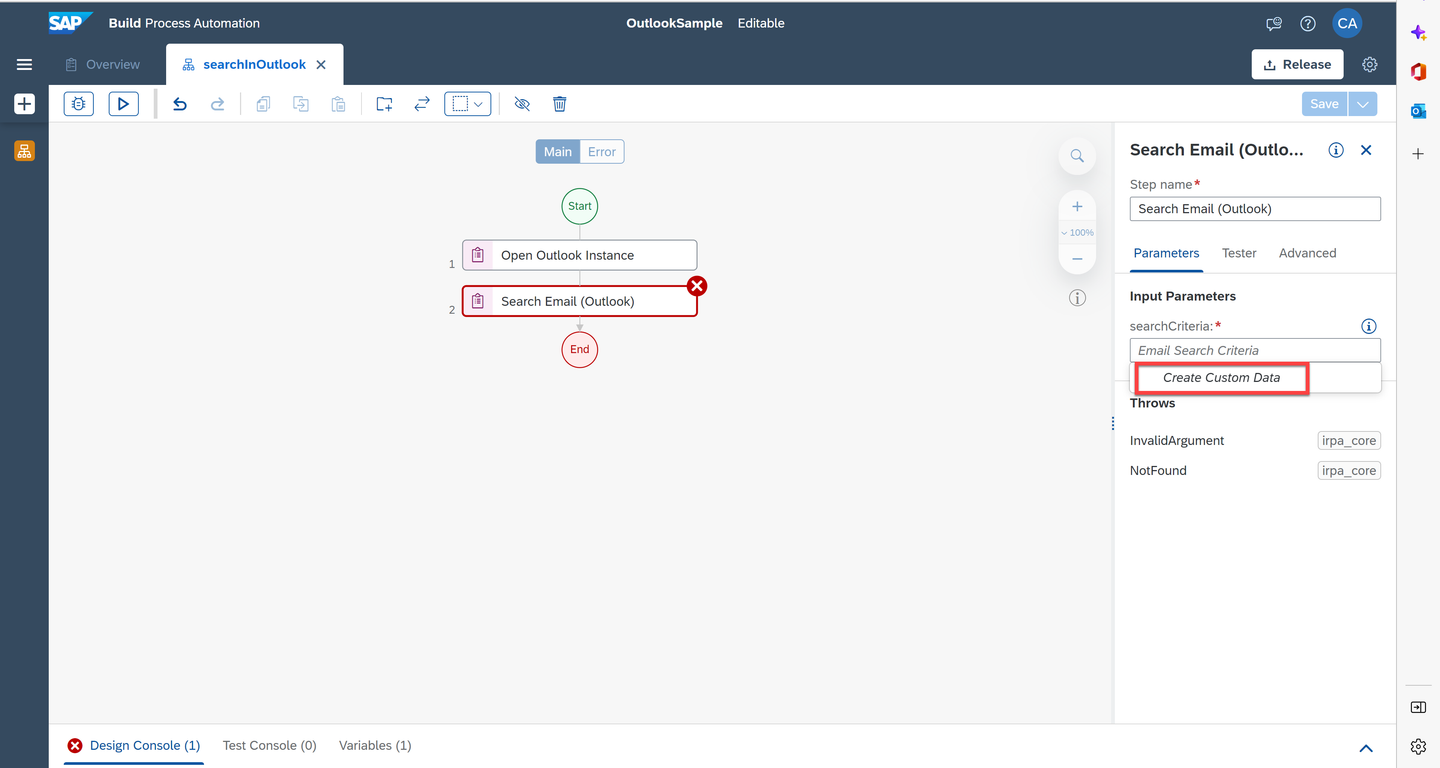
Add a custom search criteria Provide a folder name and a
storeNameas per the input form. HerestoreNamerefers to the email inbox, where you wanted the SDK to search.folderName: it is an optional input. You need to provide one if you wanted automation to search a specific outlook folderstoreName: You may have additional mailbox configured within your outlook application. This field could be handy to search specific folder in your inbox. If you wanted to search the default inbox, you can leave thestoreNameempty.
Name Value Example folderNameOutlook sub folder name Invoices/ToCreate storeNameEmail id mymail@bestrunsap.com 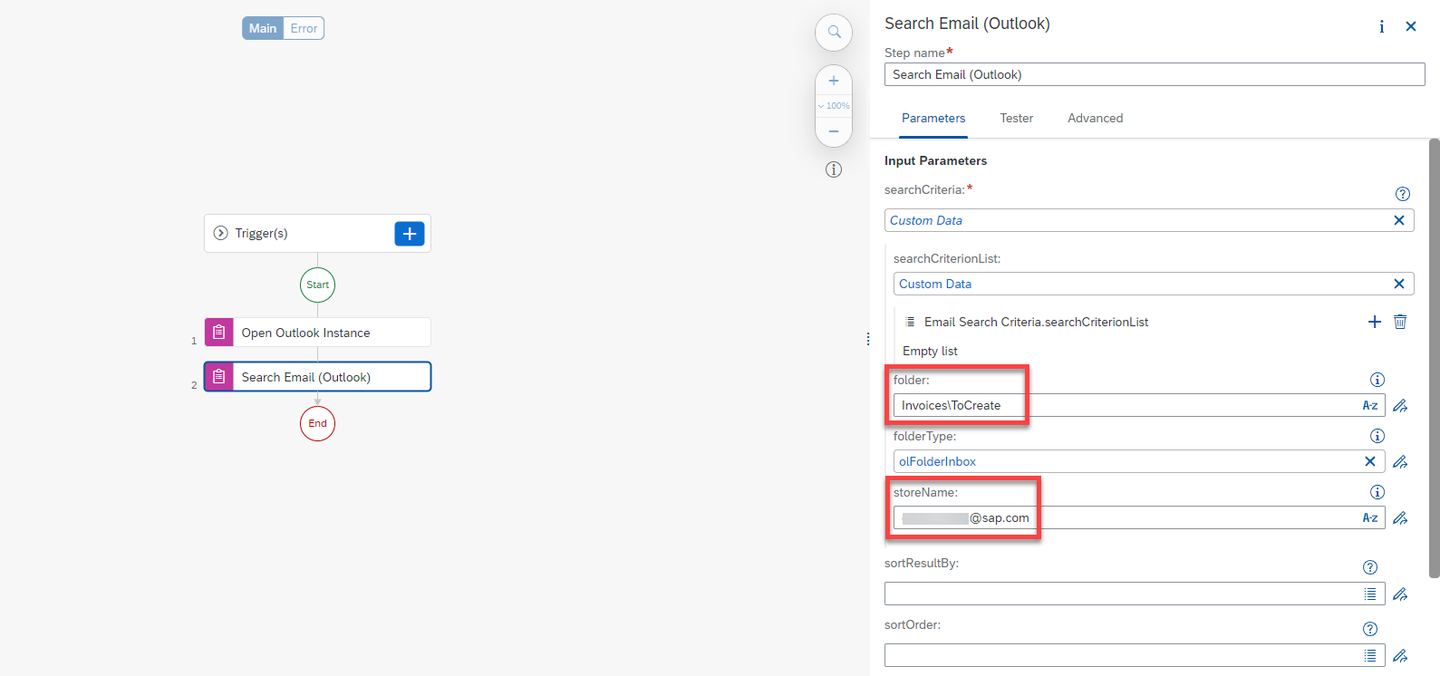
Give your search criteria Review the option
SearchCriterionList. You can include additional search criteria like emails with specific subject or from specific sender. You can refer to the documentation for additional informationAdd Get Emails Number (Context) activity to the flow. The previous step creates a context which is what you are going to use in the next steps.
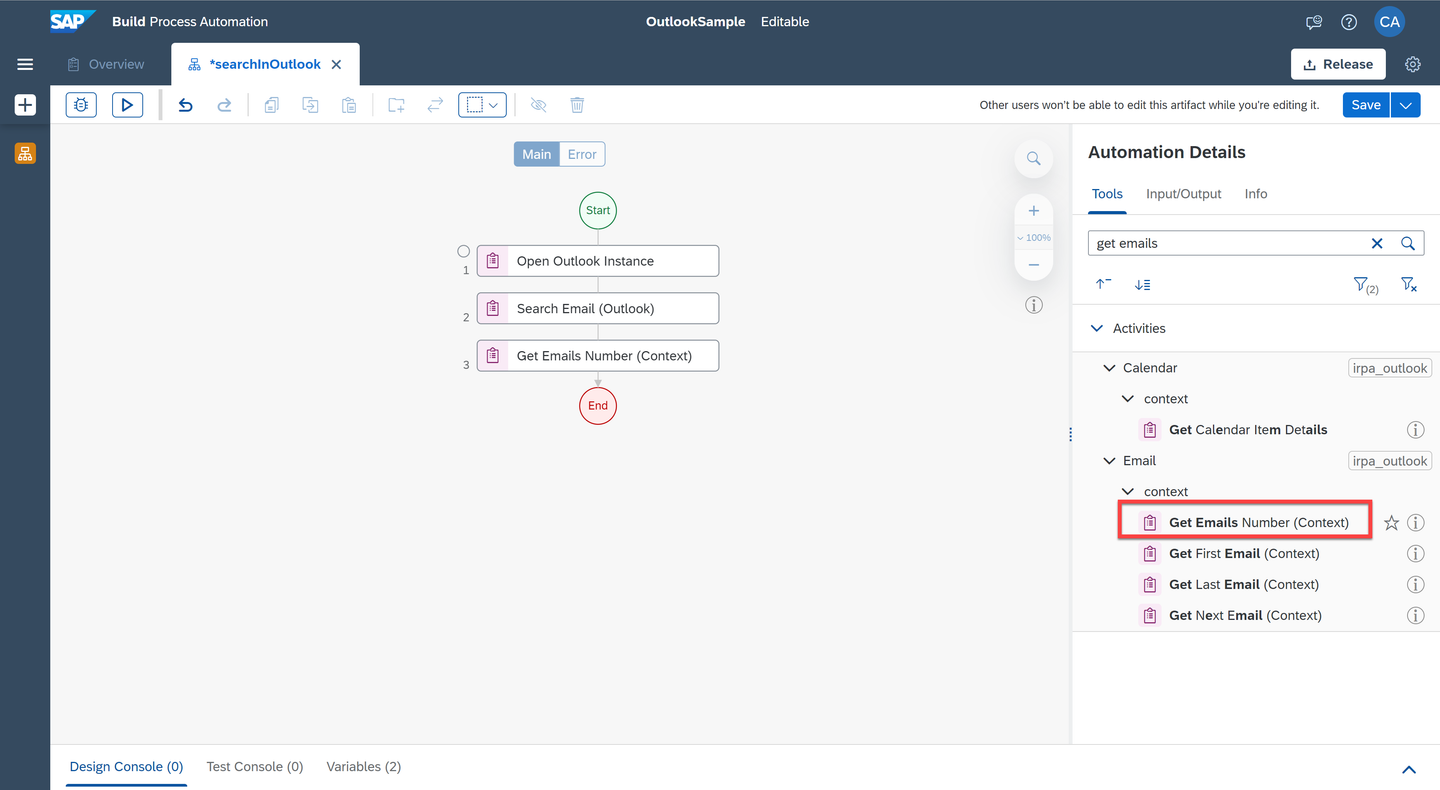
Add Get Email In Context Activity As this is your first automation using Outlook SDK, you can do a simple check to find out if there is a result in the search. For example, you can find out how many emails are present in that outlook folder. For this, add a Log Message activity.

Add Log Message If you wanted, you can include a custom message using the expression editor.

Open Expression Editor Add a custom message to log the total emails in your search results.

Add A Custom Log Message Add Close Outlook Instance and Release Outlook Instance to your flow. This is always required with an Open Outlook Instance call to release resources used by you.
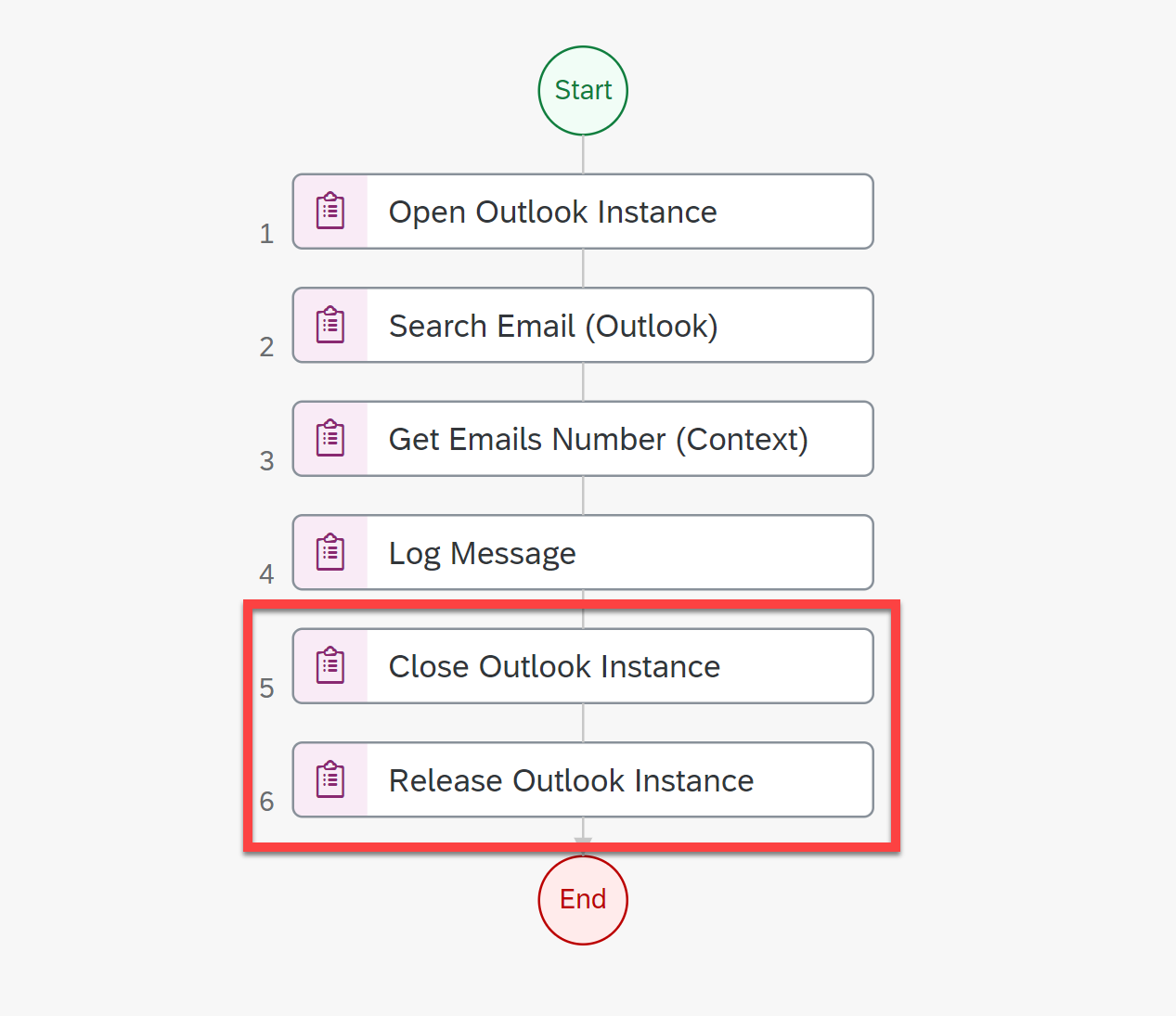
Close and Release Outlook Instance Save the project, test run the project, you should see your expected result.

Test & Validate Result Review the resources:
- Microsoft Outlook Best Practices from the SAP Build Process Automation documentation
- Outlook Email Best Practices Automation from the SAP Build Process Automation Store
Resources
Discussion
Share feedback on this tutorial or join the conversation in SAP Community.