
Setup Connectivity to CAP Service
Create a BTP destination and add the destination to SAP Build Process Automation to access the CAP Service.
Overview
You will learn
- How to create destination in SAP BTP Cockpit to connect to CAP service
- How to add the destination to SAP Build Process Automation


Prerequisites
Prerequisites
- Access to a SAP BTP tenant with SAP Build Process Automation
Steps
In the SAP BTP Cockpit, you will create a destination that will be used in the Action Editor to test the Action and later also in the Process execution.
Open the BTP Cockpit
Get the Application Routes URL from the service which is running in your Cloud Foundry space, click on the Name

service name Copy the URL into the clipboard to use it in the Destination definition (next item)

service route Navigate back to your Subaccount - Overview
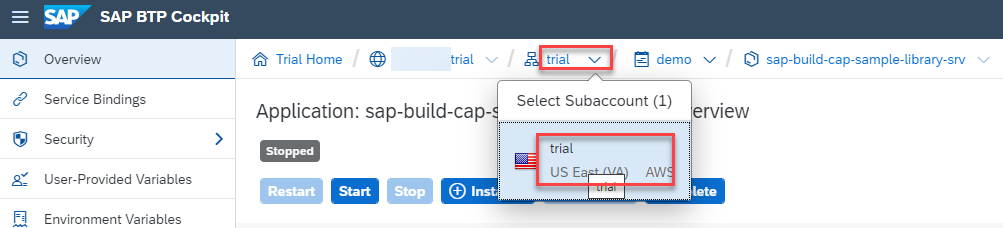
overview Click Destinations to show the available Destinations
Click Create Destination
enter URL
<Application Routes url>/api/v1(paste Routes URL from the clipboard)enter Name
Demo_CAP_Sample_Libraryenter Additional properties
sap.applicationdevelopment.actions.enabledtrueenter Additional properties
sap.processautomation.enabledtrueclick Save
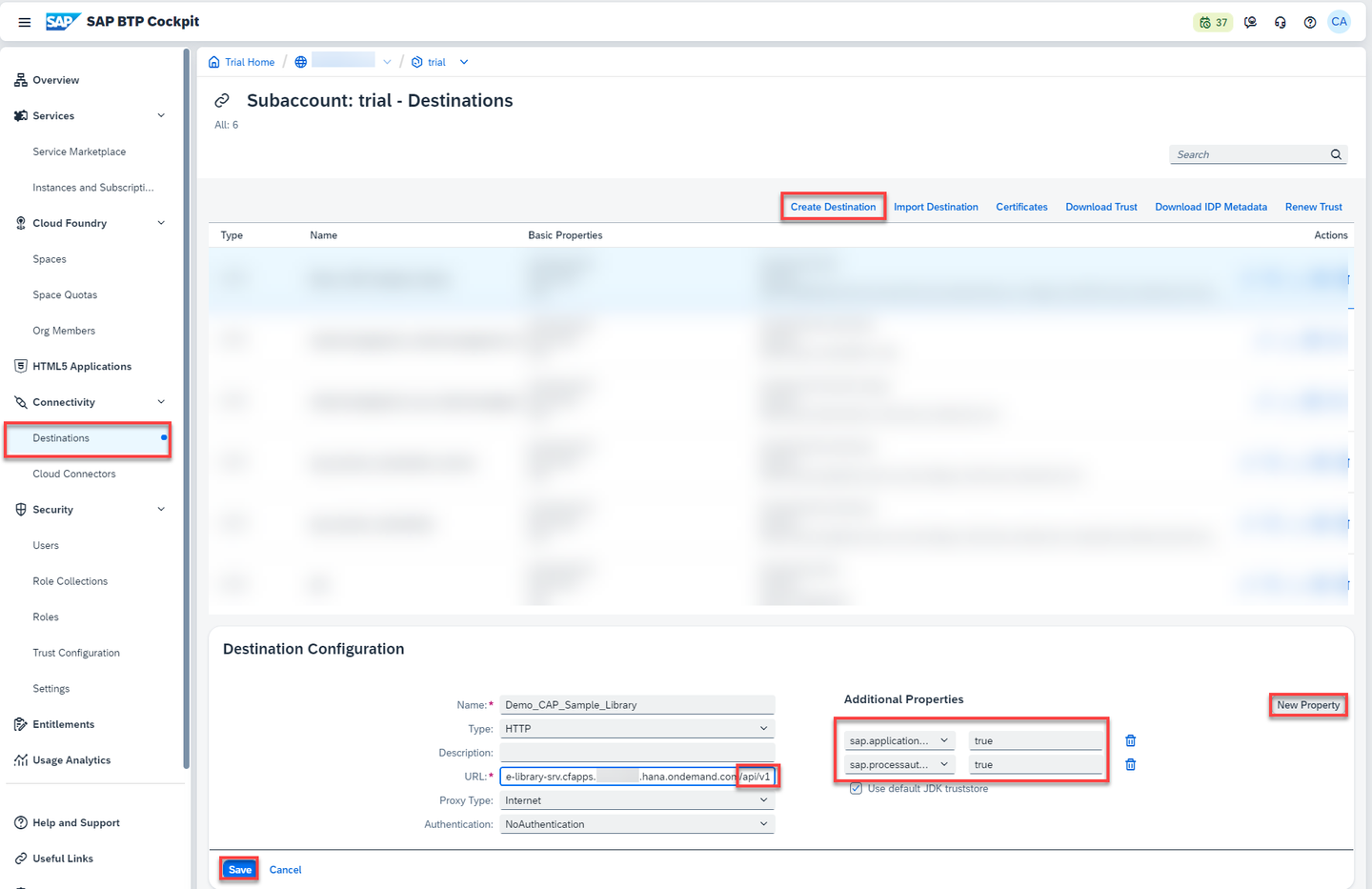
new destination
Open SAP Build Process Automation
Click Control Tower
Select Destinations
Choose New Destination
From the popup, select
Demo_CAP_Sample_LibraryClick Add

add destination Destination is added to the list and can be used in SAP Build Process Automation.

destinations
Resources
Discussion
Share feedback on this tutorial or join the conversation in SAP Community.