
Overview
You will learn
- How to create and configure a business process
- How to discover actions from the library
- How to configure the action for the business process
- How to release and deploy a business process with actions
- How to test the process


Prerequisites
Steps
From the Lobby, select Create
Select Build an Automated Process, on next screen click Business Process
Enter Project Name
CAP Sampleand click CreateOn the Create Process dialog, enter the Process Name
myCAP Sampleand click Create, the canvas will be shownClick the canvas to display the Process Details
- Click **Variables** to define the process inputs

- Click **Configure** to open popup **Configure Process Inputs**

- Click **Add Input**

- Enter **`field`** as **Name**, Identifier will be auto filled and **Type** should be **`String`**

- Click **Apply**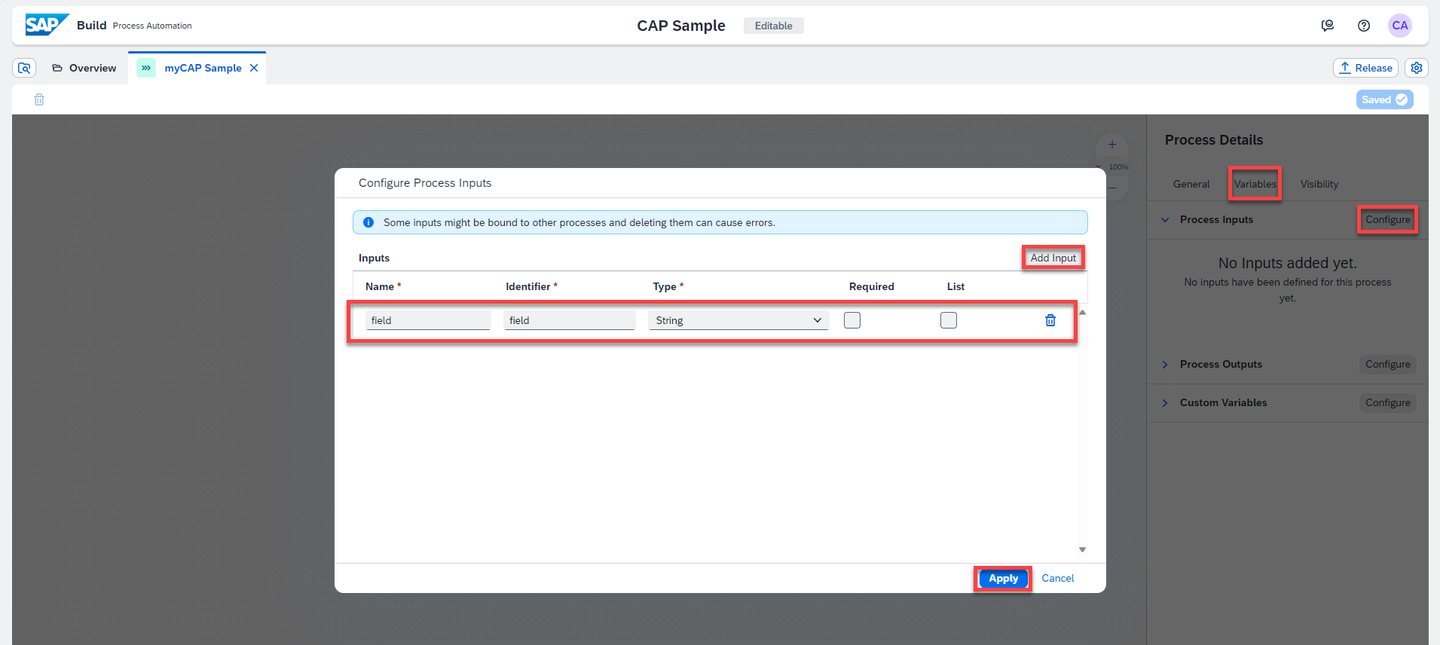
inputs
Click + to add a new API trigger to your process

trigger Enter Trigger Name
myCAP Triggerand click Create
name
Click + to add a step to your process, from the context menu select Actions > Browse Library

add action From Browse Library
Filter on project CAP Sample Actions
Click Add on the action
get list of Todos

browse Click + next to End and repeat the Actions > Browse Library steps to add the action
listToStringSelect
get list of Todoson the canvas and create Destination variablecapService
todo destination Select
listToStringon the canvas and select Destination variablecapService
listToString destination Select Inputs to define the input values for the action
Click Select Item next to field
Select field from Process Inputs

field Click Select list next to Bind List
Select
list responseArrayfromget list of Todos

list The Inputs for
listToStringshould show the following values:
list inputs
Save the process
myCAP Sample, click Release.On popup Release Project, click Release.
Click Deploy.
Choose an Environment and select Deploy.

Choose environment You can see your trigger in the list, click Deploy.
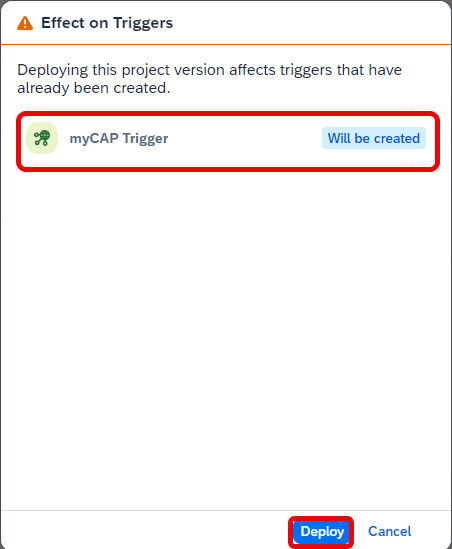
deploy In the Define Variables section, select Destination
Demo_CAP_Sample_Libraryand click Deploy.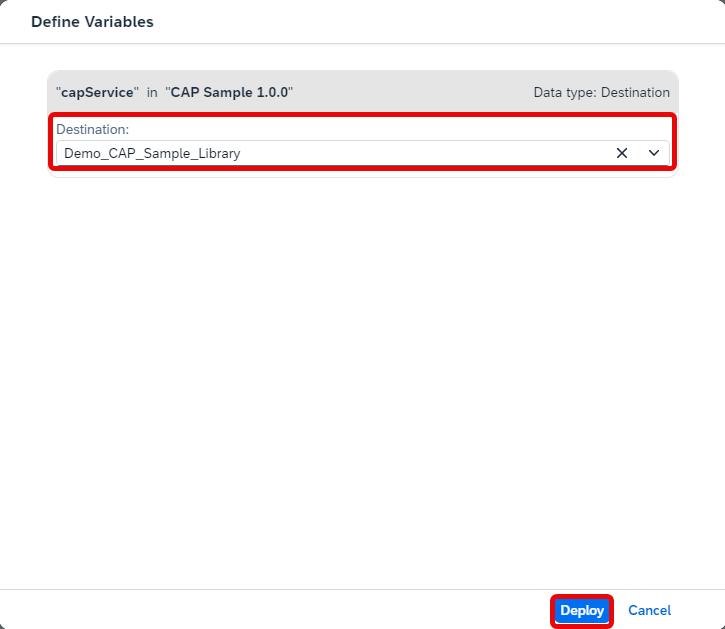
variables
From SAP Build, click Monitoring
Select Manage > Processes and Workflows
Select
myCAPSample
process Click Start New Instance
- Enter the JSON as input parameter values
JSON{ "field" : "id" }- Click Start New Instance and Close

start Select Monitoring > Process and Workflow Instances, make sure your instance is in the list, clear all filters

run Click the line to display the details of the instance
The result of the action
listToStringis shown as comma separated value string
result
Resources
Discussion
Share feedback on this tutorial or join the conversation in SAP Community.