
Overview
You will learn
- How to explore content in the SAP Build Store
- How to acquire any business process from the SAP Build Store
- How to reuse a package from the store in SAP Build Process Automation


Prerequisites
Steps
The store is available for everyone and can be accessed directly from the home page. The store offers pre-built content created and curated by SAP, which can be used free of charge with SAP Build Process Automation.
Packages are categorized by catalog, which let you choose between Automation SDK, Business Content and Learning Content. It also offers a variety of filters, a search feature, and content descriptions to help users find what they are looking for quickly.
Navigate to the store in your SAP Build Process Automation tenant.

Navigate Store Learning Content offers learning packages to get started with the Application Development tool. These packages allow you to learn best practices by reusing the most common flows to design your first projects.
Business Content provides pre-built business processes for concrete business problems.
Automation SDK provides all the Software Developments Kits that can be acquired from the store.
You can select one or more filters on the left to filter the available store projects by Project Type (for example Live Process and Business Process), Format Type (for example, Ready to use and Template), Catalog (for example, Business Content), Product (for example, SAP S/4HANA Cloud), Publisher, Line of Business, and Industry.
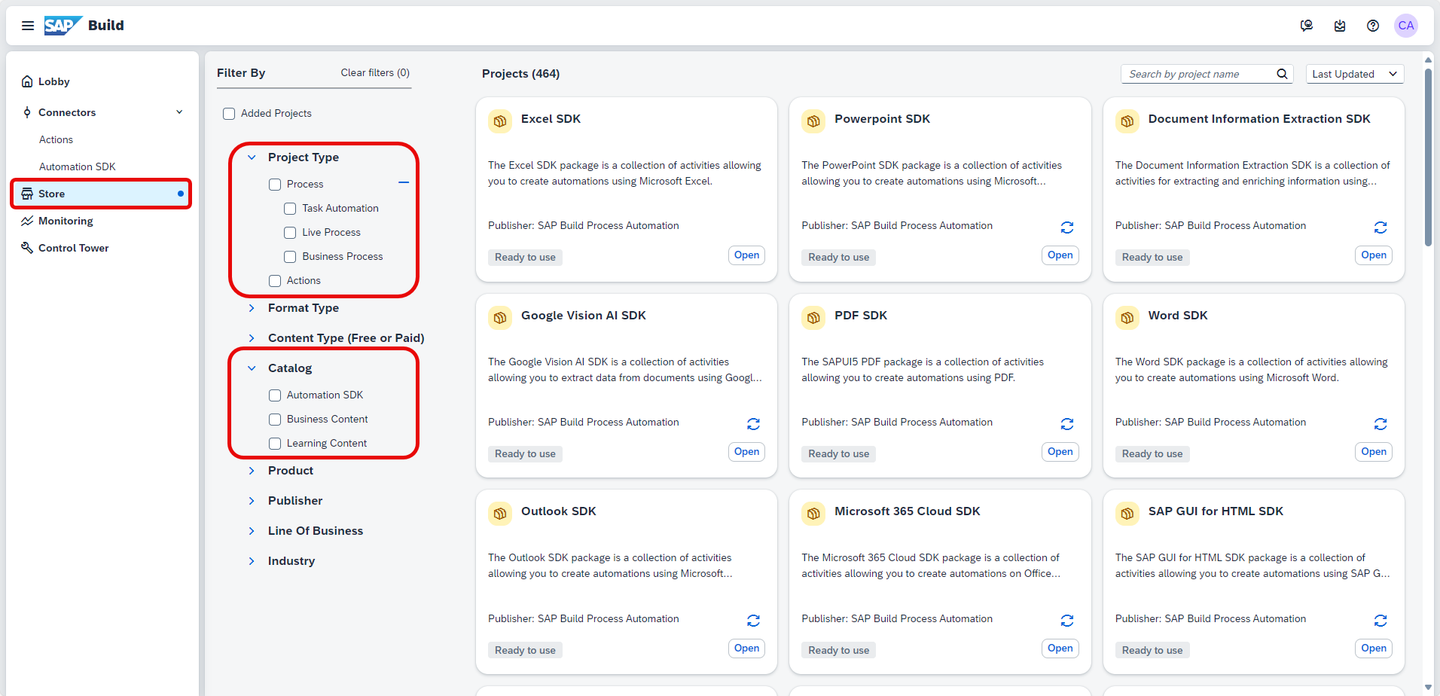
Store View
You will import the business process titled Sales Order Management (MI01).
Set the following parameters: under Project Type, select Process > Business Process and under Catalog, select Learning Content and type Sales Order Management (MI01) in the search bar and hit Enter.
This learning content is designed to help users to get started in streamlining and digitalizing the processing of approvals for sales orders and can be managed and customized directly by the departments depending on their needs.
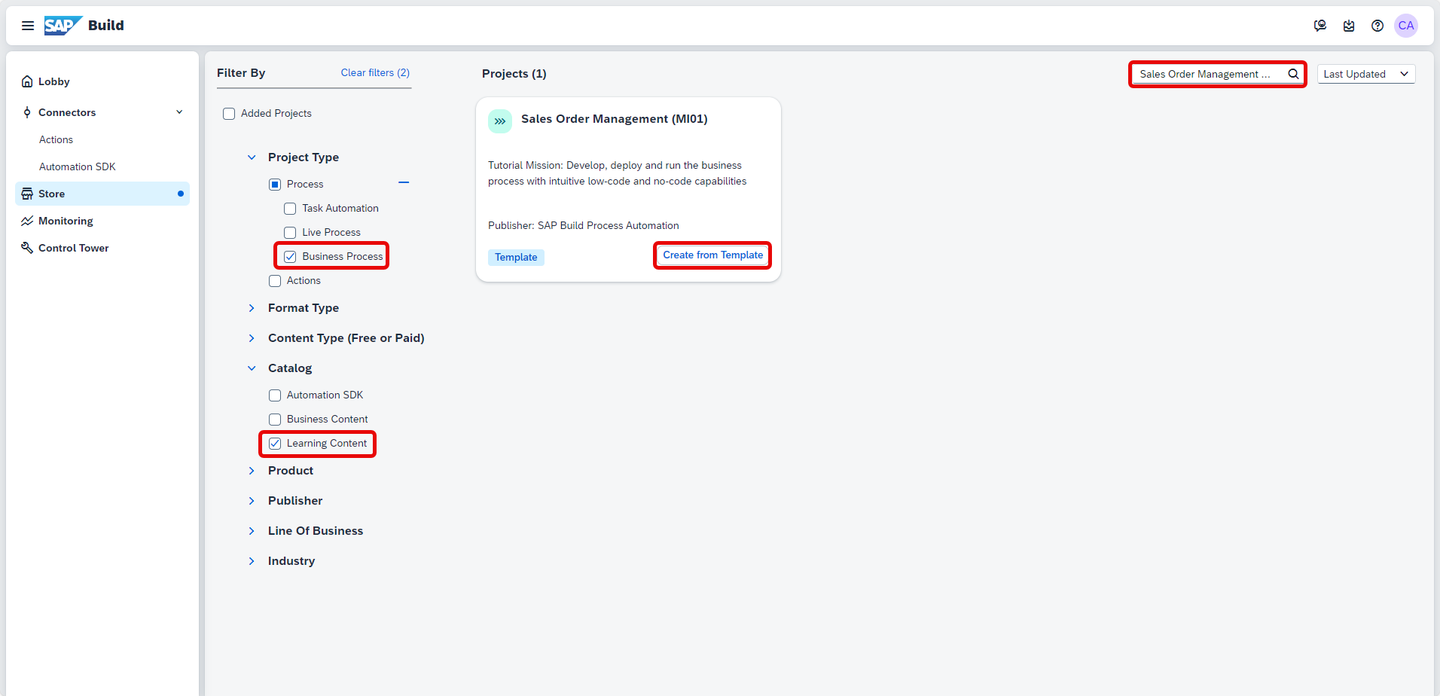
Import Business Process To add the entire package, select Create from Template.
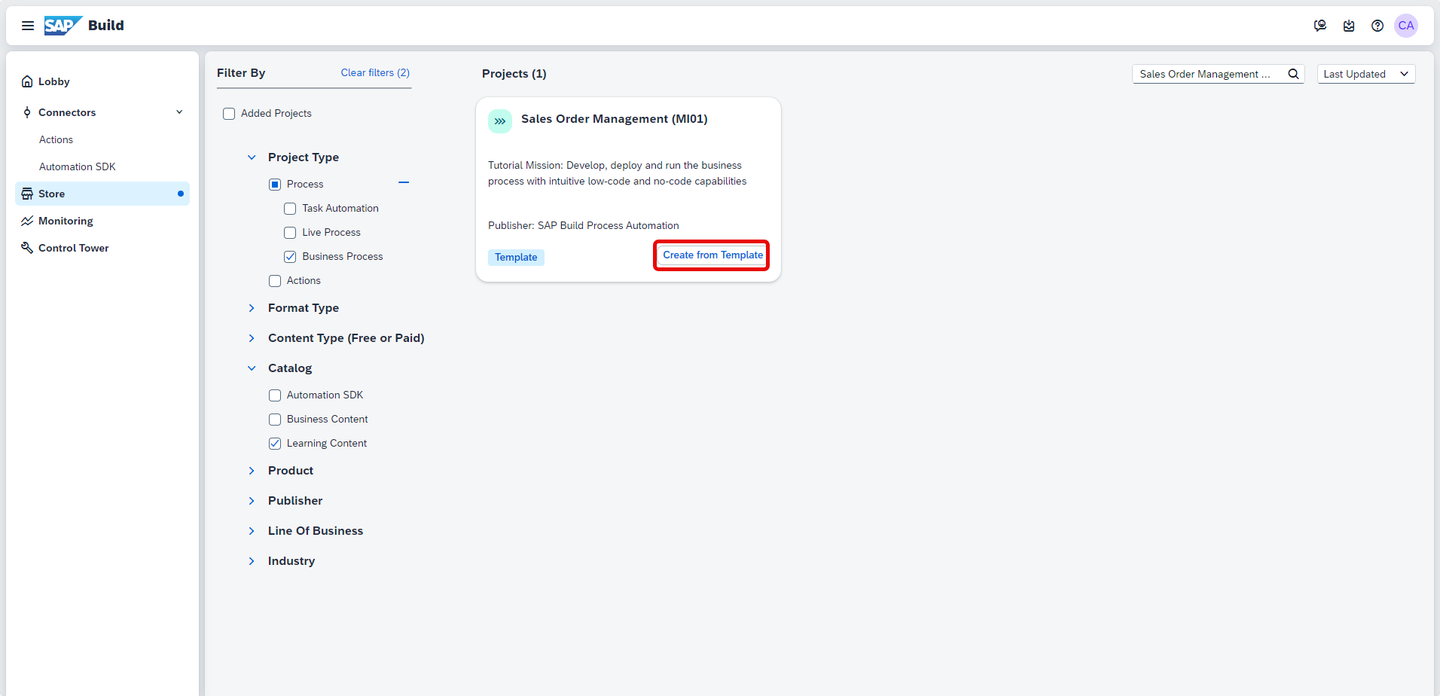
Create Project Name the project starting with Sales Order Management Developer Tutorial and appending a unique string such as your initials (at least 3 letters).
IMPORTANT: In a large organization, or large workshop or event, you will have many projects so it is vital to name your project uniquely, as projects much have a unique name.
Choose Create.

Create Project Once the project is imported successfully, to see the newly created project, navigate back to the Lobby by clicking on the SAP logo on the top left corner.

Lobby You have now imported a sample process and are ready to test/modify it.

Lobby
Resources
Discussion
Share feedback on this tutorial or join the conversation in SAP Community.