
Overview
You will learn
- How to enable the Migration Assessment Application


Prerequisites
Prerequisites
- You’ve set up your global account and at least one subaccount on SAP BTP. See Getting Started in the Cloud Foundry Environment.
- You’re subscribed to SAP Integration Suite in your subaccount. See Subscribing to SAP Integration Suite.
Steps
Navigate to the SAP Integration Suite home page and choose Manage Capabilities.

Image Choose Add Capabilities.

Image Select Assess Migration Scenarios. Then choose Next and Activate to proceed with the activation of the capability.
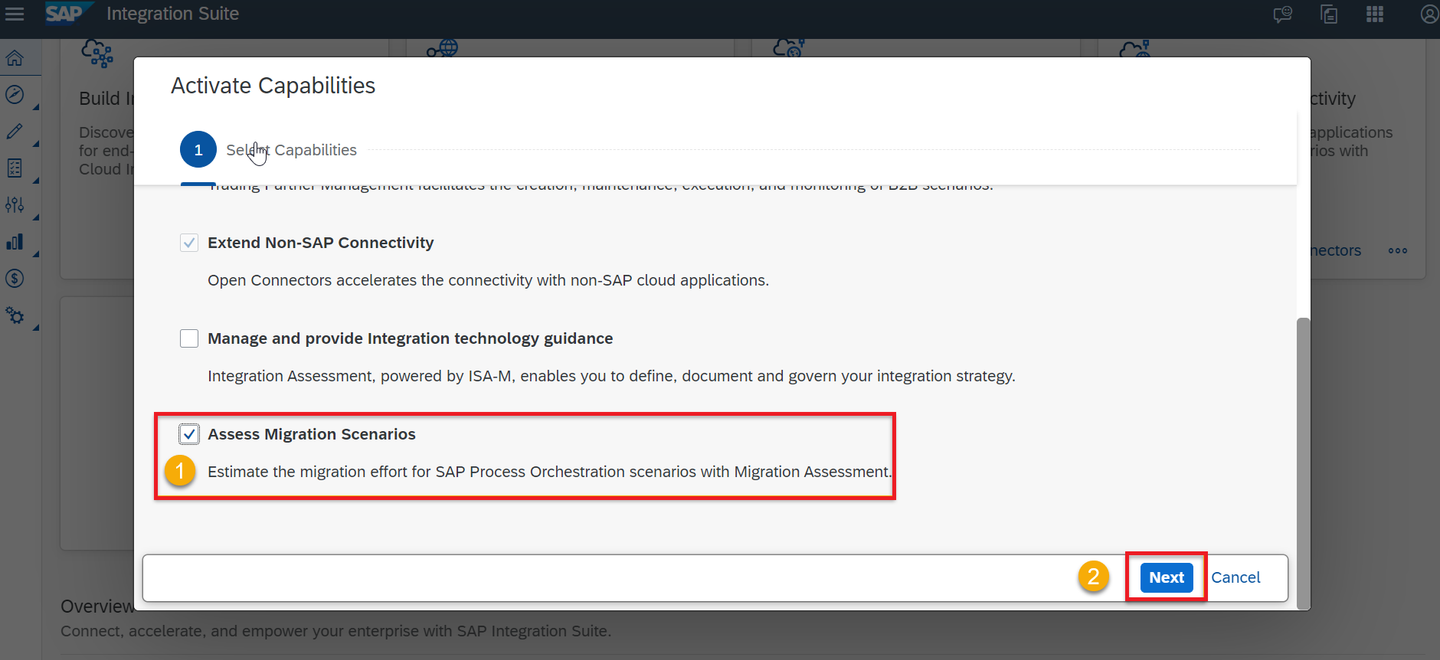
Image 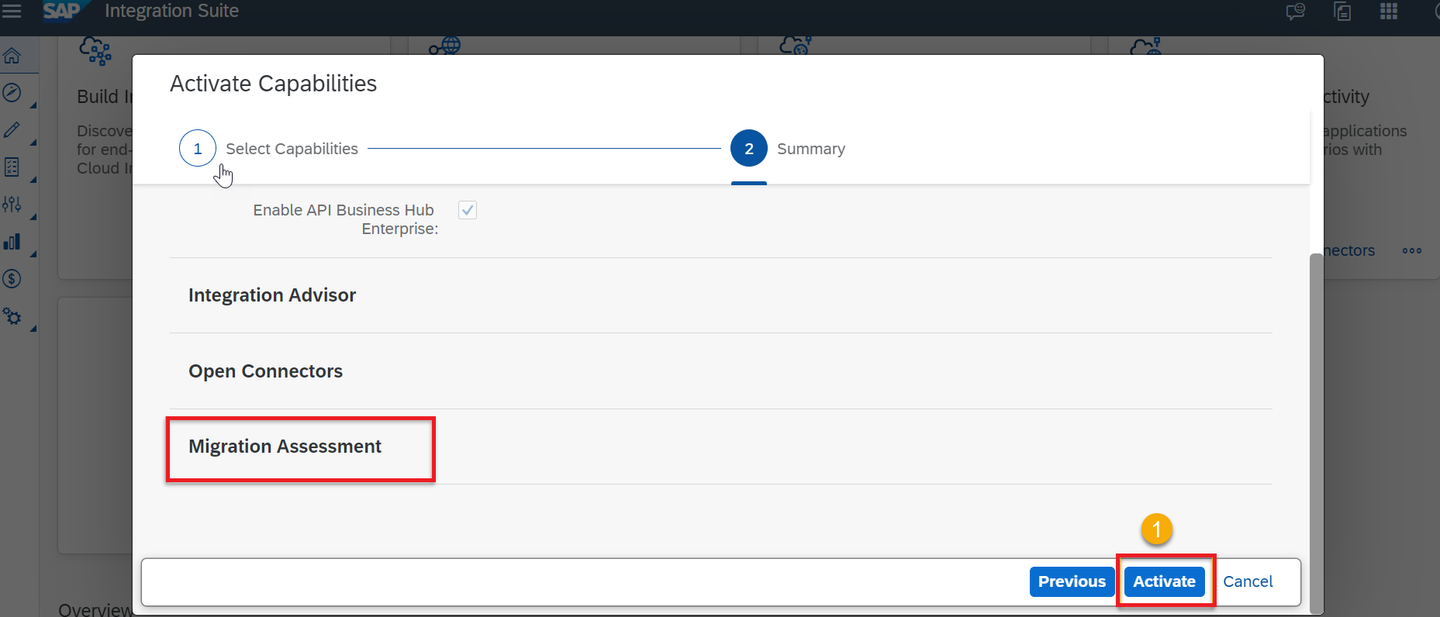
Image Wait until the capability is enabled. Refresh your page to see the successfully activated capability.
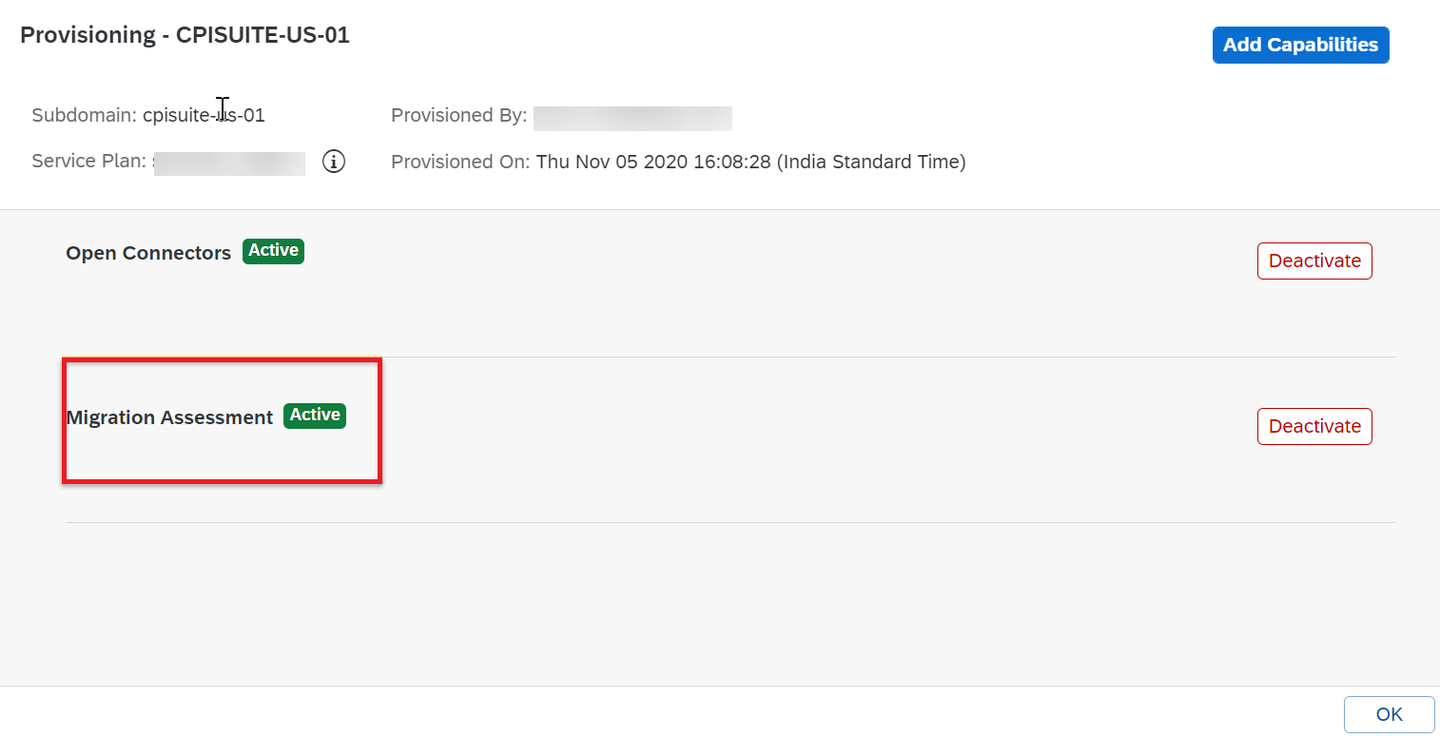
Image
In Migration Assessment, there are two role collections that cover different personas and responsibilities:
- The PIMAS_Administrator performs administrative tasks, like configuring system settings.
- The PIMAS_IntegrationAnalyst performs executive tasks, like reading and running evaluations as well as downloading results.
In your subaccount, navigate to Security and then to Users.
Select your user and choose Assign Role Collection.
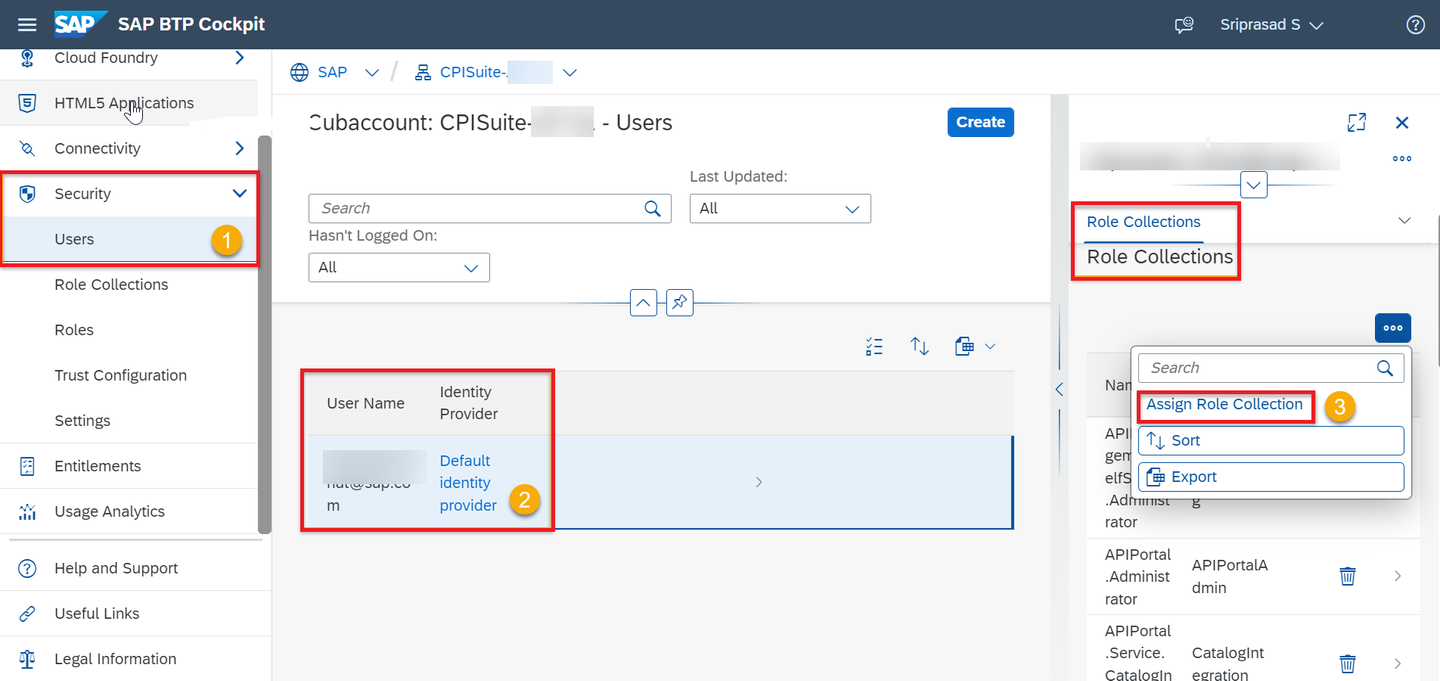
Image Select the role collection relevant for your user, then choose Assign Role Collection.

Image
To get a detailed overview of the role templates and role collections users need to accomplish the various tasks related to Migration Assessment, see Tasks and Permissions.
Once you’re done, you’re all set to access and configure the Migration Assessment application.
Resources
Discussion
Share feedback on this tutorial or join the conversation in SAP Community.