
Overview


Prerequisites
Prerequisites
Steps
Now we need to compile and build our Custom C/C++ Adapter into an executable. To do this, open up PuTTY and navigate to your "custom_c_adapter" folder.
Run the command make to build the .cpp file. This should generate an executable called custom_c_adapter.

We will now test out our Custom C/C++ Adapter.
First, start up the freezer monitoring lite program in PuTTY by running:
$STREAMING_HOME/bin/streamingproject --ccx $HOME/freezer_monitoring_lite.ccx --command-port 9230In another PuTTY window, navigate to the custom_c_adapter folder and run our Custom C/C++ Adapter:
./custom_c_adapter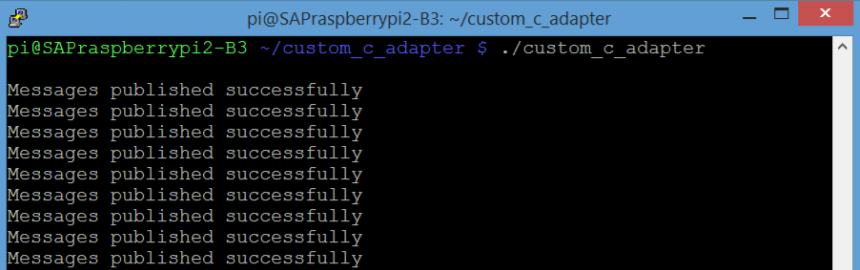
If successful, you will begin to see “Messages published successfully” on the screen.
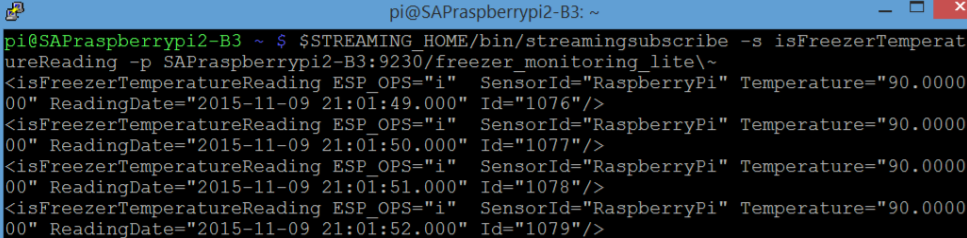
Finally, we will subscribe to the input stream inside our running project. The streamingsubscribe executable comes with the installation of Streaming Lite, and is used to view the contents of any stream in a running project. Open up another PuTTY window, and use it by running the following command. Make sure to replace <host> with your Fully Qualified Domain Name (FQDN):
$STREAMING_HOME/bin/streamingsubscribe -s isFreezerTemperatureReading -p <host>:9230/freezer_monitoring_liteIf successful, you should be able to see the rows our Custom C/C++ Adapter is sending into the project.
For the question below, select the correct answer, and click Validate.
Resources
Discussion
Share feedback on this tutorial or join the conversation in SAP Community.