
Browse and Explore Catalog Objects with the Database Objects App
Dive into using the database objects app to explore and inspect schema objects in an SAP HANA Cloud, SAP HANA database or data lake Relational Engine.
Overview
You will learn
- How to filter for specific tables and schemas within an instance
- How to inspect and explore objects in an SAP HANA Cloud database
- How to generate SQL Statements


Prerequisites
Prerequisites
- An SAP HANA Cloud database such as SAP HANA Cloud free tier
- You have completed the first 3 tutorials in this group
Steps
The database objects app is a built-in tool in SAP HANA Cloud Central that enables you to search, view metadata, and generate SQL for catalog objects.
Ensure that your database instance is running before attempting to open the Database Objects app. Once it is active, you can access the app directly by selecting its icon from the left‑hand navigation panel on the Instances page.

DBObj Navigation You can also open the Database Objects app through the SQL Console. Make sure you are connected to the correct database, then click the three‑dot menu in the top‑right corner and select Open Database Objects.

DBObj Navigation SQL Console Upon opening database objects, click “Select an Instance” at the top of the page to choose the database you want to work with. You can browse the list or use the search field to quickly find your instance.

Instances 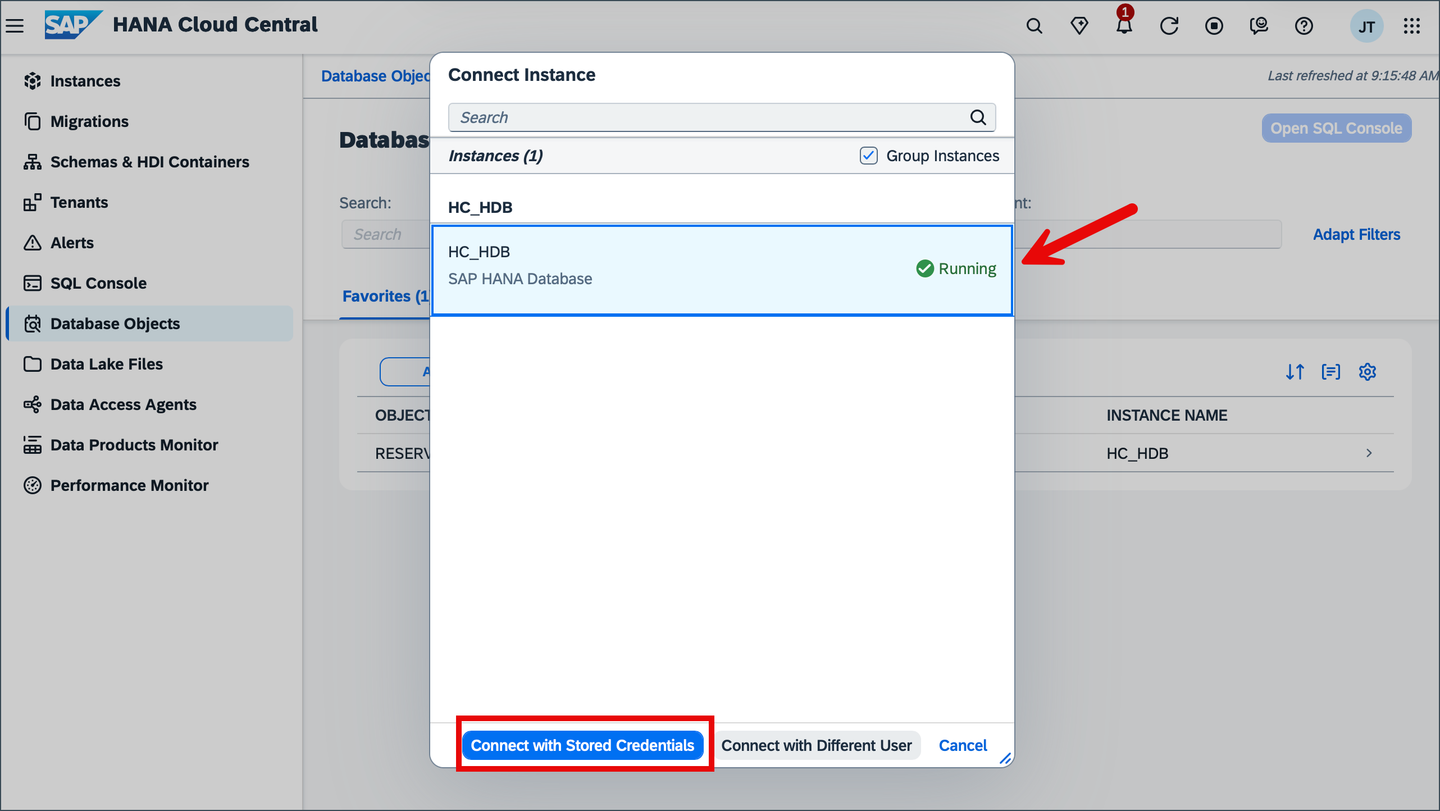
Select Database Once selected, the Schema and Search filter are both available to use. Select the Schema filter and search for the HOTELS schema.

Hotels Schema You can also directly search for the schema or any other objects directly in the Search filter. In this case after searching navigate to the Schemas tab directly to view the metadata for the HOTELS schema. This data includes ownership, privileges and create time.

Schema Data
Information for tables includes columns, indexes, properties, runtime information and SQL CREATE Statements.
Select the Tables tab to view all associated tables of the HOTELS schema.
The page now displays all tables in the schema HOTELS and their table type.

Tables View Select the RESERVATION table to explore it further.
Click the full screen icon on the top right of the screen to maximize the page and view all tabs.

Table Data By default you should see the column details for the table.

Column Data Explore the Runtime Information tab, where further information about the table can be found. This information includes the total number of rows, disk size, partitions and memory consumption for the table, as well as individual columns.

Runtime Information Examine the other tabs, such as CREATE Statements, where SQL code to generate the table can be found.

Create Statement Select the Generate SQL Statement dropdown to see the three ways to have SQL generated for the table.

SQL Generation
To display functions in the Database Objects app, go to settings using your profile icon and turn on the functions object type.

Settings Open the Functions tab and select AVERAGE_PRICE to examine it further.

Average Price Function Select the Generate SQL Statement dropdown and click SELECT Statement to navigate to the SQL Console.

Average Price Function Generate Statement Input ‘suite’ in the single quotes of the SELECT statement to get the average price for suites.

Function Call Navigate back to the Database Objects app and open the Procedure tab. Select RESERVATION_GENERATOR to examine it further.

Procedure Data Click Generate SQL and select the CALL statement to get SQL that runs the stored procedure.

Run Procedure
To learn more about exploring database instances in Database Explorer refer to the Browse Schema with the Database Browser in SAP HANA Database Explorer Tutorial
Select the Recent tab to view all the recent objects you opened.

Recent Navigate to an object and click the star icon on the top right of the screen to favorite it. Allows for easy access to the object through the Favorites tab.

Favorite Icon Once selected as a favorite. Navigate to the Favorites tab to see it.

Favorite Click All/Selected Instance toggle to filter favorites.

Filter Favorites Navigate to HANA Cloud Central settings to customize preferences for the Database Objects App.

settings
Congratulations! You have now successfully navigated the Database Objects app and learned about the various features and tools available to you right from SAP HANA Cloud Central.
To learn how to create multi‑model artifacts like knowledge graphs, property graphs, and document stores using the Database Objects app, you can also explore the tutorial Try Out Multi‑Model Functionality with the SAP HANA Database Explorer and Database Objects App.
Resources
Discussion
Share feedback on this tutorial or join the conversation in SAP Community.