
Take Action Following a SAP HANA Cloud Database Alert with SAP Automation Pilot
Learn how the SAP Automation Pilot can be used together with the SAP Alert Notification service for SAP BTP to react to a SAP HANA database alert.
Overview
You will learn
- How to setup and become familiar with the SAP Automation Pilot
- How to create a catalog, an input, and a custom command with multiple executors that will request a storage resize of a SAP HANA database instance
- How to trigger a SAP Automation Pilot command from the Alert Notification service


Prerequisites
Prerequisites
- Have completed the tutorial Alerts in SAP HANA Database and Data Lake that covers alerts and the Alert Notification service.
- Access to the SAP Business Technology Platform (BTP) that includes the SAP HANA Cloud, SAP Alert Notification service, and the SAP Automation Pilot. These services are available in SAP BTP free tier.
- An SAP HANA Cloud instance deployed to a Cloud Foundry runtime.
Steps
Intro
A SAP HANA Cloud database or a data lake Relational Engine instance have a set of built-in alerts that when triggered, are sent to the SAP Alert Notification service (ANS). This service, in addition to being able to forward details of the alert to various channels (email, Microsoft Teams, Slack, etc.), can trigger a SAP Automation Pilot command. In this tutorial, a command will be created to attempt to resolve a disk use alert.

SAP Automation Pilot includes provided commands for various services in the BTP, a scheduler, and the ability to create new commands. Examples of the provided commands for a SAP HANA Cloud, SAP HANA database include start, stop, and restart and for Cloud Foundry include GetCfServiceInstance and UpdateCfServiceInstance. Commands can be created using a BASH script, Python, or Node.js as described at Execute Script.
This tutorial will demonstrate the integration between a triggered database alert, SAP Alert Notification service, SAP Automation Pilot, and concludes with an example of requesting a storage resize of a SAP HANA database instance based on a disk usage alert.
The following steps demonstrate how to subscribe to the SAP Automation Pilot service and explore some basic concepts such as commands, inputs, and executions.
In the SAP BTP Cockpit, at the subaccount level, in one of the supported regions, select Service Marketplace, then from the Automation Pilot tile select Create to create a subscription to the SAP Automation Pilot service.
Note: For trial accounts, SAP Automation Pilot is automatically available from the Service Marketplace, so you can proceed directly to creating a subscription.
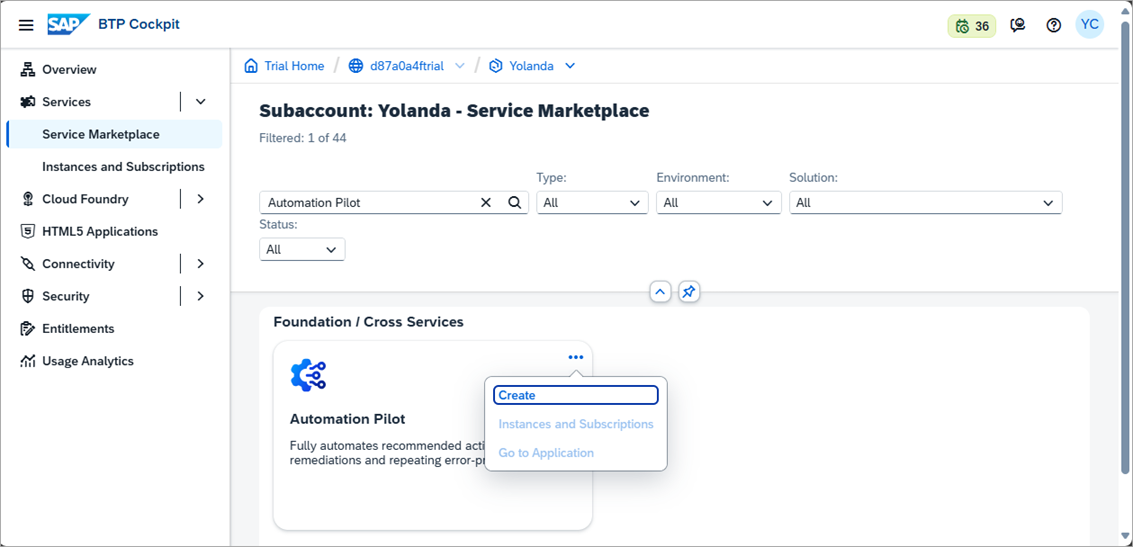
create SAP Automation Pilot If the Automation Pilot service does not appear, it may be that the entitlement needs to be added to the subaccount. To do so, navigate to the subaccount, select Entitlements, Configure Entitlements, Add Service Plans, select Automation Pilot, and add a plan such as free or standard. Do not forget to save the changes made to Entitlements,
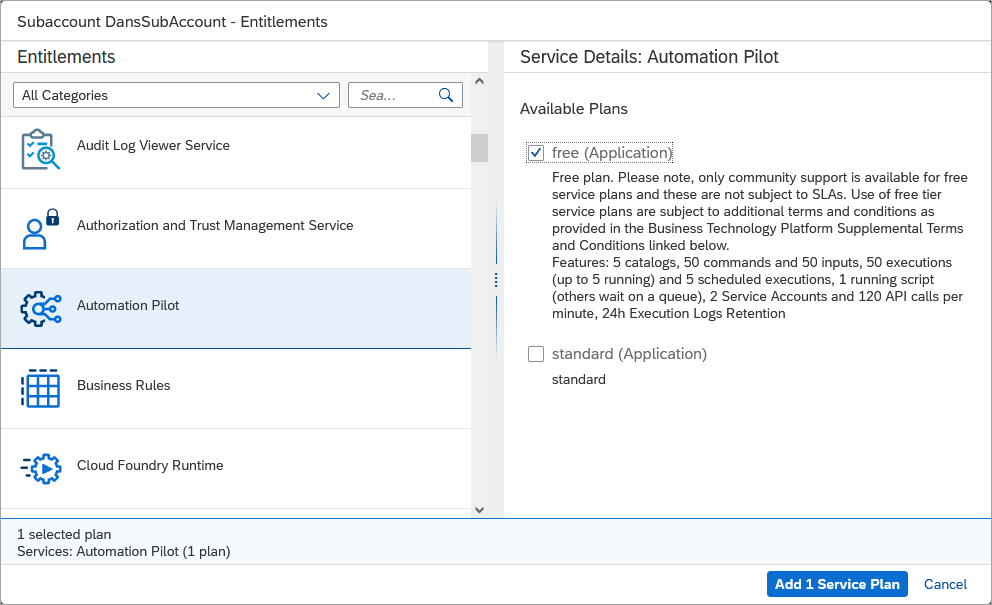
add entitlement The SAP Automation Pilot subscription can be located in a different global account or subaccount from the SAP Alert Notification service and the SAP HANA Cloud database.

create service Under Users, select your user and assign the role collection
AutomationPilot_Admin.
Assign Admin Role Then assign the following Role Collections:

Assign Role Collections For additional details, see Permissions and Roles.
Once the SAP Automation Pilot service has been created, open its application.

open application If you receive a permission error, you may need to log out and log in again for the role assigned in the previous step to take effect.
Notice the two sections for catalogs (My Catalogs and Provided Catalogs) containing provided commands and inputs including ones for Cloud Foundry and database lifecycle management.
Provided Catalogs are groups of commands and inputs that are provided by the SAP Automation Pilot. Those in My Catalogs are catalogs that are user-created and contain created commands and inputs. Catalogs provide a way to group a collection of related commands and inputs.
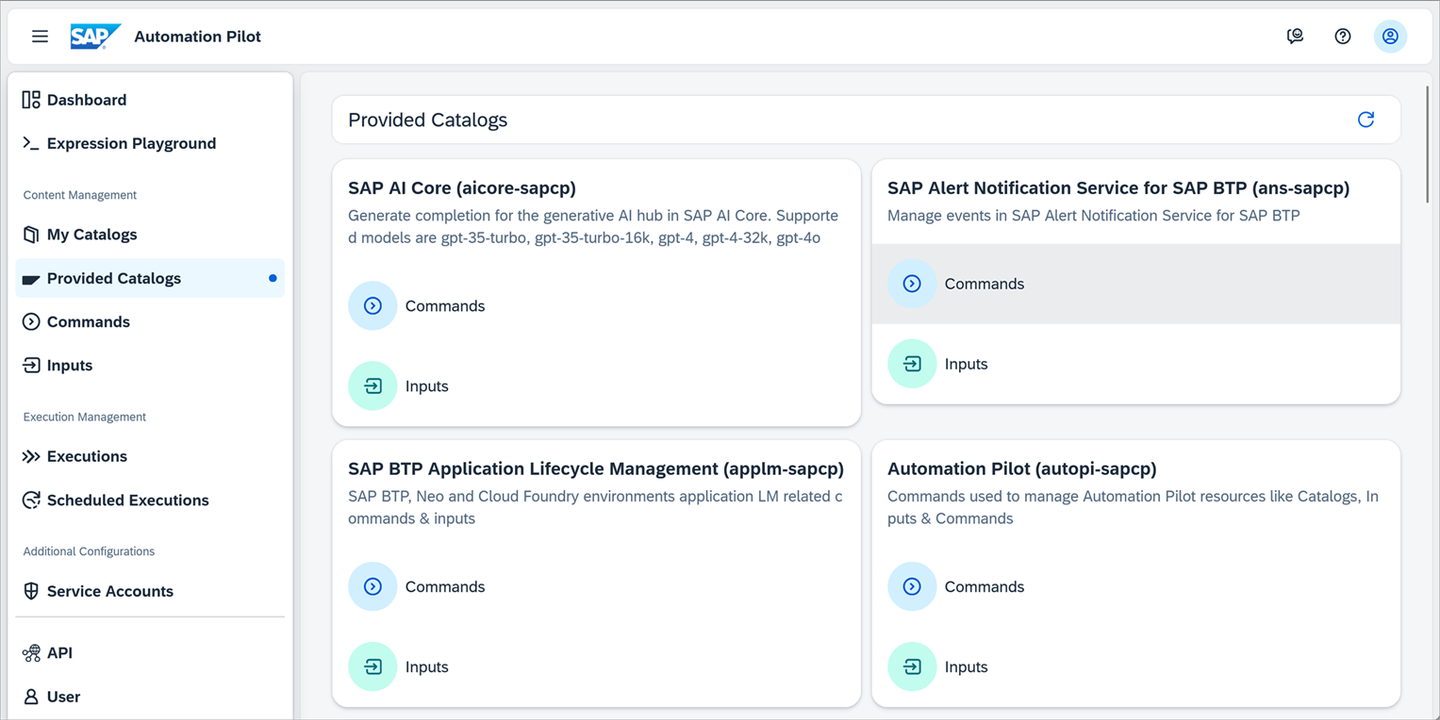
Provided catalogs Commands can also be scheduled. One example may be to schedule the starting and stopping of a database instance.
It is possible to create executors in a command using BASH, Node.js, Python or Perl. A provided example command is included for each type as shown below.

script examples Each example inherits from the base
ExecuteScript.
Execute script Notice that there are a set of input keys and output keys.
Under Inputs, open the input
WelcomeScriptInput.
script input Examine the description of the input keys and their types.
Open the command
PythonScriptCommandExamplein Commands.Scroll down to the Configuration section, select input and notice that it has as an additional value
WelcomeScriptInputshown in the previous step with an alias ofscriptInput.
command input Select
welcomeScriptExecutor.
Executor Notice that it contains the below script and that the parameters, environment, and
stdinhave their values set from the inputWelcomeScriptInputusing its alias name ofscriptInput.Python#!/usr/bin/env python3 import sys, os stdin = sys.stdin.readline() env = os.environ.get("GREETING") (arg1, arg2) = sys.argv[1:3] print(f"{env}{arg1} {stdin}{arg2}")Trigger the command.

Trigger command Executed commands can be viewed under the Executions tab. Options to filter Executions include ID, Owner, Status, and Start periods.

Executions Under Output Values, click
Showto view the output of the successfully run command.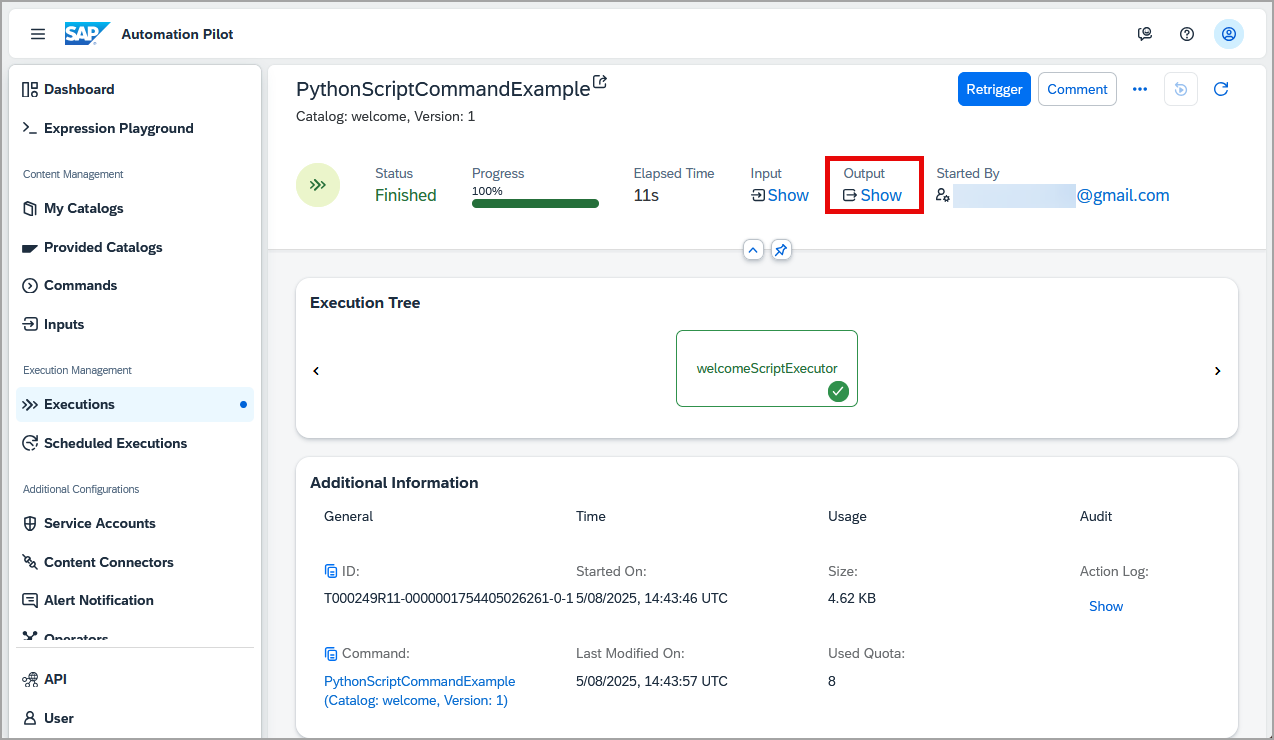
Show button for output The output will appear in a pop-up.

Output This value is coming from the output of the
welcomeScriptExecutorwhose base commandExecuteScripthas a parameter named output.
output definition
At this point, you should now have a subscription to the SAP Automation Pilot service and be familiar with some basic concepts of the service such as commands, inputs, and executions.
This step will create a catalog that contains a command and an input. The input will have a user name and password for the SAP Business Technology Platform, and the command when completed, will retrieve the details of a SAP HANA Cloud instance that sent a database alert such a HDBDiskUsage alert.
Create a new catalog.

create a catalog 
create catalog wizard Specify the values below.
Label Value Name rsHCDBDisplay name Resize SAP HANA Cloud DatabaseIf the error
[400] Violation in field 'catalog': size must be between 0 and 20is encountered, please ensure that the catalog ID is between 0 and 20 characters.Create an input named
BTPTechnicalUserin the just created catalog.
create input 
Create input Selection Add two keys to the input.
Key Name Type Sensitive Value User String no BTP user that is a member of the space where the SAP HANA Cloud database instance exists Password String yes password of the BTP user 
input with keys Note these credentials will be used by a Cloud Foundry command to return the details of a SAP HANA database service. Ensure the user can log in successfully to a site such as SAP Community and not have two-factor authentication enabled. The user should appear under the members list at the space level in the BTP Cockpit and have the role space developer.
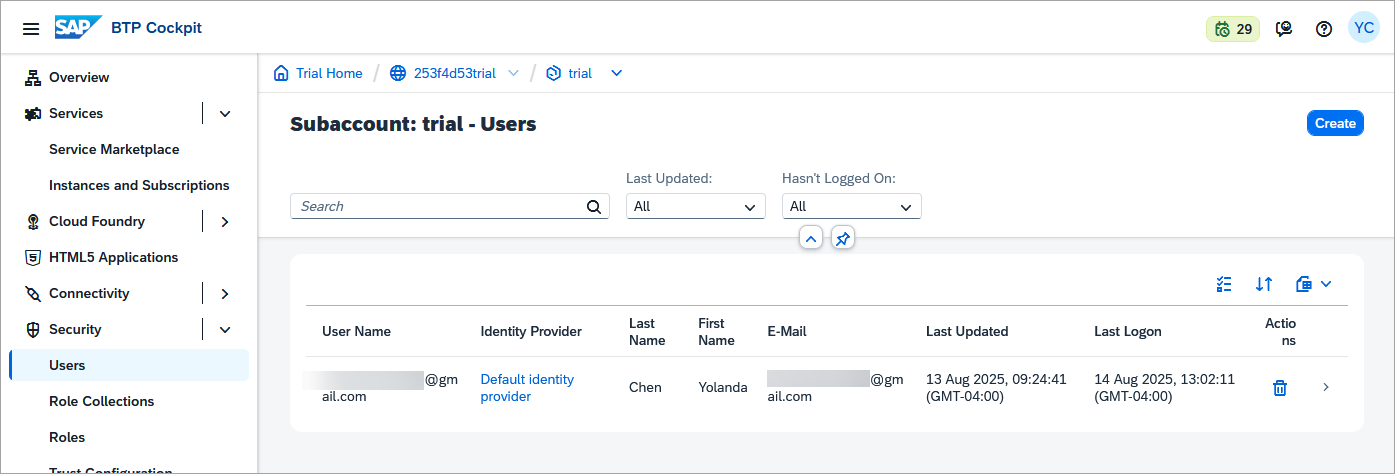
space members Create a command named
ResizeHANACloudStoragein the previously created catalog,Resize SAP HANA Cloud Database, and add the following input keys to the command under the section Contract.Key Name Type Sensitive alertJSONobject no PasswordString yes UserString no 
new command with inputs The values for these keys will be set in step 3 when a trigger from an alert is created for this command.
In the command
ResizeHANACloudStorage, add an output key under the section Contract.Key Name Type Sensitive storageSizeobject no 
new command with output Under Configuration, add an executor.

Add executor Select Here.
Specify the values below.
Label Value Alias getHANACloudDBDetailsCommand GetCfServiceInstanceAutomap Parameters true
Add an executor :1 indicates that this is version 1 of the command.
Select the newly created executor.
Notice that it has a set of input parameters that will need to be set. These values will come from the JSON data of the alert and the previously created input named
BTPTechnicalUser. Asautomap parameterswas enabled, the values for user and password have been set from the command’s input keys.Edit the parameters of
getHANACloudDBDetails.Specify the following values.
Parameter Name Value org $(.execution.input.alertJSON.resource.tags.organizationId)region $(.execution.input.alertJSON.region)serviceInstance $(.execution.input.alertJSON.resource.tags.resourceId)space $(.execution.input.alertJSON.resource.tags.spaceId)includeParameters true
parameters For additional details on the use of the $(…) used above, see Dynamic Expression.
Select the output, then select Edit.

edit the output value Specify the output key named
storageSizeto be$(.getHANACloudDBDetails.output.parameters)Trigger the execution.

trigger the command In the trigger command dialog, under Inputs, enter
BTPTechnicalUser.
trigger dialog Notice that the execution fails as the input parameters to specify which SAP HANA database instance we wish to get details about are missing. These values will be provided in the next step.

failed execution
This step will configure the SAP Alert Notification service to invoke the previously created command when a database alert is received.
Create a new service account named
AutoPiwith Execute permission and Basic Authentication.
Service account from home page 
service account Save the username and password as they will be required in sub-step 3.
This username and password can be used by another service such as the SAP Alert Notification service to trigger an execution of a command.
Under Executions, select Build Event Trigger.

build even trigger Specify the following values.
Tab Name Label Value General Trigger Type Alert NotificationGeneral Command ResizeHANACloudStorageGeneral Input References BTPTechnicalUserMapping Map Event to Command Input Key alertJSONBefore pressing the Close button, copy and save the Event Trigger URL as this value is not available once closed.

build event trigger inputs Open the SAP Alert Notification service UI and create a new action to call the previously created trigger.

create action Provide the following values.
Label Value Action Type SAP Automation PilotName Auto_Pilot_Resize_CommandAutomation Pilot URL value from sub-step 2 Username value from sub-step 1 Password value from sub-step 1 Create three new conditions that will be used to match a create event of a high test alert.

create ANS conditions Provide the following values.
Label Value Name HANA-Test-AlertCondition eventTypeIs Equal ToHDBTestAlertLabel Value Name Severity-ERRORCondition severityIs Equal ToERRORLabel Value Name ANS-Status-CREATECondition tags.ans:statusIs Equal ToCREATE
create condition dialog Update the conditions and action of an Alert Notification service subscription, such as the one created in step 5 of the Alerts in SAP HANA Database and Data Lake tutorial to use the newly created conditions and action.
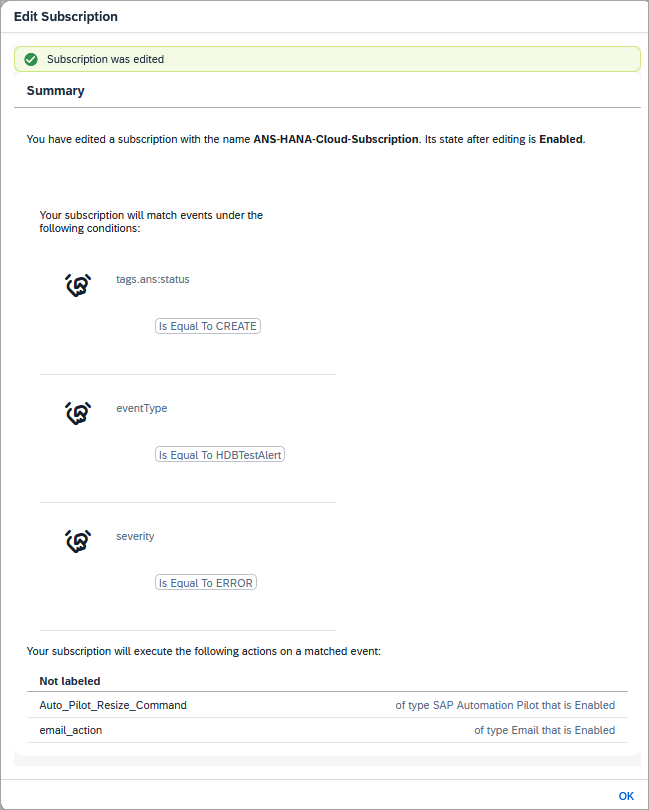
action added to subscription For the purpose of this example, the condition matches
HDBTestAlertrather thanHDBDiskUsageto make it easy to trigger. More details can be found at HDB Test Alert.Note that multiple alerts will be triggered. For example, alerts are sent with a status of CREATE, UPDATE, or CLOSE. Some alerts have different thresholds or severity values such as ERROR, WARNING, or NOTICE. See also Alerts in SAP HANA Cloud.
In the SAP HANA database explorer, trigger the test alert.
SQLCALL _SYS_STATISTICS.Trigger_Test_Alert(?, 4, 'High test alert');An alert will appear in the SAP HANA Cockpit and a notification will be sent to the SAP Alert Notification service. In the SAP Alert Notification service, the previously edited subscription will trigger the command in the SAP Automation Pilot.
Open Executions in the SAP Automation Pilot. Notice that this time, the execution succeeded. Select the just run execution.
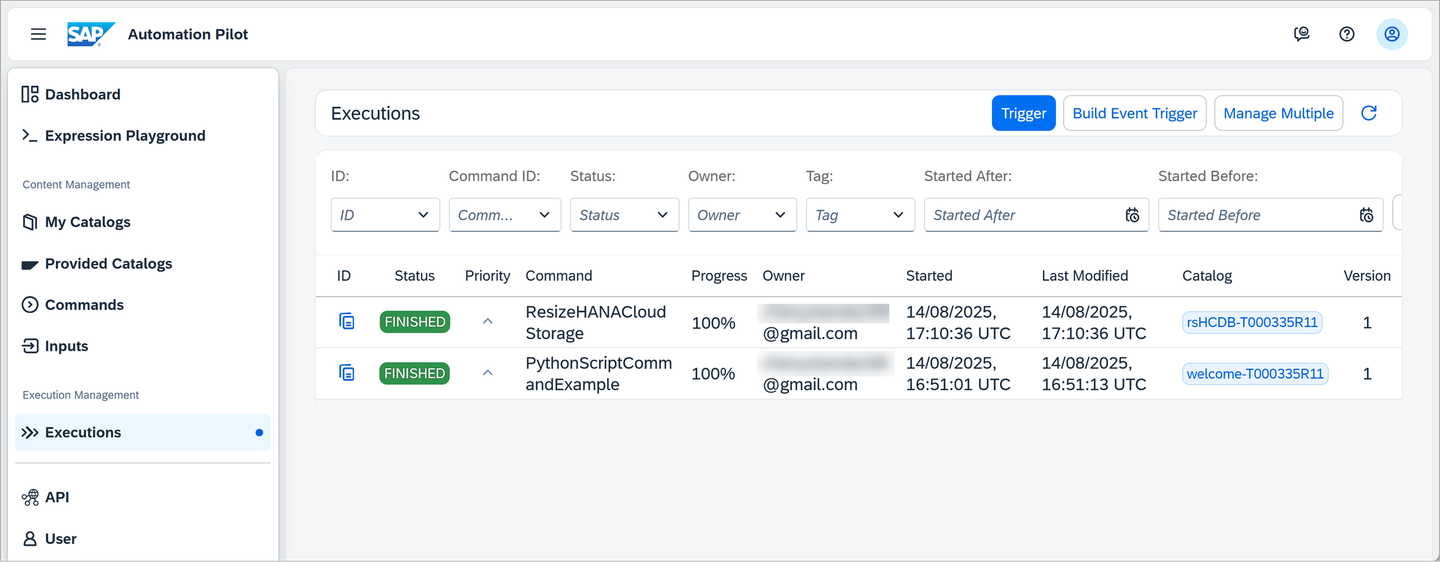
automation pilot executions Examine the input and output values and notice that the input contains the JSON payload from the alert.

automation pilot executions with inputs and outputs As subset of input is shown below.
JSON{ "eventType": "HDBTestAlert", "severity": "ERROR", "category": "ALERT", "subject": "Statistics server test alert", "body": "Test alert for testing statistics server alert handling. This alert can only be triggered by calling the procedure _SYS_STATISTICS.Trigger_Test_Alert.\nHigh test alert", "region": "cf-us10", "regionType": "sap-cp", "resource": { "resourceName": "HC_HDB_Trial", "resourceType": "hana-cloud-hdb", "tags": { "organizationId": "f3894582-...", "resourceId": "296ff33c-...", "spaceId": "d1e245ad-...", } } }The output contains the details of the SAP HANA Cloud database in which the alert came from including the current storage size of the database instance.
A subset of the output is shown below.
JSON[17]{ "data": { "edition": "cloud", "enabledservices": { "scriptserver": false }, "extensionservices": [ { "enabled": false, "name": "ConnectivityProxy", "whitelistIPs": [ "0.0.0.0/0" ] } ], "memory": 30, "storage": 120, "updateStrategy": "withRestart", "vcpu": 3, "whitelistIPs": [ "0.0.0.0/0" ] }, }
This step will add an executor to calculate a new storage size for the SAP HANA instance based on its current size and will then use a provided command to request the SAP HANA Cloud database to increase its storage size.
Note that a trial or free-tier instance does not provide an option of changing the storage size of the provisioned SAP HANA Cloud database.
This example is for demonstration purposes only. Consult the SAP HANA Cloud Capacity Unit Estimator for further details on how the storage size affects capacity units. It is not possible to decrease the storage size. For additional details see Managing SAP HANA Database Instances.
In the SAP Automation Pilot, open the command
ResizeHANACloudStorageand add an executor.Select the Here before the output and specify the values below.
Label Value Alias calculateNewStorageSizeCommand ExecuteScript (Version: 2)Automap Parameters trueSelect the newly created executor and choose to edit its parameters.
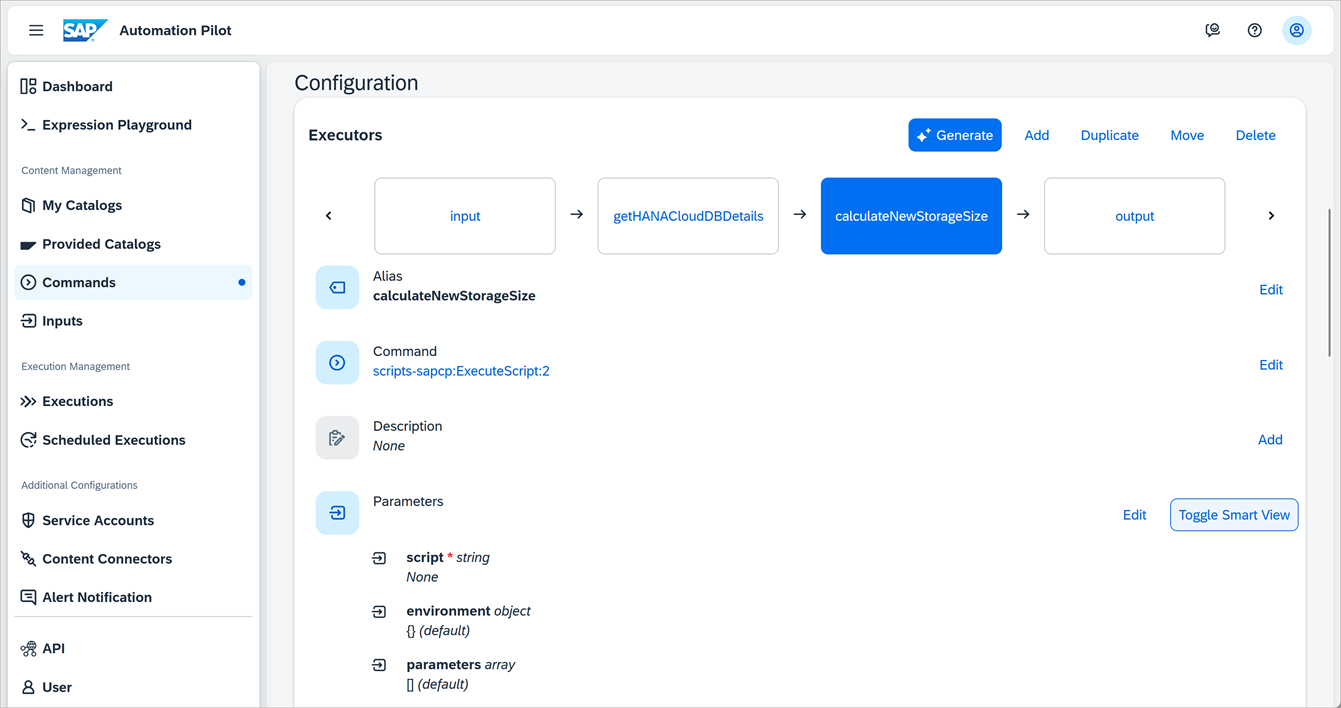
edit parameters Specify the following for the script.
Python#!/usr/bin/env python3 import json import sys input = sys.stdin.read() parameters = json.loads(input) #If you wish to test this without actually doing the resize, change +40 to -1 storageParameter = {'data': {'storage': parameters['data']['storage'] + 40}} print(json.dumps(storageParameter))Under STDIN, specify
$(.getHANACloudDBDetails.output.parameters).
STDIN With the above changes, the command will take (as its input through STDIN) the JSON data passed from the alert containing the current storage size of the SAP HANA database instance. It will also write out a JSON string that indicates a new size.
Select output, click on Edit, and then set it’s value to
$(.calculateNewStorageSize.output.output[0]).Optionally, in the SAP HANA database explorer, trigger the test alert.
SQLCALL _SYS_STATISTICS.Trigger_Test_Alert(?, 4, 'High test alert');When the execution completes, the output should contain the JSON input for the new storage size.
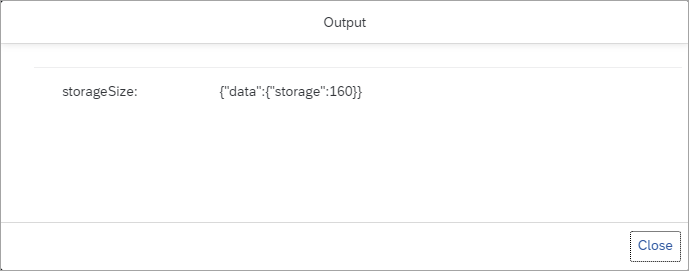
storage size output For additional examples of updates that can be made see Using the Cloud Foundry CLI with SAP HANA Cloud.
Open the command
ResizeHANACloudStorageand add an executor.Select Here before the output and specify the values below.
Label Value Command cf-sapcp:UpdateCfServiceInstance:1Alias resizeHANADBStorageSizeAutomap Parameters trueSelect the newly created executor and choose to edit its parameters.
Specify the following values.
Parameter Name Value org $(.execution.input.alertJSON.resource.tags.organizationId)region $(.execution.input.alertJSON.region)serviceInstance $(.execution.input.alertJSON.resource.tags.resourceId)space $(.execution.input.alertJSON.resource.tags.spaceId)deadline 30parameters $(.calculateNewStorageSize.output.output[0])In the SAP HANA database explorer, trigger the test alert.
SQLCALL _SYS_STATISTICS.Trigger_Test_Alert(?, 4, 'High test alert');Examine the completed execution. Click Show to view the output value.

execution finished The new storage size is displayed.
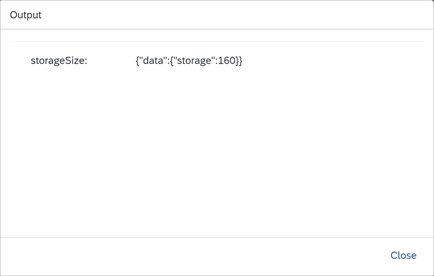
new storage size pop-up The updated storage size will also be visible in SAP HANA Cloud Central.

SAP HANA Cloud Storage Note that there may be restrictions on how often an instance can have its storage resized within a period of time. There may be downtime required. For additional details see Change the Size of a SAP HANA Database Instance Using the CLI.
Now that the test of this command was successful using the
HDBTestAlert, disable the action in the subscription in the SAP Alert Notification service or change the condition in the subscription to useHDBDiskUsage.
Additional details on this alert can be found at HDB Disk Usage. By default, the disk usage alert will create an alert with severity ERROR on 98 % disk usage, which then triggers a storage increase of 40 GB.
update event type
Congratulations! You have now created a command in SAP Automation Pilot that can be used to take action to resolve the alert that triggered the execution of the command.
Resources
Discussion
Share feedback on this tutorial or join the conversation in SAP Community.