
Overview
You will learn
- How to use the SAP BTP cockpit as a graphical tool to provision your instance
- How to use the Command Line Interface (CLI) for Cloud Foundry to check the creation progress of your instance


Prerequisites
Prerequisites
- This tutorial is designed for SAP HANA service for SAP Business Technology Platform. Consider newer tutorials designed for SAP HANA Cloud.
- You have a productive account with entitlement to the SAP HANA service for SAP BTP in SAP BTP, Cloud Foundry environment
- You have downloaded and configured the Command Line Interface
Steps
Intro
This tutorial cannot be completed with a trial account.
Open Google Chrome and navigate to the SAP BTP cockpit. Click Log On.

Log in with your username and password.

Close the News and announcements popup if it appears.
Click on Cloud Foundry.

Click on the subaccount.

Click on Spaces.
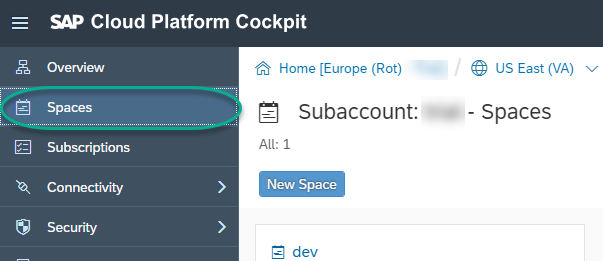
Click on the dev space.

Navigate to Services -> Service Marketplace. Click on SAP HANA Service.

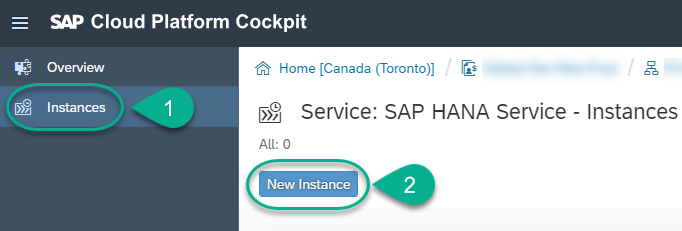
Navigate to Instances. Click on New Instance.
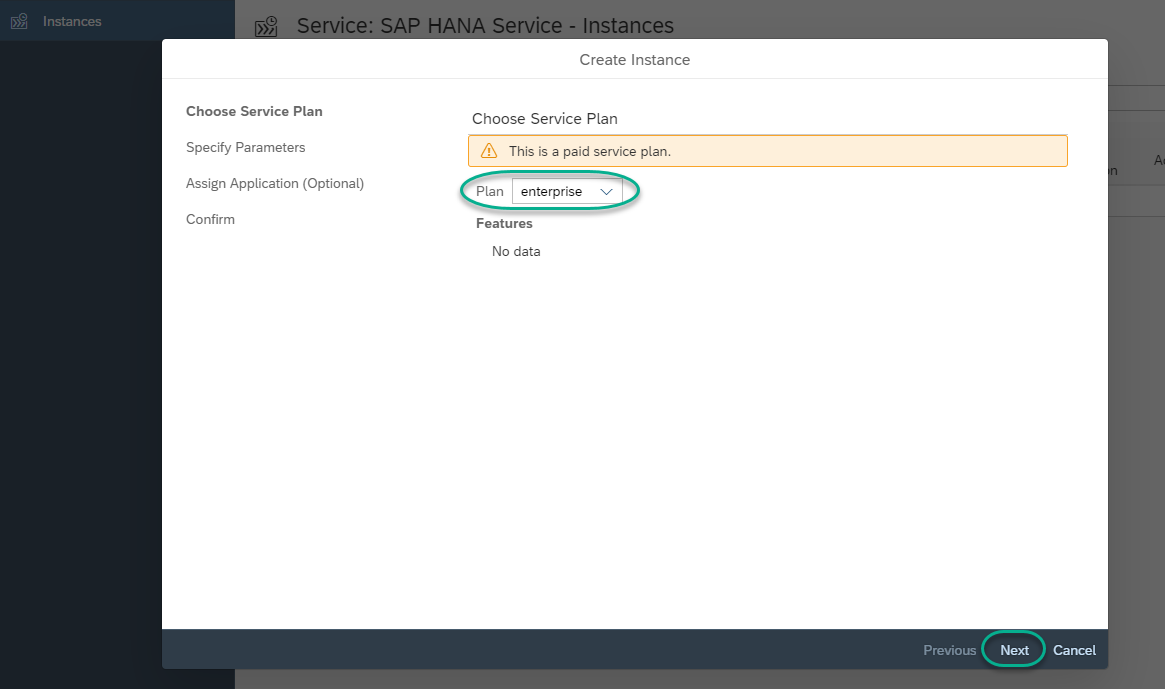
Choose enterprise as your plan and then click Next.
Set HanaRocks1 as a password. Click Next.
Note: This is just a sample password. We recommend choosing a password you will remember as you will not be able to reset it if you forget.

When prompted to bind an application, leave (None) and click Next.
Note: No binding would happen for the database.

Use HDB for the Instance Name. Click Finish.
Note: This is just a sample name for the database.

When prompted, click OK.

The creation of the instance will be in progress.

The service could also be created using the Command Line Interface for Cloud Foundry. Here is a sample command in a Windows console:
Shellcf create-service hana-db enterprise HDB -c { "productProperties": { "hcu": "2", "SourceIP": "", "scriptserver": true, "dpserver": true, "docstore": true, "SystemPassword": "HanaRocks1" }}Check the SAP Help for more information about creating service instances using the command line interface.
Use the following commands to list the available services and check the status of your own database being provisioned:
Shellcf services cf services HDB

Resources
Discussion
Share feedback on this tutorial or join the conversation in SAP Community.