
Create a Calculation View with Differential Privacy in SAP Web IDE
Use differential privacy to anonymize confidential data
Overview
You will learn
- How to create Calculation View of type Cube using SAP Web IDE
- How to configure differential privacy to add noise to a column


Prerequisites
Prerequisites
- This tutorial is designed for SAP HANA service for SAP Business Technology Platform. Consider newer tutorials designed for SAP HANA Cloud.
- You have completed the previous tutorials to load data into the table
TGT_SALARIES
Steps
Intro
This tutorial cannot be completed with a trial account.
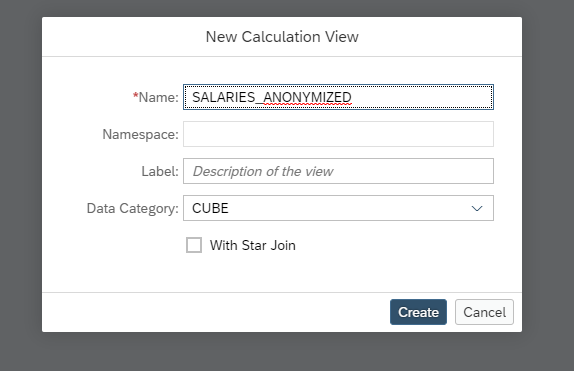
Create a new folder called models under db/src. Create a new Calculation View and call it SALARIES_ANONYMIZED
Click on the anonymization node and then click on the white canvas to drop it.

Use the
TGT_SALARIES

Double click on the Anonymize_1 node. This will open the mapping. Double click on TGT_SALARIES to add all of the columns to the output

Click Details and switch k-anonymity to Differential Privacy
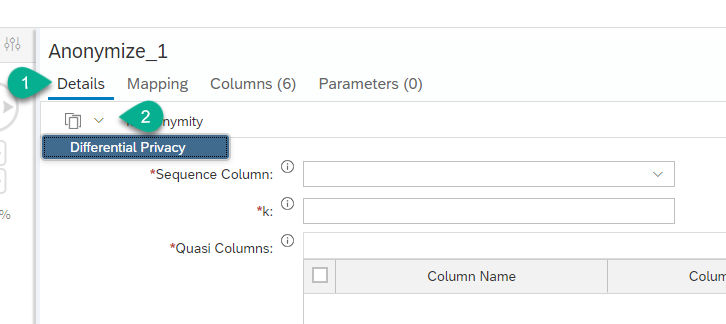
Configure the following parameters for anonymity
- Sequence Column: ID
- Epsilon: 0.1
- Sensitivity: 15000
- Noised Column: SALARY
For example:

For more information about these parameters check the SAP HANA Security Guide
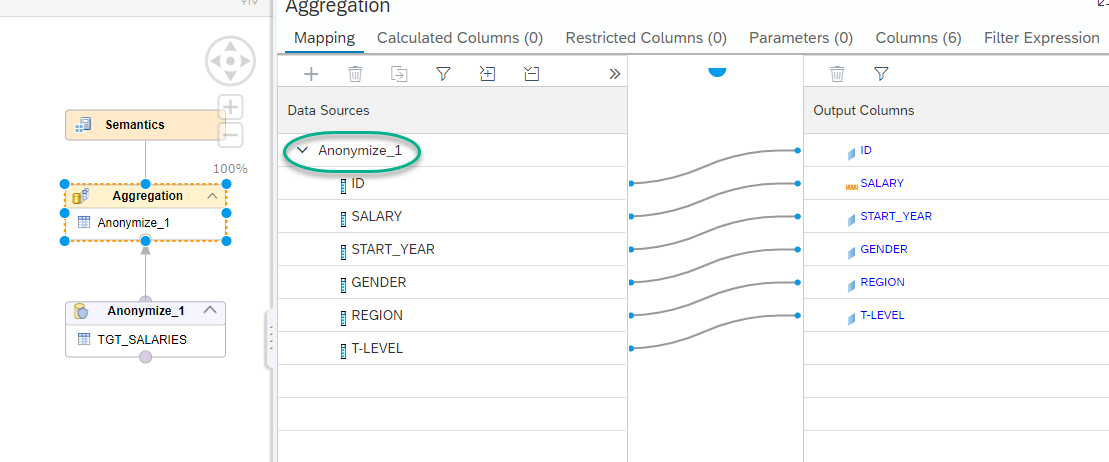
Connect the Anonymize_1 node to the Aggregation node.

Double-click on the name of the node to move all the fields into the output columns.
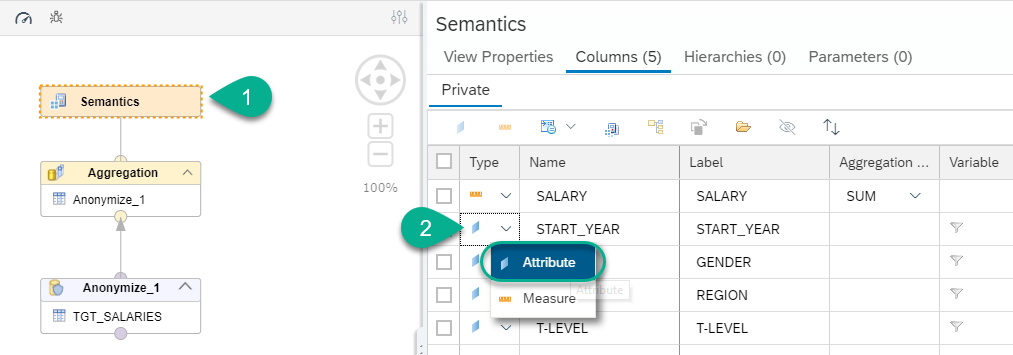
Go into the Semantics node and switch START_YEAR to attribute
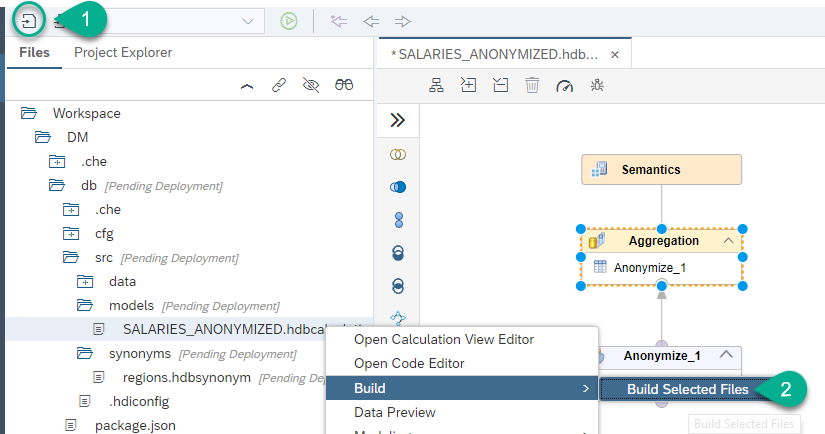
Save and Build the calculation view
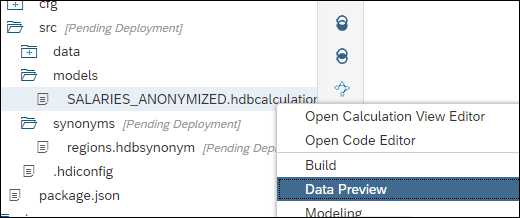
Right-click on it and choose Data Preview
Click Raw Data and you will see the anonymized data:
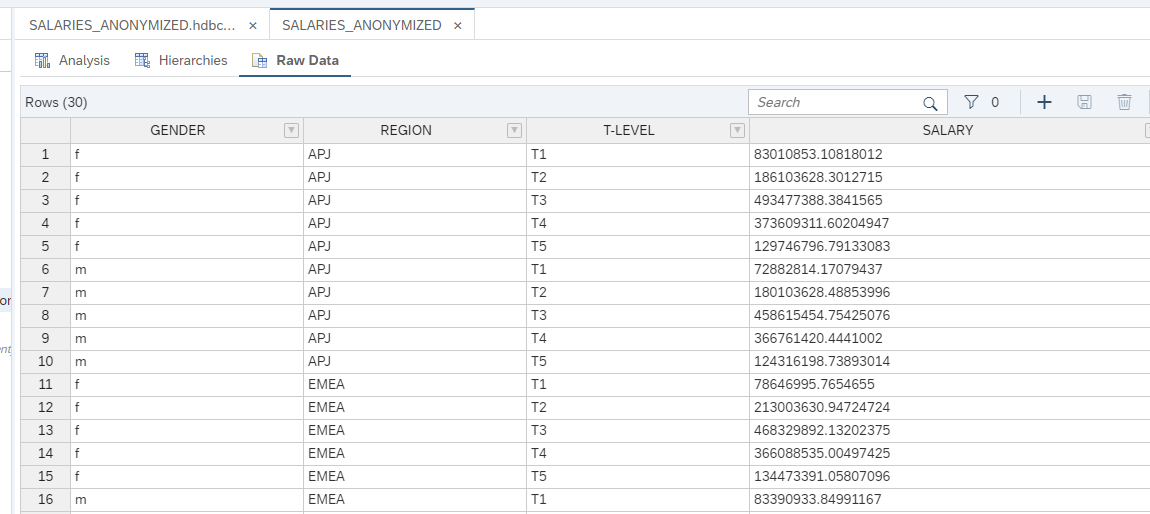
See the negative salaries? The added noise guarantees privacy while keeping sum and average results similar to the original dataset.
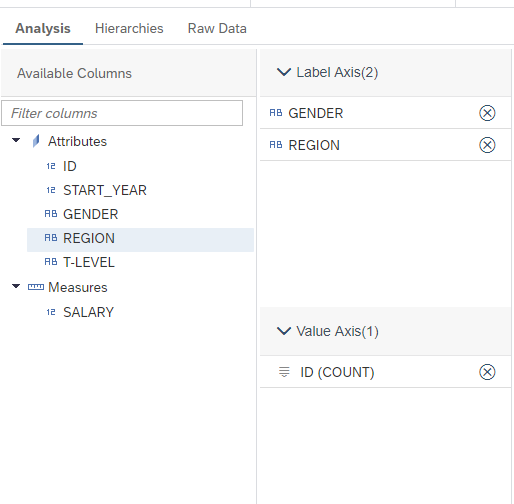
Use the Analysis tab and drag the GENDER and REGION fields to the label axis and ID to the Value axis.
Change the aggregation for SALARY to COUNT to answer the question below.
If you have a tenant in SAP Analytics Cloud or a reporting tool such as Analysis for Office, you can configure the SAP HANA Analytics Adapter. The adapter is a Java application that exposes Calculation Views for consumption through Information Access (or InA).
Follow the steps in the following blog post if you want to set up the HANA Analytics Adapter: https://blogs.sap.com/2019/04/24/connecting-the-sap-hana-service-on-cloud-foundry-to-sap-analytics-cloud-the-lazy-approach-pt1/
Resources
Discussion
Share feedback on this tutorial or join the conversation in SAP Community.