
Set Up SAP Build Work Zone, standard edition Using the Free Tier Model for SAP BTP
Get started with building a site in SAP Build Work Zone, standard edition using the free tier option.
Overview
You will learn
- How to manage entitlements in SAP Build Work Zone, standard edition
- How to subscribe to SAP Build Work Zone, standard edition
- How to assign the
Launchpad_Adminrole to your user - How to access SAP Build Work Zone, standard edition


Prerequisites
Steps
Prerequisite
Before you can follow this tutorial, you need to first get a SAP BTP subaccount with a Free Tier Service plan. To obtain it, please follow: Get an Account on SAP BTP to Try Out Free Tier Service Plans.
When following the above tutorial, please use these values:
- Step 8 - Create a subaccount: Choose
Europe (Frankfurt)as the region and enterJobCore EMEAas the subaccount display name. - Step 9.5 - Assign entitlements for the Cloud Foundry environment: Select
SAP Build Work Zone, standard editionas the service and select theFreeplan. - Step 11 - Create a space: Enter
devas the name of your space.
Intro
If you’re using a production environment, you should have a subaccount configured. If you don’t have a configured subaccount, refer to this topic: Initial Setup.
The free tier service plan enables you to easily upgrade to paid service plans without losing prior work.
Entitlements are your right to provision and consume a resource. They refer to what you’re entitled to use (e.g., which services and service plans). To use the free tier plan for SAP BTP, you must first entitle your subaccount for the free plan.
In your global account, navigate to Entitlements > Entity Assignments.

Open Entitlements In the Select Subaccount and Directories dropdown list, choose the
JobCore EMEAsubaccount that you want to assign entitlements to, and click Select.
Select entities You’ll see a table for the subaccount with all the entitlements it already has.
Click Edit.

Click edit Click Add Service Plans.

Add Service plan Search for SAP Build Work Zone, standard edition, check the free (Application) plan that you want to entitle and then click Add 1 Service Plan.

Add Service plan Click Save.
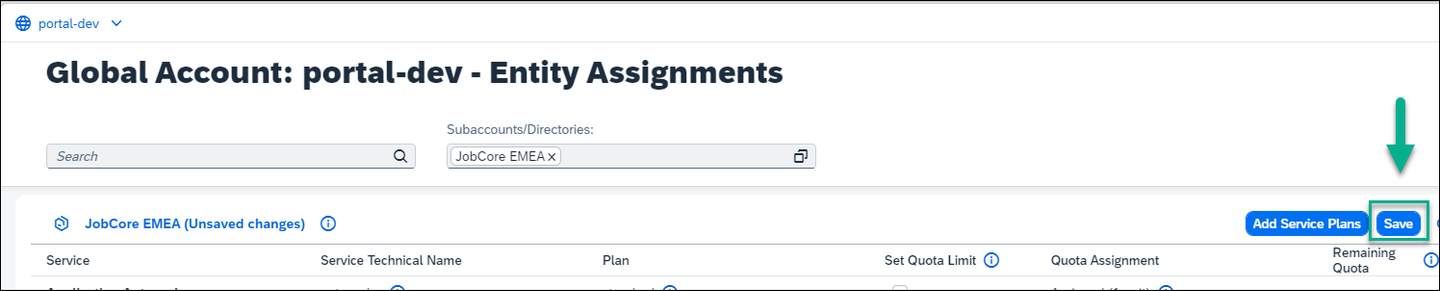
Save
Now that you’ve entitled your subaccount for the free plan, you will subscribe to SAP Build Work Zone, standard edition.
From the Account Explorer, search for and open your
JobCore EMEAsubaccount.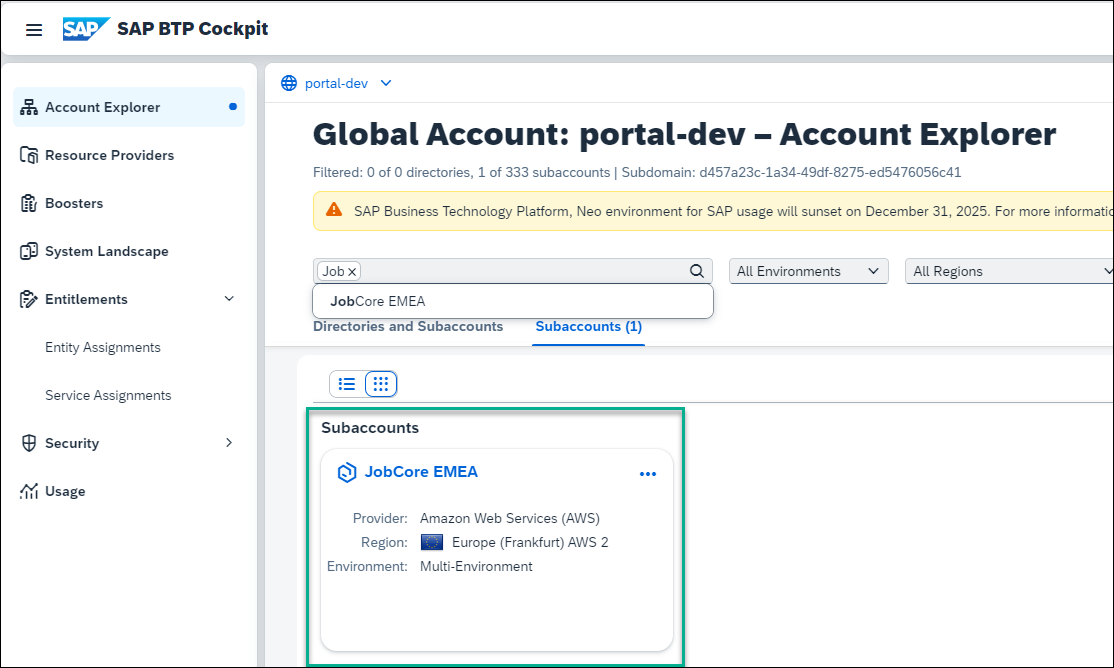
Open subaccount Select Services > Service Marketplace.
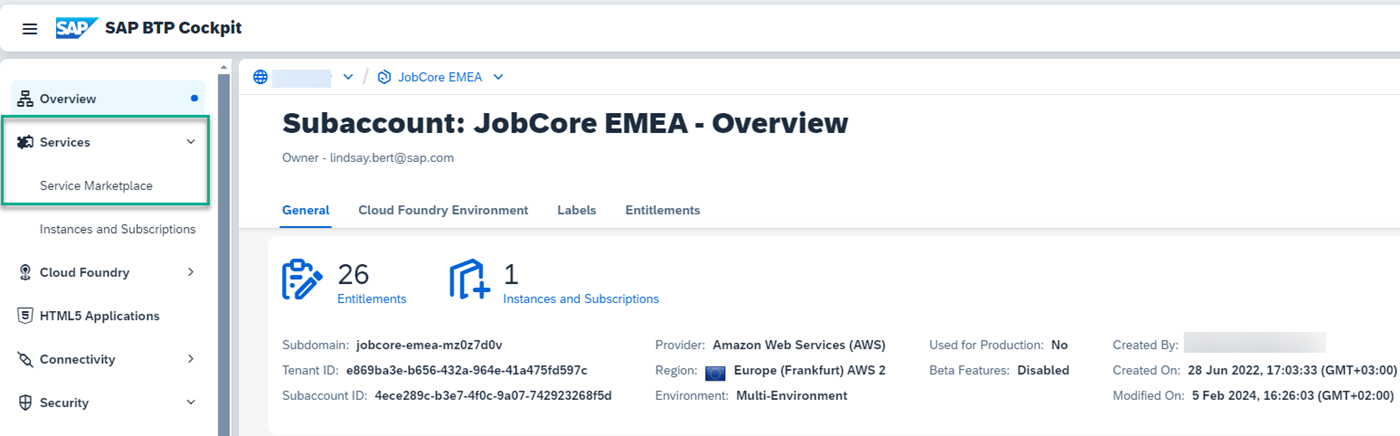
Go to service Marketplace Enter
SAP Buildin the search field to search for the SAP Build Work Zone, standard edition tile.
Find launchpad tile Click the tile to get information about the service and then click Create in the top right corner to subscribe to the service.
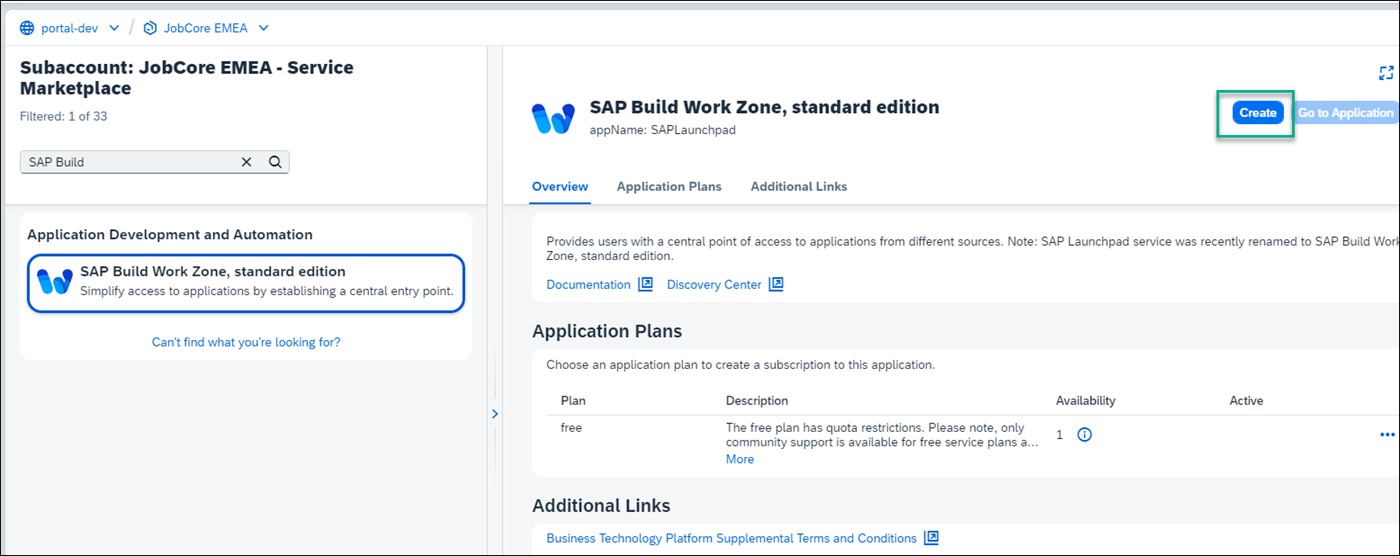
Create subscription From the popup you’ll see that your plan is free. Click Create.

Subscription details You are informed that your request for a new subscription is in process. Click View Subscription to view the Subscribed status on the Services and Instances page.

View Subscription
To be able to access SAP Build Work Zone, standard edition, users must be assigned to the Launchpad_Admin role. In this step, you’ll assign yourself to this role so that you can access the service and create a site.
Click Role Collections from the side menu.

Open role collections In the search field start typing
Launchpadto find theLaunchpad_Adminrole collection.
Search for launchpad admin Click the
Launchpad_Adminrole collection to see all its details.
Open role collection Click Edit

Click Edit Under the Users tab, enter your email in both the ID and the E-Mail fields. Then click Save.
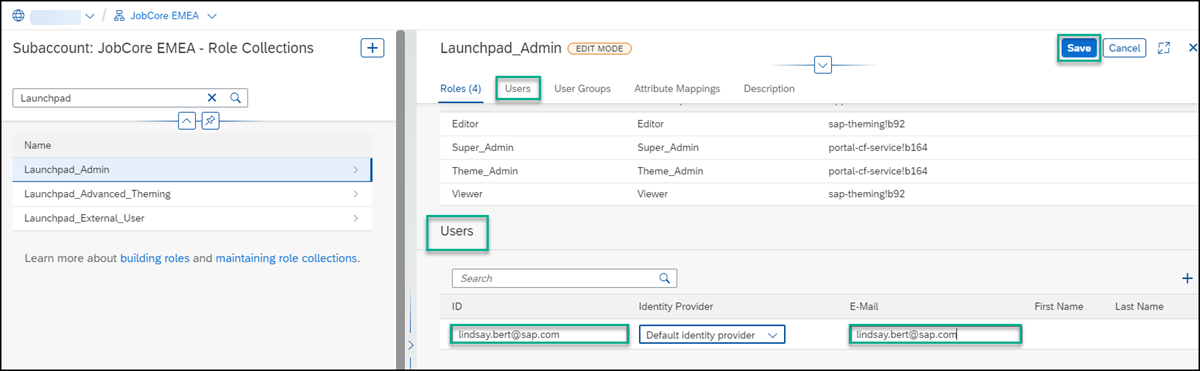
Add emails You’ve now been assigned to the
Launchpad_Adminrole collection and you can access SAP Build Work Zone, standard edition and carry out all your admin tasks.Note that it may take a few minutes for the admin role assignment to take effect. Until it does, you may get an “Access Denied” error when you click Go to Application in the next step.
From the side panel, click Instances and Subscriptions.
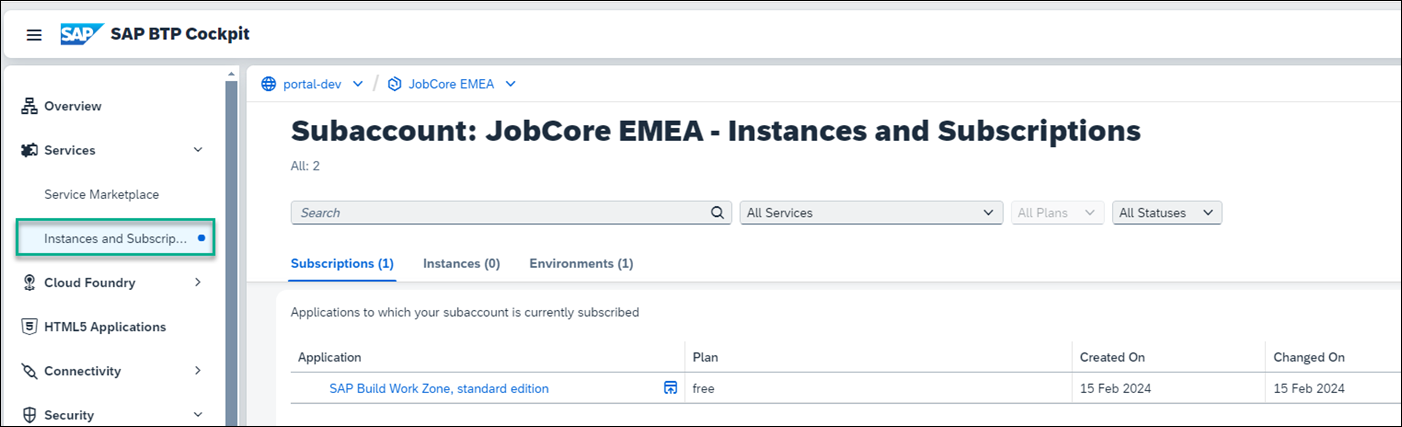
Open Subscriptions Under the Subscriptions tab, click SAP Build Work Zone, standard edition or you can click Go to Application on the right.

Go to application The Site Directory opens where you’ll create and manage your sites.

Resources
Discussion
Share feedback on this tutorial or join the conversation in SAP Community.