
Overview
You will learn
- How to use Business Rules APIs
- How to test Business Rules project


Prerequisites
Prerequisites
- You have created the business rules project and deployed the rule service. For more information, see Create Your First Business Rules Project.
Steps
Intro
After a rule service is deployed to a custom application, the rule service should be invoked to implement the decision logic. In this tutorial, we will simulate the rule service invocation by invoking the rule service from SAP API Business Hub.
Business Rules REST APIs are available on SAP API Business Hub which lets you execute rules from custom applications and external REST clients. Since these APIs are based on OAuth 2.0 authorization, you need the client credentials to access them. You get the client credentials from the service key of the business rules service instance.
Log on to SAP API Business Hub

API Hub Homepage In the search bar, search for Business rules. From the search results, select the API package for SAP Business Rules Service.

Search bar Choose the Rule Execution API for Cloud Foundry tile of Version v2.
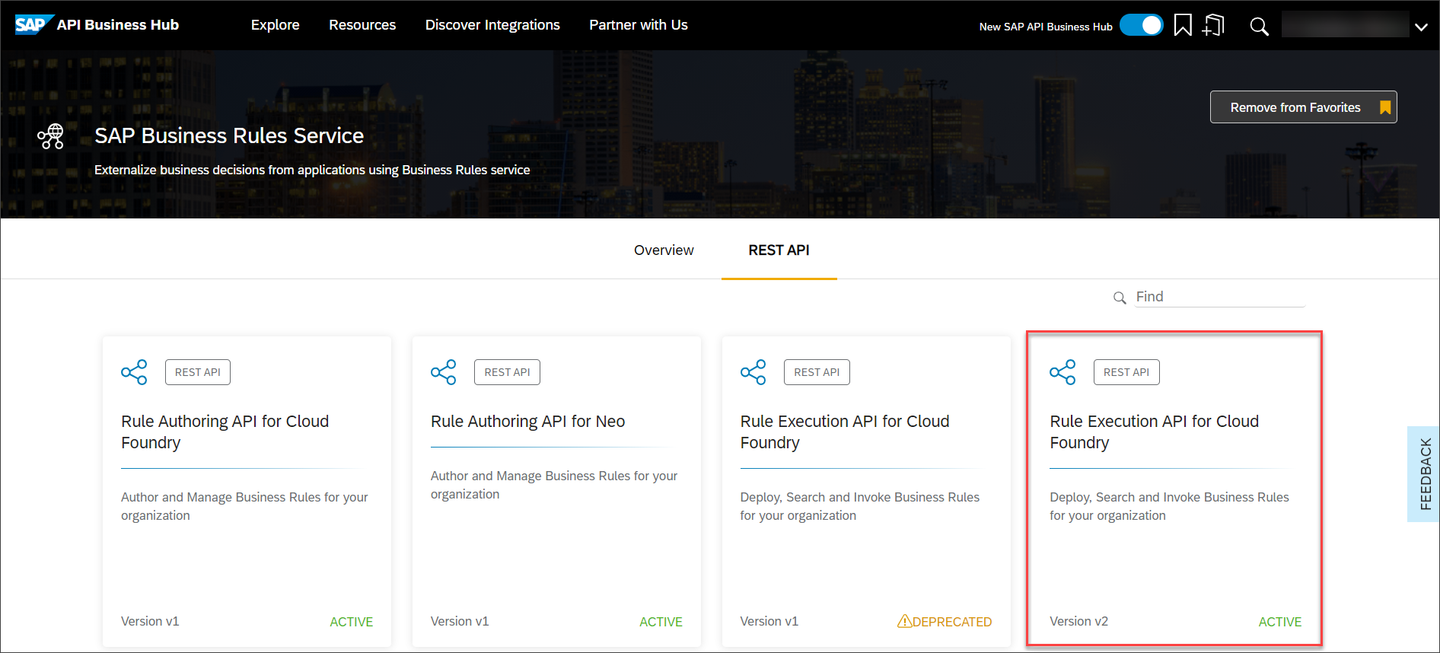
Rule Execution API tile Choose Try out to execute the APIs.
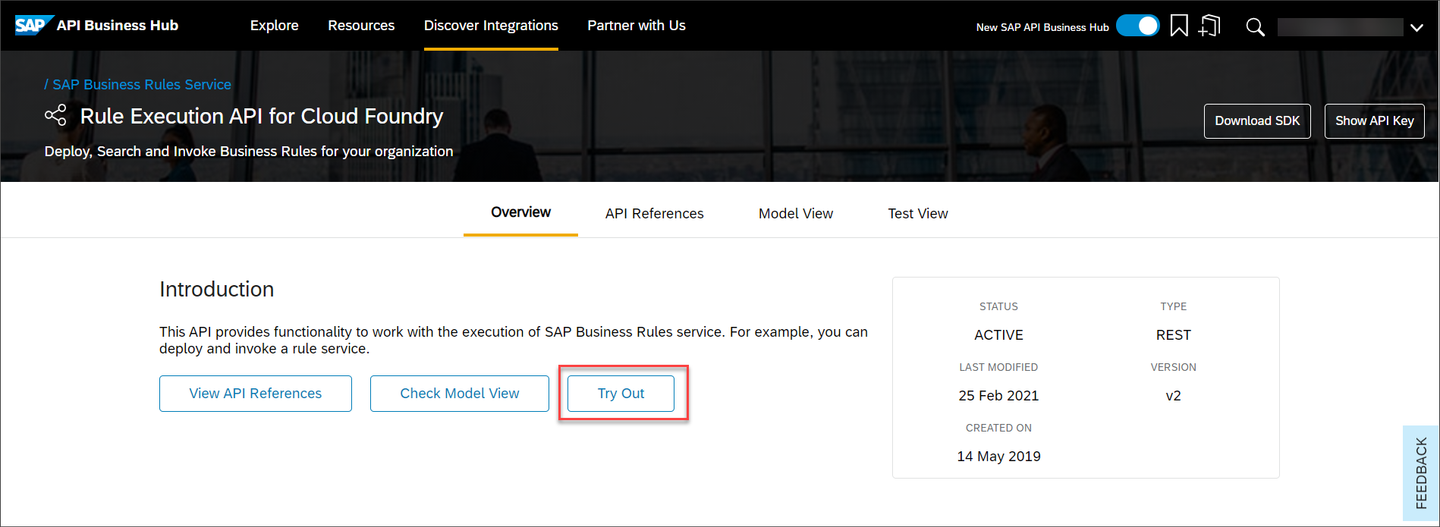
Try out
To try out the APIs, you need to configure your trial environment on SAP API Business Hub. The communication between a REST client (SAP API Business Hub in this case) and the service is achieved via a service instance. You can use the service keys to generate credentials to communicate with a service instance. Since Business Rules APIs are based on OAuth 2.0 authentication, you need to configure the environment using the service key parameters or the client credentials.
Log on to SAP BTP Cockpit.
Choose Enter your trial account.

Log on screen Choose the trial subaccount where you have the Workflow Management service subscription.

subaccount From the navigation menu, choose Instances and Subscriptions. Under Instances, choose the Credentials to open the service key of the
wm_business-rulesservice instance.
service instances From the service key, note the following parameters required for configuring the environment:
clientidclientsecreturl

service key parameters
Configure the environment using the service key parameters or the client credentials determined in step 2.
Go to SAP API Business Hub and then choose Add New Environment.
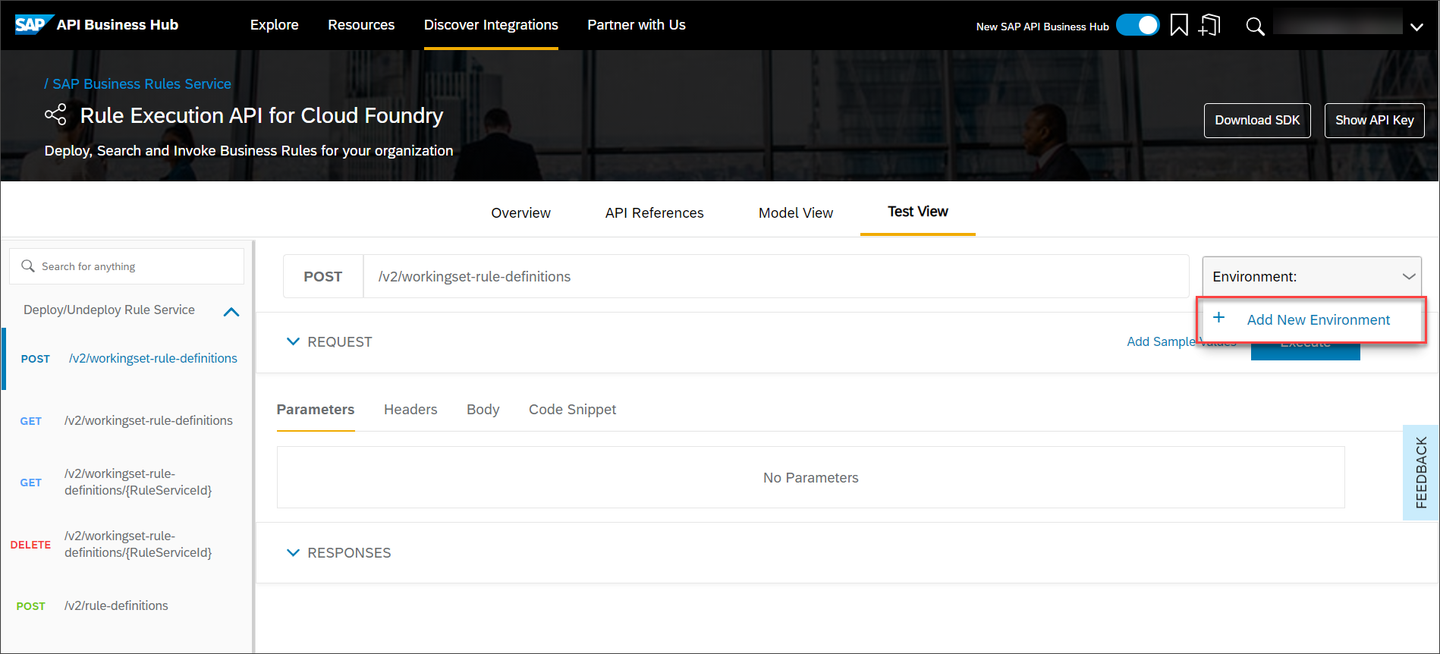
Configure environment In the Configure New Environment window, provide the following details:
Under Basic Information section:
Field Name Value Display NameTrialRuntimeurlbpmruleruntime.cfapps.eu10.hana.ondemand.com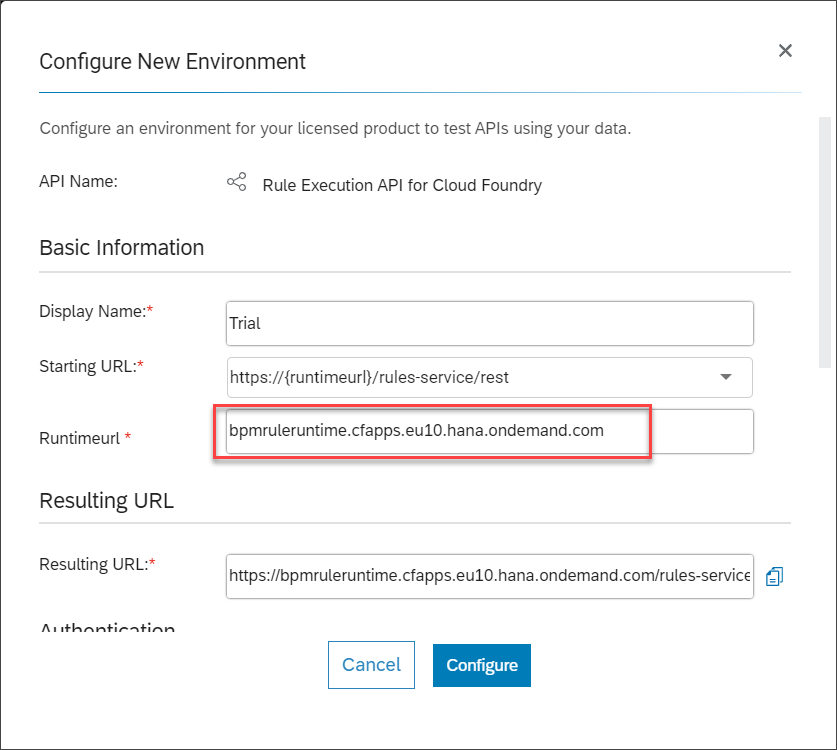
Configure environment Under Authentication section:
Field Name Value Client IDclientidClient SecretclientsecretToken URLurlEnter the token URL without
https://. For example, if the token URL in the service key ishttps://<trial ID>.authentication.eu10.hana.ondemand.com, then enter<trial ID>.authentication.eu10.hana.ondemand.com.Then, choose Configure.
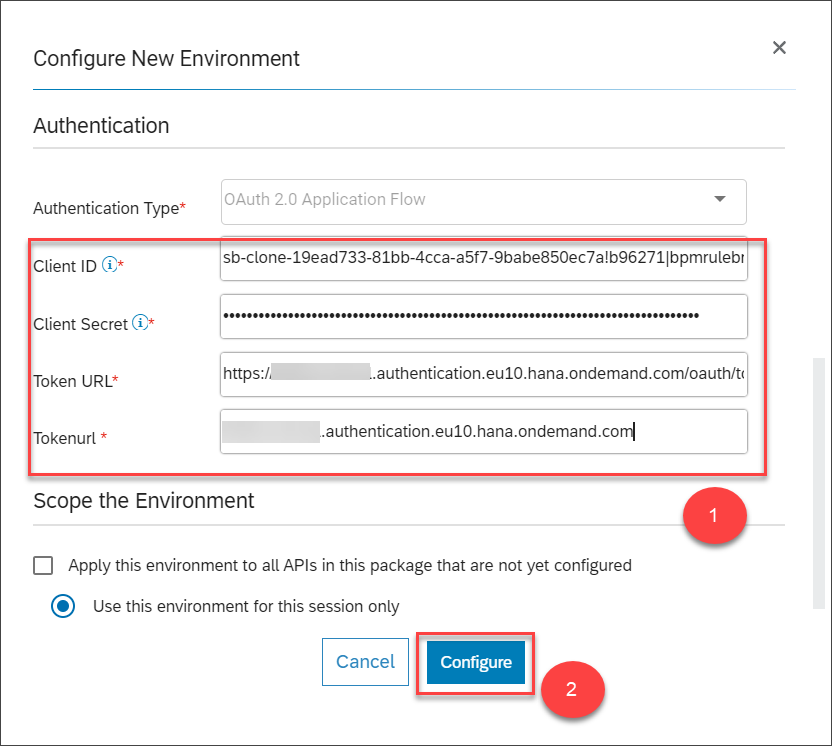
Configure environment
Fetch the ID of the
DetermineEquipmentRuleservicerule service from Manage Rule Projects application. This is a required parameter in the body JSON payload of the API.In the Rule services tab, choose Settings icon.
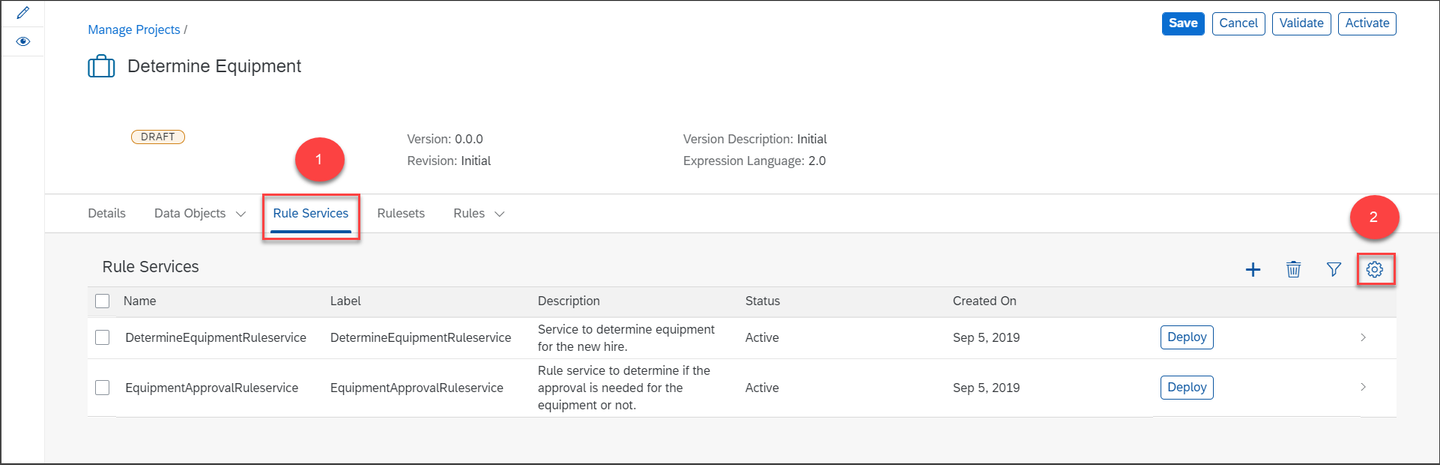
Configure environment Select ID and choose OK.

Configure environment Copy the ID of the
DetermineEquipmentRuleservicerule service.
Configure environment In SAP API Business Hub, select Invoke a Rule Service API and then choose
/v2/workingset-rule-services. Paste the rule service ID in place of<rule-service-ID>in the following JSON payload and copy it to the Body of the API:JSON{ "RuleServiceId": "<rule-service-ID>", "Vocabulary": [ { "Employee": { "IsFullTimeEmployee": true, "countryofCompany": "USA", "jobTitle": "Engineer II", "company": "ACE_USA" } } ] }Then choose Run.

Configure environment Observe the API response in the response body of the API. You can view the equipment assigned to the employee.

Configure environment Similarly, fetch the ID of
EquipmentApprovalRuleservicefrom Manage Rule Projects application like in Step 3.1.Paste the rule service ID in place of
<rule-service-ID>in the following JSON payload and copy it to the Body of the same API:JSON{ "RuleServiceId": "<rule-service-ID>", "Vocabulary": [ { "Equipment": { "TotalAmount": 780 } } ] }Observe the API response in the response body of the API.

Configure environment You also try changing the rule logic or the JSON payload values to see different results.
Resources
Discussion
Share feedback on this tutorial or join the conversation in SAP Community.