
Overview
You will learn
- How to access your SAP BTP account
- What are interactive guided boosters
- How to use the Set up account for Service Ticket Intelligence booster to assign entitlements, update your subaccount (or create a new one), create a service instance and the associated service key for Service Ticket Intelligence


Prerequisites
Prerequisites
- You have created an account on SAP BTP to try out free tier service plans: Get an Account on SAP BTP to Try Out Free Tier Service Plans
- You are entitled to use the Service Ticket Intelligence service: Manage Entitlements Using the Cockpit.
Steps
Open the SAP BTP cockpit.
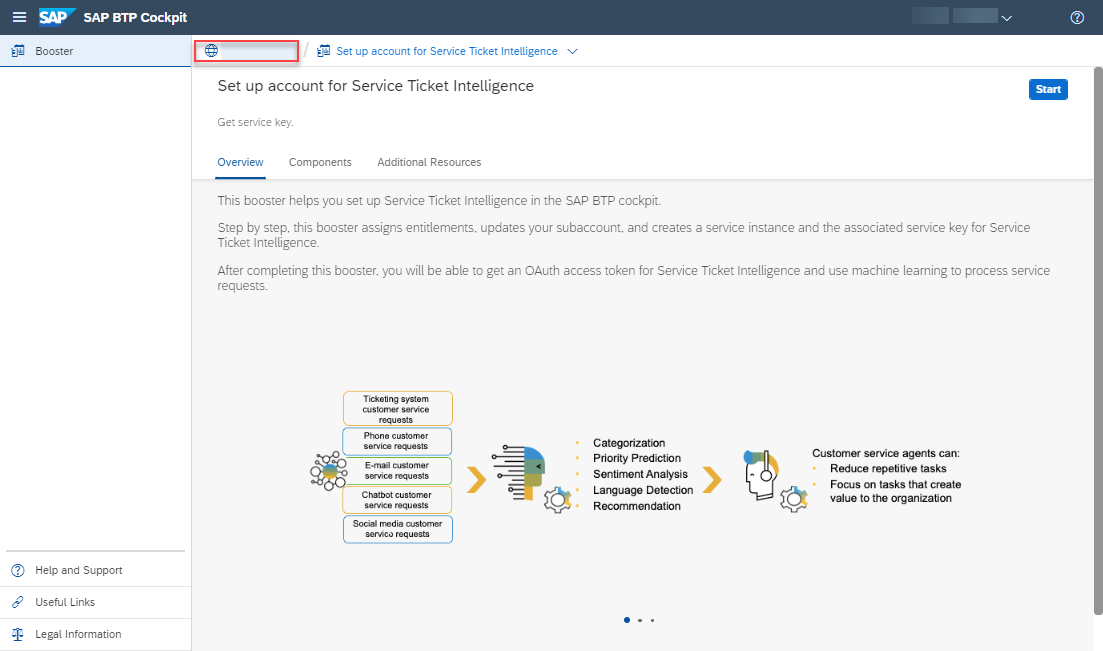
Access your global account.
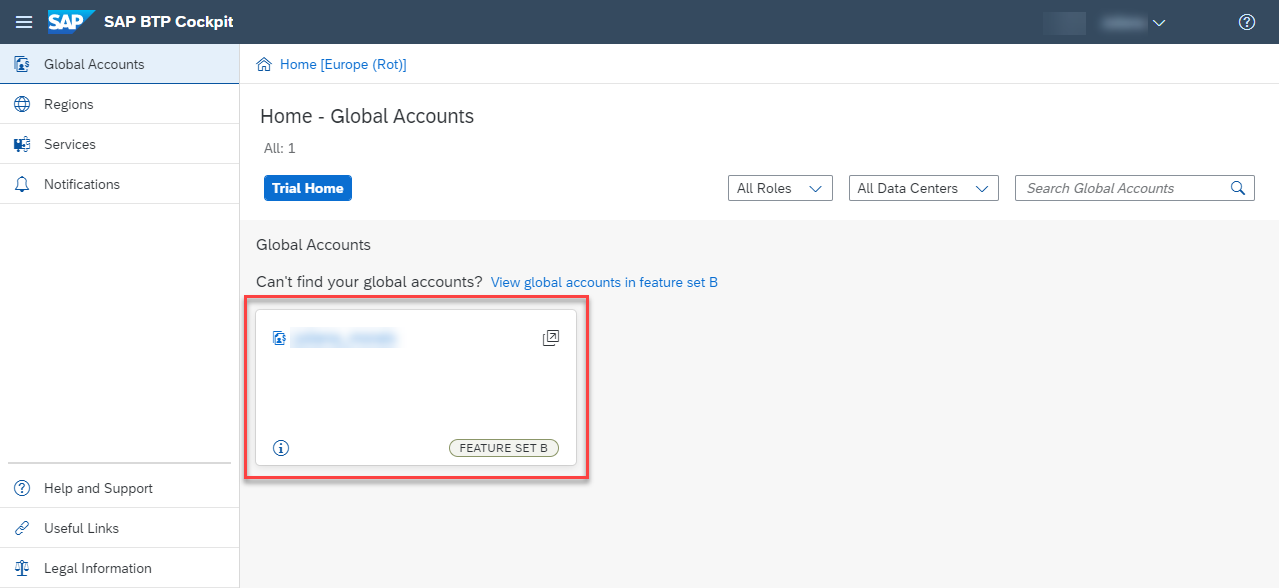
global account
SAP Business Technology Platform creates interactive guided boosters to automate cockpit steps, so users can save time when trying out the services.
Now, you will use the Set up account for Service Ticket Intelligence booster to automatically assign entitlements, update your subaccount, create a service instance and the associated service key for Service Ticket Intelligence.
On the navigation side bar, click Boosters.

Service Key Search for Service Ticket Intelligence and click the tile to access the booster.
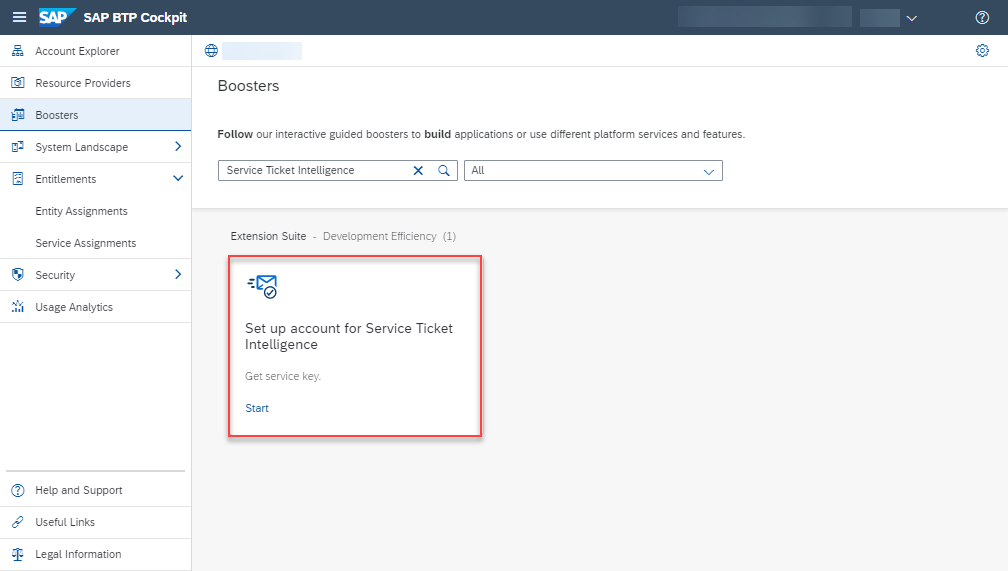
Service Key Click Start.

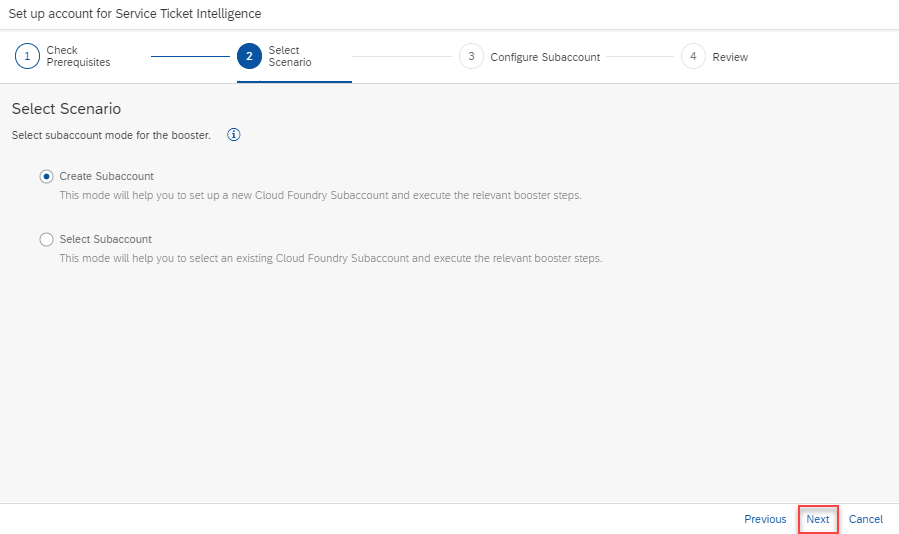
Service Key Click Next.

Service Key If you want to create a dedicated subaccount for the service instance, choose Create Subaccount. If you want to use an already created subaccount, choose Select Subaccount (the selection comes in the next step). For this tutorial, we’ll create a dedicated subaccount. When you’re done with the selection, click Next.
Service Key Choose the free plan. You can also rename the subaccount to
sti-free-tier-service-plan-tutorial, for example. Choose the region closest to you. For this tutorial, we’ll use Europe (Frankfurt). Click Next.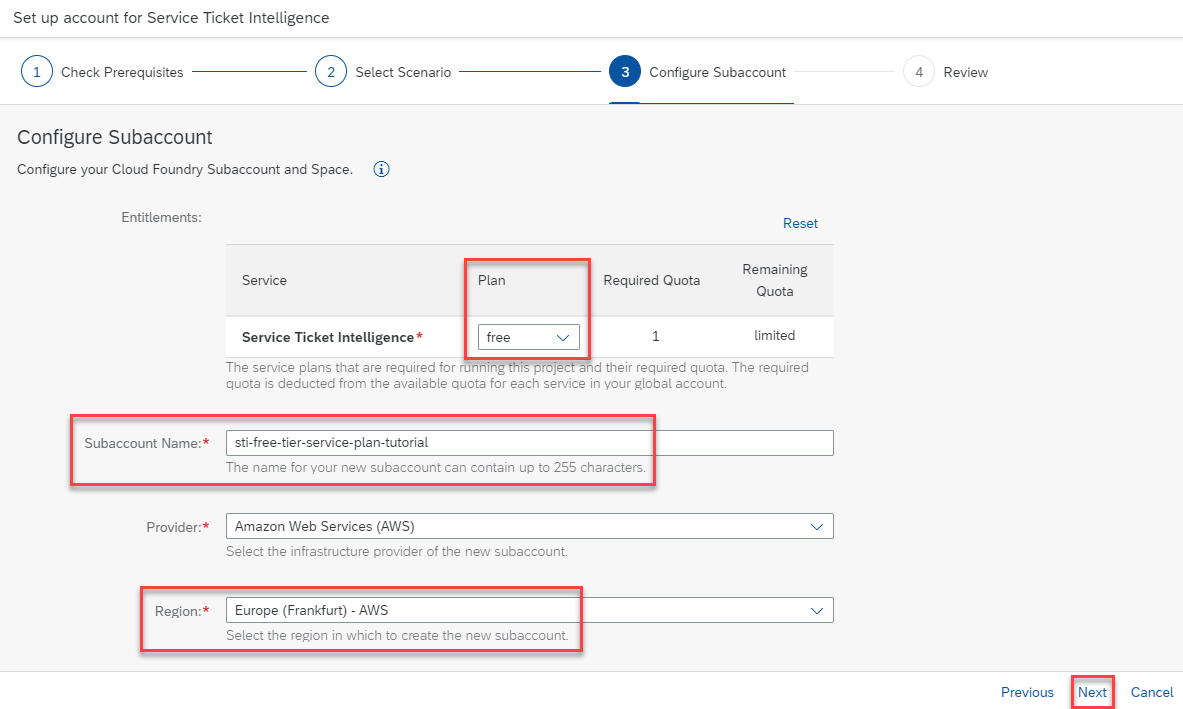
Service Key You can also perform this tutorial series using the
blocks_of_100service plan. For that, choose theblocks_of_100plan in this step (instead of free). For more information on the service plans available for Service Ticket Intelligence, see Service Plans.Click Finish.
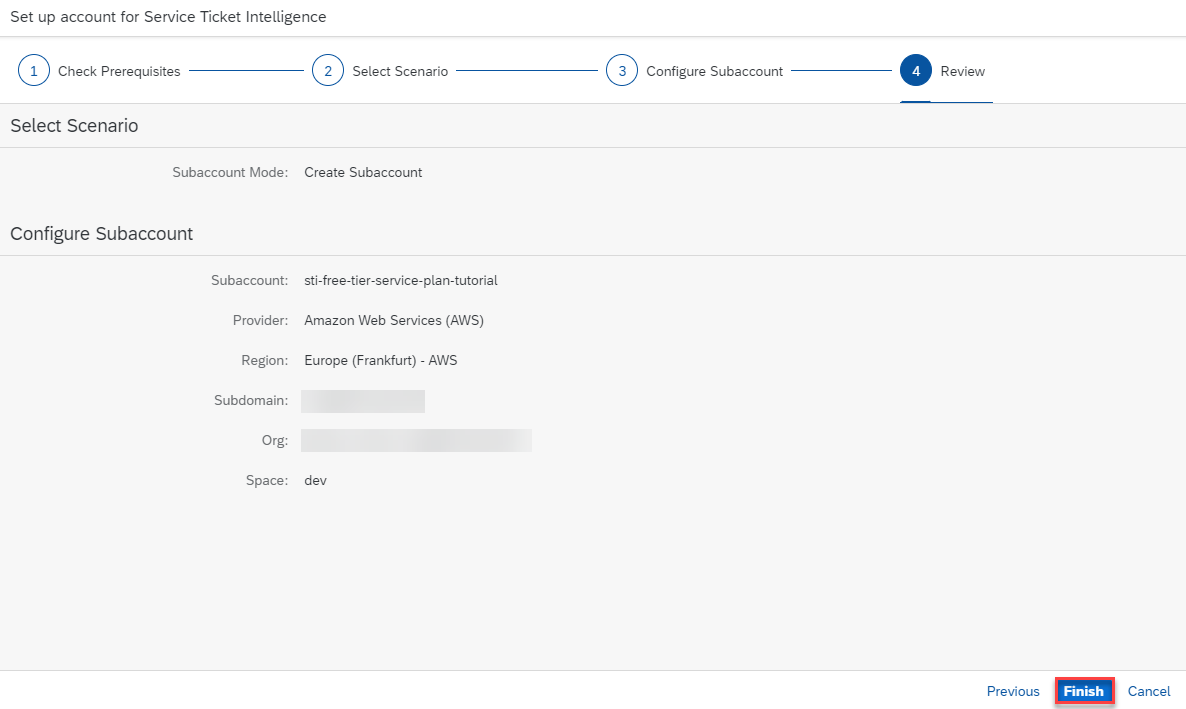
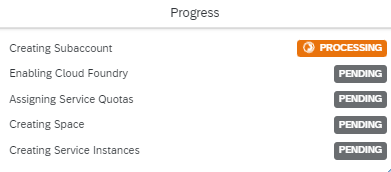
Service Key Follow the progress of the booster automated tasks.
Service Key When the automated tasks are done, see the Success dialog box.

Service Key
You have successfully used the booster Set up account for Service Ticket Intelligence to create a service key for Service Ticket Intelligence.
Click Download Service Key to save the service key locally on your computer.

If you face any issue with the booster Set up account for Service Ticket Intelligence, you can alternatively follow the steps in Use Free Tier to Create a Service Instance for Service Ticket Intelligence to manually create the service instance and service key for Service Ticket Intelligence using the free tier service plan.
Step 4 is optional. If you’re not interested, you can set it to Done and go directly to the next tutorial.
This is an optional step. Use it only if you want to access the service instance and service key, you created with the Set up account for Service Ticket Intelligence booster, without having to run it once again.
Do the following to access your service instance and service key, without having to run the Set up account for Service Ticket Intelligence booster once again:
Close the booster Success dialog box.

Service Key Access your global account.
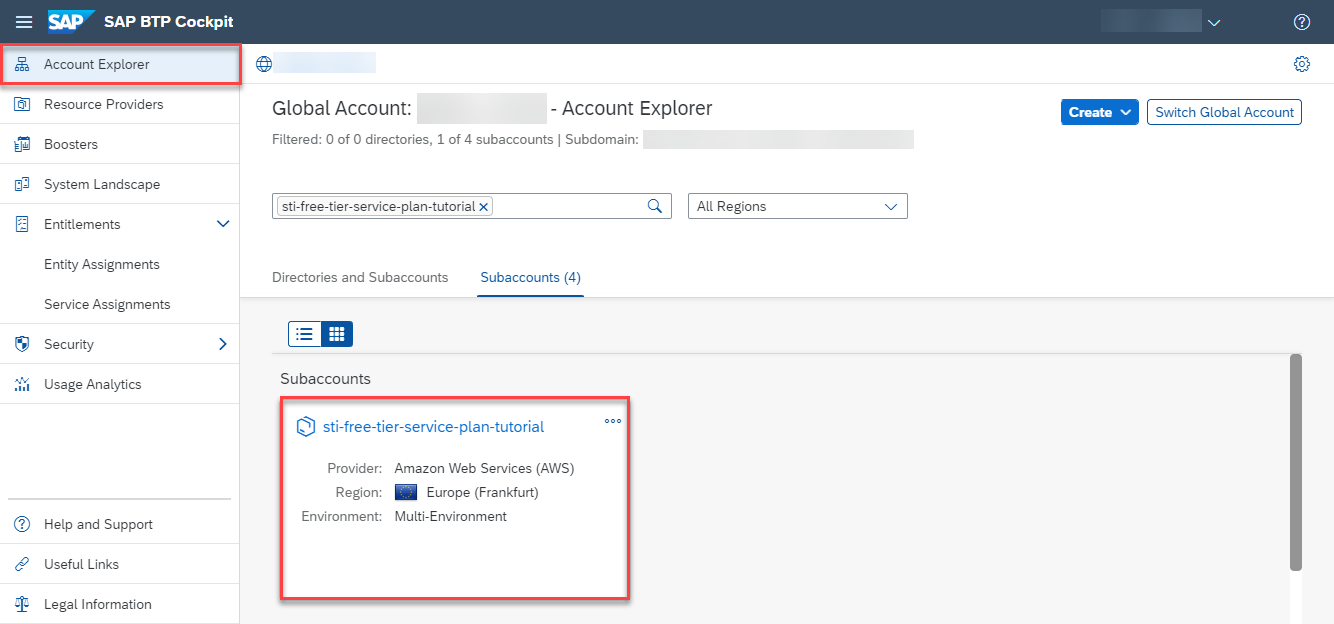
Service Key Click Account Explorer on the navigation side bar and access the subaccount you used to create the service instance and service key for Service Ticket Intelligence.
Service Key Click Instances and Subscriptions on the navigation side bar. You see the service instance you created with the Set up account for Service Ticket Intelligence booster.

Service Key Click the navigation arrow to open the details of your service instance. Select Service Keys (1). Then, click the dots to View, Download or Delete your service key.
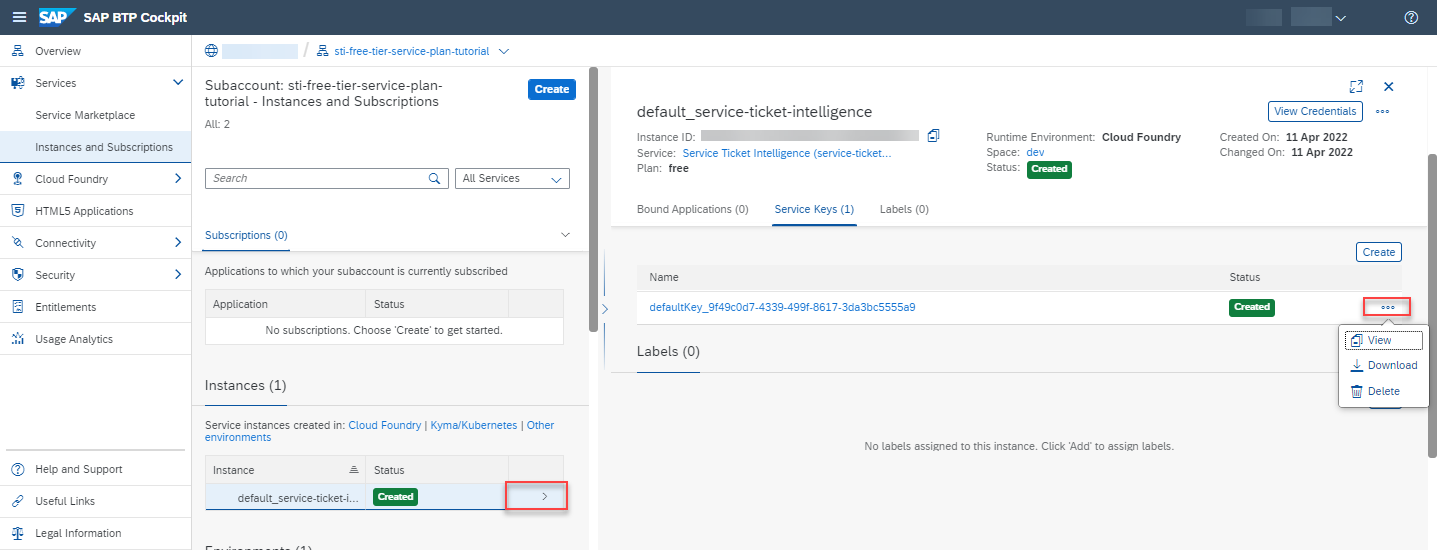
Service Key
Congratulations, you have completed this tutorial.
Resources
Discussion
Share feedback on this tutorial or join the conversation in SAP Community.