
Overview
You will learn
- How to create a new app
- How to generate your company request token from the app
- How to create your
credentials.jsonfile using information from the app and the company request token - How to create a refresh token from an API call using the
credentials.jsonfile


Prerequisites
Prerequisites
- SAP Concur instance credentials
- Node.js
- GitHub account
- IDE or text editor
Steps
Step 1
Login to your Concur admin panel
- Login to your Concur admin panel.
- Enter your user ID and click Next.

- Enter your password and click Sign In.

Step 2
Create a new app
- Go to the OAuth 2.0 Application Management screen.
- Click Create new app.

- Fill in all of the required fields and add all of the grants and scopes you have access to.

- Click Submit when the form is completed.

- Copy and paste your Client ID and Client Secret to a text file.

- Click OK when completed.

Step 3
Generate your company request token
- Go to the Company Request Token screen.
- Enter your App ID in the required field and click Submit to generate your company request token.
- Copy/paste the Company UUID and company request token fields to a text file.

- Click OK after you have saved this information to a text file.

Step 4
Setup the Node.js app
- Get the Node.js sample code.
- Open
SampleCode/Tutorial_1/GetRefreshToken.jsin your IDE or text editor.
Step 5
Generate your credentials file
- Type
node GetRefreshToken.jsin terminal to run the app to generate yourcredentials.jsonfile. This generates messages in the terminal that show the credentials object.

- Fill in the empty fields in this file with the information in the credential object.

Step 6
Generate your refresh token
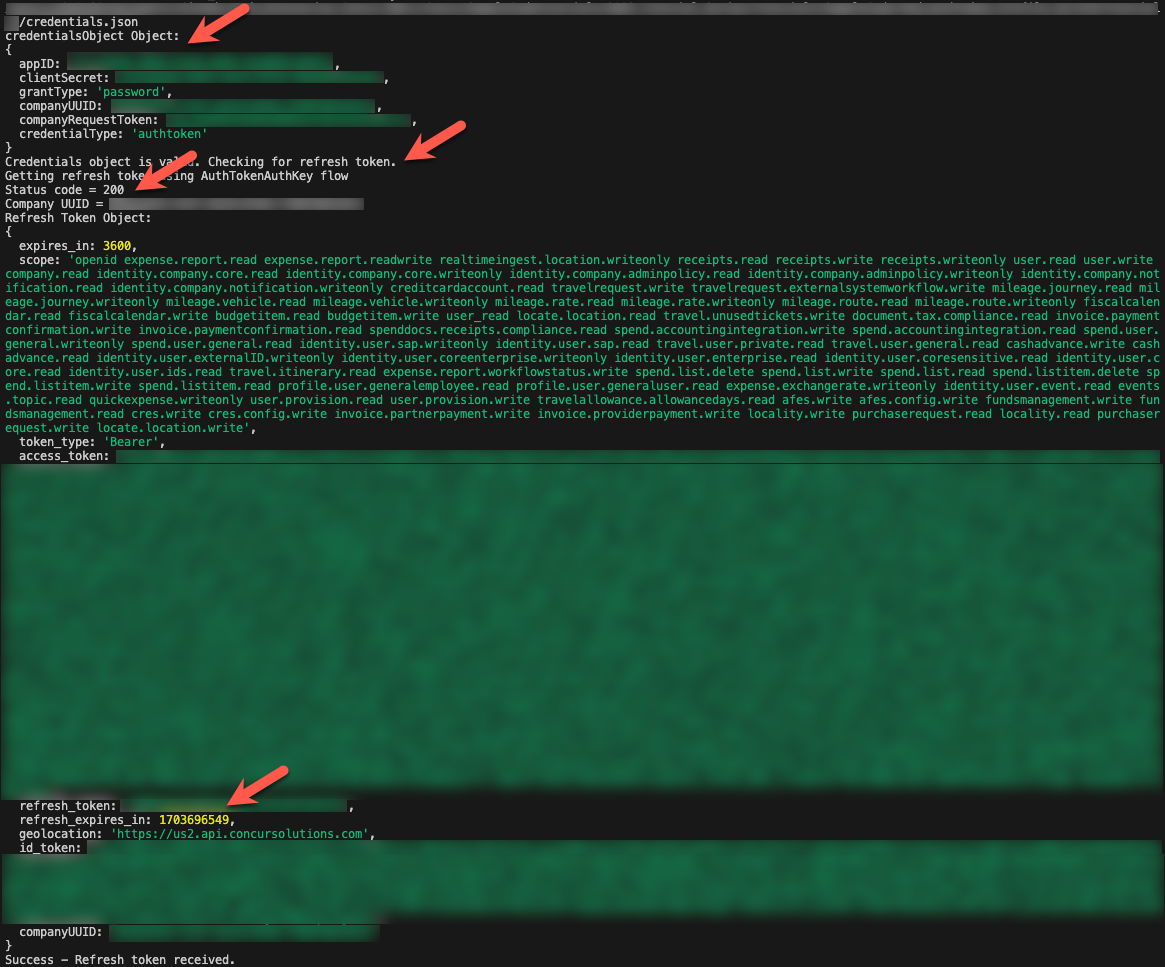
- Run the app again. The app will call the Oauth2 /token endpoint using your credentials and generate your refresh token.
- Check if your credentials were transferred from the JSON file to the credentials object.
- Check for a successful validity check on the credentials object.
- Check for a successful API call. The status code will be 2xx and the refresh token will be one of the refresh token object properties.
Resources
Discussion
Share feedback on this tutorial or join the conversation in SAP Community.