
Overview
You will learn
- How to subscribe to a multi-tenant application from a consumer subaccount using the CAP Operator.


Prerequisites
Prerequisites
- You’ve deployed the application. Follow the steps in the Deploy your Application using CAP Operator tutorial that is part of the Application Lifecycle Management using CAP Operator tutorial group.
- You’re an administrator of the global account in SAP BTP.
Steps
Create a new subaccount in the same global account where you have deployed the multi-tenant CAP application in the previous tutorial, for example, Customer. You can find the steps to create a new subaccount in the Create Subaccounts documentation.
Navigate to your subaccount and choose Services → Service Marketplace on the left.
Type your application name in the search box and choose Create.

application-search When you enter your application name, ensure it matches the one you used in the previous tutorial. For instance, if you used incident-tutorial earlier, use that same name here.
In the New Instance or Subscription popup, choose Create.

subscribe-application This subscribes your subaccount to the multi-tenant application deployed in the provider subaccount.
In the Creation in Progress popup, choose View Subscription.
Wait until the subscription status changes to Subscribed and choose Go to Application.
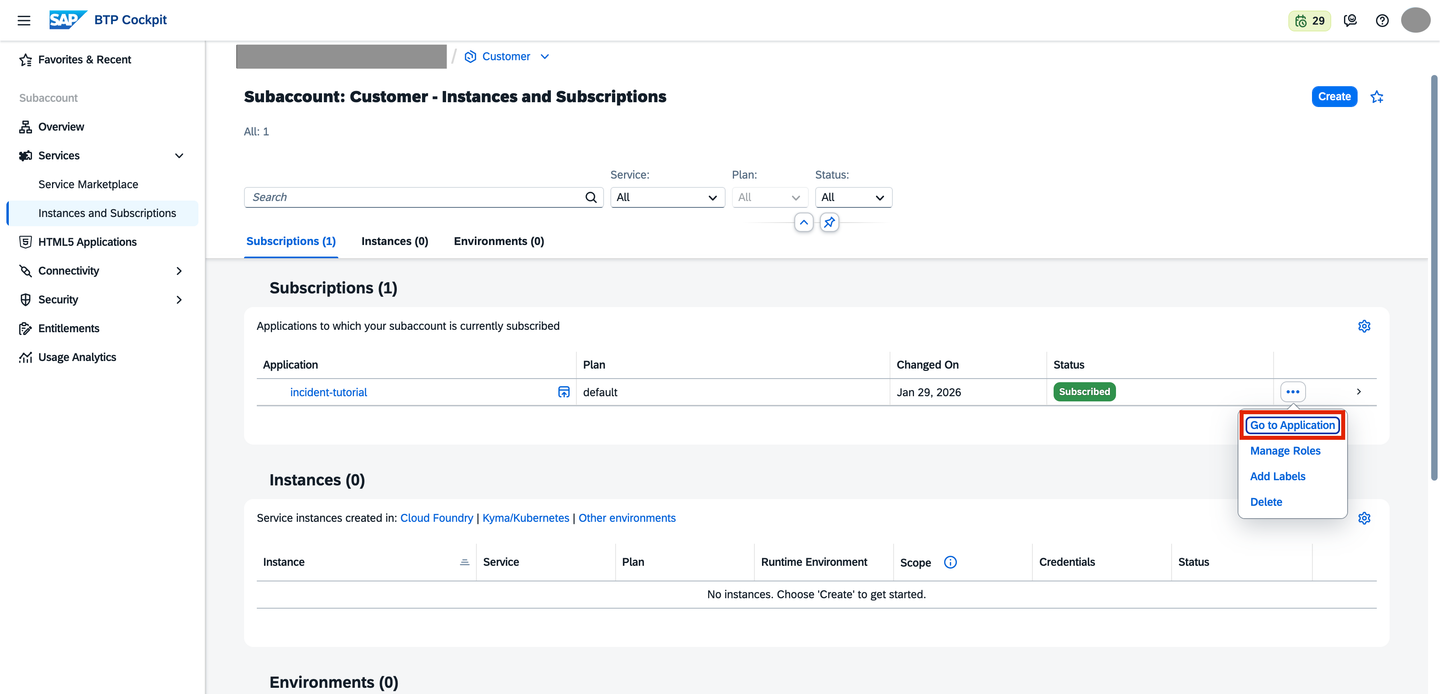
subscription-succeeded You’ve successfully subscribed to the multi-tenant application from your consumer subaccount.
Resources
Discussion
Share feedback on this tutorial or join the conversation in SAP Community.