
Overview
You will learn
- How to import OData services definitions to a CAP project via Entity Data Model XML (EDMX) files
- Understand how the EDMX is translated into the Core Schema Notation (CSN) (basically a JSON file) from the CAP framework
- Understand the changes made to
package.jsonby the import process - How to create destination and XSUAA service instances on BTP Cloud Foundry
- How to bind service instances to your local CAP project


Prerequisites
Prerequisites
- Complete the tutorial: Prepare to Develop the SAP SuccessFactors Extension
- Complete the tutorial: Jump start the SAP SuccessFactors Extension CAP Project
Steps
The first thing you need to do is to get the XML files (EDM XML – Entity Data Model XML – in short EDMX) which define the entities that compose the OData services to be consumed in the application. You can get such files from SAP API Business Hub.
1- Access https://api.sap.com:
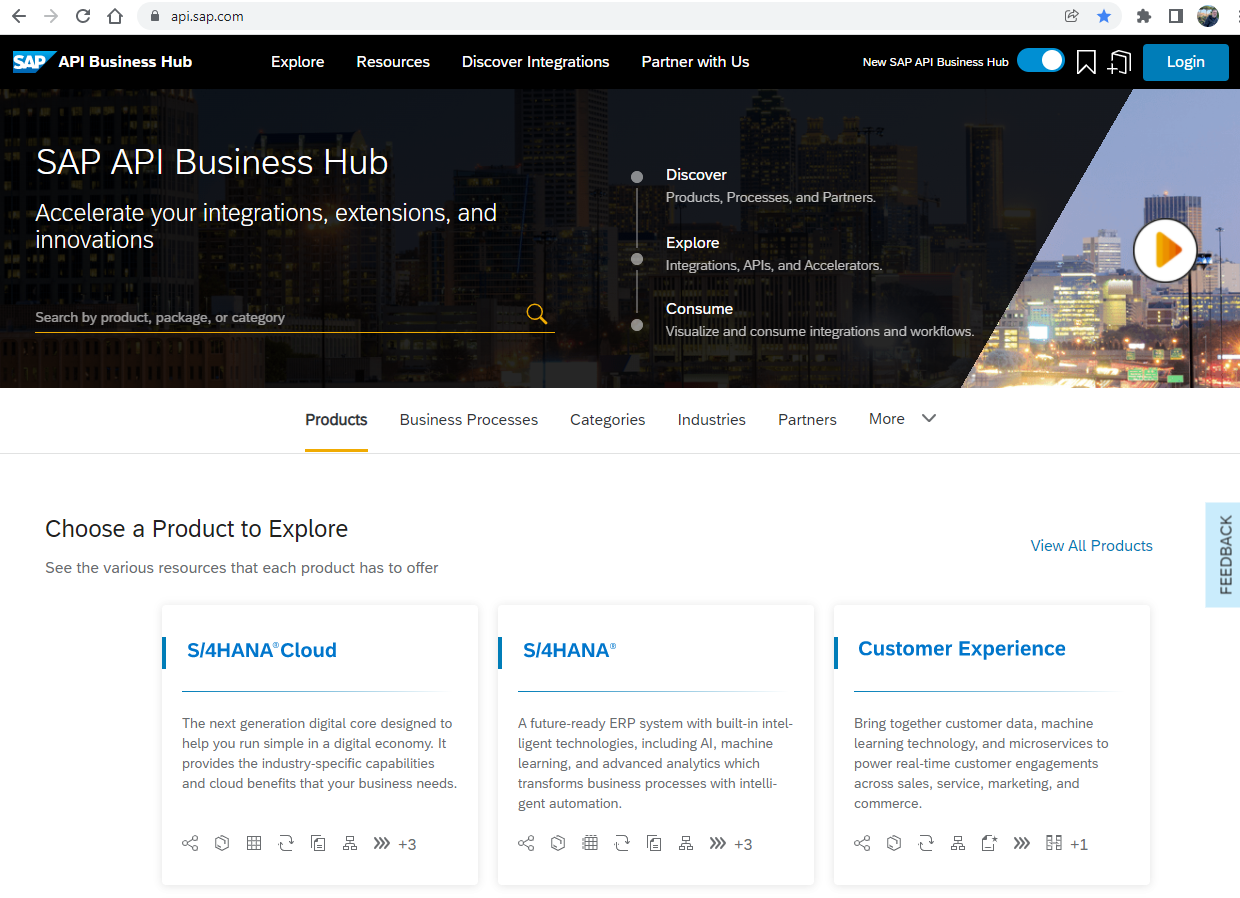
2- In the search bar type ECEmployeeProfile and press Enter.
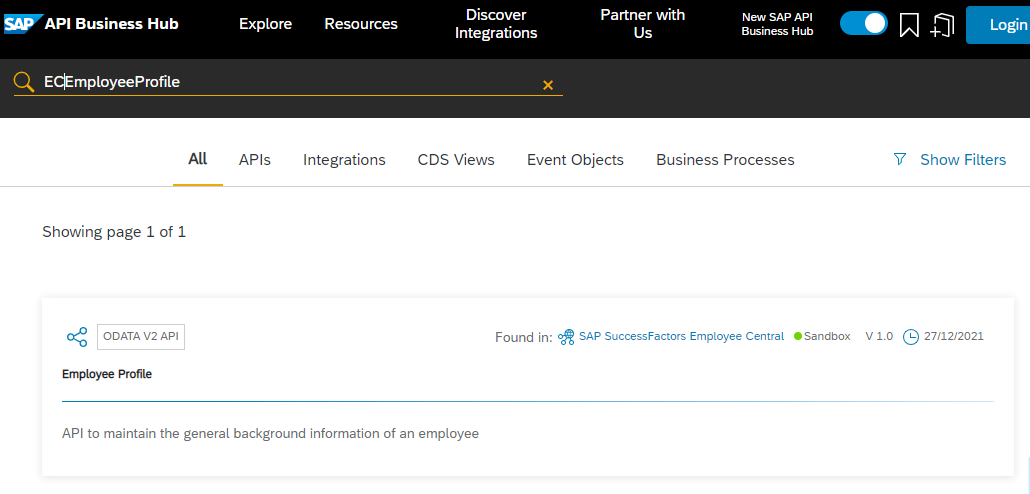
3- Click on the item from the search result and in the API Specification at the bottom of the page click on the down arrow next to the EDMX option.

4- Save the ECEmployeeProfile.edmx file (keep that file name) to a folder in your local computer.
5- Click on the SAP logo at the top left corner of the page to return to the home page and repeat the exact same procedure from steps 2 to 4, but now searching for the PLTUserManagement OData service to save the PLTUserManagement.edmx file to your local computer.
Now that you’ve got both EDMX files in our local computer, it’s time to import them to your CAP project in order for CDS to generate the corresponding definitions using the so-called Core Schema Notation (CSN) which is described in JSON format.
1- Simply drag & drop the two EDMX files to the srv folder of your CAP project in SAP Business Application Studio.

2- In the terminal window type cds import srv/ECEmployeeProfile.edmx and press Enter. This should be the expected output:

3- Repeat the same procedure from step 2, but this time type cds import srv/PLTUserManagement.edmx to import the second service definition. In the left-hand pane you’ll notice that an external folder has been created under srv. Expand it to see the generated csn files:

4- Now you can delete the EDMX files from the srv folder. Just right-click each one and select delete.
Now, inspect what happened after executing those command lines. First, click on the ECEmployeeProfile.csn file in the srv/external folder:

You can see the content is nothing else than a JSON representation of the service metadata with the description of the entities contained in it. This JSON is used by the CDS framework to let you make type-safe OData calls to the service in the form of simple queries via the easy-to-use low-code CDS Query Language (CQL).
Press CTRL+F to open the find bar and search for Background_SpecialAssign:

You’ll find the definition for the Background_SpecialAssign entity. You’ll use that entity to insert the project participation info into the Employee Profile as part of the historical professional background. So, whenever an employee is assigned to a project with a certain role, that information is stored in his/her professional background.
Now, open the PLTUserManagement.csn file and search for PLTUserManagement.User:

That’s the entity you are going to use to fetch the relevant employee data (you won’t use all of its attributes) to assign to the projects teams.
Now, look at the package.json file to see how CAP is referencing those OData services. Open that file and scroll down to the bottom:

In the cds.requires section you’ll notice how CAP is referencing both services. But how does it know where in the cloud those services exist? Well, remember that destination you created in the preparation step of the introductory tutorial of this group? Now it’s come the time to point those service references to it as credentials. To do so, add the following lines to the cds.requires section:

With that, you are simply setting the destination name and the path where the service is hosted within the destination URL.
In order to use that destination for testing your application during development, you need to bind your project to two service instances in BTP: one for the destination service and another for the XSUAA service. So, start by creating those service instances and a service key (credentials) for each one in BTP.
In the BTP cockpit of your trial account, on the left-hand pane (1) click on Instances and Subscriptions then (2) on the Create button at the top-right corner.
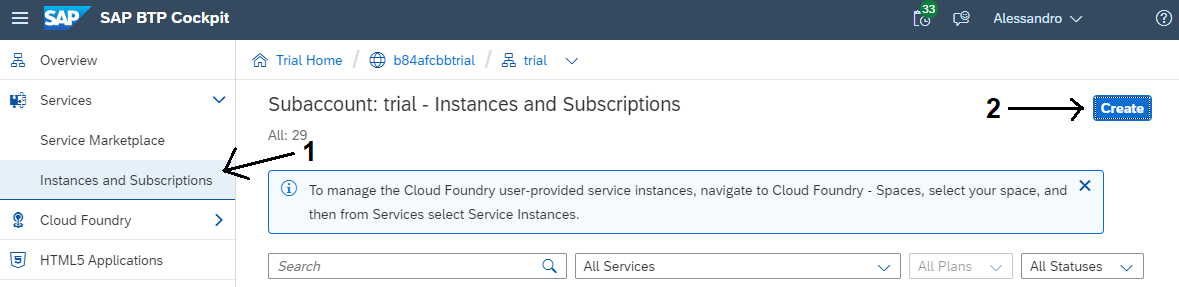
Fill-in the service instance information like in the screenshot below and click Create.

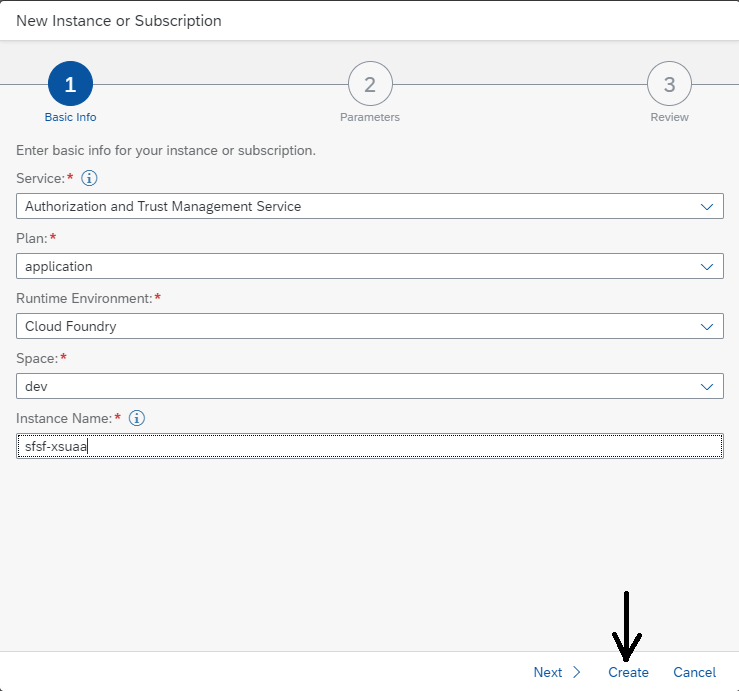
(1) On Instances and Subscriptions (2) click on the Create button at the top-right corner again.
Fill-in the service instance information like in the screenshot below and click Create.
In the search bar type sfsf- and press Enter to easily find your recently created service instances.

In the line corresponding to the sfsf-dest service instance click on the three dots at the far right and select Create Service Key.

On the dialog, type sfsf-dest-sk in the Service Key Name and click on Create.

Click on the line corresponding to the sfsf-xsuaa service instance. Then, on the top right corner click on the three dots and select Create Service Key.

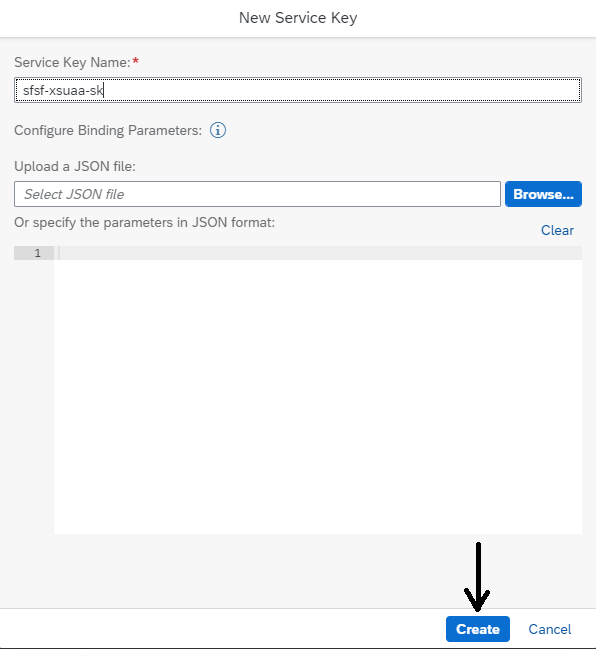
On the dialog, type sfsf-xsuaa-sk in the Service Key Name and click on Create.
Done! You have successfully created both service instances and their corresponding service keys. Now it’s time to bind those service instances to your CAP project using their service keys.
To be able to use the service instances you created in the previous step during development, you need to bind them to the CAP Project. This is done by creating a file named default-env.json. In the file you define the so-called VCAP_SERVICES object, which is actually an environment variable that holds all the binding information of an application.
Whenever you deploy an application to Cloud Foundry, that variable is automatically created in the application space. In your case, you will create it manually into the default-env.json file.
1- In the root folder of your project on the Terminal, type touch default-env.json and press Enter.
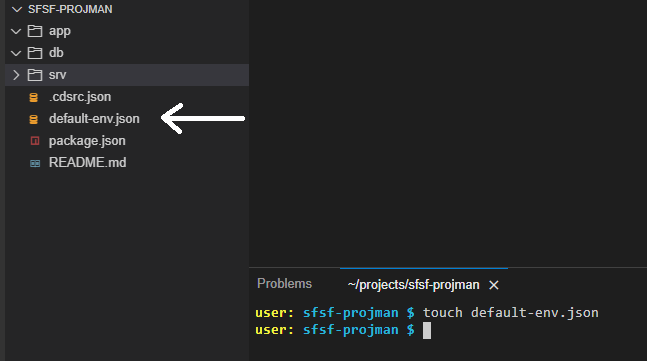
2- On the left-hand pane, click on the default-env.json file to open it. Then, copy & paste the following code snippet:
{
	"VCAP_SERVICES": {
		"destination": [
			{
				"label": "destination",
				"provider": null,
				"plan": "lite",
				"name": "sfsf-dest",
				"tags": [
					"destination",
					"conn",
					"connsvc"
				],
				"credentials": {

				}
			}
		],
		"xsuaa": [
			{
				"label": "xsuaa",
				"provider": null,
				"plan": "application",
				"name": "sfsf-xsuaa",
				"tags": [
					"xsuaa"
				],
				"credentials": {

				}
			}
		]
	}
}3- Back in the cockpit, (1) click on the line corresponding to the sfsf-dest service instance, then (2) on the Service Keys tab on the right, then (3) on the three dots next to the service key and finally (4) select View.

4- On the dialog, (1) click on Copy JSON and then (2) on Close.

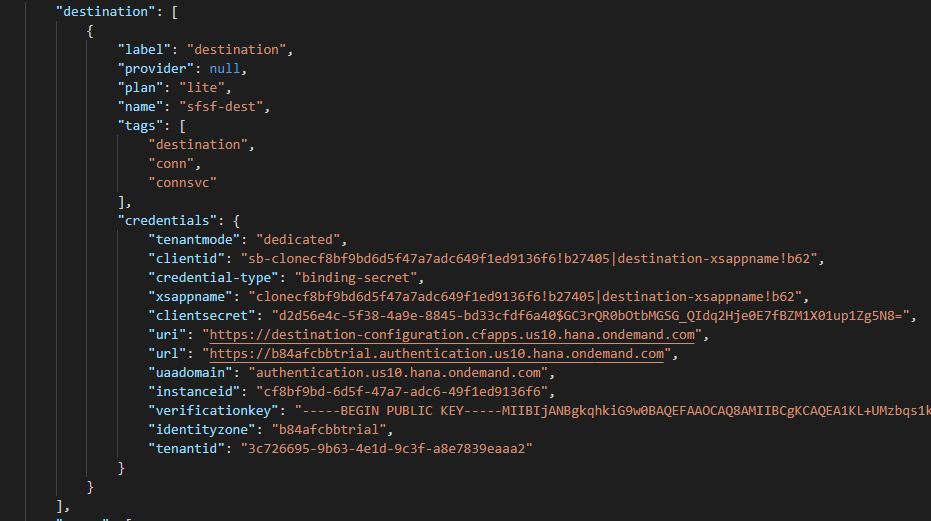
5- Replace both curly brackets right after the “credentials” attribute of the destination service with the copied JSON. The resulting text should look similar to the screenshot below:
6- Finally, repeat steps 3 to 5 for the sfsf-uaa service key (name it sfsf-uaa-sk) of the XSUAA service instance.
With that, you’re done binding the project to the destination and XSUAA service instances.
Resources
Discussion
Share feedback on this tutorial or join the conversation in SAP Community.