
Overview
You will learn
- How to create the code file of the service module to attach the service handlers
- How to write the service module code
- How to organize your code in the CAP project
- How to write the service handlers code
- How to attach the service handlers to the service module events (OData operations)


Prerequisites
Prerequisites
- Complete the tutorial: Prepare to Develop the SAP SuccessFactors Extension
- Complete the tutorial: Jump start the SAP SuccessFactors Extension CAP Project
- Complete the tutorial: Import SAP SuccessFactors OData Services definitions
- Complete the tutorial: Create the CDS Data Model for the SAP SuccessFactors Extension
- Complete the tutorial: Create the CAP Service for the SAP SuccessFactors Extension
Steps
The business logic of the application is implemented via custom service handlers for the various operations executed on its entities (create, read, update, delete, etc.). Those handlers are defined in a module within a JavasScript file with the same name of the service but with the .js extension.
So, now it’s time for you to create it.
On the left-hand pane of SAP Business Application Studio, (1) select the srv folder, then (2) click on the three dots to the right of the project name and (3) select New File.

On the dialog name the file projman-service.js and click OK.

Copy and paste the code snippet below into the recently created file:
const cds = require('@sap/cds');

module.exports = cds.service.impl(async function () {
    /*** SERVICE ENTITIES ***/
    const {
        Project,
        Member,
        SFSF_User,
    } = this.entities;

    /*** HANDLERS REGISTRATION ***/
    // ON events

    // BEFORE events

    // AFTER events
});
Here you import the @sap/cds dependency and reference it as cds. Then, you implement the service module and, inside it, reference three entities: Project, Member and SFSF_User, as you are supposed to develop handlers for them.
Finally, you make some comments as placeholders to mark where you will further put your code.
It is a best practice to have your code organized into files representing the nature of the code (i.e. utility functions should go into some utils file, handlers should go into some handlers file and so on). Those files represent your “code library”, so it’s appropriate to store them into some lib folder.
So, now you’ll create the lib folder and its contents.
In the Terminal press CTRL+C to terminate the cds watch command (if not yet terminated).

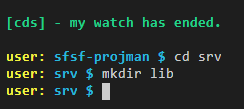
Type cd srv and press Enter.

Type mkdir lib and press Enter.
Type touch lib/handlers.js and press Enter.

Now, you’ll develop the required service handlers according to the business rules that have been defined in the group introduction and preparation.
On the left-hand pane expand the lib folder, then click on the hanlers.js file to open it.

Copy and paste the following code snippet into handlers.js:
const cds = require('@sap/cds');

let userService = null;
let assService = null;

(async function () {
    // Connect to external SFSF OData services
    userService = await cds.connect.to('PLTUserManagement');
    assService = await cds.connect.to('ECEmployeeProfile');
})();

/*** HELPERS ***/

// Remove the specified columns from the ORDER BY clause of a SELECT statement
function removeColumnsFromOrderBy(query, columnNames) {
    if (query.SELECT && query.SELECT.orderBy) {
        columnNames.forEach(columnName => {
            // Look for column in query and its respective index
            const element = query.SELECT.orderBy.find(column => column.ref[0] === columnName);
            const idx = query.SELECT.orderBy.indexOf(element);

            if (idx > -1) {
                // Remove column from oder by list
                query.SELECT.orderBy.splice(idx, 1);
                if (!query.SELECT.orderBy.length) {
                    // If list ends up empty, remove it from query
                    delete query.SELECT.orderBy;
                }
            }
        });
    }

    return query;
}

/*** HANDLERS ***/

// Read SFSF users
async function readSFSF_User(req) {
    try {
        // Columns that are not sortable must be removed from "order by"
        req.query = removeColumnsFromOrderBy(req.query, ['defaultFullName']);

        // Handover to the SF OData Service to fecth the requested data
        const tx = userService.tx(req);
        return await tx.run(req.query);
    } catch (err) {
        req.error(err.code, err.message);
    }
}

module.exports = {
    readSFSF_User
}Back to projman-service.js add the following lines right under const cds = require('@sap/cds');:
const {
    readSFSF_User
} = require('./lib/handlers');
Add the following line right under the comment // ON events:
this.on('READ', SFSF_User, readSFSF_User);Your projman-service.js code should now look like this:

Quickly analyze what’s been done.
In the lib/handlers.js file you connected cds to the SAP SuccessFactors external services, coded one helper function that removes undesired columns from the order by clause of a query’s select statement and, finally, coded the handler function to read the users from SAP SuccessFactors using the PLTUserManagement service.
The code logic is well explained in the detailed comments.
Now, test that handler.
In the Terminal type cd .. and press Enter to go back to the project root directory.

IMPORTANT: newer versions of CDS have handed over to SAP Cloud SDK the creation of HTTP clients for making HTTP requests to external services, using the
@sap-cloud-sdk/http-clientnode package. So, if you jump-started your CAP project, before such CDS update, that dependency might not have been included in yourpackage.jsonfile, and, thus, not installed when you rannpm install. Before testing the handler, please verify that you have@sap-cloud-sdk/http-clientlisted in the dependencies of yourpackage.jsonand, if not, run:npm install @sap-cloud-sdk/http-client.
Once again type cds watch and press Enter. Then CTRL+Click on the http://localhost:4004 link to launch the application home page.

Click on the SFSF_User link

Now, you should be able to view the users that are being read from SAP SuccessFactors via the User entity from the PLTUserManagement service.
That was the most important handler you should first implement as it’s the one responsible for bringing the SAP SuccessFactors’ employees into your application.
Now, you can “fast forward” and implement all the other handlers of your application at once.
Open the lib/hanlers.js file, then copy and paste the following code over (overwrite) the current content:
const cds = require('@sap/cds');
const namespace = 'sfsf.projman.model.db.';

let userService = null;
let assService = null;

(async function () {
    // Connect to external SFSF OData services
    userService = await cds.connect.to('PLTUserManagement');
    assService = await cds.connect.to('ECEmployeeProfile');
})();

/*** HELPERS ***/

// Remove the specified columns from the ORDER BY clause of a SELECT statement
function removeColumnsFromOrderBy(query, columnNames) {
    if (query.SELECT && query.SELECT.orderBy) {
        columnNames.forEach(columnName => {
            // Look for column in query and its respective index
            const element = query.SELECT.orderBy.find(column => column.ref[0] === columnName);
            const idx = query.SELECT.orderBy.indexOf(element);

            if (idx > -1) {
                // Remove column from oder by list
                query.SELECT.orderBy.splice(idx, 1);
                if (!query.SELECT.orderBy.length) {
                    // If list ends up empty, remove it from query
                    delete query.SELECT.orderBy;
                }
            }
        });
    }

    return query;
}

// Helper for employee create execution
async function executeCreateEmployee(req, userId) {
    const employee = await cds.tx(req).run(SELECT.one.from(namespace + 'Employee').columns(['userId']).where({ userId: { '=': userId } }));
    if (!employee) {
        const sfsfUser = await userService.tx(req).run(SELECT.one.from('User').columns(['userId', 'username', 'defaultFullName', 'email', 'division', 'department', 'title']).where({ userId: { '=': userId } }));
        if (sfsfUser) {
            await cds.tx(req).run(INSERT.into(namespace + 'Employee').entries(sfsfUser));
        }
    }
}

// Helper for employee update execution
async function executeUpdateEmployee(req, entity, entityID, userId) {
    // Need to check whether column has changed
    const column = 'member_userId';
    const query = SELECT.one.from(namespace + entity).columns([column]).where({ ID: { '=': entityID } });
    const item = await cds.tx(req).run(query);
    if (item && item[column] != userId) {
        // Member has changed, then:
        // Make sure there's an Employee entity for the new assignment
        await executeCreateEmployee(req, userId);

        // Create new assignment
        await createAssignment(req, entity, entityID, userId);
    }
    return req;
}

// Helper for assignment creation
async function createAssignment(req, entity, entityID, userId) {
    const columns =  m => { m.member_userId`as userId`, m.parent(p => { p.name`as name`, p.description`as description`, p.startDate`as startDate`, p.endDate`as endDate` }), m.role(r => { r.name`as role` }) };
    const item = await cds.tx(req).run(SELECT.one.from(namespace + entity).columns(columns).where({ ID: { '=': entityID } }));
    if (item) {
        const assignment = {
            userId: userId,
            project: item.parent.name,
            description: item.role.role + " of " + item.parent.description,
            startDate: item.parent.startDate,
            endDate: item.parent.endDate
        };
        console.log(assignment);
        const element = await assService.tx(req).run(INSERT.into('Background_SpecialAssign').entries(assignment));
        if (element) {
            await cds.tx(req).run(UPDATE.entity(namespace + entity).with({ hasAssignment: true }).where({ ID: entityID }));
        }
    }
    return req;
}

// Helper for cascade deletion
async function deepDelete(tx, ID, childEntity) {
    return await tx.run(DELETE.from(namespace + childEntity).where({ parent_ID: { '=': ID } }));
}

/*** HANDLERS ***/

// Read SFSF users
async function readSFSF_User(req) {
    try {
        // Columns that are not sortable must be removed from "order by"
        req.query = removeColumnsFromOrderBy(req.query, ['defaultFullName']);

        // Handover to the SF OData Service to fecth the requested data
        const tx = userService.tx(req);
        return await tx.run(req.query);
    } catch (err) {
        req.error(err.code, err.message);
    }
}

// Before create/update: member
async function createEmployee(req) {
    try {
        // Add SFSF User to Employees entity if it does not exist yet
        const item = req.data;
        const userId = (item.member_userId) ? item.member_userId : null;
        if (userId) {
            await executeCreateEmployee(req, userId);
        }
        return req;
    } catch (err) {
        req.error(err.code, err.message);
    }
}

// After create: member
async function createItem(data, req) {
    try {
        // Create assignment in SFSF
        console.log('After create.');
        await createAssignment(req, req.entity, data.ID, data.member_userId);
        return data;
    } catch (err) {
        req.error(err.code, err.message);
    }
}

// Before update: member
async function updateEmployee(req) {
    try {
        // Need to check if team member was updated
        if (req.data.member_userId) {
            const ID = (req.params[0]) ? ((req.params[0].ID) ? req.params[0].ID : req.params[0]) : req.data.ID;
            const userId = req.data.member_userId;
            await executeUpdateEmployee(req, req.entity, ID, userId);
        }
        return req;
    } catch (err) {
        req.error(err.code, err.message);
    }
}

// Before delete: project or member
async function deleteChildren(req) {
    try {
        // Cascade deletion
        if (req.entity.indexOf('Project') > -1) {
            await deepDelete(cds.tx(req), req.data.ID, 'Activity');
            await deepDelete(cds.tx(req), req.data.ID, 'Member');
        } else {
            const item = await cds.tx(req).run(SELECT.one.from(namespace + req.entity).columns(['parent_ID']).where({ ID: { '=': req.data.ID } }));
            if (item) {
                await deepDelete(cds.tx(req), item.parent_ID, 'Activity');
            }
        }
        return req;
    } catch (err) {
        req.error(err.code, err.message);
    }
}

// After delete/update: member
async function deleteUnassignedEmployees(data, req) {
    try {
        // Build clean-up filter
        const members = SELECT.distinct.from(namespace + 'Member').columns(['member_userId as userId']);
        const unassigned = SELECT.distinct.from(namespace + 'Employee').columns(['userId']).where({ userId: { 'NOT IN': members } });

        // Get the unassigned employees for deletion
        let deleted = await cds.tx(req).run(unassigned);

        // Make sure result is an array
        deleted = (deleted.length === undefined) ? [deleted] : deleted;

        // Clean-up Employees
        for (var i = 0; i < deleted.length; i++) {
            const clean_up = DELETE.from(namespace + 'Employee').where({ userId: { '=': deleted[i].userId } });
            await cds.tx(req).run(clean_up);
        }
        return data;
    } catch (err) {
        req.error(err.code, err.message);
    }
}

// Before "save" project (exclusive for Fiori Draft support)
async function beforeSaveProject(req) {
    try {
        if (req.data.team) {
            // Capture IDs and users from saved members
            let users = []
            req.data.team.forEach(member => { users.push({ ID: member.ID, member_userId: member.member_userId }); });

            // Get current members
            let members = await cds.tx(req).run(SELECT.from(namespace + 'Member').columns(['ID', 'member_userId']).where({ parent_ID: { '=': req.data.ID } }));
            if (members) {
                // Make sure result is an array
                members = (members.length === undefined) ? [members] : members;

                // Process deleted members
                const deleted = [];
                members.forEach(member => {
                    const element = users.find(user => user.ID === member.ID);
                    if (!element) deleted.push(member);
                });
                for (var i = 0; i < deleted.length; i++) {
                    // Delete members' activities
                    await cds.tx(req).run(DELETE.from(namespace + 'Activity').where({ assignedTo_ID: { '=': deleted[i].ID } }));
                    if (req.data.activities) {
                        let idx = 0;
                        do {
                            idx = req.data.activities.findIndex(activity => activity.assignedTo_ID === deleted[i].ID);
                            if (idx > -1) {
                                req.data.activities.splice(idx, 1);
                            }
                        } while (idx > -1)
                    }
                }

                // Process added members
                const added = [];
                users.forEach(user => {
                    const element = members.find(member => user.ID === member.ID);
                    if (!element) added.push(user);
                });
                for (var i = 0; i < added.length; i++) {
                    await executeCreateEmployee(req, added[i].member_userId);
                }

                // Process updated members
                const updated = [];
                users.forEach(user => {
                    const element = members.find(member => user.ID === member.ID);
                    if (element) updated.push(user);
                });
                for (var i = 0; i < updated.length; i++) {
                    await executeUpdateEmployee(req, 'Member', updated[i].ID, updated[i].member_userId);
                }
            }
        }
        return req;
    } catch (err) {
        req.error(err.code, err.message);
    }
}

// After "save" project (exclusive for Fiori Draft support)
async function afterSaveProject(data, req) {
    try {
        if (data.team) {
            // Look for members with unassigned elementId
            let unassigned = await cds.tx(req).run(SELECT.from(namespace + 'Member').columns(['ID', 'member_userId']).where({ parent_ID: { '=': data.ID }, and: { hasAssignment: { '=': false } } }));
            if (unassigned) {
                // Make sure result is an array
                unassigned = (unassigned.length === undefined) ? [unassigned] : unassigned;

                // Create SFSF assignment
                for (var i = 0; i < unassigned.length; i++) {
                    await createAssignment(req, 'Member', unassigned[i].ID, unassigned[i].member_userId);
                }
            }
        }
        await deleteUnassignedEmployees(data, req);

        return data;
    } catch (err) {
        req.error(err.code, err.message);
    }
}

module.exports = {
    readSFSF_User,
    createEmployee,
    createItem,
    updateEmployee,
    deleteChildren,
    deleteUnassignedEmployees,
    beforeSaveProject,
    afterSaveProject
}You just added three additional helpers: two for employee creation/update and one for the special assignment creation in SAP SuccessFactors.
Then, you added the required handlers for the before and after events (OData operations).
The code logic is well explained in the comments details.
Open the srv/projman-service.js file, then copy and paste the following code over (overwrite) the current content:
const cds = require('@sap/cds');
const {
    readSFSF_User,
    createEmployee,
    updateEmployee,
    createItem,
    deleteChildren,
    deleteUnassignedEmployees,
    beforeSaveProject,
    afterSaveProject
} = require('./lib/handlers');

module.exports = cds.service.impl(async function () {
    /*** SERVICE ENTITIES ***/
    const {
        Project,
        Member,
        SFSF_User,
    } = this.entities;

    /*** HANDLERS REGISTRATION ***/
    // ON events
    this.on('READ', SFSF_User, readSFSF_User);

    // BEFORE events
    this.before('CREATE', Member, createEmployee);
    this.before('UPDATE', Member, updateEmployee);
    this.before('DELETE', Project, deleteChildren);
    this.before('DELETE', Member, deleteChildren);
    this.before('SAVE', Project, beforeSaveProject); // Fiori Draft support

    // AFTER events
    this.after('CREATE', Member, createItem);
    this.after('UPDATE', Member, deleteUnassignedEmployees);
    this.after('DELETE', Project, deleteUnassignedEmployees);
    this.after('DELETE', Member, deleteUnassignedEmployees);
    this.after('SAVE', Project, afterSaveProject); // Fiori Draft support
});Here you just imported the handler functions from the lib/handlers.js file and attached them to their corresponding events (OData operations).
And, with that, you completed the coding of the business logic for your application.
Resources
Discussion
Share feedback on this tutorial or join the conversation in SAP Community.