
Add Webhook to Chatbot to Retrieve Tracking Info
Add a webhook call in the package-tracking chatbot to retrieve information for a specific tracking number, using SAP Conversational AI.
Overview
You will learn
- How to set a default webhook endpoint
- How to call a webhook during a conversation
- How to display the response


Prerequisites
Prerequisites
- You have created the chatbot for letting customers request information on their packages, as described in Create a Chatbot that Lets Customers Track Packages.
Steps
Intro
In the previous tutorial, you created a chatbot to detect the intent of customers who want to track a package and to get the needed information.
In this tutorial, you will modify the chatbot so it calls an API to retrieve information on the package, based on a tracking number, and displays that information to the customer.
Open your
shippingbotbot.At the top right, click Settings.

Endpoint Click Versions, and then click the arrow to the right of
v1.
Versions In the Bot Builder field, enter the endpoint to our application on SAP Business Technology Platform:
https://sapupschatbot.cfapps.eu10.hana.ondemand.comClick Save.
This endpoint contains a Python demo script that makes all kinds of API calls, including retrieving package information from UPS. It is described in this blog.
Go back to the Build tab, and click the track-parcel skill.
Go to Actions.
Click Add New Message Group (at the bottom).

Add group Click Add Condition.
After If, click in the field and select @Yes, and then click Save.
Click Connect External Service | Call Webhook

Add webhook For the URL, enter
/track_parcel, and click Save.
Service path Click Update Conversation | Edit Memory.
In the Unset memory field, and enter
yes(the value is case-sensitive). Click Add Fields, and enterparcel-number. Finally, click Save.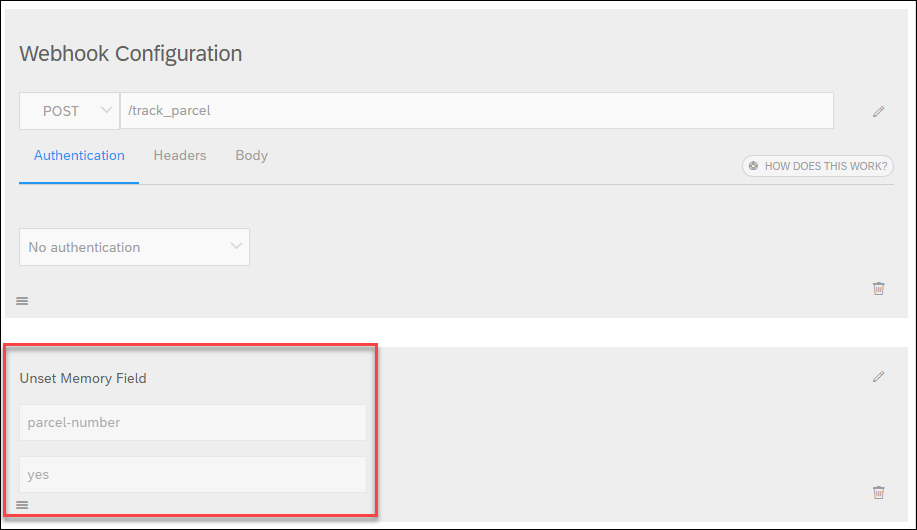
Unset memory We erase the parcel number because once the user tracked that parcel, it is unlikely they will want to track it again. This way, they can ask to track another parcel.
You can now test it by starting a conversation to trigger the @track-parcel intent, supplying the tracking number (e.g., 1Z12345E6205277936), and saying Yes, you want to track the package.

Resources
Discussion
Share feedback on this tutorial or join the conversation in SAP Community.