
Overview
You will learn
- How to find and test the destination automatically created when you deployed your CAP service


Prerequisites
Prerequisites
- You have created a CAP service, as described in Create a CAP Service with BAS Productivity Tools.
Steps
Intro
In order for SAP Build Apps to access your CAP service, a destination for the service is required. The destination was automatically created when you deployed the service with Enable Discovery.
In this tutorial we will test the destination using the credentials of the current user. We want to log into the service this way because we have defined roles, which can be assigned to specific users. So we need to know the current user.
Open your SAP BTP cockpit and navigate to the Cloud Foundry space where your service is deployed.
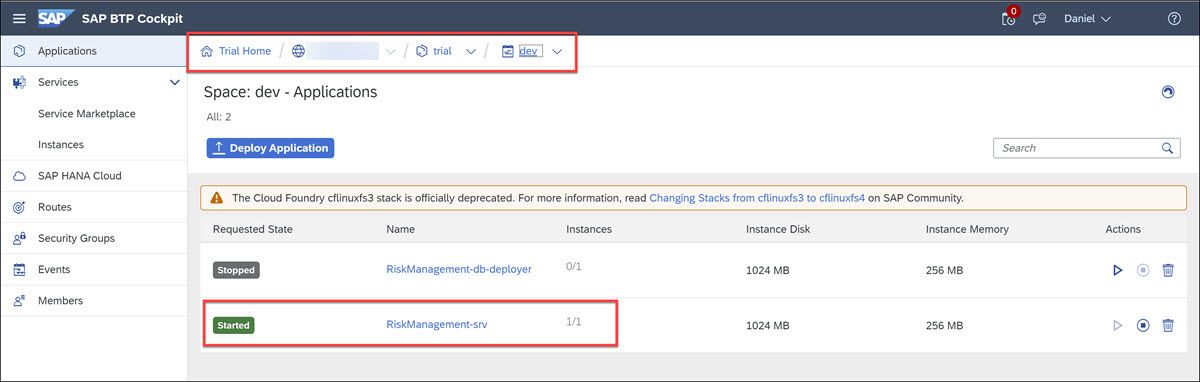
Click on the service, and then click on Service Bindings. Here you will RiskManagement-uaa
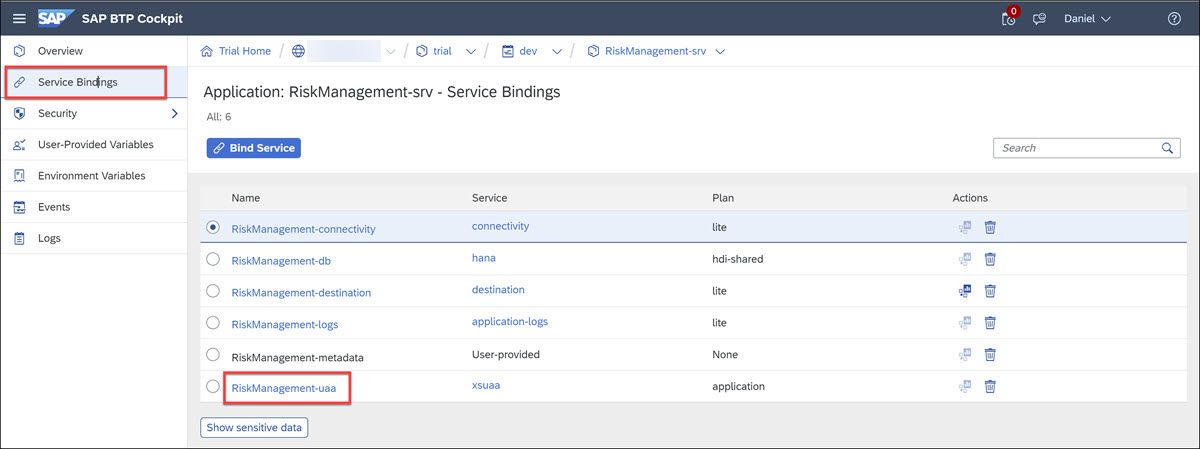
Finally, click on RiskManagement-uaa, and you will see a service key on the right, for which you can click View to get all the information that was used to build the destination.
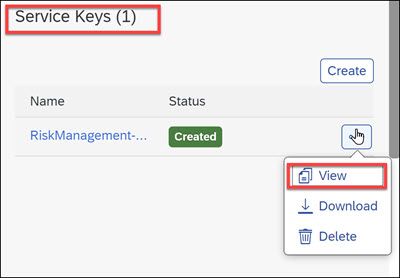
You won’t need this information now, but if you make certain changes to the destination, you may need to provide the client secret, which is found in this file.
Navigate back to your subaccount (
trialif you are in your trial account).Go to Connectivity > Destinations.
Select the destination
RiskManagement-RiskManagementService.
Destinations At the bottom of the page you will see all of the settings for this destination.
Notice the additional properties that make it available to SAP Build Apps and SAP Build Process Automation.
Field Value Appgyver.Enabled true WebIDEEnabled true HTML5.DynamicDestination true sap.processautomation.enabled true sap.applicationdevelopment.actions.enabled true And notice that the authentication type is
OAuth2UserTokenExchange, which enables the service to know what user is calling it. Most of the other settings for authentication come from the service key.
In the cockpit, go to Security > Users.
Find your user for the custom IDP, and on the right, click Assign Role Collection.
Search for
risk, select both roles you created with your service, and click Assign Role Collection.
Assign roles
Go back to SAP Business Application Studio.
It must be the BAS located on the same subaccount as your service and SAP Build Apps.
Open a terminal window.
Either go to hamburger menu Terminal > New Terminal or View > Terminal.

Terminal In the terminal, run the following commands separately:
Shellcurl http://localhost:8887/reloadShellcurl https://RiskManagement-RiskManagementService.dest/Risks
Run curl You should get the service document of the service.

Service document IMPORTANT: If for some reason you do not get a response from terminal, continue on with the rest of the tutorial.
If you remove the roles from your user, immediately you will see that you get a 403 error.

403 error
Resources
Discussion
Share feedback on this tutorial or join the conversation in SAP Community.