
Overview
You will learn
- How to copy a catalog
- How to change the catalog title
- How to remove apps you don’t need
- How to add apps


Prerequisites
Prerequisites
You will learn
- How to copy a catalog
- How to change the catalog title
- How to remove apps you don’t need
- How to add apps
Steps
Intro
In this tutorial, you will learn how to copy an SAP business catalog and adjust it to your needs by adding and removing apps.
For more information, see Help Portal.
this is a note
Step 1
Launch the launchpad content manager
In your ABAP system, open transaction /UI2/FLPCM_CUST.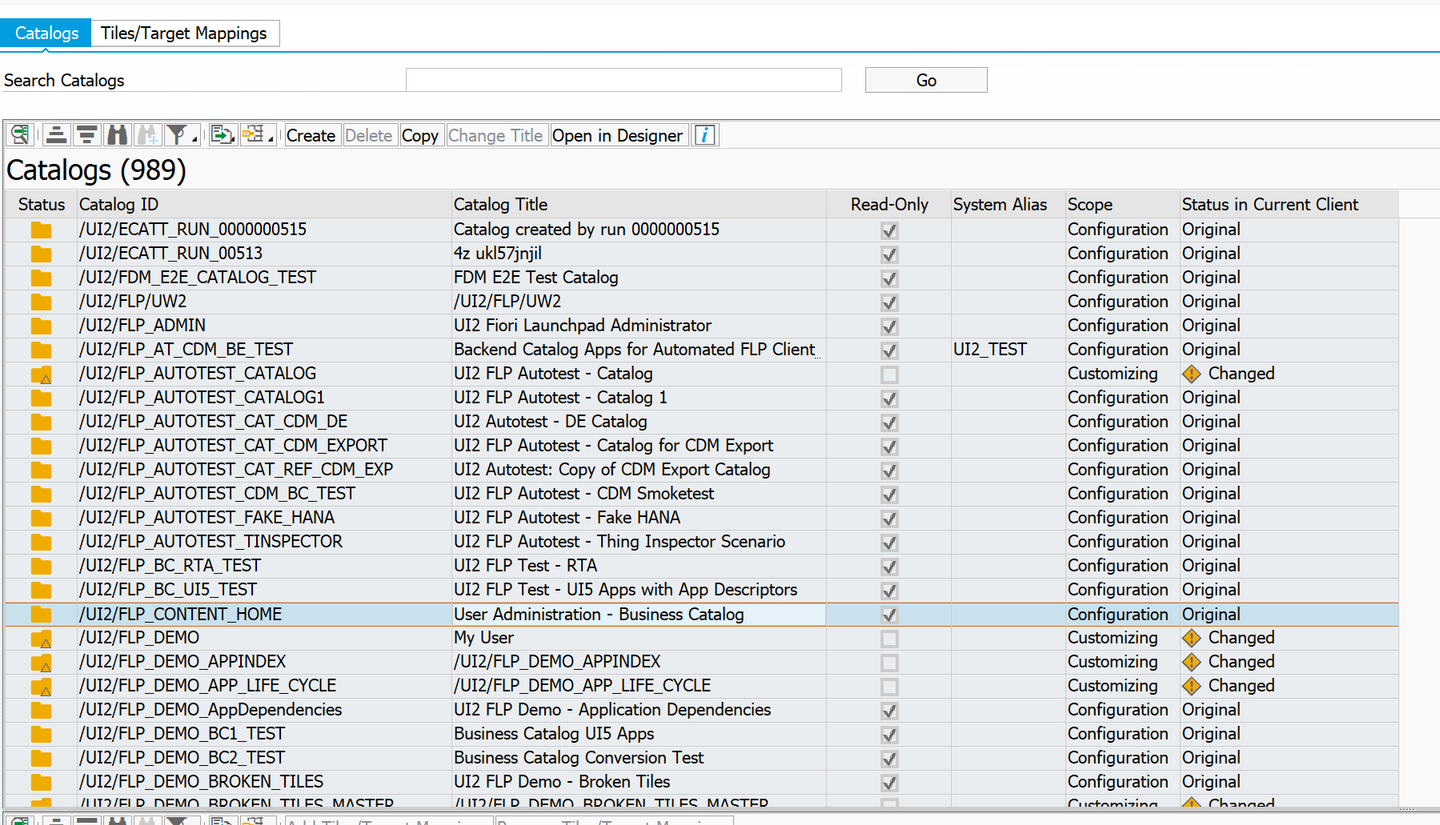
header | header | header | ——— | ——– | item | item | item |
ABAP
This is a codeblock.Step 2
Search for an SAP business catalog
Search for the catalog with the ID /UI2/FLP_ADMIN.
In the Search Catalogs field, enter /UI2/FLP_ADMIN. This will search all visible columns of the catalogs list.
The catalog with the ID is displayed in the upper table and its content in the lower table.
Step 3
Copy the catalog
- Choose Copy.
- In the dialog window that appears, enter
Z_MY_FLP_ADMINin the New ID field andMy FLP Admin Catalogin the New Title field.
Copy Catalog
Step 4
XXXXX
Step 5
XXXXX
Step 6
XXXXX
Step 7
XXXXX
Step 8
XXXXX
Step 9
XXXXX
Step 10
XXXXX
Step 11
XXXXX
Step 12
XXXXX
Step 13
XXXXX
Step 14
XXXXX
Step 15
XXXXX
Step 16
XXXXX
Step 17
XXXXX
Step 18
XXXXX
Step 19
XXXXX
Step 20
XXXXX
Step 21
XXXXX
Step 22
XXXXX
Step 23
XXXXX
Step 24
XXXXX
Step 25
XXXXX
Resources
Discussion
Share feedback on this tutorial or join the conversation in SAP Community.