
Create a Business Process Workflow in SBPA.
Create a Business Project and Process to build and extend business processes.
Overview
You will learn
- How to create an SAP Build Process Automation project.
- How to create a process that automates travel approval.


Prerequisites
Prerequisites
- Access to a SAP BTP tenant with SAP Build Process Automation
Steps
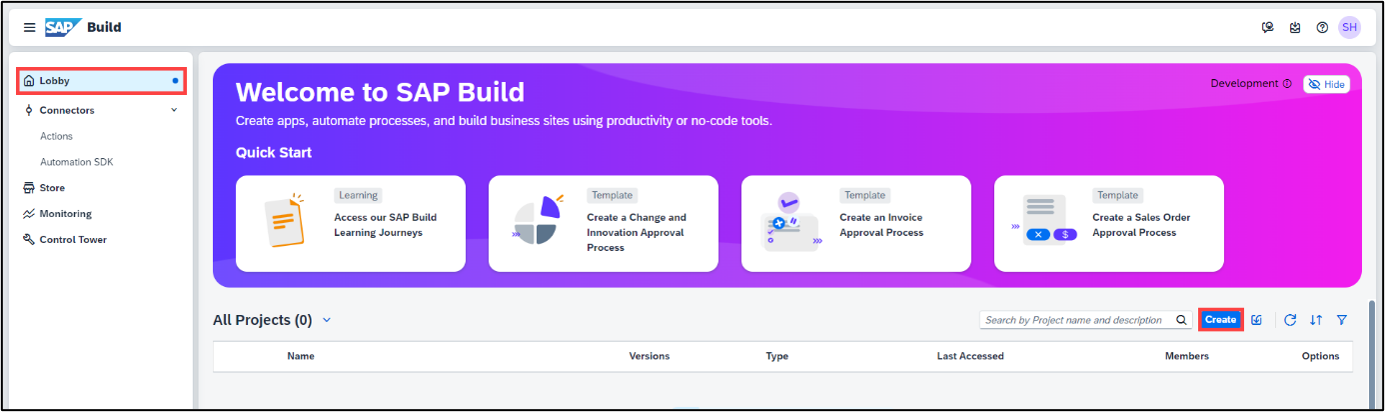
In the Lobby choose Create.
The lobby is a central page for creating, accessing, and managing your projects in SAP Build. You can access business application processes, company configured templates, and other resources for your end-to-end business process.
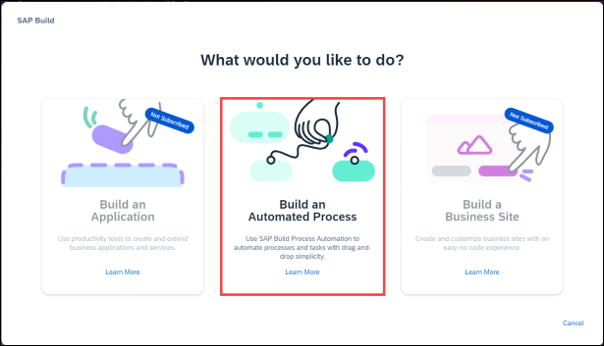
Build an Automated Process.
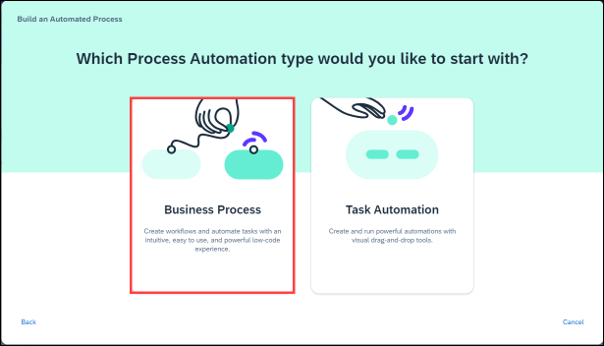
Select Business Process.
Business Process Projects are a collection of skills in SAP Build Process Automation. Projects are part of the internal business processes of a company and are defined based on business scenarios. A project can contain a set of processes, forms, automations, and decisions, which are reusable artifacts.
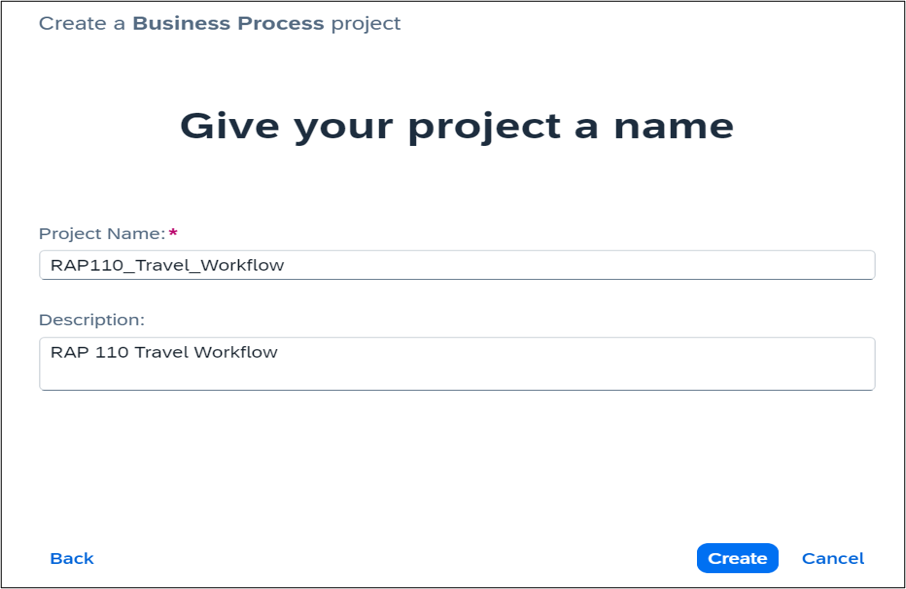
In the Create a Business Process Project dialog box, do the following:
- Enter a Project Name:
RAP110_Travel_Workflow - Enter a Short Description: RAP 110 Travel Workflow
- Choose Create
Business Process - Enter a Project Name:
A new tab opens with the newly created project.
In the Create Process dialog box, provide the following:
- Enter a Name: Travel Approval Processing
- Enter a Description for your process: Process to handle Travel Workflow
- Choose Create
Inside a project, you can create a process. This process is equivalent to a workflow in any business scenario. As part of the process flow, you could create various artifacts such as forms, decisions, automations.
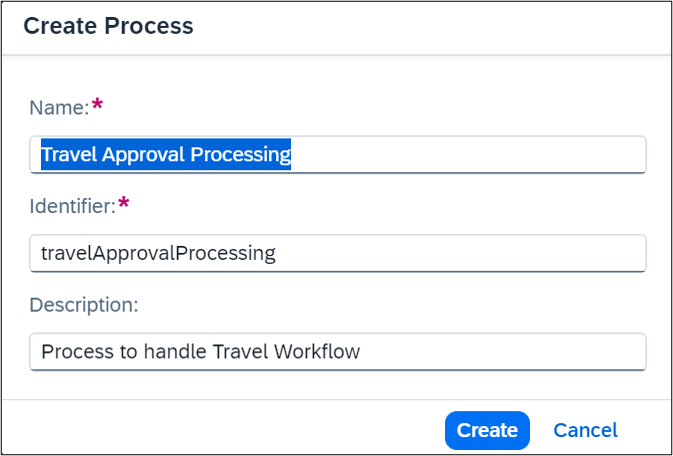
The Identifier field is auto filled.
Resources
Discussion
Share feedback on this tutorial or join the conversation in SAP Community.