
Create a SAP Fiori App and Deploy it to SAP BTP, ABAP Environment
Create a SAP Fiori app for a RAP business object from SAP BTP, ABAP Environment in SAP Business Application Studio and deploy it to SAP BTP, ABAP Environment.
Overview
You will learn
- How to assign role collections
- How to create dev spaces
- How to set up organization and space
- How to create list report object pages
- How to run SAP Fiori applications
- How to deploy applications
- How to check BSP library in Eclipse
- How to create IAM apps and business catalogs


Prerequisites
Prerequisites
- Trial: You need an SAP BTP, ABAP environment trial user or a license.
- Licensed system:
- The business catalog
SAP_A4C_BC_DEV_UID_PC(Development - UI Deployment) needs to be assigned to a business role of the developer user. For an existing ABAP systems, the business catalog needs to be added manually to the existing developer business role. - You need to be a member at the used global account
- You need to be an organization manager at the used Cloud Foundry subaccount
- You need to be a security administrator at the used Cloud Foundry Subaccount
- The SAP Business Application Studio and the SAP BTP, ABAP environment instance must be under same subaccount.
- Read following blog post to get an overview on Connecting from SAP Business Application Studio to SAP BTP Cloud Foundry environment
- The business catalog
Steps
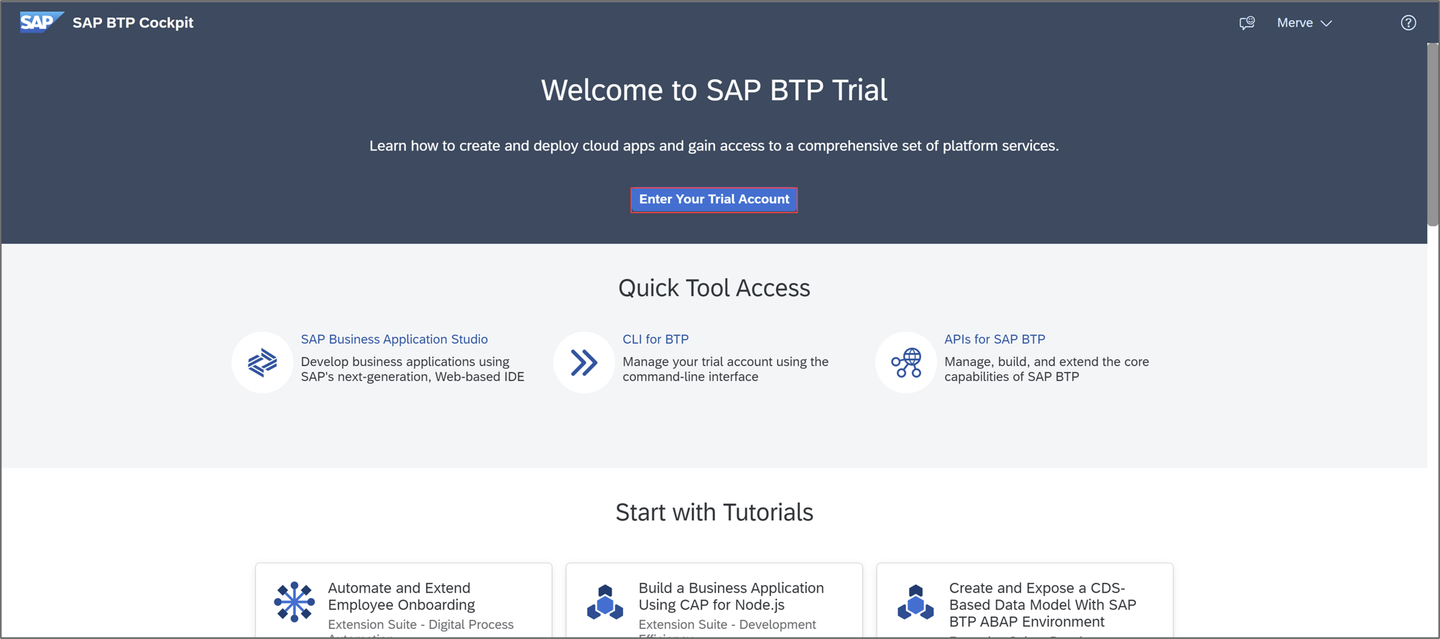
Login to SAP BTP Trial cockpit and click Enter Your Trial Account.
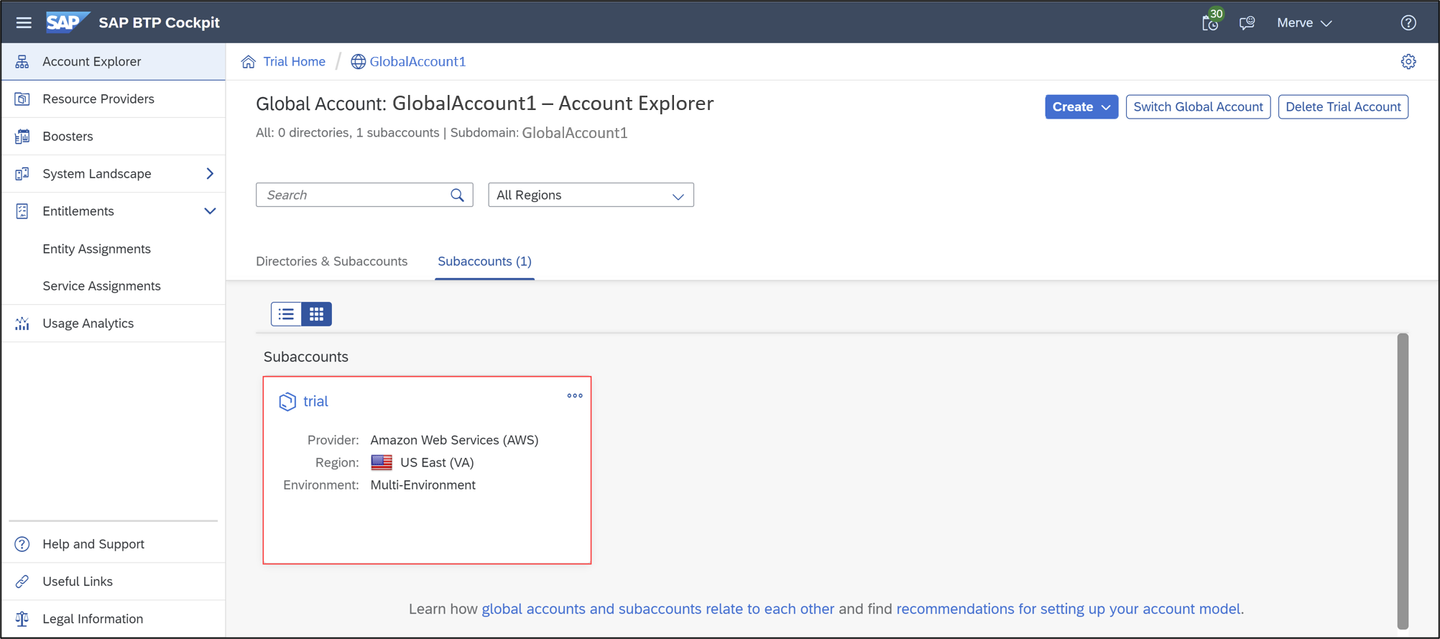
assign role collection Select your subaccount trial.
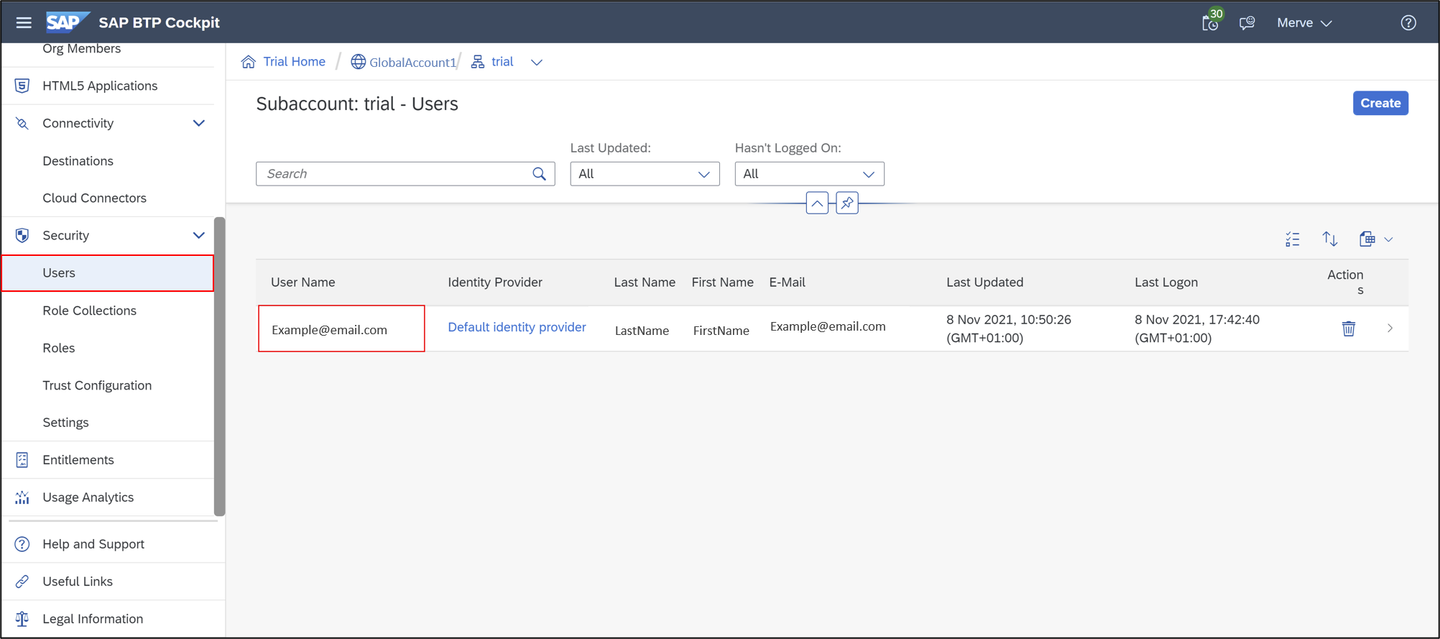
assign role collection Now you are in the trial overview page. Click Users and select your user.
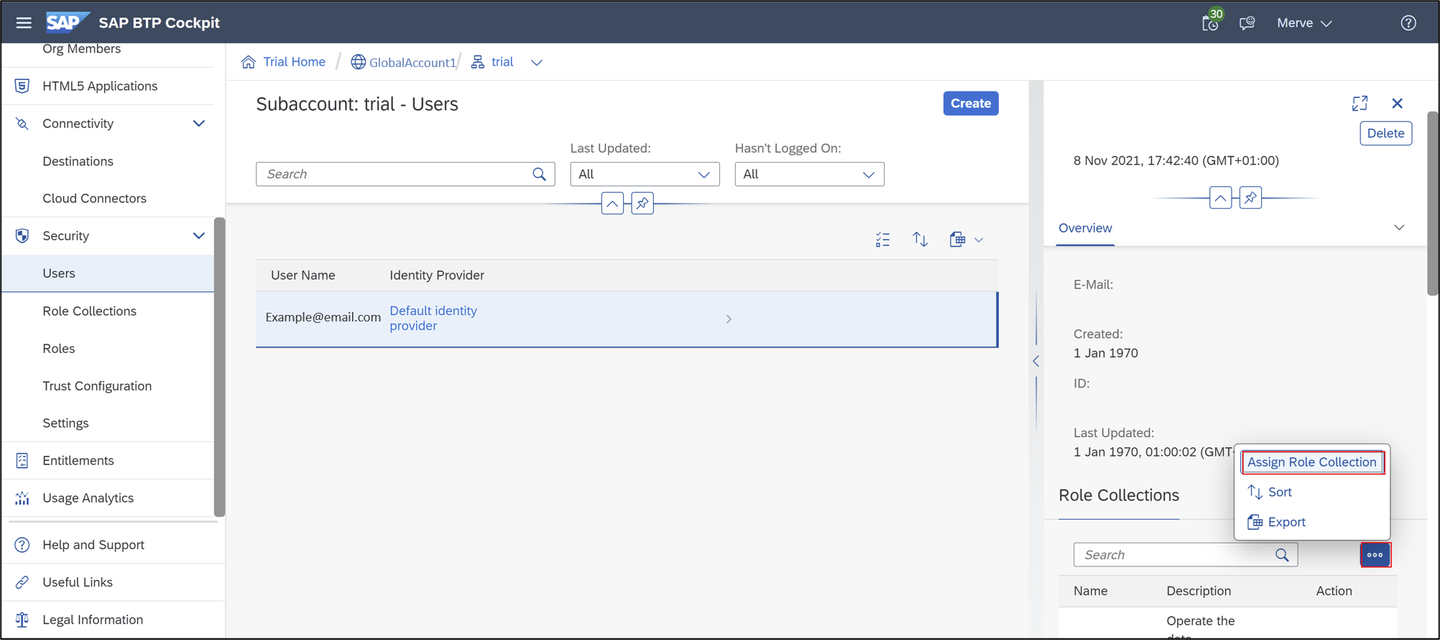
assign role collection Click Assign Role Collection.
assign role collection Select
Business_Application_Studio_Developerand click Assign Role Collection.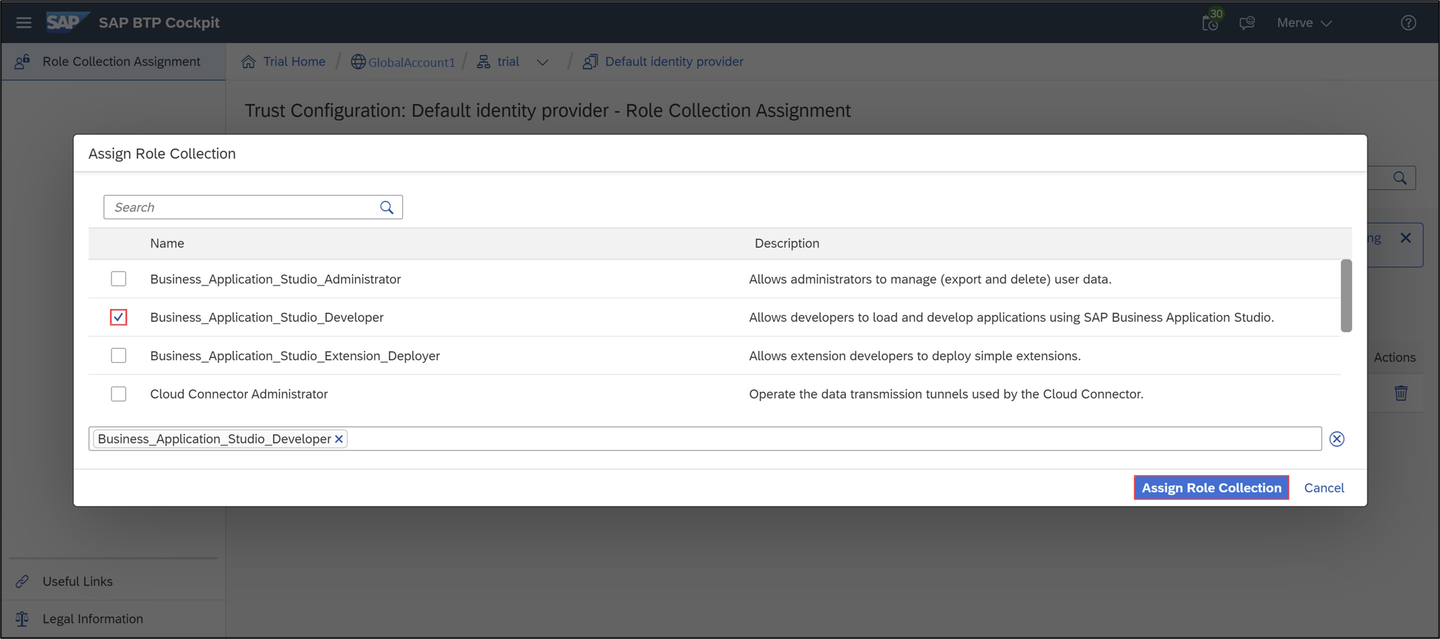
assign role collection
On the left menu scroll to the top and select Instances and Subscriptions and open SAP Business Application Studio.

dev Now the SAP Business Application Studio has started. Click Create Dev Space.
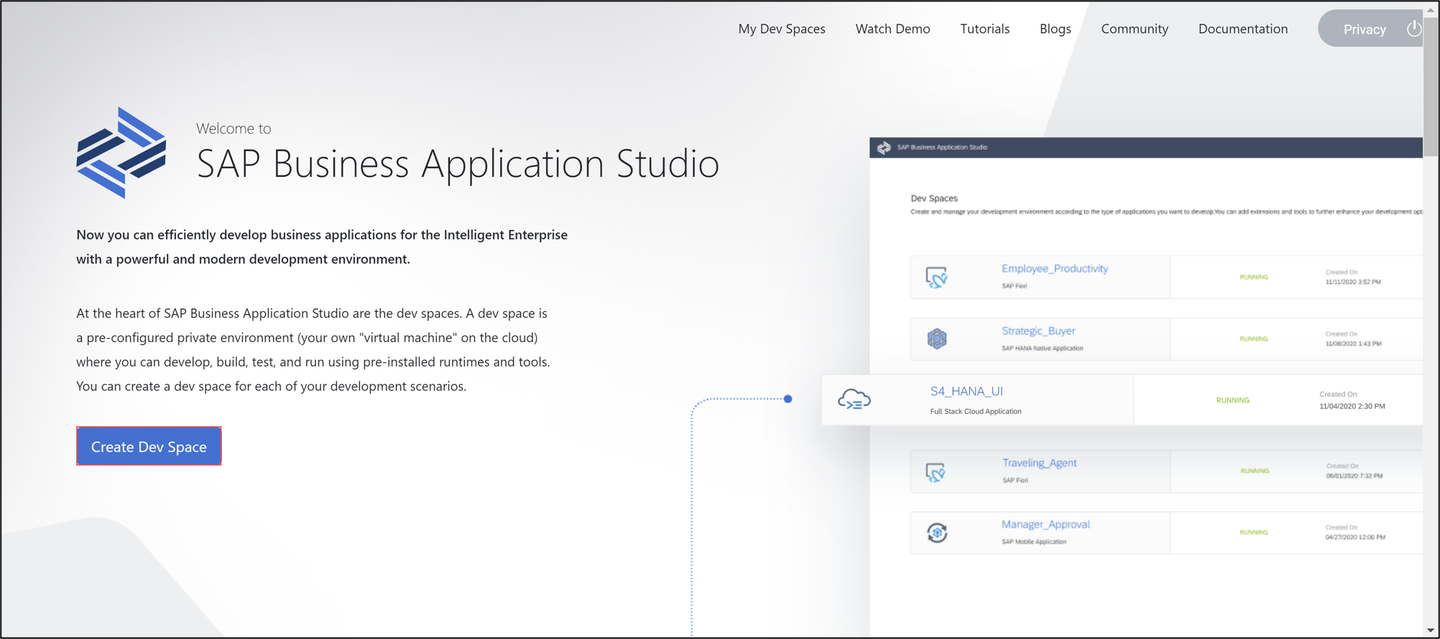
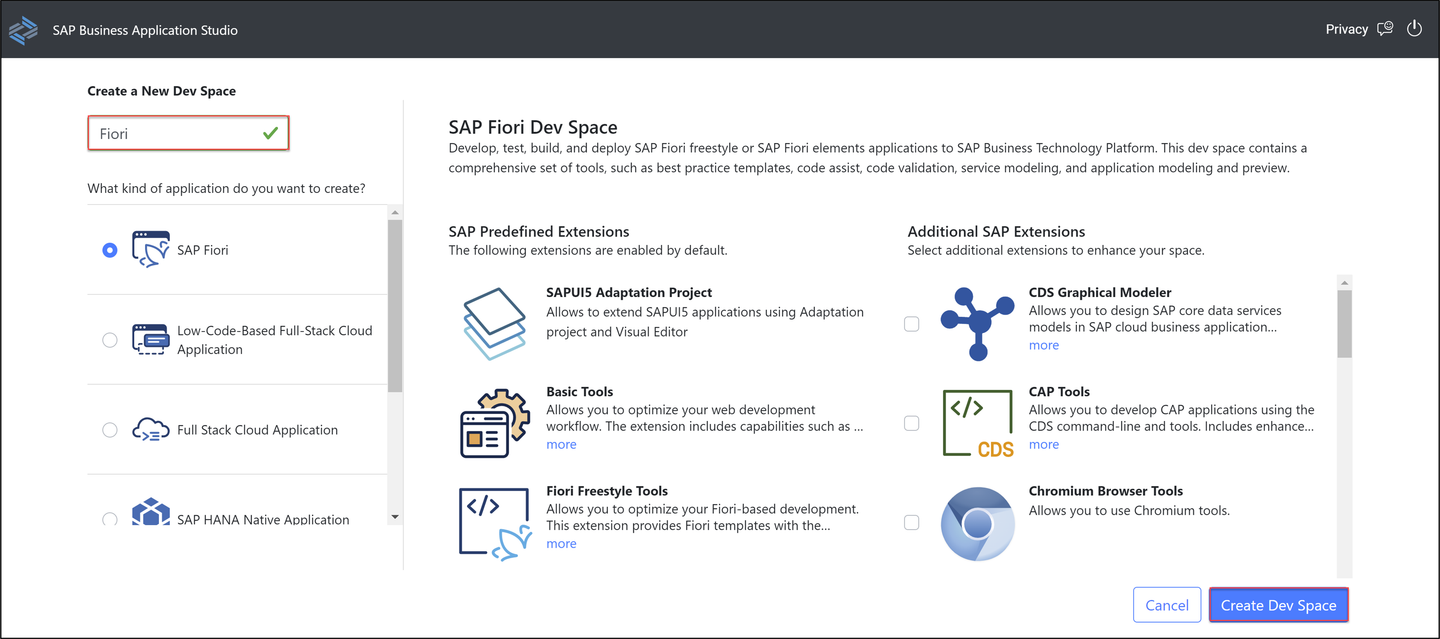
dev Create a new dev space:
- Name: Fiori
- Type: SAP Fiori
Click Create Dev Space.
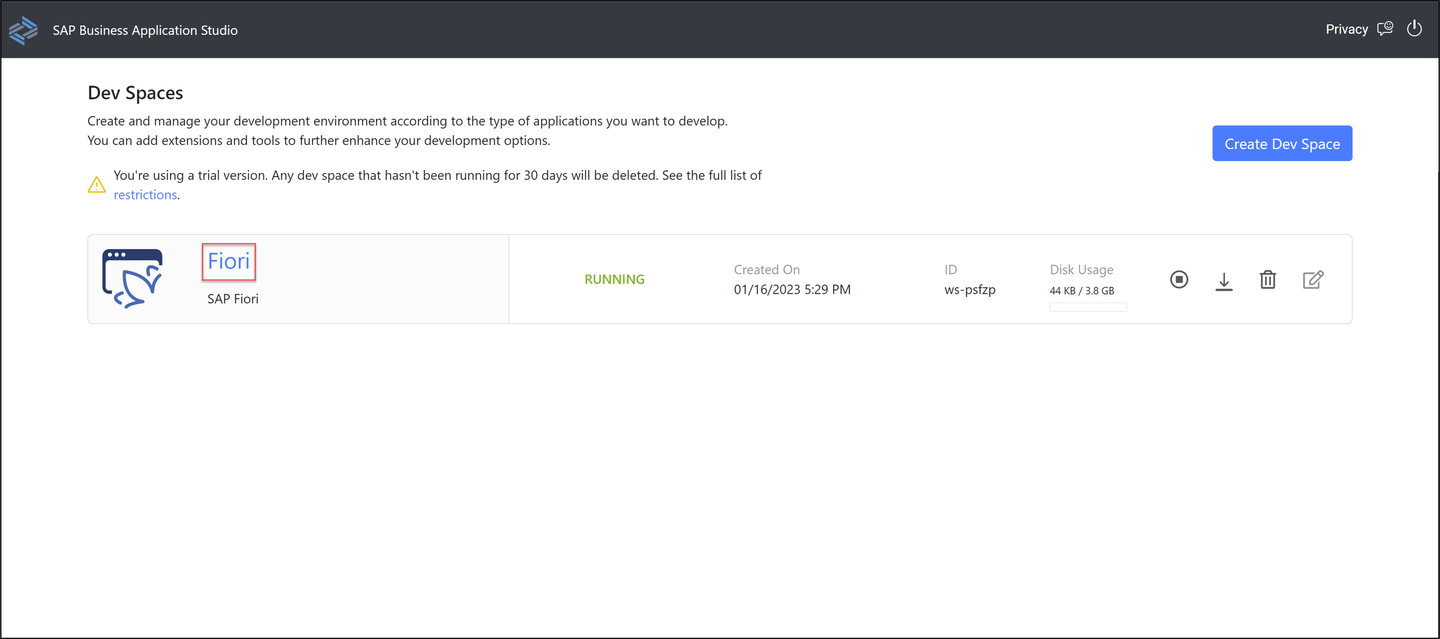
dev When your status is Running, select your dev space Fiori.
dev
Now you are in your Fiori dev space in SAP Business Application Studio. Select the menu on the left side and click Open Folder to set your workspace.
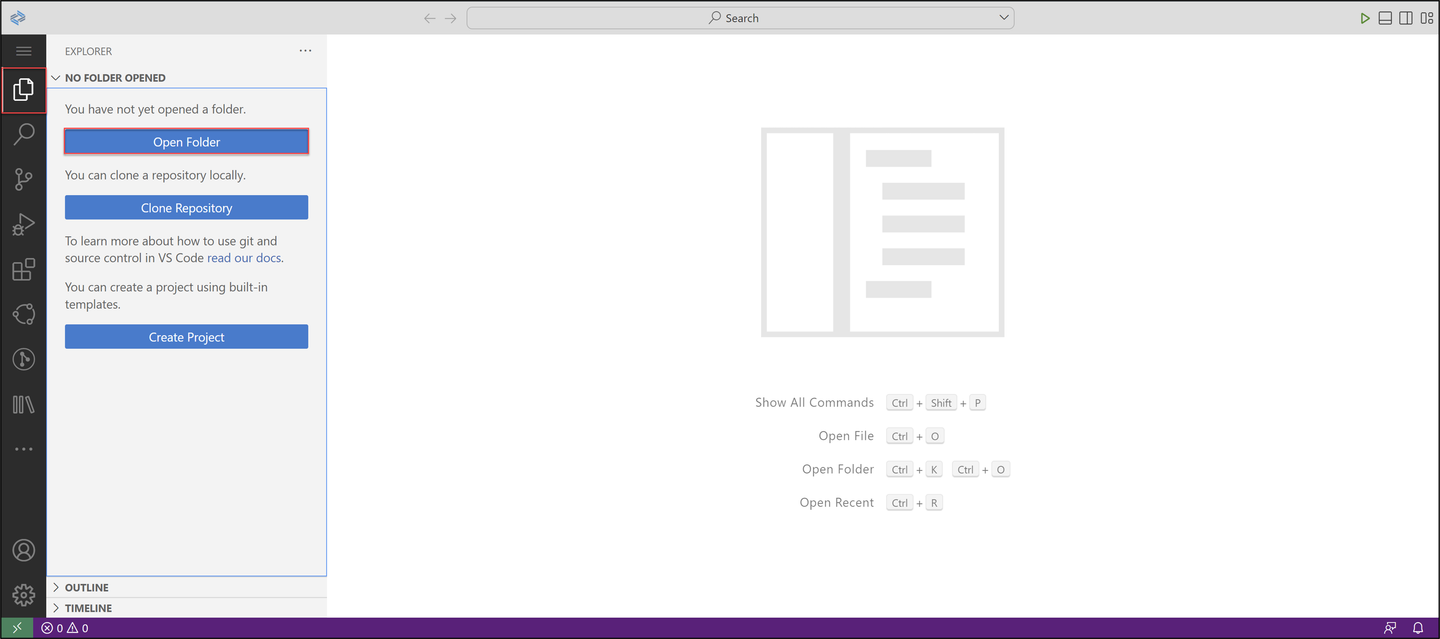
organization Select
/home/user/projects/and click OK.
Switch to SAP BTP Trial and select your trial subaccount.
Copy your Cloud Foundry Environment API endpoint for later use.

organization Switch to SAP Business Application Studio, select the menu on the left side and click View > Command Palette.
Search for CF: Login to Cloud Foundry and select it.

organization Paste your Cloud Foundry API endpoint, enter your credentials and click Sign in.

organization Now you can see that you are logged in. Set now your cloud foundry target:
- Cloud Foundry Organization:
<your_global_account> - Cloud Foundry Space: dev

organization Click Apply.
- Cloud Foundry Organization:
Select the menu on the left side and click View > Command Palette.
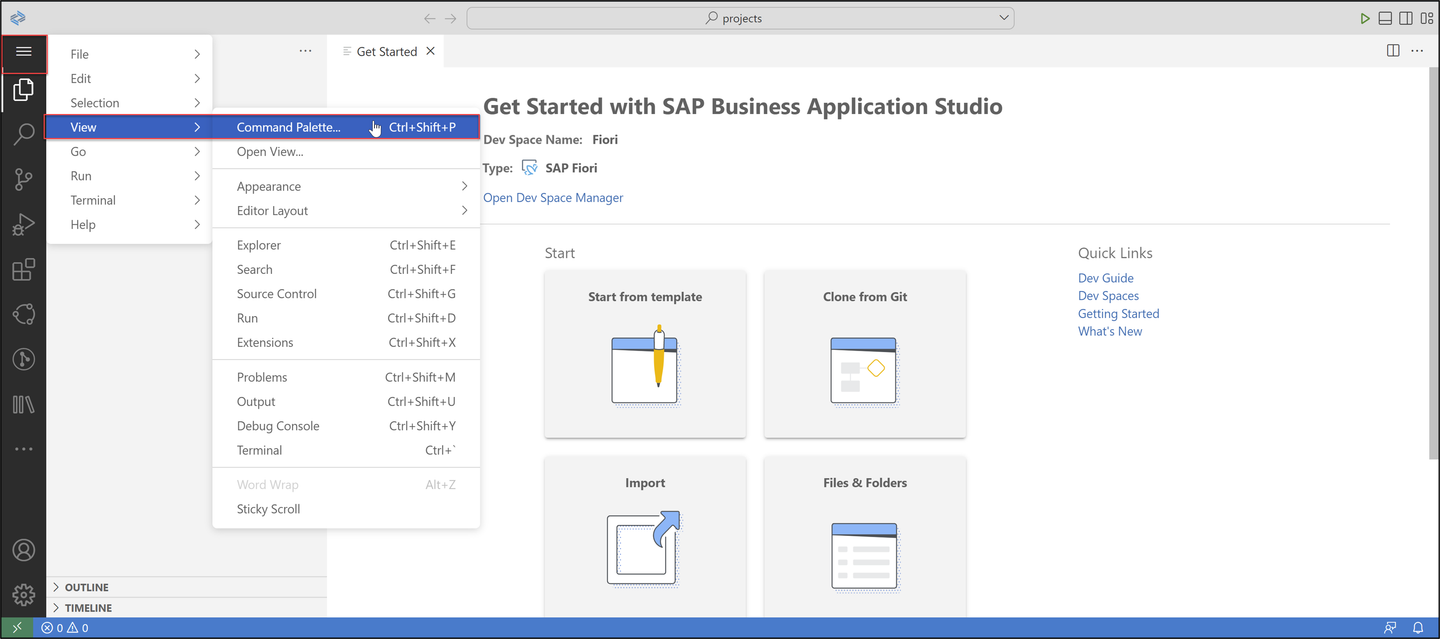
object Search for Fiori: Open Application Generator and select it.

object Select List Report Page and click Next >.
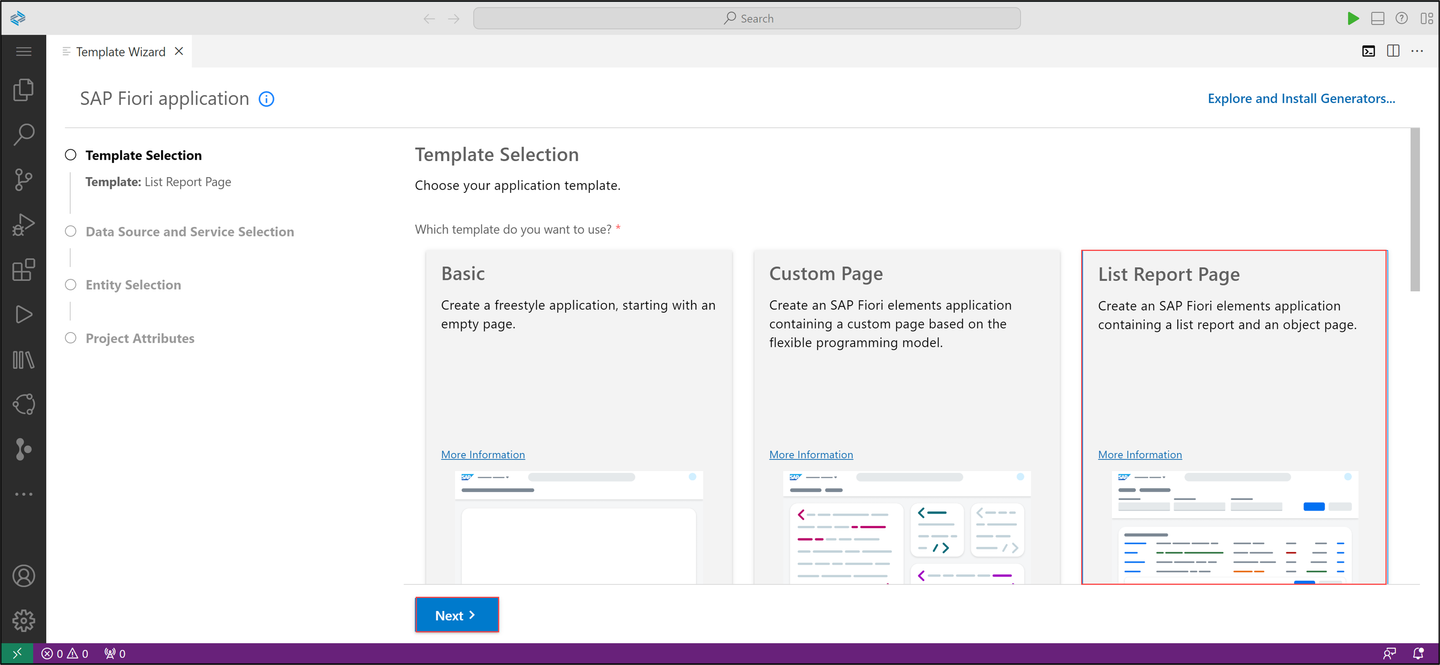
object Configure data source, system and service:
- Data source: Connect to a System
- System:
ABAP Environment on SAP Business Technology Platform - ABAP Environment:
default_abap-trial - Service:
ZUI_C_TRAVEL_M_XXX(1) - OData V2

object Click Next >.
A destination for the
abap-trialservice instance is generated automatically.Select your main entity
TravelProcessorand click Next >.
object Configure project attributes:
- Name:
ztravel_app_xxx - Title: Travel App XXX
- Description: A Fiori application.
- Add deployment configuration: Yes
- Add FLP configuration: Yes
- Configure advanced options: No
Click Next >.

object - Name:
>Your **application name must** begin with a `z letter` and **must** be in **lowercase letters**.
Configure deployment:
- Target: ABAP
- Destination:
<your_abap_system_url> SAPUI5ABAP Repository:ztravel_app_xxx- Package:
ztravel_app_xxx - How do you want to enter Transport Request? Manually
- Transport Request:
<your_transport_request>

app Click Next >.
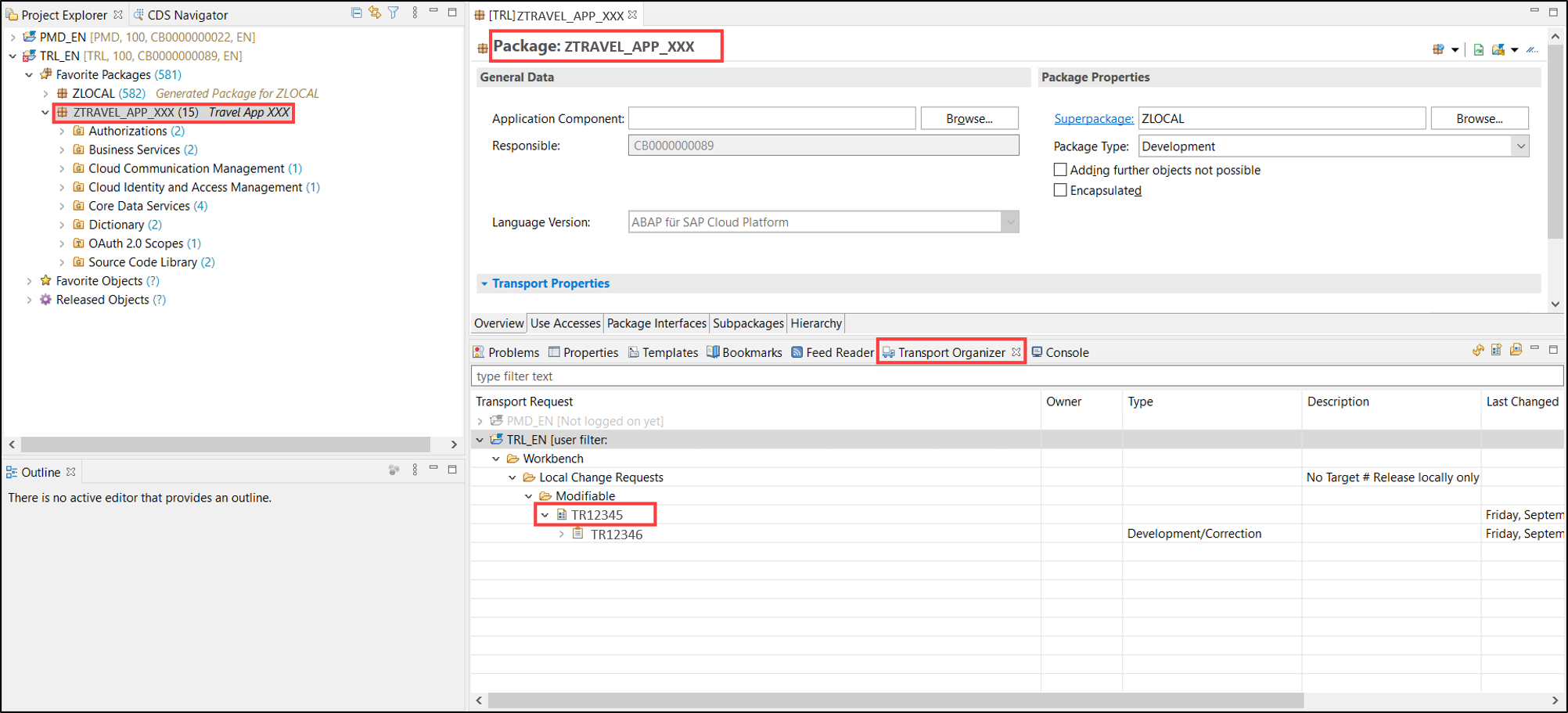
>If you want to copy your transport request, please do following: Open Eclipse, search your package `ZTRAVEL_APP_XXX` and open it. Open your transport organizer to see your transport request. Copy your transport request for later use. You can find your transport request underneath the Modifiable folder.
Configure SAP Fiori launchpad:
- Semantic object:
ztravel_app_xxx - Action: display
- Title: Travel App XXX

app Click Finish.
- Semantic object:
Select the menu on the left side, right-click your project
ztravel_app_xxxand select Open in Integrated Terminal.
run Type
npm startand press Enter.
run The preview opens. Click Go.

run Now check your result.

run
Select the menu on the left side, right-click your project
ztravel_app_xxxand select Open in Integrated Terminal.deploy Enter
npm run deployto deploy your application. When prompted, check deployment configuration and press y. Open the URL at the end of the deployment log in browser to preview the application.
deploy When the deployment is successful, you will get these two information back as a result: UIAD details and deployment successful.
Hint: If an error message appears, use the Environment Check.
Open Eclipse and check the BSP library and SAP Fiori Launchpad app descriptor item folder in your package
ZTRAVEL_APP_XXX. If you are not able to see BSP applications and SAP Fiori Launchpad app description items, refresh your packageZTRAVEL_APP_XXXby pressingF5.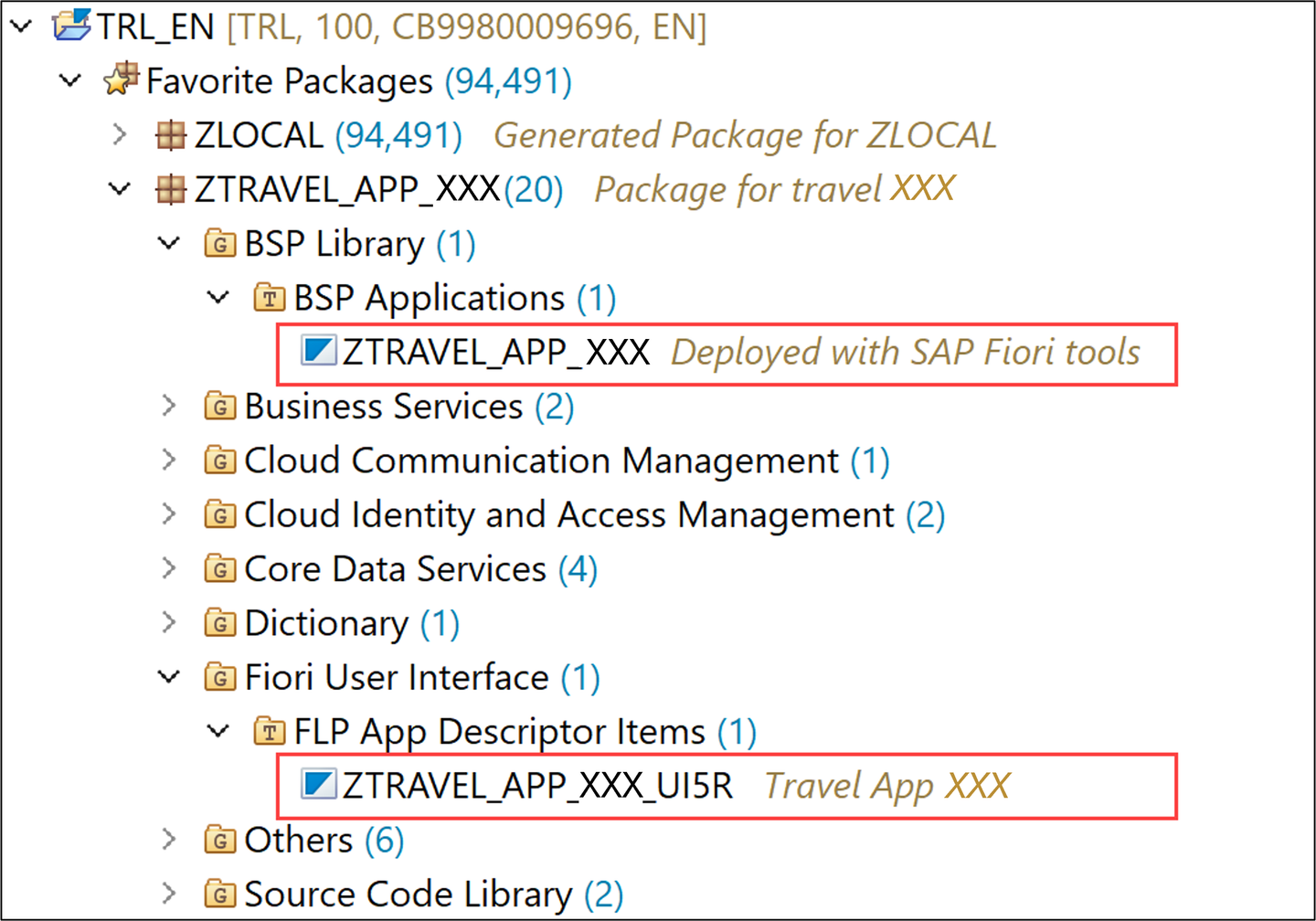
library
In Eclipse right-click your package
ZTRAVEL_APP_XXXand select New > Other Repository Object.
iam Search for IAM App, select it and click Next >.

iam Create a new IAM App:
- Name:
ZTRAVEL_IAM_XXX - Description: IAM App

iam Click Next >.
- Name:
Click Finish.

iam Select Services and add a new one.

iam Select following:
- Service Type:
OData V2 (deprecated) - Service Name:
ZUI_C_TRAVEL_M_XXX_0001

iam Click OK.
Right-click your IAM App and click Activate.
- Service Type:
>If you can't find your service name, you can press **CTRL + space** to search for it.
Right-click your package
ZTRAVEL_APP_XXXand select New > Other Repository Object.
catalog Search for Business Catalog, select it and click Next >.

catalog Create a new business catalog:
- Name:
ZTRAVEL_BC_XXX - Description: Business catalog

catalog Click Next >.
- Name:
Click Finish.

catalog Select Apps and add a new one.

catalog Create a new business catalog:
- IAM App:
ZTRAVEL_IAM_XXX_EXT - Name:
ZTRAVEL_BC_XXX_0001

catalog Click Next >.
- IAM App:
Click Finish.

catalog Click Publish Locally to publish your business catalog.

catalog
Go back to SAP Business Application Studio and deploy your changes. Select the menu on the left side, right-click your project
ztravel_app_xxxand select Open in Integrated Terminal.deploy Enter
npm run deploy. When prompted, check deployment configuration and press y.url Press
CTRL and click the following linkto open the URL in a browser.
url Log in to ABAP Trial.

url Click Go.

url Check your result.

url
Resources
Discussion
Share feedback on this tutorial or join the conversation in SAP Community.